.svg)
%20(1).svg)


Updated August 14, 2026
TL;DR: If you run an agency and your growth depends on cold email, choose the platform that scales accounts and deliverability, not headcount. Instantly.ai gives you unlimited sending accounts on a flat fee, a warmup pool of 4.2M+ accounts, and isolated client workspaces so you scale without compounding software costs. Apollo carries a vast B2B database with deep enterprise enrichment, and Instantly provides SuperSearch with 450M+ contacts plus waterfall enrichment across 7 partner providers, so every client you add costs you sending capacity rather than seats.
Choosing the best AI SDR tools for agencies is not about features. It is about economics. Most lead-generation agencies do not fail because of bad copy, they fail because their software bills grow faster than their client retainer fees. Per-seat pricing on outreach tools creates a direct ceiling on agency margins: every new client inbox added is another line item on a growing software invoice.
This guide compares the top AI SDR platforms through an agency lens, focusing on deliverability infrastructure, multi-client management, and the flat-fee economics that actually protect margins as you scale.
Vetting AI SDR platforms for high-volume agencies
Before comparing platforms, you need to understand what "AI SDR" actually means in 2026, because the term covers two very different categories of software.
Sequence automation sends a pre-programmed series of emails based on fixed time delays. It executes what you build and nothing more.
Agentic SDR tools use AI to autonomously research leads, customize copy, analyze replies, and adjust sequences based on intent signals. The system makes decisions, not just executes them. Think of traditional automation as an assembly-line robot doing one job repeatedly, while an agentic SDR is the floor manager coordinating the entire operation.
For agencies, the evaluation criteria go beyond which label a vendor uses. Multi-client infrastructure, deliverability architecture, and billing model determine whether a platform actually scales with your business.
Isolated client account partitioning
Client data, domains, and campaigns must stay strictly separated. When you mix client lists across a shared workspace, you contaminate data and create compliance exposure. Instantly handles this through workspace groups: each workspace operates as a completely separate environment under a single login, with no data crossing between clients. A workspace group lets a single admin account oversee all sub-workspaces without granting cross-client visibility.
Unlimited inbox capacity for agencies
Deliverability best practice requires distributing sending volume across multiple inboxes. At a cap of 30 campaign emails per inbox per day (the safe ceiling before reputation risk accelerates), reaching 3,000 daily sends requires 100 active inboxes. Instantly's unlimited email accounts model removes this constraint entirely: every Outreach plan includes unlimited sending accounts, and adding inboxes does not change your monthly bill.
Native warmup for better inbox placement
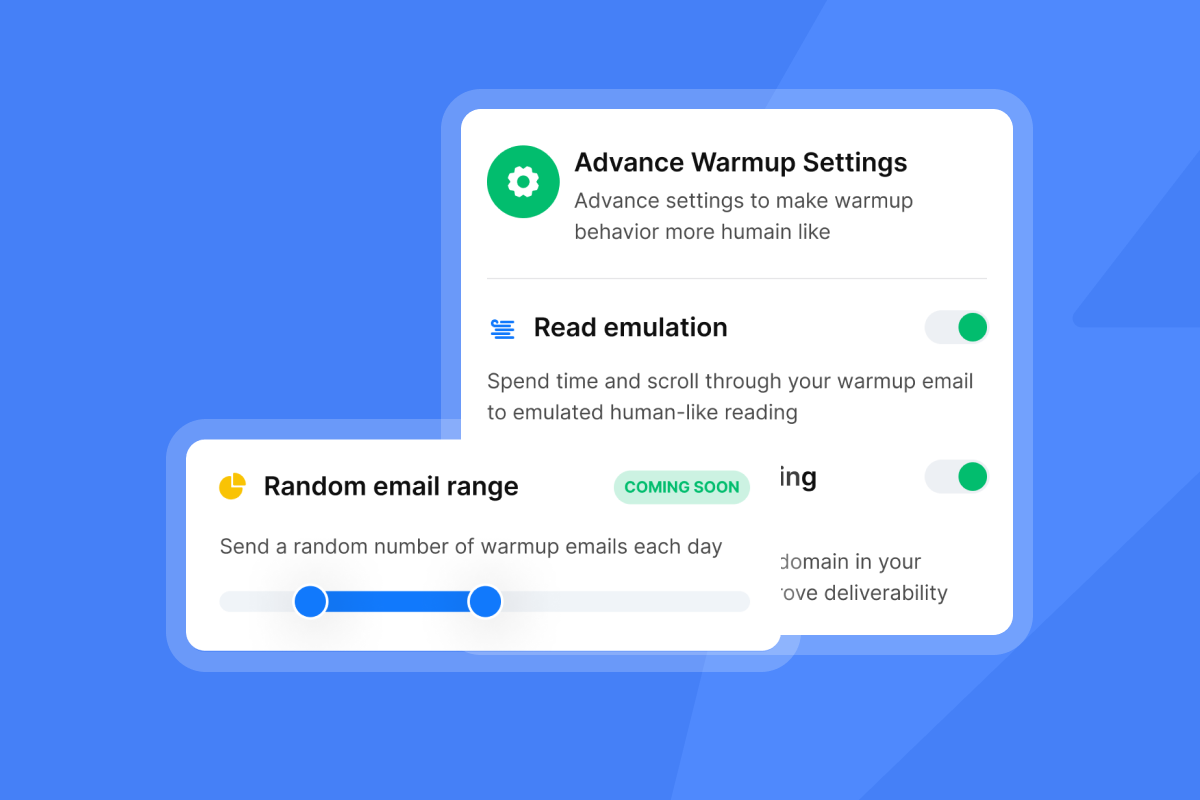
New domains require a warmup period before safely sending campaign volume. Instantly's warmup uses a shared-pool model of 4.2M+ accounts, building engagement history that inbox providers recognize as normal behavior. Start at 5 to 10 emails per day and plan a 2 to 4 week ramp before reaching full sending volume. Skipping warmup is the most common cause of immediate spam placement on new domains, as Instantly's why cold emails go to spam breakdown covers in detail.
Centralized reply handling for teams
When you log into dozens of client inboxes individually to check replies, you burn hours per day and miss opportunities in real time. Unibox v2 aggregates replies from all connected accounts into a single hub. The March 2026 update added bulk actions, team-visible notes, AI sentiment analysis, an "Others Folder" for non-lead replies, and the ability to attach stray replies to their correct lead record.
"I use Instantly to manage cold email campaigns and prospect outreach. What I like most is how easy it is to set up campaigns, manage multiple email accounts, and monitor performance from a single dashboard." - Rehan A. on G2
Predictable flat-fee billing
A 5-person team and a 50-person team pay the same monthly price on any Instantly Outreach tier. The constraint is email send volume, not headcount or inbox count. This architecture lets agencies build client infrastructure that scales to hundreds of inboxes without a corresponding software cost increase.
How to evaluate AI SDR platforms for agency use
Three technical requirements separate tools built for agencies from tools built for single-company teams: deliverability monitoring, bulk inbox economics, and clean data infrastructure.
Preventing spam and inbox placement loss
On Hypergrowth and above, the Deliverability AI Agent runs an automatic 24-hour monitoring cycle across every sending account in your workspace at no additional credit cost. It checks DNS health, blacklist status, warmup scores, bounce rates, provider balance, and campaign copy. When it finds a risk, it surfaces remediation actions including pausing campaigns, replacing risky accounts, rebalancing providers, or improving copy, so you catch deliverability degradation before client reply rates drop.
Flat-fee models for bulk accounts
Per-seat models penalize the exact behavior that protects deliverability. When you distribute sends across more inboxes, you scale volume safely. Every inbox you add on a per-seat tool adds direct cost, which creates a perverse incentive to consolidate sends on fewer inboxes, accelerate reputation damage, and raise cost per meeting. Rotating IP addresses and smart sending algorithms built into the infrastructure handle distribution automatically when you have the inbox capacity to work with.
Verifying data for high reply rates
Dirty data drives bounces, and bounce rates above 2% increase the risk of inbox provider throttling. SuperSearch ships leads pre-verified: every contact sourced through the platform has passed verification before you export it to a campaign. For CSV imports or CRM-sourced lists, Instantly's lead verification runs at 0.25 credits per lead and classifies each address as valid, invalid, or risky before it reaches your sending queue.
Waterfall enrichment improves match rates by checking Instantly's own database first (1 credit if found), then sequencing through 7 partner providers: BetterContact, ContactOut, Findymail, IcyPeas, LeadMagic, Prospeo, and Wiza.

Agency-grade AI SDR platforms compared
Every platform below has real strengths. The framing here pairs each strength with what Instantly provides for the same need, so you can evaluate trade-offs without guessing how gaps affect your agency margin.
Predictable costs for agency scaling
The cost difference scales directly with inbox count. Here is the structural comparison across four platforms at the features agencies actually need.
| Platform | Pricing model | Inbox limit | Multi-client workspaces |
|---|---|---|---|
| Instantly | Flat-fee, all tiers | Unlimited | Yes, fully isolated workspaces |
| Lemlist | Per-seat | Per plan | Yes, Agency Cockpit (per-seat cost) |
| Reply.io | Per-seat / per mailbox | Per plan | Yes, Agency plans (per-seat cost) |
| Apollo | Per-seat + credits | Per plan | Yes, plan-dependent |
At 50 inboxes, per-seat pricing creates direct cost exposure that compounds as you add clients. Instantly's Hypergrowth Outreach plan at $97/month covers all 50 inboxes on a flat fee, with 125,000 emails per month included.
Agency ROI at 50 inboxes:
| Model | Monthly cost (50 inboxes) | Annual cost | Cost per inbox/month |
|---|---|---|---|
| Per-seat at $50/inbox | $2,500 | $30,000 | $50 |
| Per-seat at $100/inbox | $5,000 | $60,000 | $100 |
| Instantly Hypergrowth | $97 | $1,164 | $1.94 |
Lemlist: automated custom icebreakers
Lemlist offers advanced visual personalization and liquid syntax for custom icebreakers at scale. Instantly provides AI Spintax Writer and AI Sequence Writer on a flat-fee model that does not charge per seat as you scale sending infrastructure. The AI Spintax Writer generates per-lead email variation from existing copy, and the AI Sequence Writer builds full multi-step sequences from offer and audience inputs, both included on the Growth plan ($47/month) and all higher Outreach tiers.
Lemlist off-ramp checklist:
- Export lead lists from Lemlist as CSV and verify quality through Instantly's lead verification.
- Export your sequence templates from Lemlist, recreate each step inside Instantly's campaign builder, and configure isolated client workspaces before bringing any contact lists across.
- Warm new sending domains for 2 to 4 weeks starting at 5 to 10 emails per day before launching campaigns.
Reply.io: unified CRM-driven outreach
Reply.io offers strong multichannel outreach with CRM-integrated workflow capabilities. Instantly's native HubSpot connector supports bidirectional activity sync through the Automations builder: HubSpot contact, deal, and task changes can trigger Instantly actions, and Instantly replies and campaign completions can trigger HubSpot contact, task, and note creation, all on a flat-fee model that keeps software costs predictable as client volume grows.
Reply.io off-ramp checklist:
- Export contact and sequence data, then map custom fields to Instantly's import format (max 50 variables per CSV).
- Before connecting any sending domain to a new platform, confirm that SPF, DKIM, and DMARC records are correctly configured and fully propagated.
- Map your existing CRM sync logic before migrating, then rebuild it using your new platform's native connector or automation tools, and re-warm any inboxes that went inactive during the migration period before resuming campaign sends.
Apollo: deep enrichment for SDR teams
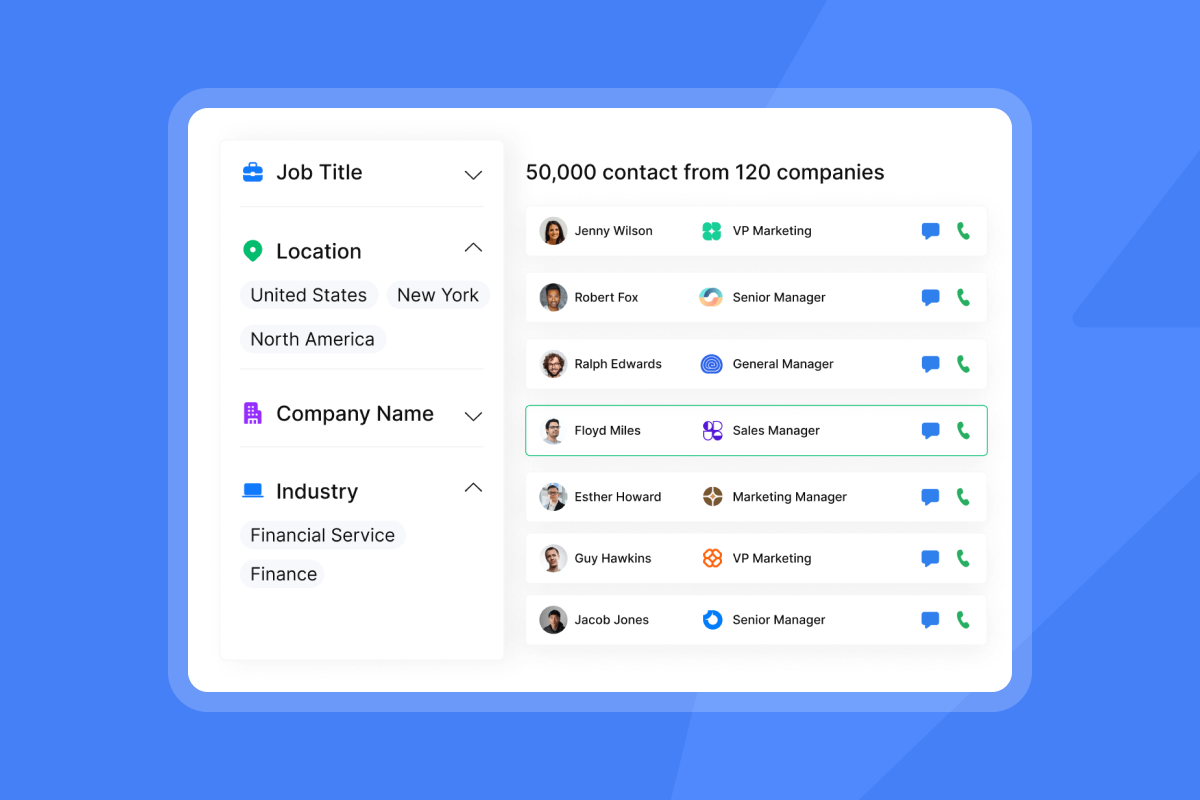
Apollo carries a vast database with deep enterprise compliance filters and strong native CRM integrations. Instantly provides SuperSearch with 450M+ B2B contacts and waterfall enrichment checking 7 partner providers, plus a Signals filter pulling 5.8M+ new intent signals per week, all without per-seat pricing that scales against you as you add client inboxes.
Apollo off-ramp checklist:
- Export enriched contact lists from Apollo as CSV and re-verify in Instantly before adding them to your sending queue. Contact lists exported from any third-party platform should be re-verified before being loaded into a new sending queue.
- Before importing any contact data, add previously unsubscribed or opted-out contacts to your Global Blocklist so they are automatically excluded from all campaigns and future imports.
- Before launching any campaigns on your new platform, organize each client into its own isolated workspace, connect their sending domains, and confirm that SPF, DKIM, and DMARC records are correctly configured and fully propagated.
Managing multiple client inboxes at scale
Running campaigns across dozens of client accounts requires systems for access control, performance tracking, reputation protection, and reply handling. Here is how each layer works inside Instantly.
Configuring client-level permissions
Each Instantly workspace supports role-based access, so you keep operational control while giving clients read-only visibility into their own reporting. Workspace group management lets a single admin account oversee all sub-workspaces without granting cross-client visibility or requiring separate logins.
Automated ROI tracking by account
Account Analytics tracks Combined Score (weighted open and reply rate) per sending account, with per-campaign filtering to isolate client-level performance. Filter campaigns by workspace and export reply and meeting data to document cost per meeting against send volume for each client.
Protecting domain sender reputation
Two automated guardrails protect client domains from reputation damage. BounceShield automatically skips known high-risk recipients based on real-time and historical bounce data. The high-bounce auto-pause triggers when bounce rate exceeds 5% (default, configurable) after a minimum of 200 sends, pausing the campaign automatically before further reputation damage occurs.
"We're able to scale our outreach without sacrificing personalization or risking our sender reputation." - Natalie on Trustpilot
Centralized internal messaging hubs
AI Reply Agent handles incoming replies in under 5 minutes in Human-in-the-Loop or Autopilot modes. Running the agent consumes Instantly Credits (5 credits per reply), which is a separate subscription from your Outreach plan. The Slack integration sends real-time notifications to your team's Slack channel when replies are flagged for human review, so you stay looped in without monitoring Unibox continuously.
How to calculate true cost per meeting
Most agencies underestimate total software spend because the visible seat cost is only part of the picture. Three factors drive the real number: billing model, inbox volume, and hidden surcharges buried in plan tiers.
Flat-fee vs. per-seat pricing
The hidden cost in per-seat models is not just the seat fee. It is the behavioral constraint: agencies on per-seat tools under-invest in inbox count to control costs, which forces higher send volume per inbox, which degrades deliverability, which lowers reply rates, which raises cost per meeting. The pricing model and the deliverability outcome are directly connected.
Scaling volume without overage fees
Outreach plan limits on Instantly are based on monthly email sends and uploaded contacts, not inbox count. Growth at $47/month includes unlimited accounts and warmup. Hypergrowth at $97/month and Light Speed at $358/month move to higher send and contact allowances as your agency scales.
Identifying hidden service surcharges
Watch for these cost layers on competing platforms:
- Paid warmup tools sold separately from the sending platform.
- Verification fees charged per check regardless of whether a valid email is found.
- CRM integration tiers that require an enterprise plan to access two-way sync.
- Credit expiration that forces you to buy more credits before consuming what you have.
On Instantly, warmup is included on every Outreach plan. Verification runs at 0.25 credits per lead with published costs per operation. Monthly-plan credits expire 2 months after purchase if unused, and annual-plan credits expire after 1 year.
Calculating your true cost per meeting
Start with your target monthly meetings booked and work backward.
- Define the conversion funnel. Instantly's 2026 benchmark report puts the platform average reply rate at 3.43%. Top-quartile senders reach 5.5%+, and the top 10% reach 10.7%+. Apply a realistic reply-to-meeting conversion rate from your historical data (typically 20 to 40% of positive replies).
- Estimate required sends. To send 11,700 emails per month at a 5.5% reply rate: 11,700 × 5.5% = 644 replies. At 30% reply-to-meeting conversion, that is 193 meetings per month booked.
- Calculate infrastructure cost. 11,700 monthly sends across 30 sends per inbox per day requires 13 active inboxes (11,700 ÷ 900 sends/inbox/month). On Instantly Hypergrowth, that is $97/month flat. On a per-seat tool at $50/inbox, that is $650/month for sending infrastructure alone.
Maintaining primary inbox placement
Inbox placement is not a one-time setup. It requires a repeatable ramp process for new domains, clean data practices, disciplined volume limits, and ongoing monitoring. The steps below cover each requirement in order.
30-day ramp plan for new sender domains
Follow this ramp schedule for every new client domain. The 30-day warmup plan guide covers the broader warmup approach.
- Days 1 to 14: Enable warmup only, starting at 5 to 10 emails per day. By days 6 to 7, scale to 10 to 20 per day if open rates exceed 40% and bounces stay under 1%. Run no campaign sends during the first two weeks. Confirm DNS records (SPF, DKIM, DMARC) are propagated and validated.
- Days 15 to 21: Introduce campaign sends, starting at 10 to 15 per inbox per day. Increase gradually toward 30 per day only if bounce rate stays below 2%. If bounce rate rises, pause campaign sends, re-verify your list, and resume at a lower daily cap once the rate recovers.
- Days 22 to 30: Hold campaign sends at a maximum of 30 per inbox per day. To increase total campaign volume beyond that ceiling, add inboxes and let Inbox Rotation distribute sends automatically across all accounts assigned to the campaign.
Reducing bounces via data enrichment
Pre-verify every imported list before campaign launch. SuperSearch-sourced leads ship pre-verified at no additional cost. CSV imports require a separate verification step at 0.25 credits per lead. For lists over 10,000 contacts, run verification in batches and filter out "risky" classifications before importing to your campaign queue.
Managing send volume per inbox
Do not scale past 30 campaign emails plus 10 warmup emails per single inbox per day. Sending more accelerates IP reputation decay and invites inbox provider intervention. Scale total volume by adding inboxes, not by pushing existing inboxes harder. Inbox Rotation distributes sends automatically across all accounts assigned to a campaign, so you do not need to manually cap sends per account.
Tracking domain reputation and blacklists
Inbox Placement tests monitor 94 blacklists and test placement across Gmail, Microsoft, Web.de, and Libero.it. Automated tests run on a schedule and alert you before a client notices a drop in reply rates. The standalone Inbox Placement plan starts at $47/month for unlimited one-time tests and $97/month for unlimited automated tests.
4 criteria for picking your AI SDR stack
The right platform choice comes down to four practical questions. Work through them in order, and the decision narrows quickly, regardless of how many vendors you are evaluating.
Project client throughput requirements
Start with the math in the cost-per-meeting section above. Document your current and projected monthly send volume across all clients. Start with Hypergrowth at $97/month if your current send volume fits within its monthly limits. As client volume grows and send requirements scale beyond that, Light Speed at $358/month adds SISR infrastructure, which automatically rotates dedicated server and IP blocks to isolate high-volume clients from shared IP reputation pools, protecting deliverability at scale.
Analyze per-seat vs. flat-fee costs
Take your current inbox count or your 12-month projected inbox count and multiply by the per-seat price of any tool you are evaluating. Compare that number directly to the Instantly Outreach tier that covers your send volume. The Instantly vs. Smartlead and Lemlist comparison shows how costs diverge as inbox count grows.
Verify inbox placement before scaling
Run an Inbox Placement test on every sending domain before increasing campaign volume. Any domain showing a meaningful share of emails landing outside the primary inbox needs remediation before you increase campaign volume. Use the Deliverability AI Agent's monitoring output to identify which domains are at risk and apply fixes before a client campaign suffers.
Assess vendor support and onboarding
During your trial, submit a technical question and measure response time. Check the status page for historical uptime and check the public changelog for shipping cadence. Instantly's 14-day free trial starts automatically on signup with no credit card required, giving you enough runway to validate ramp behavior and support responsiveness before committing.
The difference between a platform built for agencies and one adapted from single-company use shows up directly in your monthly P&L. Flat-fee infrastructure with unlimited accounts means adding ten client inboxes costs zero additional software spend, while per-seat tools charge hundreds per month for the same capacity. Over twelve months, that gap compounds into real margin.
Try Instantly free for 14 days with unlimited email accounts included and no credit card needed. Use the trial to configure isolated client workspaces, connect your sending domains, and validate the ramp plan that protects deliverability while you scale.
FAQs
What are realistic reply rate benchmarks for agency cold email campaigns?
Instantly's 2026 benchmark report puts the platform average reply rate at 3.43%, with the top quartile reaching 5.5%+ and the top 10% achieving 10.7%+. Consistent senders see 15 to 20% higher reply rates than inconsistent senders, which makes ramp discipline a direct performance lever.
How long does it take to ramp up new client inboxes safely?
New inboxes require a 2 to 4 week warmup period before campaign sends begin, starting at 5 to 10 emails per day. The maximum safe ceiling is 30 campaign emails plus 10 warmup emails per inbox per day.
How do you manage 100+ client domains at scale?
Use a flat-fee platform with unlimited accounts and Inbox Rotation to distribute volume automatically across all inboxes (max 30 sends per inbox per day), and organize each client under an isolated workspace so domain health issues in one account do not affect others.
What causes inbox placement to drop suddenly?
The most common causes are bounce rates above 2%, missing or misconfigured DNS records (SPF, DKIM, or DMARC), and exceeding 30 campaign sends per day per inbox. A blacklisted IP from a shared sending pool can also trigger placement drops without any change to your own sending behavior.
How do you protect client domains from being blacklisted?
Set up a custom tracking domain per client, enable BounceShield to skip high-risk recipients automatically, and run automated Inbox Placement tests that monitor 94 blacklists on a scheduled cycle. On Hypergrowth and above, the Deliverability AI Agent checks domain health every 24 hours and flags issues before they affect campaign performance.
Key terms glossary
Agentic SDR: An AI system that autonomously researches leads, customizes email copy, analyzes replies, and adjusts outreach sequences based on intent signals, rather than simply executing a pre-programmed email series. Unlike sequence automation, an agentic SDR makes decisions.
Warmup: The process of gradually building sender reputation for a new email account by sending and receiving emails with a trusted network before launching cold outreach campaigns. Instantly's warmup pool includes 4.2M+ accounts and requires a 4 to 6 week ramp starting at 5 to 10 emails per day.
Sender reputation: A score assigned by inbox providers based on your sending behavior, bounce rates, spam complaints, and engagement history. High sender reputation increases primary inbox placement; low reputation sends your emails to spam.
Waterfall enrichment: A sequential lead enrichment process that checks multiple data providers in order until a verified contact is found, stopping when a match is returned. Instantly's waterfall checks its own 450M+ contact database first (1 credit if found), then runs through multiple partner providers (typically 2 to 4 credits depending on which provider returns a match), with no charge if no match is found across any provider.
SISR (Server & IP Sharding & Rotation): Instantly's Light Speed infrastructure feature that assigns dedicated server blocks and rotates IP addresses automatically to isolate high-volume client campaigns from shared IP reputation pools, protecting deliverability at scale.
Read next
- Best Instantly alternatives for outbound sales teams in 2026: a side-by-side breakdown of top platforms so you can find the right fit for your agency's send volume, billing model, and deliverability needs.
- Best outbound sales software for B2B GTM teams: Instantly's 2026 guide: covers the tools B2B go-to-market teams use to build pipeline, from sequencing and enrichment to CRM sync and reporting.
- Best AI BDR tools and platforms for sales teams in 2026: compares agentic BDR platforms on reply handling, lead research, and cost per meeting so you know what to expect before you commit.


