.svg)
%20(1).svg)


Updated June 2, 2026
TL;DR:
Finding B2B decision-makers for free starts with mapping your Decision-Making Unit (DMU), then working through public sources: company websites, press releases, SEC filings, and LinkedIn free search. Each method is accurate but time-intensive. Before any contact enters a sequence, cross-check each name across two public sources and confirm your legal basis for outreach, whether that is a documented Legitimate Interest Assessment under GDPR or a reviewed basis under CCPA. Once your team outgrows manual research, a verified lead database like Instantly.ai SuperSearch gives you 450M+ contacts filtered by title, industry, and buying signals, replacing hours of scraping with a single search.
A common pattern across sales teams, founders, and agencies is spending time refining email copy while their reps are sending to the wrong person entirely. Salesforce research shows reps spend only 28% of their time selling, with the rest absorbed by admin, data entry, and prospect research. Send a well-crafted email to the wrong person and you guarantee zero pipeline.The fix is understanding the Decision-Making Unit before you write a single word.
A DMU contains three core roles. The economic buyer controls budget and approves spend. The champion advocates internally for your solution. The technical buyer evaluates fit and flags blockers. There is often a fourth role worth mapping: the gatekeeper, who controls access to the decision-makers above. Knowing who fills each role tells you who to find, who to engage first, and whose objections to pre-empt.
Manual research: better than pricey tools
Free public data is highly accurate when you verify a name across multiple sources. The trade-off is time. B2B contact data decays at 22.5% annually, driven by the fact that roughly 30% of the workforce changes jobs annually. That means a list built six months ago has already lost roughly 12% of its accuracy. Manual methods work well for targeted account research, but they do not scale to a team running hundreds of sequences.
Free sources and compliance basics
Before you build any list, establish your legal basis for contact. Under GDPR Article 6(1)(f), legitimate interest covers most B2B outreach, but you need a Legitimate Interest Assessment per campaign and must honor erasure requests across every system holding the data. The CCPA's B2B exemption expired on December 31, 2022, meaning California business contacts now have some protections under the law, though these are not fully equivalent to consumer protections under the CPRA. The Instantly email tracking privacy and compliance guide walks through the operational steps for GDPR legitimate interest assessments, erasure request handling, and CCPA compliance.
The best free sources:
- SEC EDGAR: Named executives in 10-K and proxy filings for all US public companies.
- Company websites: "About Us," "Leadership," and "Investor Relations" pages.
- Press release wires: BusinessWire and company newsrooms list executives by name and title.
- LinkedIn free tier: Boolean search without a Sales Navigator subscription.
- Google Alerts: Free monitoring for executive changes, funding rounds, and M&A.
- Crunchbase free tier: Funding rounds and founding team profiles for private companies.
Use company websites to find key contacts
Company websites are the fastest first stop for decision-maker research. Most public and private companies publish a leadership or team page that names executives with their exact titles, and these pages require no login, no subscription, and no tools. Start here before opening LinkedIn or any other source. The data is primary, meaning it comes directly from the company, which reduces the risk of importing a stale third-party record. The limitation is freshness. Companies update these pages inconsistently, so always cross-check any name you find against a second source before adding it to a sequence. Work through the pages below in order.
Public leadership team rosters
The "About Us," "Team," or "Leadership" page lists executives with their exact titles and often includes a short bio. Cross-check the bio date against recent news. If the page names someone as "CEO since 2019" but a news article from last month names a different CEO, the site is stale and you need to verify elsewhere before adding the contact.
Decoding website reporting lines
Department pages may suggest organizational focus. A company with a "Sales" page under a broader "Revenue" section is worth noting, but website structure alone does not reliably confirm org hierarchy. Verify whether a Chief Revenue Officer (CRO) exists by checking the leadership page, LinkedIn, or a recent press release before assuming who holds the budget. Investor Relations pages for public companies list board-level names alongside management teams. The same names also appear in DEF 14A proxy statements and 10-K filings on SEC EDGAR, so treat IR pages as a quick first check rather than the only source.
Map informal org hierarchies
Gatekeepers are information sources, not just obstacles. An executive assistant who declines your call is still a source of information. Being polite, patient, and specific about your research can build enough rapport to warrant a referral, though outcomes vary widely depending on the person and context. Knowing the org structure from public pages before you call means you can ask a specific, credible question rather than a cold one.
Analyze press releases to find decision-makers
Press releases are high-intent triggers. When a company announces a new executive hire, a funding round, or a product launch, the named person is actively in change mode and likely evaluating new tools and vendors.
New hires and leadership changes
A new VP of Sales or Head of RevOps signals that process is being rebuilt, which opens a clear window for outreach. The press release names the person, confirms their title, and often quotes them on priorities, giving you a name, a role, and a conversation starter in one source.
Set a Google Alert for each target account. Google Alerts supports Boolean operators, so you can combine terms to narrow results. One approach that works in practice: "[Company Name]" AND ("appoints" OR "names" OR "promotes" OR "joins as"). Alert delivery timing depends on Google's indexing schedule and is not guaranteed. Some notifications arrive the same day, others take longer. Treat Google Alerts as a background monitor rather than a real-time feed. To see signal-based outreach in practice, watch the Instantly webinar on signal-based cold email, which walks through a live client campaign using this approach.
Free public press release sources
- Company "Newsroom" or "Press" pages
- BusinessWire news search
- Google News (
site:businesswire.com "company name")
Build prospect org charts with LinkedIn
LinkedIn's free tier gives you more access than most reps use. You can search by title, company, geography, and industry without a Sales Navigator subscription as long as you apply Boolean logic correctly.
Use Boolean search on LinkedIn's free tier
LinkedIn's free search bar supports three Boolean operators: AND, OR, and NOT. All three must be typed in uppercase or LinkedIn will treat them as regular search terms. Quotes and parentheses work as formatting tools to group and exact-match terms. Combine them to filter precisely:
"VP of Sales" OR "Head of Sales"finds both title variants.AND "SaaS"narrows to the industry.NOT "assistant"removes support roles.- Parentheses group terms:
("VP of Sales" OR "Head of Sales") AND "SaaS" NOT "assistant". - Quotes force an exact match:
"Chief Revenue Officer".
Run the full string inside LinkedIn People search and filter by current company.
Identify true decision-makers by title
Inflated titles are common at smaller companies. "Director of Growth" may be a solo marketer with no budget authority. Cross-check the title against company headcount on the LinkedIn company page. At a 20-person company, the founder or CEO typically controls budget. At 150 employees, a VP title usually signals real purchasing power.
Check LinkedIn for recent promotions
The "Experience" section shows promotion dates. A person who recently moved from "Senior Manager" to "VP" has taken on a new level of authority. Whether that translates to active team building or technology decisions depends on company structure, budget cycles, and strategic priorities. Treat the promotion as a prompt to research further, not a guaranteed buying signal.
Verify decision-maker roles on LinkedIn
Check that the profile is current: recent posts, comments, or shared articles confirm active use. Limited LinkedIn activity for several months, such as no posts, comments, or shared articles, may suggest the profile is stale. Endorsements alone are not a reliable staleness indicator. Cross-check against the company website or a recent press release before adding the contact to your list.

Pinpoint key executives in public filings
For US public companies, SEC EDGAR is a free, authoritative database listing executive names, titles, compensation, and board assignments in audited annual filings. Unlike a LinkedIn profile, these disclosures are legally required and verified by auditors, which makes them one of the most reliable public sources for confirming who holds senior roles. Access EDGAR at sec.gov and search by company name or ticker. Filter for the most recent 10-K or DEF 14A filing to find current officer and director lists. The main limitation is timing. Filings are submitted 60 to 90 days after fiscal year-end, so the data can lag real-world changes by several months.
Locate decision-makers: 10-K & proxy
The 10-K annual report lists officers and directors in Item 10. The Proxy Statement (DEF 14A) names every director and named executive officer, discloses their compensation, and lists committee assignments. Search EDGAR by company ticker, then filter for the most recent 10-K (annual report) or DEF 14A (proxy statement) filing.
Uncover top management & their pay
Compensation tables in proxy statements name and rank the five highest-paid executives. This tells you who is senior enough to disclose, but it does not reliably indicate who holds purchasing authority. A CFO earning more than a CRO does not confirm that budget decisions sit with finance. Decision-making authority is often dispersed across multiple stakeholders and does not map cleanly to pay rank. Use compensation data to confirm that a person is senior enough to be worth researching, then verify their actual role in purchasing decisions through LinkedIn, press releases, or direct outreach.
Pinpointing key decision-makers
Once you have a name from EDGAR, verify the title is current by cross-checking against LinkedIn and the company website. Annual filings must be submitted 60 to 90 days after fiscal year-end, so a person listed in a February 10-K may have changed roles by the time you reach out. Always confirm against a second, more recent source.
Use social activity and blogs to find real-time intel
Company blogs and executive social activity surface what a decision-maker is focused on right now. That context gives you a more relevant conversation opener than a generic template built from a job title alone. The difference between citing a recent post and sending a cold generic opener is often the difference between a reply and silence. These sources are not perfectly reliable signals of active business priorities, but they are the closest thing to a live window into what a person finds worth publishing or sharing. Work through the sources below in order and treat each data point as a prompt for further verification, not a confirmed buying signal.
Finding decision-makers in public executive data
Executives who speak at conferences, appear on podcasts, or write bylined articles give you a window into what they are publicly focused on. This is not a guaranteed indicator of active business priorities, but it can surface a more relevant conversation opener than a generic template. Try searching [executive name] podcast or [executive name] keynote 2025[current year] on Google. These searches surface public appearances but do not confirm what the executive is actively prioritizing internally. Treat any results as a research prompt, not a verified signal. Watch the Instantly video on research and collecting data from the cold email masterclass for a detailed walkthrough of this approach.
Identify decision-makers from bylines
A post authored by "Jane Smith, VP of Engineering" indicates Jane leads engineering team execution and technical delivery, but this does not confirm she holds purchasing authority for tools. Buying decisions for engineering tooling typically sit with a CTO or procurement role. Job title alone does not reliably indicate who approves spend. A post authored by "Marcus Lee, Head of Marketing" confirms Marcus is active in marketing but does not indicate martech budget authority.
Heads of Marketing commonly operate within pre-assigned departmental budgets with limited financial discretion. Budget approval authority more commonly sits with a Marketing Director, CMO, or a specialized Chief Marketing Technologist. Use the byline to confirm the person exists and is active, then verify their actual purchasing role through LinkedIn or direct outreach before adding them as a primary decision-maker. Blog author archives can surface names and titles, but author credentials and role accuracy are not always validated. Treat any name found in a blog archive as a starting point and verify the title and current employer against LinkedIn before adding the contact to your list.
Analyzing decision-maker digital footprints
When an executive shares a specific article about budget planning or team scaling on LinkedIn or X, it can indicate what topics they find relevant or what content resonates with their network. This is not a reliable indicator of active strategic priorities. Algorithm preferences, brand alignment, and content format all influence what people share. Treat it as one data point among several, not a confirmed signal. Set a saved LinkedIn search for their name and review it weekly. If a pattern of topics emerges across multiple posts over time, that pattern is more meaningful than any single share.
Build a verified list of decision-makers
Finding a name is not the same as having a usable contact. Every name needs verification before it enters a sequence.
Decision-maker verification checklist
- Name appears on company website (leadership or team page)
- Title matches LinkedIn current role
- LinkedIn profile shows recent activity (posts, comments, or shared articles), but activity level alone does not confirm profile data accuracy. Cross-reference title and employer against at least one additional public source.
- Email format pattern confirmed against one known employee email
- Cross-referenced against one press release or news article within 60 days
- No job change indication (new employer, updated headline)
- GDPR/CCPA basis documented (legitimate interest assessment complete)
- Added to CRM with source and date fields populated
Cross-check decision-maker details
Run every contact through at least two independent public sources. A name on LinkedIn and the same name quoted in a recent press release gives you high confidence. A name on LinkedIn only, with no corroborating source, is medium confidence and should go into a re-verification queue before sending. The Instantly B2B email list pricing guide breaks down the real cost of stale contacts on bounce rate and sender reputation.
Detecting stale decision-maker data
Watch for these warning signs before adding a contact:
- No LinkedIn activity (posts, likes, comments) for several months
- LinkedIn "Experience" section shows a current role without an end date, but a recent company page update names a different person in that role
- Job title description uses past-tense language in a field marked as a current role, or is so vague (for example, "Business Professional" or "Specialist II") that the actual function and seniority are unclear. These signals suggest poor profile maintenance rather than a confirmed role change. Flag the contact for manual verification rather than removing them outright.
- Hard bounce on a test send, which confirms the address is currently unreachable. Note that a hard bounce indicates the address is invalid or non-existent at the time of sending, not necessarily that the data became stale. The address may have always been invalid. Soft bounces (temporary failures) may resolve on their own. If a contact hard bounces, remove them from the sequence and flag the record for re-verification rather than treating it as confirmed data decay.
Setting up your data validation system
For a team of three or more SDRs, manual cross-referencing across multiple sources does not scale. Each account requires meaningful research time for basic contact identification, and multiply that across a large target list and your reps spend hours per week on research instead of selling.
Factor | Manual Research | Automated Tools (SuperSearch) |
|---|---|---|
Time per account | 15-30 minutes | Seconds per account |
Scalability | Limited to small lists | 450M+ contacts searchable |
Accuracy | High if cross-verified | Verified through multiple data providers |
Cost | Rep time (hourly rate) | $9/mo starting (credit-based) |
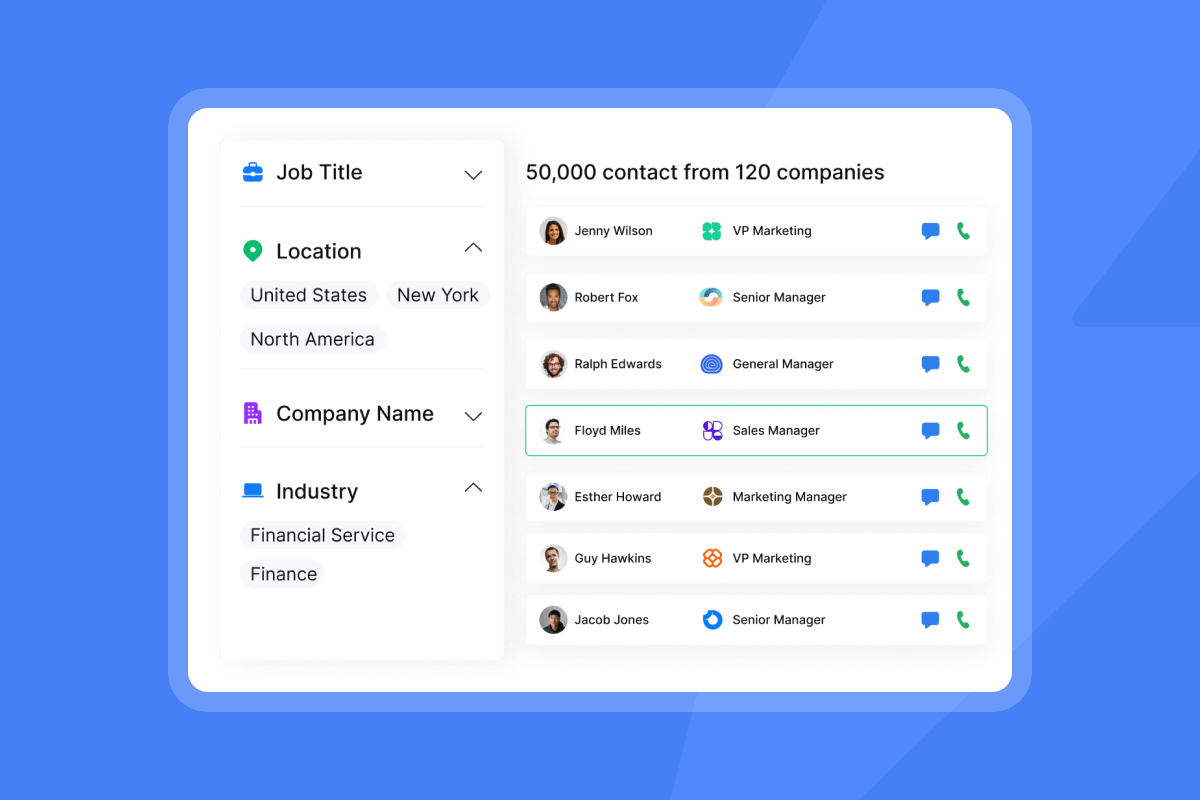
Instantly SuperSearch replaces that manual loop. The database holds 450M+ verified B2B contacts, filterable by job title, industry, company size, and buying signals. The SuperSearch Signals filter surfaces accounts showing hiring, funding, or leadership change signals, which maps directly to the press release triggers covered above. You apply the same research logic but across thousands of accounts in minutes instead of hours.
Illustrative comparison: manual research vs. SuperSearch
Consider a small SDR team targeting mid-market SaaS companies. Building prospect lists manually, using the LinkedIn, company website, and press release methods covered in this article, takes considerable rep time each week. The same research task using SuperSearch with filters for job title, company size, and industry compresses to a fraction of that time, reducing the hours reps spend on list building before outreach can begin. Contact accuracy also improves because you are pulling from a verified, regularly updated database rather than manually checking sources that may not reflect recent role changes. The result is more time selling and fewer sequences wasted on contacts who have already moved on.
"I love that Instantly lets me reach the right people directly... I can contact CEOs, founders, and managers in my niche, and they actually reply and show interest." - Victor on G2
SuperSearch runs on a credit-based model starting at $9/mo ($8.10/mo annual) on the Nano plan, flat-fee unlimited senders as your team scales. Export contacts to your outreach sequences without leaving the platform. For full SuperSearch documentation, the help center walks through every filter and enrichment option.
Reach verified decision-makers faster without hours of manual research. Start using Instantly free and run your first SuperSearch to find the right contacts at your target accounts.
FAQs
How long does it take to manually research one account?
Research time varies depending on the account's public footprint, the number of sources you cross-check, and the depth of org mapping required. A contact with a current LinkedIn profile, a recent press mention, and a visible company leadership page takes less time to verify than a contact at a private company with no press history. Basic confirmation of a name, title, and email format across two public sources is faster than a full org chart build with intent signal review. How much longer depends on the account's complexity, the number of stakeholders you are mapping, and how much public information is available. There is no reliable industry standard for enterprise research time. Track your team's actual time per account over two weeks to establish a realistic baseline for your specific target market and research methodology.
What do you do when a company has no public footprint?
Search for the company name on Google News and BusinessWire to surface any press coverage that names founders or leadership. Check the company website's "About Us" or "Team" page, then search the founder's name on LinkedIn to trace connections and past colleagues to infer team structure. Set a Google Alert for the company name to catch any new press coverage as the company grows.
How often should a sales team clean their contact data?
Clean manual lists quarterly at minimum, and monthly for high-velocity teams running more than 500 sends per week. According to Marketing Sherpa research, B2B data decays at roughly 22.5% per year, so lists older than 90 days carry meaningful risk of bounces that can hurt sender reputation.
Key terms glossary
Decision-Making Unit (DMU): The group of stakeholders inside a target company who influence or approve a purchase. Typically includes an economic buyer, a champion, a technical buyer, and a gatekeeper.
Economic buyer: The stakeholder who controls the budget and gives final approval on spend.
Champion: An internal advocate at the target company who supports your solution and helps move the deal forward inside their organization.
Technical buyer: The stakeholder who evaluates technical fit and flags implementation blockers before a purchase is approved.
Gatekeeper: A person, often an executive assistant or office manager, who controls access to decision-makers.
Data decay: The rate at which contact data becomes inaccurate over time due to job changes, restructures, and role shifts. B2B data decays at roughly 22.5% per year, according to research by Marketing Sherpa.
Legitimate Interest Assessment (LIA): A documented evaluation required under GDPR Article 6(1)(f) that confirms a business has a lawful basis for processing personal data for outreach purposes.
Boolean search: A search method using operators (AND, OR, NOT) to combine or exclude keywords. Used on LinkedIn to filter contacts by title, industry, or company.
SEC EDGAR: The U.S. Securities and Exchange Commission's free public database of company filings, including 10-K annual reports and proxy statements that list named executives.
Sender reputation: A score assigned to a sending domain and IP address based on email engagement, bounce rates, and spam complaints. A damaged sender reputation reduces inbox placement rates.
Intent signals: Behavioral or event-based indicators that a company may be actively evaluating a purchase in your category. Examples include new hires, funding rounds, and leadership changes.
SuperSearch: Instantly's B2B lead finder with 450M+ verified contacts, filterable by job title, department, industry, company size, revenue, tech stack, and buying signals.
Read next
- How To Send Cold Emails + 5 Templates That Get Replies: How to write, structure, and send cold emails to the verified contacts you have mapped, with five copy templates ready to use.
- Best Lead Prospecting Strategies for Cold Email Campaigns: How to build a repeatable prospecting process, qualify accounts before outreach, and keep your pipeline moving.
- Cold Email Sequences: Structure, Timing, and Follow-Up Strategy: How to build sequences that convert verified contacts into booked meetings.



