.svg)
%20(1).svg)


Updated June 2, 2026
TL;DR:
Finding decision-makers on LinkedIn requires combining Sales Navigator's function and seniority filters with Boolean search strings to catch non-standard titles and pinpoint the full buying committee. Once you export those leads, raw LinkedIn data carries contact decay and email addresses that have not been verified. Verify every contact before it enters a sequence, and warm every sending account before you ramp volume. Instantly.ai provides unlimited sending accounts on a flat fee, a 4.2M+ account warmup network, and built-in deliverability tools to protect your domain health as you scale from research to live outreach.
If you are an SDR or sales leader building prospecting lists for B2B outreach, this guide is for you. Most teams spend a large portion of their week researching prospects, yet still rely on basic job title searches that miss the real buying committee. The problem is not that LinkedIn lacks the data, but that most people never move beyond the search bar.
This guide gives you a repeatable, system-level playbook for using Sales Navigator filters, Boolean strings, and buying signals to find true decision-makers, and covers how to safely move those leads into your outreach engine without triggering a deliverability crash.
Why LinkedIn is essential for finding decision-makers
A decision-maker in a B2B sale is the person (or group) with the authority and budget to approve a purchase. Forrester's State of Business Buying 2024 found that the average B2B buying group has grown to 13 or more stakeholders, with purchasing decisions routinely spanning multiple departments. At the enterprise level, committees can exceed 20 people.
LinkedIn is the closest thing to a real-time professional database available at scale. Because members self-report their own data, update their own titles, and announce promotions publicly, the information stays far more current than a static third-party list.
Finding verified decision-maker profiles
Members maintain their own LinkedIn profiles. When a VP of Operations moves into a Chief Operating Officer role, most professionals update their LinkedIn profile one to four weeks after starting the new position. That gives your reps more current data than any quarterly refresh from a list vendor. Sales Navigator layers on top of that foundation with 50+ additional filters that free LinkedIn does not offer.
Track decision-maker signals in real-time
Sales Navigator's Alerts feature notifies you when leads change jobs, post content, or their companies announce funding rounds, giving you timely reasons to reach out. A job change, a new funding round, or a hiring surge are events you can act on within hours rather than finding out weeks later.
Choosing LinkedIn for prospecting quality
LinkedIn remains the authoritative source of truth for professional identity because members self-report and update their own data continuously. Watch the Instantly channel's LinkedIn outbound guides to see how to pair that research with safe email execution.
Target decision-makers with Sales Navigator filters
Sales Navigator offers three plans. Compare features and pricing below before committing to a license.
Plan | Price | Key features |
|---|---|---|
Sales Navigator Core | $119.99/month (or $89.99/month when paid annually) | Function and seniority filters, buying signal spotlights, lead alerts, 50+ advanced filters |
Advanced | $159.99/month (or $149.99/month when paid annually) | All Core features plus TeamLink, AI-powered account research, advanced search capabilities |
Advanced Plus | Custom quote | All Advanced features plus deep CRM integration, advanced team collaboration tools |
Targeting decision-makers by title
Job titles on LinkedIn are inconsistent. The same role might be "Director of Demand Generation," "Head of Growth," or "Growth Marketing Lead" depending on the company. Relying on a single title string will miss a large portion of your total addressable contacts, so use title as one input rather than the only filter.
Target decision-makers by function
Function is the filter that fixes the title problem. It tells Sales Navigator which department a contact belongs to, regardless of what they call themselves. A search filtered to the "Marketing" function and "Director" seniority will catch every variation of that title across your target accounts. Function-based filtering catches contacts across title variations that a keyword-only search misses.
Matching decision-makers to your ICP
Layer account-level filters on top of role filters to match your ideal customer profile. Set Company Size to your target employee band, pick the relevant industries, and add Headcount Growth percentage if you want accounts that are actively expanding. This combination keeps your list tight and relevant before you look at individual contacts.
Sales Navigator geographic filters
Territory-based selling requires location precision. Sales Navigator lets you filter by country, region, or metro area at both the account and lead level. For regional SDR teams, each rep pulls a list scoped to their territory, which removes duplicates and keeps your CRM clean from day one.
Pinpointing shifting decision-makers
The "Changed Jobs in Past 90 Days" spotlight filter is one of the highest-signal options in Sales Navigator. New leaders evaluate tools, carry fresh budgets, and want to make an impact quickly. Targeting this cohort consistently gives your team a warm angle into accounts that might otherwise be closed to cold outreach.
Boolean search syntax for advanced queries
Boolean operators let you combine and exclude keywords in a single search string. LinkedIn's official Boolean guide confirms that operators must be typed in UPPERCASE. Lowercase "and" or "or" are ignored entirely.
The five operators you need:
- AND: Both terms must appear (narrows results)
- OR: Either term can appear (broadens results)
- NOT: Excludes a term from results
- Parentheses ( ): Groups terms for nested logic
- Quotation marks " ": Searches for an exact phrase
Building Boolean queries with AND, OR, NOT
NOT is the operator your team likely underuses. Adding NOT (Consultant OR Freelance OR Intern) to any search removes the contacts that look like decision-makers but carry no purchasing authority. A nested query combines all three operators into a single, repeatable string:
("VP of Revenue" OR "Chief Revenue Officer" OR "Head of Sales") AND ("SaaS" OR "B2B Software") NOT (Consultant OR Contractor)
This single string replaces five or six separate searches and gives every SDR a consistent, standardized input. Combine Boolean strings with Sales Navigator's advanced filters for maximum precision: run your Boolean in the keyword or title field, then layer on Function, Seniority Level, Company Size, and Geography.
Targeting with exact phrase search
Quotation marks force LinkedIn to match the exact multi-word phrase. Searching for "Director of Revenue Operations" without quotes might surface profiles that contain "Director," "Revenue," and "Operations" in completely different contexts. Wrapping the phrase in quotes ensures precision.
Advanced Sales Nav Boolean for decision-makers
This two-layer approach, Boolean string plus advanced filters, is the standard documented in Sales Navigator's best practices. Watch the 2026 cold outreach masterclass on the Instantly channel to see how to take this research output and build it into a scalable outbound system.
Find decision-makers by title & department
No two companies use the same title taxonomy. Understanding those nuances stops your reps from targeting the wrong people and burning good domains on contacts who cannot buy.
Common decision-maker titles by department
Department | Common decision-maker titles |
|---|---|
IT / Engineering | CTO, VP of Engineering, Head of IT, Director of Infrastructure |
Marketing | CMO, VP of Marketing, Head of Demand Gen, Director of Growth |
Sales | CRO, VP of Sales, Head of Sales, Director of Business Development |
Operations | COO, VP of Operations, Head of RevOps, Director of Revenue Operations |
Finance | CFO, VP of Finance, Head of FP&A, Director of Financial Planning |
Regional nuances in decision-maker titles
"Director" in North America signals mid-level management, while in the UK and Europe it often means board-level authority. "Head of" in Europe varies widely by organization and can sit at Director, VP, or even higher depending on the company structure and scope of the role. Build region-specific title lists rather than running one global search with the same strings.
Mapping decision-makers: function vs. title
Use the Function filter when you want broad coverage across a department. Use the Title keyword field when you need precision for a specific role. Function catches decision-makers with non-standard or creative titles that a pure title search misses.
How seniority signals purchasing power
The Seniority Level filter is a useful starting point but not a reliable standalone signal. Seniority data in LinkedIn is self-reported, so the same role might appear as "Director" on one profile and "Manager" on another. Use seniority as a first-pass filter to eliminate entry-level contacts, then validate authority through title and function cross-referencing.

Pinpointing true account power players
A single point of contact is a fragile pipeline strategy. The real buying committee for a mid-market software deal typically includes six to ten people, each gathering information independently. Your prospecting process needs to map multiple stakeholders per account, not just find one contact and move on.
Identify LinkedIn buying committee roles
For each target account, search for contacts across three layers:
- Economic buyer: CRO, CFO, or COO. The person who signs the check.
- Technical buyer: CTO, VP of Engineering, or IT Director. The person who approves the stack.
- User buyer: The team leader who will use the tool daily and champions internal adoption.
Save each to a named list in Sales Navigator so your team tracks all three layers per account from one dashboard.
Pinpoint influencers by content interaction
Check who comments or shares content on topics adjacent to your solution at target accounts. These internal champions already care about the problem you solve and often respond faster than economic buyers.
Identify decision-makers via group affiliations
LinkedIn Groups show you which professionals self-identify around a specific interest or pain point. A professional who actively participates in a group like Revenue Operations Alliance is self-identifying around a specific problem area, which makes them worth investigating further alongside title and function filters before adding them to your list.
Getting warm intros from 2nd-degree connections
The Connection Degree filter in Sales Navigator shows which prospects are second-degree connections. A warm intro from a shared contact converts far better than a cold email. Before any SDR sends the first email, check for second-degree paths and reach out directly to the mutual connection with a short, specific ask for an introduction. SalesBread, a LinkedIn lead generation agency, also highlights the value of personalised outreach in improving reply rates. When reaching out, add something specific about the prospect to show you’ve done your homework and make the message feel more relevant.
Using buying signals for timely outreach
Buying signals are indicators of change, and change often drives purchasing decisions. A company in transition is typically more open to evaluating new vendors, which makes timing your outreach to those moments a more efficient use of your team's capacity.
Job changes in the last 90 days
A new hire in a decision-making role is a reliable buying signal worth acting on early. They are assessing existing tools, have not yet committed to any vendor, and want to show results fast. The "Changed Jobs in Past 90 Days" filter in Sales Navigator surfaces exactly this cohort. Sales Navigator notifies you automatically when a saved lead changes roles, so you can act within days of the transition.
New leadership hires as buying signals
A new VP of Sales or Chief Revenue Officer typically spends their first 90 days assessing pipeline health, team performance, and the processes their team runs daily, which includes the tools that support outreach. A new CMO will typically review the tools their team already runs as part of understanding how the function operates. Track C-level and VP-level hires at your target accounts as a recurring step in your prospecting process, alongside job change filters and funding alerts.
Track funding rounds & expansion
Fresh capital creates urgency around growth tooling. A Series B company has aggressive targets and the budget to hit them. Sales Navigator's company growth filters show accounts with recent headcount increases, and LinkedIn alerts surface funding news shared publicly. For a deeper look at how to calculate ROI from your prospecting investment, the B2B email list pricing guide breaks down cost-per-meeting math in detail.
Spotting buyer intent from content
Monitor what your saved leads post, share, and comment on. A VP of Sales posting about "CRM data quality" or "rep ramp time" is telling you their current pain point directly. Reply to the post with a relevant insight before sending any cold email. That interaction creates context, and context makes the first email land better.
Sales Navigator: building actionable prospect lists
Building a list once is not a system. A system includes naming conventions, save cadences, refresh schedules, and shared access for your entire team. Without that structure, reps build duplicate lists, miss key contacts, and create data hygiene problems in your CRM from the start.
Monitor key decision-maker changes
Save leads to a named list immediately after you qualify them. Sales Navigator's alert layer then watches those leads and surfaces changes: a job move, a new post, a company funding event. Your team moves from reactive research to proactive, signal-driven outreach.
Sales Navigator for decision-maker lists
Use this checklist to standardize the prospecting process across your entire SDR team:
Decision-maker prospecting checklist:
- Set Account filters: Industry, Company Size, Headcount Growth, Geography
- Apply Role filters: Function, Seniority Level, Current Job Title (Boolean string)
- Add buying signal filters: "Changed Jobs in Past 90 Days" or "Posted on LinkedIn in Past 30 Days"
- Scan the first page of results for fit. If job titles, company sizes, or industries are off-target, tighten the Function, Seniority, or Account filters before saving the search.
- Save qualified leads to a named list with a clear naming convention, e.g., a name that reflects the ICP segment, target region, and date it was built
- Verify contact email addresses before importing to your outreach tool
- Share the saved search URL with the team for consistent list building
- Set account-level alerts for all saved companies
- Revisit saved searches weekly to capture new hires and role changes before they go stale
- Export to CRM or outreach tool only after verification is complete
For advanced lead filtering and sorting inside Instantly, the help center covers exactly how to organize imported lists by signal and segment.
Syncing LinkedIn prospects to your CRM
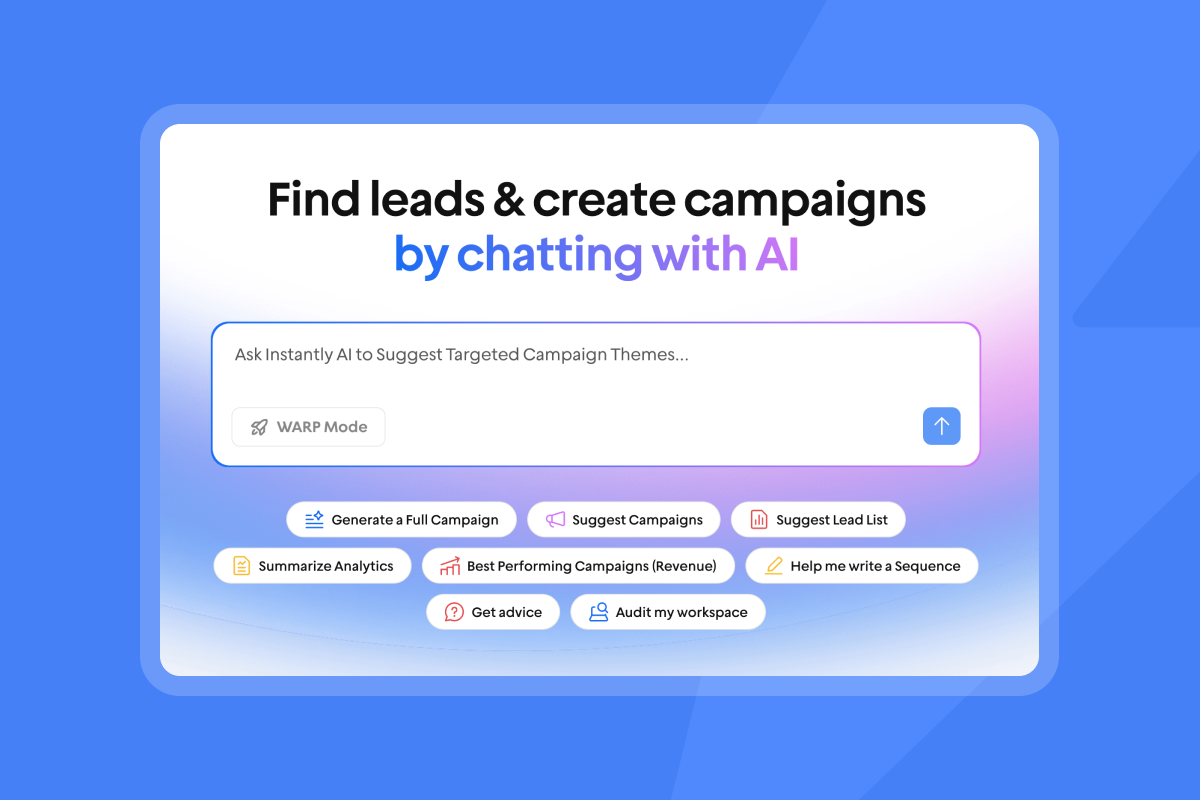
Once you have a verified list, the data handoff to your CRM determines whether the research is usable at scale or a manual mess. Instantly's CRM and SuperSearch support contact import so your LinkedIn research lands in one place, organized and ready for your team to act on. That organization is what makes reporting defensible when the CFO asks how many meetings came from a specific account segment.
Instantly's HubSpot and Salesforce integrations log your email activity to your CRM, giving you visibility into outreach performance without rebuilding data across separate tools.
"I also use Instantly integrated with Hubspot, and it seems to be the best tool on the market for cold outreach." - Josh R. on G2
Prevent bad LinkedIn data & bounces
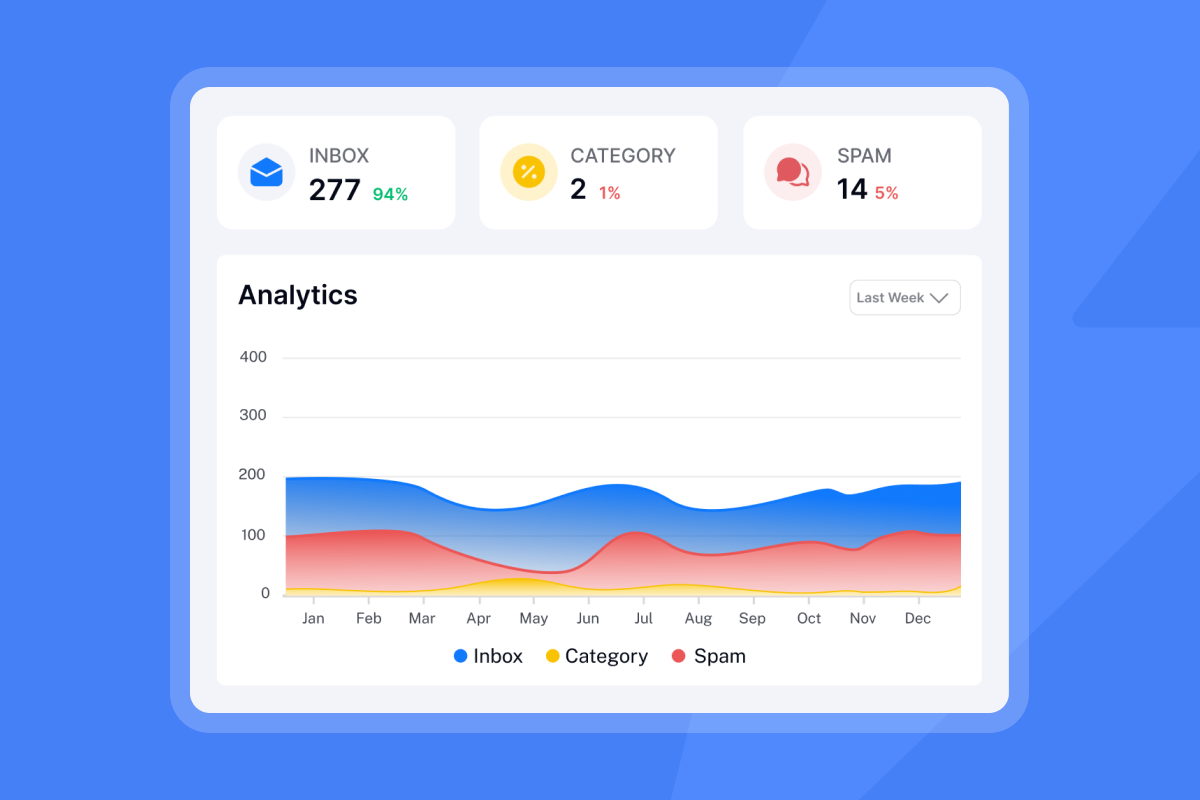
LinkedIn data decays. Contacts change roles, leave companies, or update email addresses, and your exported list does not automatically reflect those changes. Industry guidance shows that bounce rates above 2% begin drawing scrutiny, rates above 2.8% signal spam issues, and rates above 5% can lead to delivery penalties that affect your domain.
Invalid addresses that bounce damage your sender reputation, particularly when bounce rates exceed acceptable thresholds. Target bounce rates should stay at or below 1% during active campaigns to maintain strong sender health.
The fix is a two-step process:
- Verify every contact before it enters your sequence. Use an email verification service to filter undeliverable addresses.
- Warm every sending account before you ramp volume. Instantly's warmup network covers 4.2M+ accounts and runs automated inbox placement tests so you know where your emails land before you scale.
If you still need contacts, SuperSearch gives you direct access to a 450M+ contact database with built-in verification, so you can source and send from the same platform.
"I appreciate Instantly for its intelligent handling of domain and mailbox rotation as well as provider matching, which is critical for ensuring that my emails land directly in the primary inbox instead of getting caught in spam filters." - Richard E. on G2
Instantly's secondary sending domains guide covers how to spread volume across multiple inboxes to protect your primary domain. Cap each inbox at 30 emails per day during ramp. For a structured view of email deliverability for sequences, including authentication, warmup, and health monitoring, that guide covers the full system.
How to sharpen your decision-maker prospecting system
The filters and Boolean strings covered above give you a strong foundation. These next steps are about turning that foundation into a repeatable team system, one your SDRs can run consistently without rebuilding searches from scratch or letting lists go stale.
Combine filters for target decision-makers
Create named search templates in Sales Navigator for each of your ICP segments, scoped by the function, seniority, and account filters that match that segment. Document the filter settings and Boolean strings used for each ICP segment so every SDR starts from the same inputs. Watch the Instantly masterclass on reply rates to see how a standardized research and outreach system can produce consistent, high-quality pipeline. Consistent inputs produce measurable, comparable outputs.
Optimizing prospect list refresh frequency
Revisit your saved searches weekly to capture new hires, recent job changes, and newly funded accounts. A weekly check per SDR is enough to stay current, because a list that sits stale for 60 or more days will carry meaningful contact decay that translates directly into higher bounce rates when you import into email sequences.
Secure LinkedIn prospecting methods
LinkedIn explicitly prohibits third-party scraping tools, including browser plug-ins, crawlers, and any automation that mimics human activity. Violators face temporary restrictions or permanent account suspension.
The safe approach is straightforward: use Sales Navigator's native export and list-building features, verify the data before it enters your sequence, and run outreach through a platform built for deliverability at scale.
"With Instantly, I can contact CEOs, founders, and managers in the construction niche, and they actually reply and show interest in our lifting equipment. The multi-inbox management, warm-up, and personalization tools make it easy to run campaigns across different sub-niches..." - Victor on G2
For a full view of email tracking privacy and GDPR compliance as it applies to your outbound motion, that guide covers the data obligations that matter to your legal and compliance teams.
Put your decision-maker research to work
Finding the right contacts is only half the system. The other half is making sure those contacts reach the primary inbox once you send. Verify every lead before it enters a sequence, warm every sending account before you ramp volume, and cap each inbox at 30 emails per day during the ramp period. That combination keeps bounce rates below 1% and protects the domain reputation your team depends on.
If you have your LinkedIn research ready, try Instantly free to import, verify, and send to your prospects with unlimited sending accounts and built-in warmup. Or use SuperSearch to skip the manual export entirely and pull verified decision-maker contacts directly inside the platform.
FAQs
What filters should I use to find decision-makers on LinkedIn Sales Navigator?
Start with the Function filter and Seniority Level together to cover contacts across title variations in a given department. Add a Boolean title string in the keyword field to narrow further while capturing non-standard roles.
What are the limits of LinkedIn's free search for finding decision-makers?
The free LinkedIn search supports Boolean operators (AND, OR, NOT) in the search bar, but you lose access to filters like function, seniority, company headcount, and buying signal spotlights. For teams running more than five targeted searches per week, Sales Navigator Core at $119.99 per month provides the filter precision needed to maintain consistent list quality.
What Boolean operators does LinkedIn Sales Navigator support?
Sales Navigator supports AND, OR, NOT, parentheses for grouping, and quotation marks for exact phrases. All operators must be typed in UPPERCASE or LinkedIn ignores them entirely.
What bounce rate threshold triggers inbox placement problems?
A bounce rate that stays above 2.8% over several days is where inbox placement begins to suffer, as email providers including Google start treating sustained bouncing as a signal to suppress delivery from your domain. Verify every contact before importing to your outreach tool, and keep bounces at or below 1% during active campaigns.
How does Instantly help protect domain health after a LinkedIn export?
Instantly's warmup network runs across 4.2M+ accounts and includes automated Inbox Placement tests that show whether your emails land in the primary inbox, promotions tab, or spam folder before you scale. The platform supports unlimited sending accounts on a flat fee so you can spread volume across domains without per-seat penalties.
Key terms glossary
Buying committee: The group of stakeholders across departments who collectively influence or approve a B2B purchase decision. Average size is 13 people per deal.
Buying signal: A measurable event (job change, funding round, hiring surge) that indicates a company or contact is likely in active evaluation mode.
Inbox placement: Whether an email lands in the primary inbox, promotions tab, spam folder, or is blocked entirely. The primary health metric for any cold email program.
Email warmup: The process of gradually increasing send volume from a new email account through a network of real accounts to build sender reputation before full-volume outreach.
Sender reputation: A score or classification assigned by email providers (Google, Microsoft) based on your historical sending behavior, bounce rates, and spam complaints.
SISR: Server and IP Sharding and Rotation. Instantly's Light Speed plan feature that routes sends through dedicated private IP pools to protect domain reputation at high volume.
SuperSearch: Instantly's built-in B2B lead database with 450M+ contacts, LLM-assisted enrichment, and waterfall verification from multiple data providers.
Read next
- How To Send Cold Emails + 5 Templates That Get Replies: A step-by-step guide to writing cold emails that get responses, with five copy-ready templates your team can put into sequences today.
- Cold Email Subject Lines: What Actually Works in 2026: A data-backed breakdown of which subject line formats drive open rates, with examples you can test across your active campaigns.
- B2B Email List Building: Automating & Scaling Lead Generation: How to build, verify, and maintain a high-quality B2B contact list that keeps bounce rates low and pipeline coverage strong.



