.svg)
%20(1).svg)


Updated February 24, 2026
TL;DR: Successful sales follow-ups rely on delivering value at strategic intervals, not nagging. Use a 2-3 day gap for initial reminders and extend the window over time. Avoid "just checking in." Instead, offer case studies, industry insights, or new angles. Use Instantly to automate sequences with A/Z testing and spin syntax to find winning variants without manual rewrites.
Using Instantly, the cold email automation platform built for systematic testing, you can scale this entire process without manual rewrites or guesswork on what's working. Persistence is not the problem. What you say when you follow up is the problem. The right cold email approach treats every follow-up as a deliberate conversion step, not an administrative nudge. Timing, value, and testing all determine whether you recover a lead or lose it. This guide shows you how to build reminder sequences that drive replies without damaging your domain, using data-backed timing and Instantly's AI testing features to scale the process.
Why the "just checking in" email kills your conversion rate
"Just checking in" signals you have nothing new to offer. It takes value from your prospect's time without giving anything back. Research shows these emails fail because they provide no insights, checklists, or actionable advice.
Watch Instantly's proven follow-up strategies to see how top performers structure their sequences. The pattern is consistent: each touchpoint either surfaces new information, shifts the angle, or removes pressure entirely.
The anatomy of a high-converting sales reminder
High-converting reminders combine three layers: a subject line that threads the conversation, body copy that adds value, and timing that respects the prospect's decision cycle.
Subject lines that reopen the conversation
Threading your follow-ups under the same subject line keeps context intact. Use the same thread with the same subject line so prospects remember the original offer. When you change the subject, you reset the conversation and lose the context you built.
The exception is testing. If your first email had a low open rate, a new subject line on the second or third touch can test whether your angle was the problem. Changing the subject to reflect a different purpose brings better results when the first attempt missed.
Examples that work:
- "Quick question" – short, direct, no friction
- "Thoughts on {{topic}}?" – invites a low-effort reply
- "Re: Our discussion about {{specific pain}}" – reminds them why you reached out
Set up A/Z tests in Instantly to compare subject variants automatically. Navigate to your campaign, add a sequence step, then click "Add variant" to test two or more subject lines side-by-side. Our help guide on A/Z testing walks through the full setup.
The value-add rule: Give before you ask
Every follow-up must deliver something new. HubSpot recommends sending actionable advice, how-to guides, or relevant industry articles instead of empty check-ins. Your goal is to become a resource, not a reminder.
Value-add categories that work:
- Insight emails: Share a trend among companies like theirs. "I noticed three competitors in your space are adopting {{strategy}}. Here is what that means for your roadmap."
- Case studies: Point to a customer story that mirrors their situation. "We helped {{Company}} achieve {{metric}} in {{timeframe}}. Here is the breakdown."
- Tools or checklists: Send a resource they can use immediately. "Here is the 12-point audit we run before launching campaigns like yours."
- Event invites: Recommend a webinar or industry event relevant to their role.
It's advisable that you should send something that describes a potential opportunity or points out business weaknesses, not just a reminder that you exist. For sequences specifically built around driving webinar and event attendance, see these event reminder email templates that combine timing, urgency, and value reinforcement.
"The AI reply agent is a standout feature for me; it efficiently drafts responses based on client replies, saving me valuable time by simply requiring a review before sending." - Sachin J. on G2
Use Instantly's personalized lines feature to inject dynamic fields like industry news or company-specific metrics into your follow-ups.
For a deep dive on copywriting frameworks that convert, watch this video on irresistible email copy.
Optimal timing and frequency for B2B sequences
Timing determines whether your follow-up lands during a decision window or gets buried.
The ideal first follow-up window is 2-3 business days after your initial email. Research shows that waiting 3 days before your first follow-up leads to a 31% increase in reply rates. Prospects need time to think over your offer.
Recommended cadence for a multi-touch sequence:
- Day 0: Initial email
- Day 3: First follow-up (quick bump with value recap)
- Day 7: Second follow-up (new insight or case study)
- Day 14: Third follow-up (different angle or question)
- Day 21: Breakup email (final touch, removes pressure)
For cold outreach where you have never interacted with the prospect before, recommended follow-up frequency ranges from 2-3 to 4-9 depending on your relationship and offer. If you have an established relationship or warmer leads, you can extend to the higher end of that range. For a deeper breakdown of how to structure the full cold email sequence from first touch to breakup email, see the step-by-step guide covering sequence architecture and deliverability controls.
The best time to send is around 10-11 AM, and the worst times to send are between 8 PM and 7 AM. Wednesday consistently delivers the highest engagement for cold outreach. Avoid Mondays (prospects are catching up) and Fridays (people are mentally checked out).
In Instantly, set wait steps between sequence emails by opening the sequence builder and clicking "Add Wait." Define the gap in days, then add your next step. Review our campaign options guide to configure send windows, daily limits, and timezone adjustments so emails land during business hours in your prospect's region.

3 follow-up email templates that drive replies
Use these frameworks as a starting point. Swap in your value proposition and test variants to find what resonates with your audience.
The "quick bump" (Day 3)
This template assumes your prospect was busy, not uninterested. Keep it short, recap the value, and make the next step frictionless.
Subject: Re: {{original subject}}
Body:
Hey {{firstName}},
Floating this to the top in case it got buried.
Quick recap: {{one-sentence value prop}}.
Worth a 10-minute call to see if this fits your Q2 goals?
{{Your name}}
The tone is polite and clear. You acknowledge their inbox is full. You restate the benefit in one line. You ask for a small commitment (10 minutes, not 60).
"I really like Instantly for its ability to facilitate email outreach and email promotions with efficiency. The email sequence feature is what I appreciate the most; it saves me a significant amount of time, especially when drafting emails. Moreover, Instantly's AI reply tool is incredibly valuable to me as it automates all email replies, preventing the need to go back and forth, which is a huge timesaver and enhances productivity.." - faisal K. on G2
Use Instantly's AI Sequence Writer to generate these quick bumps at scale without writer's block.
The "new insight" angle (Day 7)
This template brings fresh evidence. You are not asking if they saw your last email. You are giving them a new reason to care.
Subject: Re: {{original subject}}
Body:
Hey {{firstName}},
I forgot to mention how we helped {{Competitor or Similar Company}} achieve {{specific metric}} in {{timeframe}}.
Here is the one-pager: {{link to case study}}.
The approach was counterintuitive (they expected {{common assumption}}, but we showed {{actual result}}).
Let me know if you want the breakdown.
{{Your name}}
You lead with proof. You show them a peer who got results. You tease the insight without dumping a wall of text. Use Instantly's personalized lines feature to insert company-specific data or industry trends dynamically.
For more templates, browse Instantly's cold email templates library.
The "break-up" email (Day 21-30)
This is your final touch. You remove the offer, which triggers loss aversion and often gets the highest reply rate.
Subject: Re: {{original subject}}
Body:
Hey {{firstName}},
Since I haven't heard back, I'll assume this isn't a priority right now and will close your file.
If that's not the case, feel free to reopen it.
{{Your name}}
Other teams report 10-15% response rates from cold prospects who ignored earlier touches, with some campaigns jumping to 76% compared to standard follow-ups hovering at 5-10%.
The psychology is simple: scarcity and finality drive action. When you announce final contact, prospects realize the opportunity is disappearing. Loss aversion triggers when you remove your offer, increasing its perceived value.
| Bad Follow-Up | Good Follow-Up |
|---|---|
| "Just checking in on my last email." | "Quick recap: we help teams like yours cut reply time by 40%. Worth a 10-minute call?" |
| "Did you get my email?" | "I forgot to mention how we helped [Competitor] achieve [metric] in [timeframe]. Here's the breakdown." |
| "Bumping this to the top of your inbox." | "Saw this competitor report on [topic]. Thought it might be useful for your Q2 planning." |
| "Any thoughts?" | "Since I haven't heard back, I'll assume this isn't a priority right now and will close your file." |
Before choosing a template, consider who you're writing to. The templates by recipient guide breaks down how tone and format should shift based on your relationship with the prospect.
How to automate and optimize follow-ups with Instantly
Manual follow-ups do not scale. Testing twenty subject lines and five body variants across three sequences means writing 300 emails. Instantly's AI and testing features compress that work into minutes.
Using AI to write variant copy with spin syntax
Spin syntax (spintax) creates multiple variations of a sentence to prevent spam filters from flagging your content as repetitive. Every variation is sufficiently different from the original while maintaining tone and sentiment.
Format: {like this|or this}
Example:
{Hi|Hey|Hello} {{firstName}},
{I wanted to|I thought I'd|Quick note to} {follow up|circle back|check in} on my last email.
This creates multiple distinct versions. Email providers assess your emails, and having the same templated email from your accounts will eventually trigger spam alarms. Spintax ensures high deliverability by creating variations.
In Instantly, open the Sequence Editor, click on AI Tools, then select AI Spintax Writer. The AI generates spintax for your copy in seconds. Preview each variation before sending. Our AI Spintax Writer guide walks through the full process.
"Instantly is the best cold email sequencer. It has many features that have helped in improving the deliverability of my email accounts." - Ronika Kashyap on Trustpilot
For an advanced look at how AI personalizes emails at scale, watch Nick Saraev's email personalization video using AI systems.
Setting up A/Z tests to find the winner
A/Z testing in Instantly lets you test as many variants as you want in a campaign, not just A/B. The platform analyzes which version performs best based on reply rate, click rate, or open rate, then auto-optimizes by pausing underperformers.
Step-by-step:
- Open your campaign and navigate to the sequence step you want to test.
- Click Add variant to create a new version of the email (same procedure for follow-up steps).
- Write your alternate subject line or body copy.
- Enable Auto optimize A/Z testing in Campaign Options → Advanced Options.
- Select your winning metric: reply rate, click rate, or open rate.
- Let the algorithm run and the system will automatically deactivate less effective versions.
Use the toggle to enable or pause variants manually. When the toggle is blue, the variant is enabled. When it is grey, the variant is paused.
Auto-optimize A/Z testing is available on the Hyper Growth and Light Speed plans. Select a longer time range (last four weeks) to see complete results before declaring a winner.
"Clear analytics: reply rates by step, inbox-level performance, and team dashboards make optimization straightforward." - Anthony V. on G2
Watch this cold email advice video for 1o years of experience in testing strategies and metric benchmarks.
Managing replies with the Unified Inbox
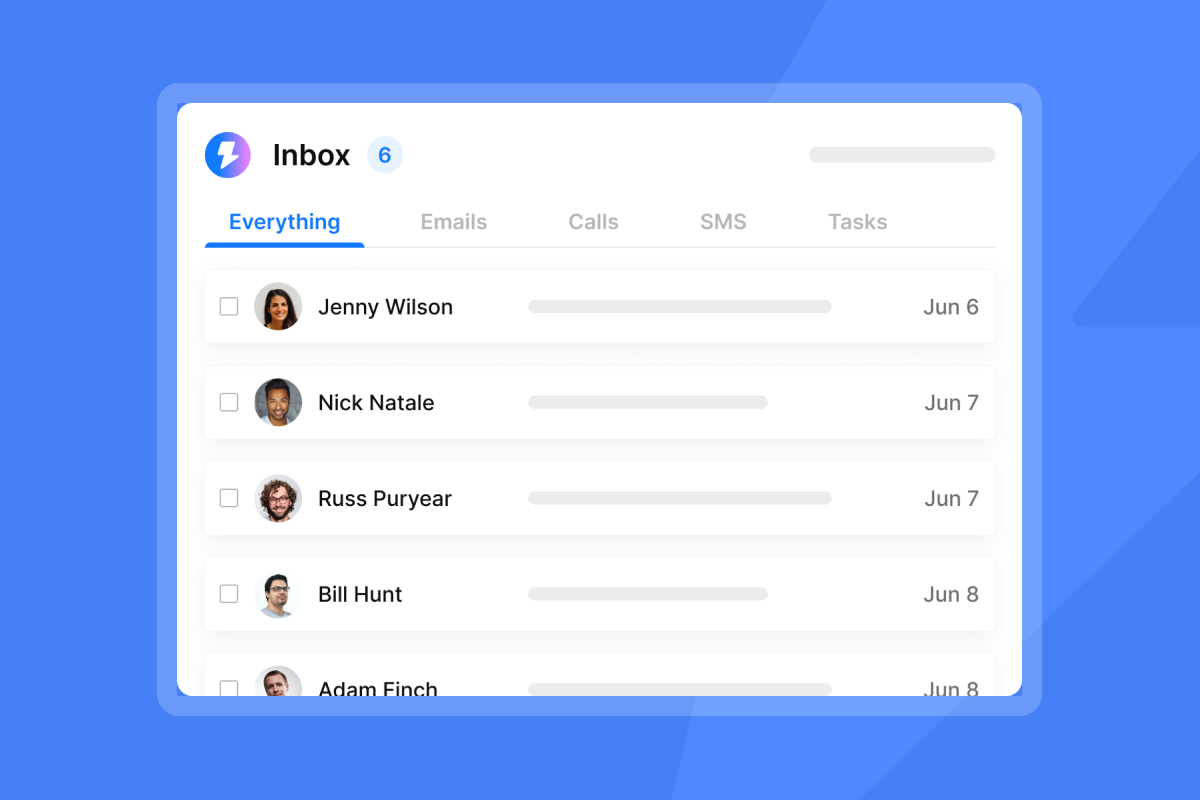
Logging into ten different inboxes to track replies burns hours. Instantly's Unibox aggregates all replies into one view, with AI-powered sentiment analysis and custom labels.
Manage inboxes with Unibox simultaneously, mark leads, forward or respond to emails, and book meetings from one unified interface. AI Custom Reply Labels automatically categorize responses.
Features:
- AI Inbox Manager: Automatically schedules replies when it detects a lead's first response.
- Bulk select: Select multiple emails and perform operations in bulk.
- Sentiment analysis: Uses LLM/GPT-4 for better insights into reply intent.
"The platform is fast, reliable, and very easy to work with, especially when handling large lead lists and multiple sequences." - santiago pelez on G2
Key metrics and benchmarks for follow-up sequences
Track these KPIs to measure success and iterate on your sequences.
Reply rate: A good cold email reply rate is 5-10% for most B2B teams. Top performers hit 15%+ on focused, well-timed campaigns with verified contacts and strong inbox placement.
Bounce rate: Keep this under 1-2% for good deliverability. A 2% bounce rate is considered industry average, but staying below 1% protects your sender reputation. Use Instantly's delivery optimization tool to send emails as text-only and improve placement.
Open rate: The average B2B cold email open rate is 36% with a reply rate of 7%. If your open rate is high but reply rate is low, the problem is your copy or offer, not your deliverability.
Meeting booked rate: This is the ultimate success metric. Structured multi-channel follow-up cadences that combine email, phone, and LinkedIn deliver 287% higher conversion rates than single-channel outreach.
Run regular inbox placement tests in Instantly to monitor where your emails land (primary, promotions, or spam). Our inbox placement guide explains how to automate these tests and interpret results.
"The deliverability tools actually work, and their customer support is responsive when we've had questions. We're able to scale our outreach without sacrificing personalization or risking our sender reputation." - Natalie on Trustpilot
Ready to apply this playbook? Try Instantly free and use the sequence templates inside the app to build your first follow-up campaign. Set up A/Z tests, enable AI Spintax Writer, and let automation handle the repetitive work while you focus on closing replies.
For more strategies, explore our cold email strategy guide to pair these tactics with a rock-solid initial outreach plan.
Frequently asked questions about reminder emails
How many follow-up emails should I send?
Recommendations range from 2-3 to 4-9 follow-ups depending on your relationship with the prospect and the strength of your offer. Start with 3-4 touches for cold prospects and extend to 6-8 for warmer leads or ongoing conversations.
What is the best time to send a follow-up email?
Around 10-11 AM is optimal, and the worst times are between 8 PM and 7 AM. Mid-week days (Tuesday through Thursday) tend to perform better than Mondays or Fridays.
Should I use the same subject line for follow-ups?
Yes, threading usually boosts context and open rates. When you change the subject, you reset the conversation and lose the context you built.
How do I avoid being marked as spam?
Use spin syntax to create variations, warm up your accounts before sending campaigns, and keep daily sending volume at or below 30 emails per inbox. Review Instantly's warmup filters guide for best practices.
Key terms glossary
Spin Syntax: A format used to create multiple variations of a sentence (e.g., {Hi|Hey|Hello}) to improve deliverability and prevent spam filters from flagging repetitive content.
Threaded Replies: Sending a follow-up email as a reply to the previous message so they share the same subject line and appear in one conversation thread.
Unibox: A unified inbox that aggregates emails from multiple sending accounts into one view, with AI-powered labels and sentiment analysis.
A/Z Testing: Testing multiple variants (more than just A/B) of an email to determine the highest performer based on reply rate, click rate, or open rate.
Breakup Email: A final follow-up that removes the offer and signals you are closing the file, often triggering loss aversion and generating higher reply rates than standard reminders.



