.svg)
%20(1).svg)


Updated August 21, 2026
TL;DR: If you manage a sales team and your pipeline depends on cold email, choose the platform that scales accounts and deliverability, not software seats. A CRM is your passive system of record for tracking deals and forecasting revenue. A sales execution platform is your active system of action built to protect domain reputation and automate outreach. Instantly.ai provides unlimited sending accounts on a flat fee, a deliverability network of 4.2M+ accounts, and bidirectional HubSpot sync so you can scale outbound campaigns without risking your primary domain or inflating your CRM costs.
Understanding the sales execution vs CRM distinction matters more than most teams realize. Your CRM is a database, not an outreach engine. Trying to run cold email campaigns directly from your system of record is the fastest path to blacklisting your primary domain and destroying sender reputation.
This article explains where the two systems genuinely differ, where they overlap, and what to look for in an execution layer that keeps your data clean and your domains healthy.
What is a CRM and what does it actually do?
A CRM is a system of record. Its job is to store authoritative data, enforce access permissions, and give every team member a shared, accurate picture of your customer relationships. Traditional enterprise software built for this role focuses on accuracy, consistency, and auditability. It captures truth rather than generating action.
Think of your CRM as the library catalog. It tells you what exists, where it lives, and who checked it out last. It was not built to compose the message or deliver it.
Single source of truth for deals
A CRM typically centralizes contact details, deal stages, communication history, and revenue forecasts across sales, marketing, and support. When a rep updates a deal stage in a CRM like HubSpot, that change is visible to every stakeholder with access. When a contract renews, the account history stays in place for the next rep or AE who picks it up. This cross-departmental visibility is what makes tools like HubSpot valuable for sales leaders who need a full customer picture without assembling three separate spreadsheets.
Instantly's CRM follows the same record-keeping principle. The CRM opportunities guide shows how contacts and deal details are organized so no engagement falls through during an SDR-to-AE handoff.
Pipeline reporting and forecasting
Sales leaders use CRM dashboards, like those found in the best sales CRM platforms, to project quarterly revenue, analyze win rates, and report pipeline health to executives. That structure, with named stages, probability weights, and close-date fields, is what makes CRM data trustworthy for board-level reporting. A system of record is designed around auditable, structured output.
Deal stages and opportunity tracking
Deals move through stages in a CRM because human decisions drive them. A qualified lead becomes an opportunity, which moves to proposal, then to closed-won or closed-lost. Each stage transition requires deliberate action from a rep or AE. This is a fundamentally different job than sending 200 cold emails before 9 a.m.
What is sales execution and how is it different?
A sales execution platform is a system of action. While a CRM waits for humans to log updates, an execution tool initiates contact, monitors replies, rotates sending accounts, and adjusts pacing in real time. It does not store multi-year relationship history. It fires the opening shot in a conversation and hands the warm lead off to your CRM once a reply signals genuine interest.
Instantly's 2026 Cold Email Benchmark Report shows what a dedicated execution layer produces at scale: the platform average reply rate sits at 3.43%, the top quartile reaches 5.5%+, and the top 10% of senders clear 10.7%+. Consistent, stable sending patterns produce 15-20% higher replies compared to erratic volume. None of those numbers are achievable when you route cold outreach through a CRM built to track, not to send.
Running the outreach motion
A sales execution platform automates multi-step sequences across multiple sending accounts simultaneously. The benchmark data points to an optimal sequence length of 4-7 steps, with emails under 80 words performing best. With Inbox Rotation, Instantly distributes sends across every account assigned to a campaign, cycling between accounts to mimic human behavior. If you remove an account from a campaign's options tab, volume reassigns automatically to the remaining active accounts.
Sequence delivery and cadence control
Execution tools govern throughput at the account level. Instantly recommends no more than 30 campaign emails plus 10 warmup emails per single inbox per day. To send higher daily volume, you add inboxes and distribute across them. Volume spread across multiple domains is a core cold email practice precisely because it protects any single domain from accumulating enough complaint signals to trigger filters.
Watch this walkthrough that covers the practical mechanics of running signal-based outreach at scale.
Inbox placement and deliverability management
Execution platforms carry a technical infrastructure layer that CRMs do not offer at the same depth:
- Automated warmup: Instantly's warmup network covers 4.2M+ accounts, simulating real human interactions to build sender credibility before any campaign launches. New accounts need 4 to 6 weeks of warmup before going live.
- Custom tracking domains: Each sending domain gets its own CNAME-based tracking URL to isolate reputation from shared infrastructure.
- DNS health monitoring: SPF, DKIM, and DMARC records must authenticate before any sends go out. Instantly's Deliverability AI Agent runs checks every 24 hours on Hypergrowth and above, surfacing direct in-platform fixes for DNS, blocklist, and warmup score issues.
- Automated inbox placement tests: The Inbox Placement feature monitors 94 blacklists so you catch issues before they damage a live campaign.
Reply handling and triage
When you run outreach across multiple sending accounts, replies arrive fragmented across every inbox in your campaign. Without a centralized reply layer, reps toggle between accounts, miss positive replies, and lose context on warm leads. This inbox fragmentation is one of the most common reasons a technically sound campaign fails to convert interest into meetings.
A dedicated execution platform solves this by consolidating all replies into a single view, regardless of how many sending accounts are active. Look for a unified inbox that aggregates across accounts and an AI classification layer that reads and tags each reply automatically, so a rep's first action is triaging a sorted queue, not hunting across inboxes.
Instantly's Unibox v2 handles this consolidation across all connected accounts. Unibox NLP then automatically tags replies across 50+ languages, sorting leads into categories like Interested, Not Interested, and Out of Office without manual review.
"It pulls sending accounts, warmup, leads, campaigns, replies, CRM activity, and automations into a single flow that's much easier to manage. Having multiple accounts, warmup, and inbox rotation also helps a lot when you want to scale without putting all the pressure on one inbox." - Miguel F. on G2

Sales execution vs CRM: where the two systems overlap
Both systems touch the same data and the same people. The overlap is real, but the purpose behind each touchpoint is different.
| Feature | CRM (e.g., HubSpot) | Sales execution (e.g., Instantly) | Business impact |
|---|---|---|---|
| Contact storage | Authoritative record, structured database | Active variables for personalization at send time | Bidirectional sync prevents duplicate records |
| Activity logging | Historical reporting, logged after the fact | Event-triggered tracking advances sequence automatically | Accurate open/reply attribution |
| Follow-up management | Workflow automation with task triggers | Automated follow-up sent on schedule | Reps focus on live conversations, not scheduling |
| Deliverability tools | Basic SPF/DKIM/DMARC authentication | Warmup, Inbox Rotation, BounceShield, SISR | Protects primary domain from blacklisting |
| Reply triage | Inbox logging with routing rules | Unibox NLP auto-classifies across 50+ languages | No warm lead missed due to inbox overload |
| Pricing model | Varies by tier and seat count | Flat-fee, unlimited accounts | Predictable cost as team and volume grow |
Contact and account data
Both systems store contact names, email addresses, and company details. In a CRM, that data is the authoritative record that sales, marketing, and support all read from. In a sales execution platform, the same data becomes personalization variables inside email copy and filter criteria for segmenting campaigns. The difference is directional: the CRM stores, the execution platform acts.
Activity logging and engagement tracking
Both platforms track opens, clicks, and replies. However, the execution tool uses this data operationally, triggering the next sequence step or pausing outreach based on engagement events like opens, clicks, and replies. The CRM uses the same signals historically, for pipeline reporting and rep performance reviews. When these two systems sync properly, a reply classified as "Interested" in Unibox can automatically create a contact and deal in HubSpot without any manual entry.
Task and follow-up management
CRMs like HubSpot can create follow-up tasks automatically through workflow triggers tied to CRM activity. A rep gets a notification to follow up with a prospect in three days, but someone still has to write and send that email. Execution platforms automate the follow-up entirely, sending sequence step two on day three regardless of whether the rep remembered. That automation is what produces the consistent sending patterns associated with 15-20% higher reply rates in the benchmark data.
Why most teams need both systems
If you're building a new outbound motion from scratch, this guide to cold email outreach walks through every step from list building to campaign launch.
Choosing only one leads to one of two failure modes: deliverability collapse or data chaos.
CRMs weren't built for execution at scale
Many CRMs are not built to handle the sending volume, account rotation, or deliverability controls that cold outreach requires. Cold outreach carries a higher complaint and bounce risk than transactional mail, and even a small spike in complaint rates can trigger blacklisting or placement issues. When that happens to your primary domain, your warmup health score, the share of warmup emails landing in the primary inbox over the trailing seven days, can drop well below the 90% target, and primary domain placement for transactional messages, invoice notifications, and password resets falls with it.
Running cold campaigns through your CRM puts every operational email your company sends at risk.
Inbox Rotation is a capability purpose-built for cold outreach infrastructure. Execution platforms like Instantly distribute sends across multiple accounts so no single address accumulates enough send volume to trigger spam filters.
"We're able to scale our outreach without sacrificing personalization or risking our sender reputation." - Natalie on Trustpilot
Execution tools can't replace your system of record
A sales execution platform is built for speed at the top of the funnel. It is not designed to manage multi-year customer relationships, contract renewals, cross-department handoffs, or the deal stage history that underpins quarterly forecasting. When your CRM is the source of truth for revenue, the data inside it needs structure, permissions, and auditability that an outreach tool was never designed to provide.
The handoff from outreach to opportunity
The ideal workflow is clean and linear:
- Source leads using SuperSearch or import a verified list.
- Run the campaign through Instantly, distributing volume across multiple warmed inboxes.
- Classify replies automatically in Unibox, where Unibox NLP tags each reply as Interested, Not Interested, or Out of Office.
- Trigger the handoff when a lead is tagged "Interested," pushing a new contact and deal to HubSpot via Automations.
- AE picks it up inside the CRM with a new contact and deal already created, ready for follow-up.
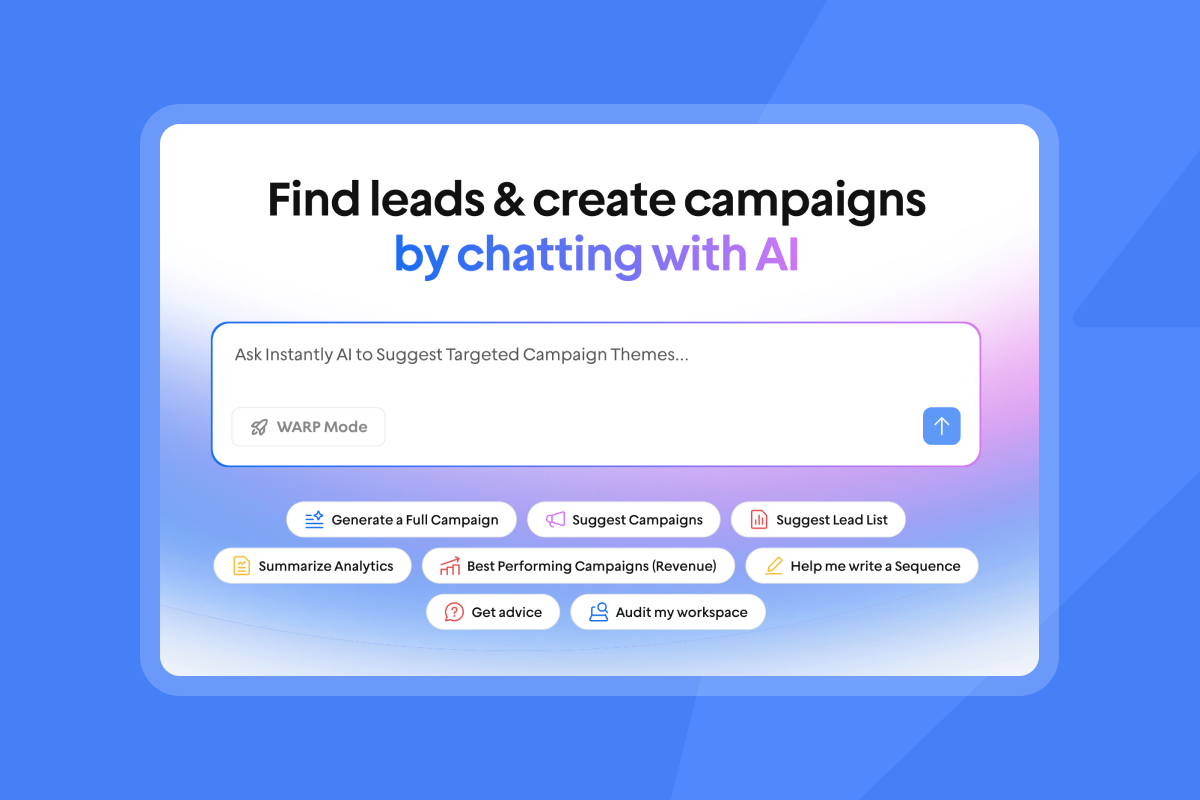
How integration depth determines whether they work together
Two tools that don't sync properly create more problems than using one tool badly. The value of running a dedicated execution layer depends entirely on how cleanly it talks to your CRM.
Shallow sync vs. bidirectional workflows
A one-way sync that only pushes contacts into a campaign list is not enough. You need bidirectional workflows that trigger actions in both directions. Instantly's HubSpot integration in Automations handles contact creation, task creation, and note logging through a visual, node-based Automations workflow native to Instantly. For full activity syncing (opens, clicks, replies) back into HubSpot timelines, teams on Hypergrowth or above can use webhook-based sync tools alongside the native integration, as native webhooks are available exclusively on Hypergrowth and higher plans. HubSpot contact and deal changes can trigger actions inside Instantly, and Instantly reply events trigger HubSpot contact creation, task creation, and note logging. The same bidirectional capability extends to Pipedrive via the Pipedrive integration guide.
Teams using Zapier can follow the Close CRM integration recipe to trigger CRM actions on interest status changes automatically.
Data quality and reconciliation issues
Delayed syncs and duplicate records are the two most common reasons reporting breaks between an execution tool and a CRM. If a bounce in Instantly doesn't sync to HubSpot, your CRM still shows that contact as active, so your rep wastes time on a dead address while your bounce rate climbs. Instantly's high bounce auto-pause feature stops a campaign automatically when the bounce rate passes 5%, which prevents reputation damage from propagating while you clean the list.
Reporting that actually matches your CRM
Mismatched analytics erode trust in both systems. When your execution tool shows 4.2% reply rates but your CRM pipeline shows only three new opportunities, someone reconciles those numbers manually every reporting cycle. Bidirectional sync eliminates that gap by ensuring every "Interested" reply automatically becomes a CRM record, so your pipeline metrics are downstream outputs of the execution data, not a separate count.
What to look for in a sales execution layer
For teams evaluating their tech stack, understanding how execution layers fit alongside your existing CRM investment is the starting point for choosing the right combination of tools.
Use these criteria when evaluating any execution platform alongside your existing CRM.
Native CRM integration and data hygiene
The quality of your execution-to-CRM integration determines whether your pipeline data is trustworthy or a reconciliation problem waiting to happen. A shallow sync that only pushes contacts one way forces manual cleanup, creates duplicate records, and leaves bounced addresses active in your CRM long after they should have been suppressed.
A well-built integration should handle three things without CSV exports or manual field mapping: pushing engagement events (replies, interest tags) from the execution platform into the CRM as contacts, deals, or notes, pulling suppression and status signals back so neither system holds stale data, and triggering automations in both directions based on lead behavior.
Instantly's HubSpot connection operates through the native Automations builder, covering sent events, reply events, and deal creation triggers. For teams that need additional logging depth, third-party connectors can write detailed activity records back to HubSpot using Instantly's webhooks.
Team-level governance and standardization
Admin controls matter more than individual rep preferences. Look for a workspace-level Global Blocklist that prevents any rep from contacting unsubscribed leads or protected domains, AI Blocklist Triggers that automatically remove leads based on reply content or account status (available on Hypergrowth and above), and shared sequence templates so every rep runs approved copy rather than improvised outreach.
The Campaign Builder workflow follows four steps:
- Add campaign accounts: Select warmed email accounts from your workspace inventory and assign them to the campaign, distributing volume across multiple domains rather than concentrating sends on one.
- Enable Inbox Rotation: In the campaign settings, turn on Inbox Rotation to distribute sends across all assigned accounts, cycling between each inbox automatically.
- Set daily send limits: Cap each account at 30 campaign emails per day to stay below spam thresholds while total volume distributes across the full account pool.
- Launch and monitor: Sends rotate automatically across the account pool so no single domain accumulates enough volume to trigger spam filters.
This architecture separates execution (high-volume cold sends managed by Instantly) from record-keeping (positive replies logged to HubSpot), protecting your primary company domain while your CRM stays clean.
Deliverability as a core system
Warmup, reputation protection, and bounce management should be built into the platform, not added via a third-party tool after the fact. When deliverability is a bolt-on, it's the first thing that slips when volume scales or a new rep joins.
Evaluate any execution platform against three infrastructure questions. First, does it include automated warmup that runs independently of campaign sends, so new inboxes build credibility before they carry outreach volume? Second, does it manage bounce risk proactively, flagging or skipping high-risk recipients before they damage sender reputation rather than reporting the damage after the fact? Third, does it monitor blacklists continuously, not just on demand?
Instantly's deliverability infrastructure addresses each of these:
- BounceShield analyzes real-time bounce data from millions of sends to skip known high-risk recipients before they damage your reputation. The in-app settings toggle is labeled BounceProtect.
- SISR (Server and IP Sharding and Rotation) on the Light Speed plan at $358/month assigns dedicated IP groups to your accounts and rotates them automatically, isolating sender reputation at scale.
- Automated inbox placement tests run against 94 blacklists continuously, surfacing issues before they become deliverability events.
Audit-friendly reporting and analytics
Your reporting needs to withstand CFO scrutiny and reconcile with CRM pipeline data. Look for account-level health scoring, campaign-level open and reply rate breakdowns, and clear bounce type classification (hard, soft, unknown) that maps directly to contact status in your CRM.
On pricing: Apollo uses a per-seat model where every new rep multiplies your bill. Instantly's Hypergrowth plan at $97/month gives your entire team unlimited email accounts and unlimited warmup with no per-seat multiplier. As your SDR headcount grows, your Instantly cost stays flat while per-seat tools compound against you. A starter stack of Outreach Growth, Instantly Credits Growth, and Growth CRM runs approximately $141/month for a lean team that needs a complete execution and CRM loop from day one.
The reply-to-pipeline handoff, from Unibox NLP classification through to HubSpot deal creation, is covered in full under Reply handling and triage above.
Conclusion
A CRM and a sales execution platform do different jobs, and trying to force one to do both creates either a deliverability problem or a data problem. Your CRM holds the authoritative record of your customer relationships, deal stages, and revenue history. Your execution platform protects your domain reputation, distributes sending volume across warmed accounts, and converts replies into pipeline without manual triage. When both systems sync bidirectionally, your reps spend time on live conversations rather than toggling between inboxes, cleaning lists, or reconciling mismatched reports. The result is a predictable outbound motion your team can operate, audit, and scale without adding headcount or risking the primary domain your entire business depends on.
Before you launch your first campaign, review Instantly's 2026 Cold Email Benchmark Report to set realistic reply-rate targets for your team. Then start a 14-day free trial of Instantly with no credit card required and unlimited warmup included from day one.
FAQs
Can my CRM handle sales execution?
No. Dedicated execution platforms like Instantly include automated warmup, inbox rotation, and the depth of deliverability infrastructure required to send cold emails safely. Standard CRM platforms are not built around these capabilities. Using your CRM for cold outreach risks triggering spam filters and blacklisting your primary domain, since cold email complaint rates run higher than transactional mail by default.
Do I need a separate tool for outreach?
Yes, if you send meaningful cold email volume. A dedicated execution platform distributes volume across multiple warmed inboxes, keeping any single domain below the risk threshold. The recommended cap is 30 campaign emails plus 10 warmup emails per account per day.
How do execution tools sync with my CRM?
Bidirectional integrations push positive replies and engagement events from the execution platform to your CRM, creating contacts, deals, and activity notes automatically. Instantly's HubSpot integration via the native Automations builder handles this without CSV exports or manual field mapping.
What happens to my data if I use both?
Your data stays clean when the integration is bidirectional. The execution tool handles high-volume top-of-funnel outreach and passes only qualified, "Interested"-tagged leads to your CRM, so your pipeline reflects actual engagement rather than unvetted import lists.
How much does sales execution cost compared to CRM email features?
Tools like HubSpot and Pipedrive charge per seat, so cost compounds as your SDR headcount grows. Instantly's Hypergrowth plan at $97/month gives your entire team unlimited accounts and warmup with no per-seat multiplier, so a team of 10 SDRs costs the same as a team of 3.
Key terms glossary
BounceShield: Instantly's built-in feature that analyzes real-time bounce data from millions of sends and skips known high-risk recipient addresses before they damage your sender reputation. The in-app settings toggle is labeled BounceProtect.
CRM (Customer Relationship Management): A system of record that stores contact details, deal history, account hierarchies, and pipeline data across sales, marketing, and support teams. Its job is accuracy and auditability, not outreach execution.
Deliverability: The ability of an email to reach the recipient's primary inbox rather than a spam or promotions folder. Deliverability depends on sender reputation, authentication records, list hygiene, and sending behavior.
DKIM (DomainKeys Identified Mail): An email authentication standard that attaches a cryptographic signature to outgoing messages, allowing receiving servers to verify the sender's identity.
DMARC (Domain-based Message Authentication, Reporting, and Conformance): An email authentication policy that tells receiving servers how to handle messages that fail SPF or DKIM checks, and where to send failure reports.
Hard bounce: A permanent delivery failure caused by an invalid or non-existent email address. Hard bounces should be removed from your list immediately.
Inbox Rotation: A sending technique that distributes outreach volume across multiple email accounts assigned to a campaign, cycling sends with a gap between each to mimic human behavior and protect any single domain from accumulating high complaint signals.
Primary inbox: The main inbox folder of a recipient's email client, as distinct from spam, promotions, or social tabs. Reaching the primary inbox is the core goal of deliverability management.
Sales execution platform: A system of action that initiates outreach, manages multi-step sequences, rotates sending accounts, and adjusts pacing in real time. It is built to drive top-of-funnel activity and hand warm replies to a CRM, not to store long-term relationship history.
Sender reputation: A trust score assigned by internet service providers to a sending domain or IP address, based on complaint rates, bounce rates, spam trap hits, and sending consistency. A low sender reputation reduces inbox placement rates.
Sequence: A multi-step outreach campaign made up of timed email steps sent to a list of contacts. According to Instantly's 2026 benchmark report, the optimal sequence length is 4-7 steps.
SISR (Server and IP Sharding and Rotation): A deliverability infrastructure feature available on Instantly's Light Speed plan that assigns dedicated IP groups to your sending accounts and rotates them automatically, isolating sender reputation at scale.
Soft bounce: A temporary delivery failure caused by issues such as a full inbox or a server timeout. Soft bounces do not require immediate list removal but should be monitored.
SPF (Sender Policy Framework): An email authentication record published in a domain's DNS settings that specifies which mail servers are authorized to send email on behalf of that domain.
SuperSearch: Instantly's built-in lead database with 450 million-plus contacts, used to source and verify prospect lists directly inside the platform without a separate data tool.
Unibox v2: Instantly's centralized reply inbox that consolidates replies from every connected sending account into a single view, so reps check one inbox instead of logging into multiple accounts individually.
Unibox NLP: Instantly's AI reply classification layer that automatically reads and tags replies across 50-plus languages, sorting leads into categories such as Interested, Not Interested, and Out of Office without manual review.
Warmup: The process of gradually increasing sending volume from a new email account to build sender credibility with internet service providers before launching a full campaign. Instantly's warmup network covers 4.2M-plus accounts. New accounts need 4 to 6 weeks of warmup before going live.
Read next
- B2B data enrichment pricing models explained: per-record, subscriptions, and credits: A breakdown of how each pricing model works, what it costs at scale, and which structure fits your team's lead volume and budget.
- Top 8 B2B data enrichment tools for sales teams in 2026: A compared list of the leading enrichment tools, covering data accuracy, coverage, integrations, and cost per record.
- How to choose outbound sales software: the ultimate evaluation checklist: A structured checklist covering deliverability infrastructure, CRM integration depth, pricing transparency, and team governance controls.


