.svg)
%20(1).svg)


Updated July 15, 2026.
TL;DR: Cross-client reputation contamination is the single biggest risk when scaling AI BDRs across multiple clients. One client's poor list hygiene can poison every other domain you manage. The fix is strict multi-tenant isolation, automated deliverability monitoring, and flat-rate pricing that does not penalize growth. Instantly.ai provides isolated workspaces, unlimited email accounts on a flat fee, and agency white-labeling so you scale revenue without compounding software costs. On Hypergrowth and above plans, an always-on Deliverability AI Agent runs automated health checks across every client workspace every 24 hours.
Per-seat pricing for AI BDRs penalizes agency growth. Every new client, every new rep, and every new inbox adds to your cost base without adding to your margin. Pricing structure belongs near the top of any AI BDR platform comparison. The fix is a platform designed for multi-client operations from day one, not an enterprise sales tool force-fitted into agency workflows. That is the setup Instantly is built around, including its AI BDR agent software.
This guide covers what to look for in an AI sales agent platform for agencies: multi-tenant architecture, deliverability isolation, white-label reporting, and pricing that stays predictable as you add more clients.
Preventing cross-client reputation damage
Cross-client reputation contamination is the single biggest technical risk you face when managing multi-client outreach. It happens when one client's domain triggers spam filters or gets blocklisted, and that damage spreads to every other domain sharing the same IP pool or sending infrastructure. Most agencies do not see it coming until campaign performance drops across multiple clients simultaneously.
How to prevent reputation bleed
Inbox providers evaluate your sending domain and authentication records as their primary trust signals. When you send from a shared IP pool, the reputation of every other sender on that range affects your deliverability. If a poorly managed client list hits spam traps, every workspace sharing that infrastructure absorbs part of the damage.
Full IP-level isolation requires the Light Speed plan. SISR (Server and IP Sharding and Rotation) assigns dedicated, private IP pools to your sending infrastructure so your traffic never touches another customer's. On Growth and Hypergrowth plans, Instantly uses a shared IP pool with active rotation based on usage volume and sender reputation, with high-reputation IPs preserved and flagged IPs removed. This reduces contamination risk but does not provide the hard per-workspace IP boundary that SISR delivers.
Enforcing tenant-level account security
You start with isolated workspaces as your foundational control, the same sequencing Instantly's AI BDR implementation timeline walks through week by week. Each client gets their own workspace in Instantly, which acts as a secure container: separate domains, separate email accounts, separate lead lists, and separate campaign data. There is no data crossover between workspaces, so a compliance issue or a bad list in one client's workspace cannot reach another client's.
For agencies that need to demonstrate this to enterprise clients, Instantly's DPA (operated by Foo Monk LLC under AWS USA sub-processors) documents data processing terms, sub-processor listing, and restricted data categories. You can share this directly with client legal teams during onboarding.
Infrastructure must-haves for multi-client AI
A platform that works well for a single in-house team often breaks under the operational load of managing 10, 20, or 50 clients, so evaluate AI BDR platforms against that load. The infrastructure requirements differ: you need hard workspace boundaries, always-on health monitoring, white-label output for client reporting, and admin controls that let you standardize process across your team.
Scaling outreach via isolated workspaces
Instantly workspaces keep client campaigns, domains, leads, and AI agent activity completely separate. You can spin up a new workspace for each client during onboarding, assign dedicated sending accounts per workspace, and ensure that warmup activity in one workspace never interacts with another. This is the foundational architecture that prevents reputation bleed at the data and infrastructure level.
You can also set workspace-level user permissions so clients, if given access, only see their own campaign data. Your internal team members, including on small agency teams running multiple accounts, can be assigned roles that span multiple client workspaces for management purposes, while client users are restricted to their own environment. This dual-layer permission model lets you standardize your internal processes while maintaining strict data separation for clients.
Real-time inbox deliverability tracking
The Deliverability AI Agent runs automatically every 24 hours on Hypergrowth and above plans. It monitors DNS health, blocklists, warmup scores, bounce rates, provider balance, campaign copy, and abuse complaints across every sending account in a workspace. When it finds a risk, it surfaces what is affected, why it matters, and what to fix first, with direct in-platform actions including pausing campaigns, replacing risky accounts, rebalancing providers, and improving copy.
For agency operators, this replaces hours of manual health checks per client with a single automated sweep. You get Slack alerts when something needs attention, so your team can act before a client campaign takes a hit.
Customizing platforms for client visibility
Instantly's agency white-labeling lets you present client-facing dashboards and reporting under your own brand. Clients see your brand, not ours.

Safeguarding sender reputation at scale
Deliverability is not a setting you toggle once. It is a system you manage with three operational levers: warmup, bounce control, and daily send limits. All three require active management at the per-inbox level.
Segmented warmup for safer outreach
New client domains need 4 to 6 weeks of warmup before you launch cold outreach. Instantly's warmup network operates across 4.2M+ accounts, generating authentic engagement signals that help new inboxes earn trust with major mailbox providers before your first cold send. This process is included across all Outreach plans, and you can customize warmup parameters (weekday-only sending, read emulation, open rate, reply rate) on Growth and above.
Real-time alerts for account bounces
Keep bounce rates under 1% per sending account as your operational target. If bounces approach 1%, pause the affected accounts, run the hygiene checklist to re-verify the list, and restart at a lower daily cap before resuming. Instantly's automated inbox placement tests let you run proactive checks before launching a new client campaign rather than discovering placement problems after the fact.
Preventing domain reputation contamination
The sending limit is 30 emails per single inbox per day. This is not a guideline, it is the operational ceiling for protecting sender reputation. When you need to scale volume for a client, you add more email accounts rather than pushing individual inboxes past their safe threshold.
This constraint maps directly to how inbox providers evaluate sending patterns. Consistent, predictable send volumes build trust over time. Erratic spikes trigger spam filters. Instantly's 2026 benchmark report found that consistent senders achieve 15 to 20% higher reply rates, which is a direct result of this disciplined pacing approach.
Unified dashboards for agency lead generation
Reporting is where agencies win or lose client trust. If your reporting does not reconcile with what the client sees in their CRM, you will spend more time defending your numbers than booking meetings.
Segmented access for client privacy
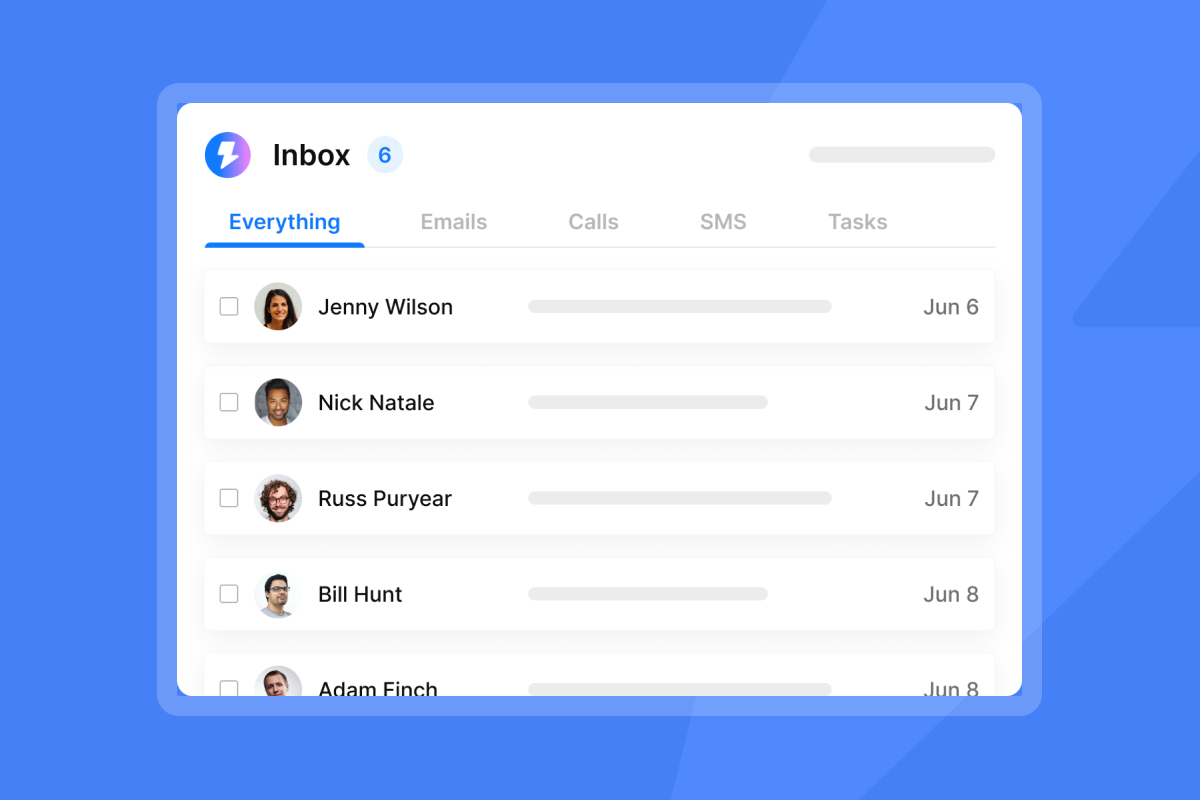
The Unibox centralizes incoming replies per workspace. Because each client has a separate workspace, their reply stream is fully isolated. Instantly's Unibox NLP auto-classifies incoming replies into custom labels using sentiment and context detection across 50+ languages. Custom label selection is available on Hypergrowth and Light Speed plans, giving your team a consistent triage system without requiring manual review of every reply.
Monitoring multi-client campaign ROI
Instantly's 2026 Cold Email Benchmark Report (data: January 1 to December 18, 2025) gives you the reference points to set honest client expectations:
- Platform average reply rate: 3.43%
- Top quartile: 5.5%+
- Top 10%: 10.7%+
- Optimal sequence length: 4 to 7 steps
- Best email length: under 80 words
Top-performing agencies reach these rates through disciplined list hygiene, consistent send windows, and clean domain warmup, not through volume alone.
Customizable client-ready export formats
Reporting should answer the questions your clients care about: how many replies, how many meetings set, and what did it cost. Instantly's campaign analytics give you opens, replies, bounce rates, and sequence performance per workspace. For client-facing reports, you can export this data and pair it with pipeline data from your CRM integration.
Mapping AI outreach to CRM pipelines
Instantly's native HubSpot integration connects outreach data to your CRM pipeline. Check the help doc for current sync scope and configuration options before building your reporting flow around it. If your clients use Pipedrive, you can import leads directly using the Pipedrive integration. For other CRM connections, route data through Zapier or Make using the integrations hub.
How to evaluate agency-friendly pricing tiers
AI BDR per-seat pricing is the wrong model for agencies. Every new client requires new email accounts, new sending infrastructure, and often new team members to manage the workload. Under per-seat models, your software costs scale with your client roster, which compresses margins precisely when you should be capturing them.
Choosing your AI BDR billing model
The structural advantage of flat-rate pricing becomes clear as you grow. Most sales engagement platforms charge per seat, so costs compound with headcount and client count. Instantly offers flat-rate pricing with unlimited email accounts and warmup across all tiers, meaning adding your 50th client costs the same as adding your 5th. Modeling what AI BDRs actually cost in 2026 makes the per-seat trap clear fast.
The table below illustrates the contrast using a representative per-seat cost:
Team size | Illustrative per-seat cost (10 seats at $100/seat) | Instantly Hypergrowth (flat-rate) | Illustrative monthly savings |
|---|---|---|---|
5 seats | $500 | $97 | $403 |
10 seats | $1,000 | $97 | $903 |
20 seats | $2,000 | $97 | $1,903 |
50 seats | $5,000 | $97 | $4,903 |
These figures use a $100/seat hypothetical rate to illustrate how per-seat costs compound as headcount grows. They do not represent any specific competitor's pricing. Actual costs vary widely by platform, plan tier, and contract terms.
Preventing cross-client data contamination
Instantly's Lead Finder B2B lead database with 450M+ B2B leads runs on a separate Instantly Credits subscription. Credits are consumed per action: lead searches, enrichment, Copilot tasks, AI Sales Agent (5 credits per generated lead), and AI Reply Agent (5 credits per reply). Because credits are billed separately from the Outreach subscription, you can allocate credit spend by client workspace rather than pulling from a shared pool.
Optimizing multi-client credit usage
The Instantly Credits subscription starts at $9 per month for 150 credits. Key per-action rates to use when modeling volume:
- Work email verification: 1 credit when found by Instantly, 2 credits when sourced from data partners
- Lead verification: 0.25 credits per lead
- Fully enriched profile: 0.5 credits per lead
- AI Enrichment: approximately 0.5 credits per row
- AI Reply Agent: 5 credits per reply generated
- AI Sales Agent: 5 credits per generated lead
For agencies running both ai agents across multiple active client campaigns simultaneously, the Supersonic Credits tier ($97 per month, 5,000 to 7,500 credits depending on volume tier) or Hyper Credits tier ($197 per month, 10,000 to 200,000 credits depending on volume tier) are the typical entry points depending on monthly volume.
Scaling without annual commitment
Instantly offers monthly billing across all plans with a 20% discount on annual billing. The 14-day free trial requires no credit card and gives you 250 uploaded contacts and 1,000 emails to test multi-client workspace setup before committing. Monthly billing removes the annual lock-in risk that has burned agencies on legacy enterprise suites.
Ramp plans for rapid multi-client integration
A new client onboard should follow a fixed sequence, built on the same steps as our AI BDR onboarding checklist. Deviating from it is where reputation risk enters.
Structuring client-specific workspace access
- Create a new workspace for the client. Do not share workspaces between clients.
- Add dedicated sending domains (at least 3 to 5 per client for redundancy). Configure your own domains and start warmup immediately, or use pre-warmed accounts.
- Start warmup. Run the full 4 to 6 week cycle before sending a single cold email.
- Upload verified contacts. Keep bounce rates as low as possible from day one with a clean, verified list.
- Set daily send limits. Cap each inbox at 30 emails per day, no higher.
- Configure the Deliverability AI Agent (Hypergrowth and above) to monitor the workspace from launch.
Scaling outreach with audit-ready workflows
The AI Reply Agent is the most brand-sensitive AI tool in the stack. Before enabling Autopilot mode (where the agent sends replies without human review), run it in Human-in-the-Loop (HITL) mode first. In HITL mode, the agent drafts every reply and sends it to your team for approval via Unibox or Slack before it reaches the prospect. This gives you full oversight of every AI-generated message and lets you tune the agent's tone per client brand voice. Review the HITL configuration in the AI Reply Agent help doc and troubleshoot sending issues with the AI Reply Agent diagnostics guide.
Configuring user roles and permissions
Assign workspace admin access to your internal account managers. If clients request direct access, create client-level user accounts with read-only or campaign-viewer permissions restricted to their workspace. No client user should have cross-workspace visibility. Document these permissions in your onboarding SOP so they are applied consistently from the first day.
Safely transitioning legacy client data
When migrating a client from a previous platform, re-verify the list first to remove stale contacts, then run a warmup cycle on the new domains before launching campaigns. Cold lists that performed well on another platform can still carry stale addresses that trigger bounces on a fresh domain.
Hidden risks in multi-client AI tooling
Most agencies encounter the same three failure modes when using tools not built for multi-client operations: pooled sending that spreads reputation damage, aggregate metrics that hide per-domain health problems, per-seat pricing that compresses margins at scale, and missing governance layers that create brand risk. This section covers each risk, the red flags to watch for, and the architectural fixes that prevent them.
Risks of pooled account sending
Here is how typical per-seat AI BDR tools compare to agency-grade platforms on the features that matter most for multi-client operations:
Feature | Typical per-seat AI BDR | Agency-grade AI BDR (Instantly) |
|---|---|---|
Workspace isolation | Varies by platform | Full workspace isolation per client |
IP reputation | Varies by platform | Shared pool with active rotation on Growth and Hypergrowth. Dedicated private IP pools with SISR on Light Speed |
Email account pricing | Varies by platform | Unlimited accounts, flat fee |
Warmup network | Varies by platform | 4.2M+ account network, built in |
Deliverability monitoring | Varies by platform | Deliverability AI Agent, 24-hour automated sweep |
White labeling | Varies by platform | Available, client-facing dashboards |
AI agent governance | Varies by platform | HITL and Autopilot modes, Slack approvals |
Credits model | Varies by platform | Separate Credits subscription, controllable per workspace |
Lack of granular deliverability data
Tools that give you aggregate open rates without per-domain health scores are dangerous for agencies. Instantly's Inbox Placement testing and Deliverability AI Agent give you domain-level visibility, not just campaign-level metrics, so you can act on a problem before a client campaign pauses.
Hidden costs of scaling client accounts
Under per-seat tools, software costs scale directly with client count, which compresses agency margins at the exact moment you should be capturing them. Flat-rate platforms eliminate this dynamic.
Missing audit trails and compliance logs
AI agents that operate without a review layer create brand risk that is difficult to defend to clients. HITL mode gives your team oversight of every AI-generated reply before it sends. Combined with workspace-level audit visibility and the AI Blocklist Triggers feature (which auto-blocklists leads based on unsubscribe status, account status, or reply keyword matches on Hypergrowth and above), you have a defensible governance layer for client campaigns.
Key insights into AI BDR multi-client setup
The following reference points cover the operational decisions agencies face most often when managing multi-client AI BDR stacks: baseline deliverability configuration per workspace, troubleshooting runbooks when metrics dip, off-ramp procedures when a client churns, and cost-per-reply modeling for volume planning. Use these as your operational playbook for predictable multi-client execution.
Preventing domain reputation contagion
Here is the deliverability configuration blueprint Instantly's agency support team recommends for every new client workspace:
- Assign dedicated sending domains (3 to 5 minimum per client).
- Run a 4 to 6 week warmup cycle using Instantly's warmup network before sending.
- Cap all inboxes at 30 emails per day.
- Enable the Deliverability AI Agent to run daily health checks.
- Set AI Blocklist Triggers to auto-blocklist on unsubscribes and keyword matches.
- Monitor bounce rates weekly. Pause and re-verify any list approaching 1%.
Watch the agency cold outreach guide on Instantly's YouTube channel to see this baseline configuration in practice.
Troubleshooting deliverability drops
When deliverability metrics dip, work through this runbook:
- Bounces approaching 1%: Pause sends immediately, run the hygiene checklist, re-verify the list, and restart at a reduced daily cap before ramping back gradually.
- Reply rate below the 3.43% platform average: Review targeting, offer, and copy before assuming a deliverability problem. Low reply rates on a warm domain usually signal a messaging issue, not an inbox placement issue.
- Blocklist flag: Pause the affected domain, switch to a backup domain for active campaigns, and work through remediation before reactivating.
Instantly's 2026 benchmark report gives you the reference ranges: platform average reply rate is 3.43%, top quartile is 5.5%+, and top 10% is 10.7%+. Use these to benchmark each client workspace against real performance data.
What happens if a client churns mid-contract?
Pause the client's workspace immediately to stop all active campaigns and warmup. Export their lead data, sequence history, and campaign reports before the workspace is deactivated. If you are on a monthly plan, there are no annual lock-in penalties. The workspace can be deleted after data export is complete.
Agency tier and volume pricing options
Use the table below to model cost-per-reply for different client engagement levels, based on the 3.43% platform average reply rate from Instantly's 2026 benchmark report:
Contacts contacted per month | Expected replies (3.43% avg) | Top-quartile replies (5.5%) | Top 10% replies (10.7%) |
|---|---|---|---|
1,000 | 34 | 55 | 107 |
2,500 | 86 | 138 | 268 |
5,000 | 172 | 275 | 535 |
These are benchmarks, not guarantees. Top-quartile performance requires clean lists, disciplined warmup, strong copy, and consistent send pacing.
If you are ready to set up your first isolated client workspaces and test the full multi-client stack, the 14-day free trial requires no credit card and gives you immediate access to workspace configuration, warmup setup, and the Deliverability AI Agent. You can also align your client campaigns with top-quartile performance standards using Instantly's 2026 Cold Email Benchmark Report as your reference point.
FAQs
Can I run multiple clients under a single Instantly account without them seeing each other's data?
Yes, isolated Workspaces keep client campaigns, domains, and leads completely separate. You can also customize user permissions so clients only see their own data.
How many emails should I send per inbox per day?
Cap sends at 30 emails per day per single inbox to protect your sender reputation. To scale volume, add more email accounts rather than increasing individual inbox throughput.
How long does it take to warm up a new client domain before launching campaigns?
A safe warmup process takes 4 to 6 weeks using Instantly's deliverability network. This timeline helps your domains earn trust with major mailbox providers before you start sending cold outreach.
Does Instantly charge a per-seat fee for team members or clients?
No, Instantly offers flat-rate pricing with unlimited email accounts and warmup across all tiers. You only pay for the Outreach plan and any separate Instantly Credits you use for lead search or Instantly's ai agents.
How do I prevent brand risk when using the AI Reply Agent for agency clients?
Run the AI Reply Agent in Human-in-the-Loop (HITL) mode, where every drafted reply requires team approval before it reaches a prospect. This gives you full oversight of AI-generated messages and lets you control tone and content per client brand standards.
Key terms glossary
Reputation bleed: The process where deliverability issues or spam blocks on one client's domain negatively affect other domains sharing the same sending infrastructure.
SISR (Server and IP Sharding and Rotation): A deliverability technology on the Light Speed plan that uses dedicated, private IP pools to isolate and rotate sending servers per workspace.
Unibox NLP: An AI-powered feature that automatically classifies incoming replies into custom labels using sentiment and context detection across 50+ languages, with custom label configuration available on Hypergrowth and above plans.
Deliverability AI Agent: An always-on monitoring tool on Hypergrowth plans and above that automatically checks DNS health, blocklists, warmup scores, and bounce rates every 24 hours, then surfaces remediation actions directly in the platform.
HITL (Human-in-the-Loop): An AI Reply Agent operating mode where every AI-drafted reply is queued for human review and approval before it sends, giving agencies full governance over client-facing AI communication.
Read next
- Instantly pricing: unmatched value for unlimited outreach: How Instantly's flat-rate model compares to per-seat alternatives for agencies scaling across multiple clients.
- Smartlead vs. Instantly & 5 more: 2026 comparison for pipeline per dollar: A side-by-side breakdown of seven cold email platforms rated on deliverability, pricing, and multi-client support.
- Cold email deliverability: 14 key checks before you hit send: A pre-send checklist covering DNS setup, warmup status, list hygiene, and inbox placement testing.



