.svg)
%20(1).svg)


Updated July 15, 2026
TL;DR: Rush an AI BDR implementation and you risk domain blacklisting that can stall pipeline for as long as a full warmup cycle, not the meetings you were trying to book. A safe rollout takes 5 to 8 weeks and moves through four phases: infrastructure and DNS setup, warmup and reputation-building, rep training and governance, and a controlled pilot before full-scale launch. The warmup period is the hard constraint. Cut it short and inbox placement drops fast. Every other phase can flex. That one cannot.
AI BDR implementation takes 5 to 8 weeks when done correctly, whether you run it manually or through AI Sales Agent Software. Follow this week-by-week timeline to configure infrastructure, build sender reputation, and validate performance of your outbound AI BDR.
Consistent, stable sending patterns produce 15% to 20% higher reply rates according to Instantly's 2026 benchmark report. Yet the most common implementation mistake is treating week one as optional. Skip the infrastructure phase and you start cold outreach on a cold domain with no sender reputation, no warmup history, and no DNS protection. The result is predictable: spam folder placement, rising bounces, and a blacklisted domain that can take as long as a fresh warmup cycle to recover.
This guide gives you a realistic, week-by-week blueprint for AI BDR implementation: from configuring secondary domains and SPF/DKIM/DMARC records to scaling multi-variant sequences with AI-assisted reply handling, work worth locking in contractually using Instantly's guide to AI BDR contract terms to negotiate. Every phase maps to a measurable output so your team and your stakeholders know exactly what to expect.
Defining AI BDRs vs. legacy sales tools
Understanding where AI BDRs, one of the more established types of ai agents, fit starts with a clear comparison to the tools most sales teams already use. The sections below break down the cost and capability gap, then explain why skipping the onboarding phase is the single most common reason implementations stall. If you have not picked a platform yet, start with our side-by-side comparison of AI BDR tools.
AI BDR vs. traditional outbound platforms
Traditional outbound platforms require manual list building, manual sequence writing, and a per-seat licensing model that scales costs alongside headcount. When you add a rep, you pay another seat fee. When that rep ramps over three to five months, you absorb the productivity gap while the meter runs, a cost that hits AI BDR for small teams hardest since there is little margin to absorb ramp time.
According to a 2026 cost breakdown by Remote Growth Partners, a fully-loaded U.S. SDR costs $102,000 to $210,000 annually once base salary, benefits, payroll taxes, recruiting, ramp time, tools, management overhead, and turnover risk are all accounted for. Note that Remote Growth Partners sells offshore SDR recruitment services, so treat the upper end of this range with that context in mind. The ramp time difference is also material, as the table below shows.
Dimension | Human BDR | AI BDR (Instantly) |
|---|---|---|
Ramp to first qualified meeting | Typically 3 to 6 months (estimated industry range) | 6 to 8 weeks (deliverability-constrained) |
Fully loaded annual cost | $102,000 to $210,000 (base salary, benefits, payroll taxes, recruiting, ramp time, tools, management overhead, and turnover risk, per Remote Growth Partners' 2026 breakdown. Note: Remote Growth Partners sells offshore SDR services and has a commercial interest in this comparison.) | Software only: ~$2,900/year (Hypergrowth Outreach $97/mo + Credits Supersonic $97/mo + Growth CRM $47/mo = $241/mo x 12). All-in including Google Workspace for 20 inboxes ($120 to $240/mo) and domain registration ($10 to $20 per domain per year): ~$4,400 to $6,000+/year. |
Inbox scaling | Deliverability best practices cap sends at 30 per inbox per day, so scaling volume means adding inboxes and reps in parallel | Unlimited accounts on all paid plans, flat fee, no per-inbox cost |
Sequence creation | Manual, rep-written copy per campaign | AI Sequence Writer, minutes per campaign |
Reply handling | Rep-managed, handled individually as replies arrive | AI Reply Agent (Autopilot or Human-in-the-Loop), five Instantly Credits per reply |
List sourcing | Requires a separate data source or provider to build and verify contact lists | Lead Finder, 450M+ B2B leads sourced and verified inside the platform, no separate tool required |
Watch the Instantly co-founder demo walkthrough to see the full platform setup from start to first send.
How onboarding lag stalls revenue targets
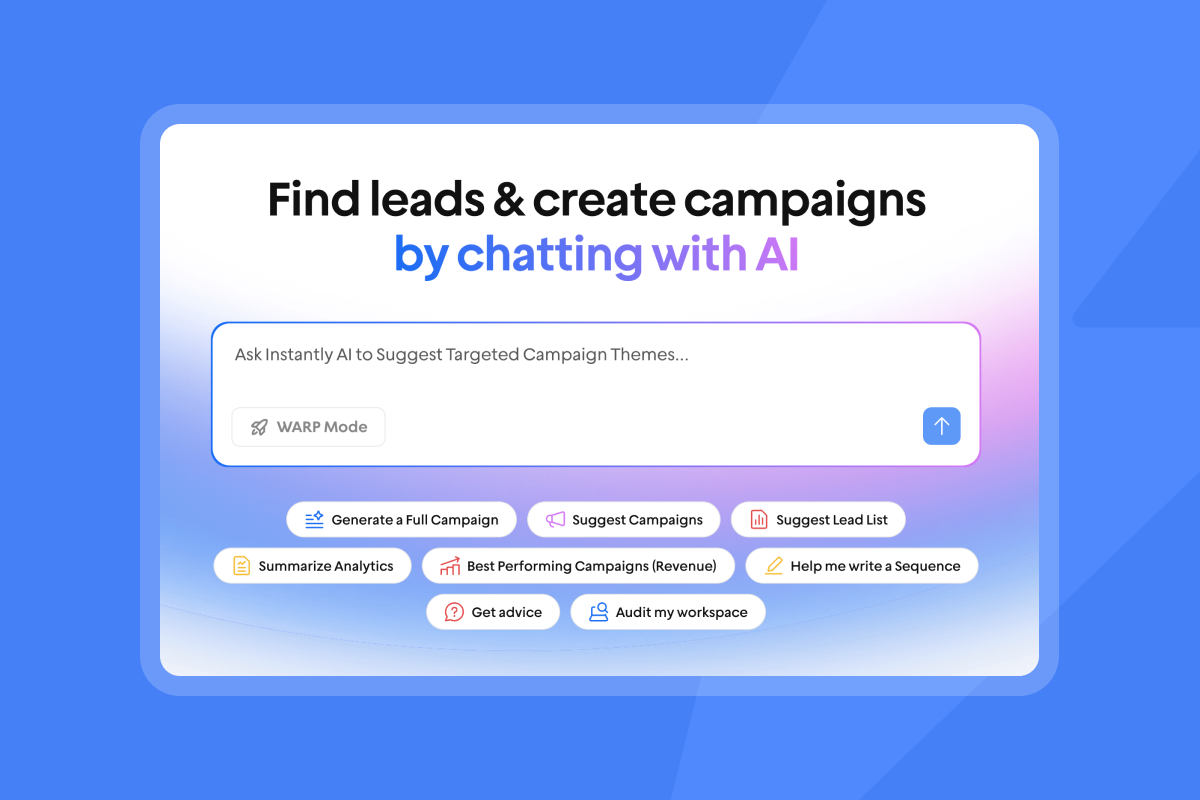
Rushing the setup phase to hit immediate quotas is one of the common AI BDR mistakes, and it backfires when new domains launch cold outreach without warmup. Inbox placement drops quickly when daily sends exceed safe thresholds, and recovery can take as long as a fresh warmup cycle of reduced sending and careful reputation repair. Using your primary domain for cold outreach puts your core business communications at risk. Secondary sending domains isolate outbound reputation damage so it stays contained to domains built specifically for prospecting.
Week 1: configuring infrastructure for AI BDR success
Week one is entirely an infrastructure week. No cold outreach fires, no sequences go live. Every task in this phase exists to protect your domain reputation and give your CRM the correct data wiring before a single email is sent.
Configuring sending domains and accounts
Secondary domains are the foundation of a safe AI BDR setup. Purchase secondary domains (for example, .co, .io, or .email) that are clearly associated with your brand name and forward them to your main website. Each domain needs its own Google Workspace or Microsoft 365 mailboxes, with three to five mailboxes per domain. This approach keeps outbound risk completely isolated from your primary domain.
EEAT Callout: Step-by-step DNS configuration checklist
Follow this sequence for every secondary sending domain before connecting it to Instantly:
- SPF record: Publish a TXT record in DNS that lists which mail servers are authorized to send on behalf of your domain. Google requires this for all bulk senders.
- DKIM record: Add a DNS-published cryptographic signature that proves messages were not altered in transit. Generate the DKIM key in Google Workspace or Microsoft 365, then add it as a TXT record.
- DMARC record: Publish a
_dmarcTXT record that sets your policy when SPF or DKIM fails. Start withp=noneto monitor before enforcing. Gmail has required SPF, DKIM, and DMARC for all bulk senders since February 1, 2024. Outlook enforces the same for high-volume senders as of May 5, 2025. Partial setups, where one or more records are missing, consistently produce lower inbox placement rates. Configure all three before sending. Instantly's SPF, DKIM, and DMARC guide covers each record and the exact DNS steps required. - Domain forwarding: Forward the secondary domain to your main website so prospects who check see a legitimate brand presence.
- Mailbox creation: Create three to five mailboxes per domain and connect them to Instantly. The platform supports unlimited email accounts across all paid plans, so there is no per-inbox cost.
Once your domains and accounts are connected, Instantly's warmup system activates automatically. You do not need a separate tool for this step.
Configuring CRM mapping for AI workflows
HubSpot native integration connects Instantly campaigns directly to CRM contact records. Before your first sequence fires, configure these field-level mappings to prevent data conflicts:
- Campaign association: Link every Instantly campaign to a specific HubSpot campaign object so you can measure pipeline contribution at the campaign level.
- Demographic fields: Set write permissions to "update if blank" for name, company, title, and phone. This prevents AI-enriched data from overwriting existing CRM records.
- Reply and bounce flags: Set these to "always update" so your CRM reflects the most current engagement status without manual intervention.
The Instantly HubSpot integration guide and CRM integration reference for AI outreach cover the full field mapping setup in detail.
Managing team seats and user privileges
Instantly uses a workspace model where admins control global settings and reps access campaign-level views. Agencies coordinating campaigns across multiple clients should also review our guide to AI BDR for agencies for workspace-tiering guidance. Set this up before reps log in. Admins should own domain configurations, warmup settings, global blocklists, and CRM sync rules. Reps get access to campaign creation, sequence editing, and Unibox reply management, but they must not have permission to modify warmup schedules or domain health settings. One rep changing a warmup configuration mid-ramp can spike bounce rates and trigger spam blocks across the entire domain.
Securing AI BDR data protocols
Before importing any lead lists, confirm your AI BDR compliance boundaries. CAN-SPAM requires honest sender identification and opt-out compliance, with violations costing up to $53,088 per email as of January 2025. GDPR permits B2B cold outreach under legitimate interests, but you must pass a three-part test covering purpose, necessity, and balancing, and you must honor opt-outs immediately.
Instantly's Data Processing Agreement covers processing terms under Foo Monk LLC and lists restricted data categories that must never be uploaded, including payment card data and biometric data. AWS USA hosts your data. The platform's automated global blocklist enforces opt-out compliance across every inbox and every rep automatically, removing reliance on individual SDRs to manage unsubscribe requests. More detail on B2B list compliance is available in the Instantly GDPR and CAN-SPAM guide.

Weeks 2-3: building your AI BDR sender reputation
Weeks two and three are the most technically sensitive part of the implementation. Sender reputation is built slowly and damaged quickly. The priorities for this phase are controlled volume ramp, daily health monitoring, and disciplined list preparation by reps.
Avoiding permanent sender reputation loss
New sending domains need a minimum of four to six weeks of warmup before they carry enough sender reputation to support cold outreach at scale. Instantly's 2026 benchmark report identifies a four to six week warmup timeline as the baseline for achieving consistent inbox placement. Cutting this short means landing in spam folders during the exact window when your pipeline is supposed to grow.
Instantly's built-in warmup uses a private deliverability network of 4.2M+ accounts to simulate genuine email engagement on every connected inbox. Each account exchanges real emails, opens them, and replies, signaling to mailbox providers that the sender is trustworthy. Warmup runs automatically once you connect an account, with no external tool required.
"Instantly has been a game-changer for our cold email campaigns... the platform makes it incredibly easy to manage multiple email accounts, warm them up properly, and track performance across campaigns. The UI is intuitive, the deliverability tools actually work... We're able to scale our outreach without sacrificing personalization or risking our sender reputation." - Natalie on Trustpilot
Managing volume during AI onboarding
EEAT Callout: Instantly deliverability team sending limits for early implementation
This ramp schedule is based on Instantly's Campaign Slow Ramp System. Deviating during the first six weeks risks permanent domain blacklisting.
- Week 1: Warmup only, no cold outreach. Instantly's Campaign Slow Ramp System starts at 2 campaign emails on day one and increases gradually each day (day 2: 4, day 3: 6, and so on). The system manages this automatically so you do not need to track daily limits manually.
- Week 2: Cold outreach begins in parallel with continued warmup. Volume increases daily following the Campaign Slow Ramp System schedule. The system manages daily limits automatically, so do not override the ramp settings manually.
- Week 3: Volume continues to increase daily following the Campaign Slow Ramp System schedule. Monitor bounce rates daily and pause sends on any domain where bounces exceed 1%.
- Week 4 onward: Up to 30 emails per inbox per day. This is the hard ceiling. Never scale past 30 emails per single inbox per day, regardless of urgency or quota pressure.
Gmail accounts pushing 100+ cold emails per day see inbox placement drop sharply. Recovery can take as long as a fresh warmup cycle of reduced sending and careful reputation repair.
Bounce rate thresholds to act on immediately:
- Approaching 1%: verify your list and remove unconfirmed records before continuing.
- Above 1%: pause all sends on that domain and run a full domain health check.
- Above 0.1% spam complaints: reduce volume and review copy.
- Above 0.3% spam complaints: treat as a domain emergency.
Instantly's 2026 benchmark data shows the platform average reply rate sits at 3.43%, with top-quartile senders reaching 5.5%+ and top 10% hitting 10.7%+. Those numbers are achievable only for teams that build sender reputation correctly during these early weeks. The signal-based cold outreach AI workflow video is worth reviewing with your team during this phase.
Proactive domain health audits
Monitor bounce rates and inbox placement scores daily during weeks two and three. If your bounce rate exceeds 1% or inbox placement falls below 80%, reduce throughput immediately and run a domain health check before resuming, since these are among the clearest AI BDR red flags and warning signs to watch during ramp.
Instantly's Deliverability AI Agent, available on Hypergrowth plans and above, runs an automated audit every 24 hours. It checks DNS health, blacklist status, warmup scores, bounce rates, provider balance, campaign copy, and abuse complaints, and it is one of Instantly's AI agents built into the platform. When it finds an issue, it surfaces the affected component, explains why it matters, and recommends a specific action: pause a campaign, replace a risky account, rebalance providers, or improve copy. Slack alerts are supported so your ops team gets notified without logging into the platform.
You can also run manual inbox placement tests at any point to verify whether emails are landing in the primary inbox, promotions tab, or spam folder before scaling. The automated version of this tool is documented in the inbox placement help article.
What reps should (and shouldn't) do during warmup
Weeks two and three are list-preparation and copy-refinement weeks. Cold outreach begins in week two, but the volume is low and controlled. Reps should use the available capacity to verify lead lists to get bounce rates below 1%, draft and review sequence copy for each campaign variant, and build out A/Z subject line tests (Growth plan includes A/Z testing, but 26-variant capability requires Hypergrowth at $97/mo and above).
As a best practice, avoid sending manual bulk emails from new domains during this phase. On warmup settings specifically, Instantly's documentation warns against disabling the slow warmup option on new accounts. The slow warmup disable is intended only for already-warmed accounts. Turning it off on a new domain skips the gradual ramp and increases the risk of spam flags. Importing unverified lists at this stage is also not recommended, since high bounce rates during warmup can damage a domain that has not yet built sufficient reputation to absorb the hit.
Week 4: driving AI BDR adoption and best practices
With infrastructure in place and sender reputation building, week four shifts focus to the people side of the rollout. This is where governance rules get locked in and reps make the mental model shift from manual sending to sequence governance and reply triage.
Training reps for AI BDR success
The mental model shift for SDRs is from "I write and send emails" to "I govern sequences and triage replies." That shift requires deliberate training and a clear AI BDR onboarding checklist, not just a product walkthrough. Focus week four training on three capabilities:
- Sequence governance: Review and edit AI-generated drafts before activating campaigns.
- Unibox triage: Work the unified inbox, action positive replies, and escalate hot leads to AEs.
- AI draft review: Use Human-in-the-Loop mode to approve or edit AI-generated responses before they send.
Watch the AI Sales Agent setup webinar and the AI campaign creation video with your team before week four training begins.
Governance models for unified outreach
Set global rules before any campaign goes live. These are the four governance layers that protect brand safety and compliance at scale:
- Global blocklist: Import all active clients, open opportunities, and investor contacts. Instantly's global blocklist applies workspace-wide and prevents any rep from accidentally emailing someone they should not contact.
- Sequence frequency caps: Limit follow-up steps to the optimal four to seven touches identified in Instantly's 2026 benchmark report. Sequences beyond seven steps show diminishing returns.
- Opt-out handling: Configure automated unsubscribe processing so opt-outs are honored across every inbox simultaneously, not per campaign.
- Send windows: Schedule your first sequence step to fire on Monday morning. Instantly's 2026 benchmark report identifies Monday as the best day to launch a new campaign and Wednesday as the highest reply day of the week. General B2B send-time best practice is to concentrate sends in mid-morning or early afternoon local time, avoiding Fridays and weekends when response rates drop. AI Blocklist Triggers (available on Hypergrowth and above) add an automated layer: if a reply contains specific phrases like "not interested" or "remove me," the lead is automatically blocklisted across the entire workspace, removing the dependency on reps to manage opt-out requests manually.
Configuring reply triage and inbox sync
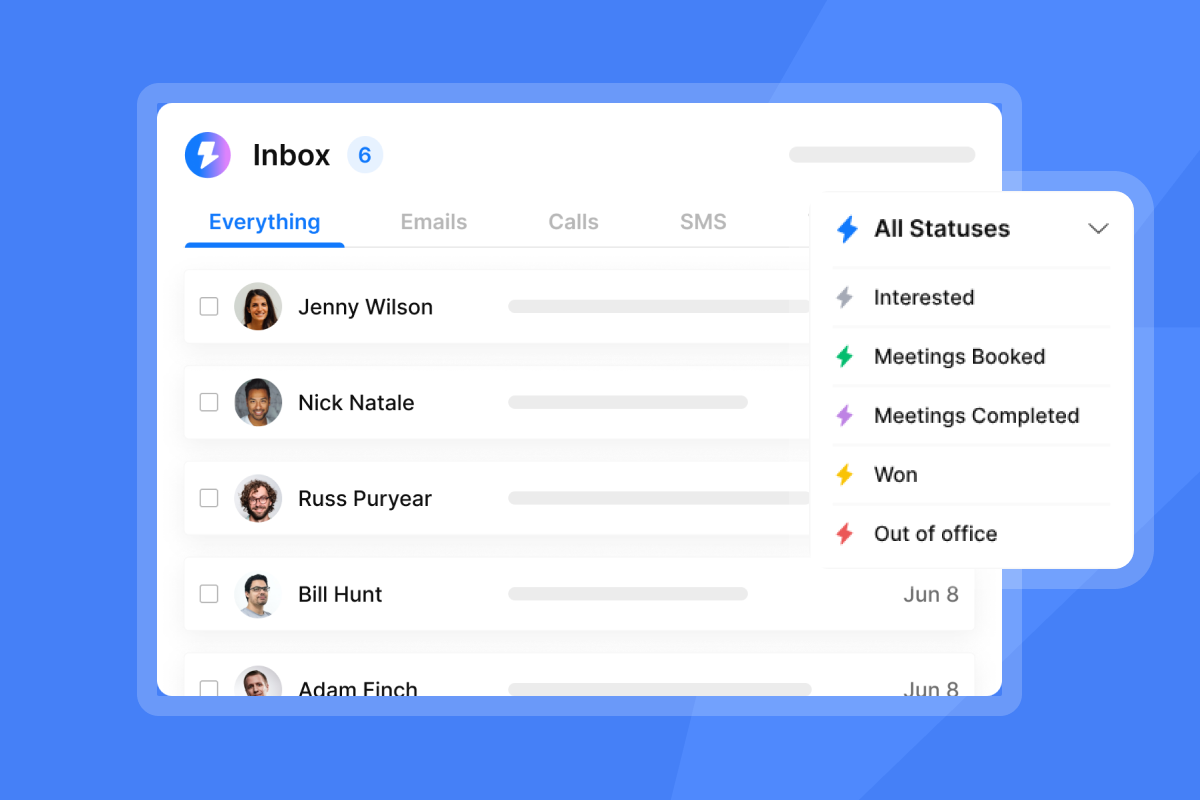
Unibox NLP automatically classifies incoming replies using sentiment detection across 50+ languages. Base labeling runs on all paid plans. Custom label selection (for example, "Interested," "Not Now," "Wrong Contact," and "Referral") is available on Hypergrowth and Light Speed plans. Configure your custom labels before launch so every reply routes to the right queue from day one.
The AI Reply Agent handles positive and neutral replies in under five minutes, using either Autopilot mode (fully autonomous) or Human-in-the-Loop mode (drafts a response for rep approval). It costs five Instantly Credits per reply and runs on a separate Credits subscription from your Outreach plan. Slack integration lets reps review and approve draft replies directly from their messaging app without switching tools.
Final validation checklist before go-live
Run through every item below before activating any campaign.
Pre-launch go-live checklist:
- CRM synchronization verified: Test a sample contact push from Instantly to HubSpot and confirm field mapping is correct.
- SPF, DKIM, and DMARC records active: Use a DNS lookup tool to confirm all three records are published and returning correct values on every secondary domain.
- Warmup active for at least 3 weeks with bounce signals below 1%: Check warmup health scores inside Instantly before proceeding. If bounces are approaching 1%, pause sends, verify your list, and remove unconfirmed records before continuing. Bounces at or above 1% require an immediate domain health check before any further sends go out.
- Lead lists verified with under 1% bounce rate: Run your full contact list through verification and remove unverified records before importing. Keep hard bounce rate below 1% at all times. During warmup, treat any bounce rate approaching 1% as a signal to pause, re-verify, and clean the list before continuing sends.
- Unibox NLP custom labels configured: At minimum, create labels for Interested, Not Now, Unsubscribe, and Wrong Person.
- Global blocklist populated: Import active clients, open deals, and any known do-not-contact records.
- Team seats and permissions set: Confirm reps have campaign-level access and admins retain control over domain and warmup settings.
- Sequence copy reviewed: Confirm all variants are under 80 words, personalization tokens are validated, and no spam trigger words are present. The pre-launch campaign checklist inside Instantly's help center expands on each item with in-platform screenshots.
Week 5: validating AI BDR performance metrics
Week five is the first live test of the full system. The goal is not to hit quota yet. It is to confirm that DNS, inbox placement, reply classification, CRM sync, and AI reply handling all work correctly under real sending conditions before you scale volume.
Testing with a controlled pilot group
Launch your first live campaign to a small, highly verified segment of contacts before scaling to your full list. Prioritize quality over size for this pilot: every contact should be verified, the job titles should be consistent, and the sequence copy should be relevant to all of them. This pilot tests the entire system end-to-end: DNS health, inbox placement, reply classification, CRM sync, and AI reply handling. A controlled segment limits your risk. If something is misconfigured, you lose one week of pipeline on a small group instead of damaging your domain across thousands.
Keep your pilot segment as consistent as possible across job title, company size, or use case. The tighter the audience, the easier it is to isolate what is working in your copy and what is not.
"Instantly makes cold outreach operationally simple at scale. The interface is straightforward, setting up campaigns with multiple inboxes is fast, and the warm-up system helps maintain deliverability when sending higher volumes... For lead generation workflows it significantly reduces the time needed to launch and monitor campaigns." - Ivar S. on G2
Assessing pilot inbox placement metrics
Run an inbox placement test at the start of week five before your pilot campaign fires. This test verifies whether emails from your sending accounts land in the primary inbox, promotions tab, or spam folder across major providers including Gmail and Outlook.
Target benchmarks for pilot validation:
Metric | Acceptable (sourced) | Good (illustrative) | Top-quartile target (illustrative) |
|---|---|---|---|
Inbox placement rate | 80%+ | 89%+ | 95%+ |
Bounce rate | Under 1% | Under 0.5% | Under 0.25% |
Reply rate | 2%+ | 3.43% (platform average) | 5.5%+ |
Spam complaint rate | Under 0.1% | Under 0.05% | 0.01%–0.02% |
Acceptable thresholds are grounded in sourced data: 1% bounce ceiling per Instantly's writing guidance, 80%+ inbox placement as a standard pre-scale threshold, 0.1% spam complaint floor from platform documentation, and 3.43% reply rate fromInstantly's 2026 benchmark report. Good and Top-quartile figures are illustrative targets to help teams set internal progression goals. They are not calibrated benchmarks from a published source.
If inbox placement falls short of the acceptable threshold in the table above during the pilot, pause the campaign, review DNS records, and verify warmup health before resuming. Instantly's sending infrastructure distributes messages across multiple providers to protect placement across Gmail and Microsoft accounts simultaneously.
Once the pilot clears all benchmarks, scale to your full list gradually, monitoring bounce rates and inbox placement scores after each volume increase and keeping daily increments within the 30-per-inbox ceiling.
Try Instantly free for 14 days (no credit card required) and configure secondary domains while the warmup system builds sender reputation automatically. Explore Lead Finder with 450M+ B2B leads to build your first verified list. When you're ready to benchmark your team's performance, Instantly's 2026 Cold Email Benchmark Report gives you the reply rate and sequence data to set realistic targets for your SDRs and your stakeholders.
FAQs
How long does a full AI BDR implementation actually take?
A safe, full-scale implementation takes 5 to 8 weeks from domain purchase to validated performance. The hard constraint is the warmup period, which requires a minimum of 4 to 6 weeks before cold outreach volumes are safe to scale.
What is the 30-emails-per-inbox-per-day rule based on?
It reflects the threshold where sender reputation stays intact at scale. Gmail accounts that push past 100 cold emails per day see inbox placement drop sharply, and recovery can take as long as a fresh warmup cycle of reduced volume and active warmup.
Do I need a separate warmup tool when using Instantly?
No. Instantly includes built-in warmup across all paid plans, connected to a private deliverability network of 4.2M+ accounts. There is no separate tool to purchase or configure.
How does the AI Reply Agent pricing work?
The AI Reply Agent runs on Instantly Credits (separate from Outreach plans), starting at $9 monthly for 150 credits, with each reply consuming five credits. Autopilot sends replies automatically, while Human-in-the-Loop drafts responses for rep approval before sending.
Can AI BDR implementation integrate directly with HubSpot without a third-party connector?
Instantly offers a native HubSpot connector, confirmed in the platform's integration documentation. The specific scope of what syncs natively, including contact records, reply statuses, and campaign associations, depends on your configuration and plan. Review the Instantly HubSpot integration guide and verify current sync behavior in your account before relying on specific field mappings in a live workflow.
Key terms glossary
AI BDR (AI Business Development Representative): Software that automates prospecting, sequence creation, and reply handling tasks traditionally performed by a human SDR. It sources leads, sends cold outreach, and triages responses without per-seat licensing.
Sender reputation: A score that mailbox providers assign to your sending domain and IP based on engagement signals, bounce rates, spam complaints, and authentication records. A low score pushes mail to spam or blocks delivery entirely.
Warmup: A controlled period of low-volume, reciprocal email activity that builds sender reputation on a new domain or inbox before cold outreach begins. Instantly's built-in warmup uses a private network of 4.2M+ accounts to simulate genuine engagement.
Secondary sending domain: A brand-adjacent domain (for example, yourco.io or yourco.email) purchased specifically for cold outreach. It keeps deliverability risk isolated from your primary business domain.
SPF (Sender Policy Framework): A DNS TXT record that lists which mail servers are authorized to send email on behalf of your domain. Required by Google for all bulk senders.
DKIM (DomainKeys Identified Mail): A cryptographic signature published in DNS that proves an email was not altered in transit. Generated in your email provider and added as a TXT record.
DMARC (Domain-based Message Authentication, Reporting and Conformance): A DNS policy record that tells mailbox providers what to do when SPF or DKIM checks fail. Start with p=none to monitor, then enforce once you confirm legitimate mail is passing.
Bounce rate: The percentage of sent emails that could not be delivered. Hard bounces above 1% signal list quality problems and actively damage sender reputation. Keep bounce rate at or below 1% for healthy deliverability.
Inbox placement: The percentage of sent emails that land in the recipient's primary inbox rather than the promotions tab or spam folder. Target 80%+ during pilot as a sourced acceptable threshold. 95%+ at scale is an illustrative top-quartile target, not a calibrated benchmark from a published source.
Domain health: The combined status of your DNS authentication records, blacklist status, warmup score, bounce rate, and spam complaint rate. Instantly's Deliverability AI Agent audits all of these every 24 hours on Hypergrowth plans and above.
Unibox NLP: Instantly's reply classification system that uses sentiment detection across 50+ languages to automatically label incoming replies (for example, Interested, Not Now, Wrong Contact). Custom labels are available on Hypergrowth and Light Speed plans.
AI Reply Agent: Instantly's automated reply handler that responds to incoming emails using either Autopilot (fully autonomous) or Human-in-the-Loop (drafts a response for rep approval). Costs five Instantly Credits per reply.
Lead Finder: Instantly's built-in B2B lead database with 450M+ verified contacts. Lets you source and verify leads inside the platform without a separate data tool.
Global blocklist: A workspace-level list that prevents any rep or campaign from contacting specified contacts, for example active clients, open opportunities, or investor contacts. Applies automatically across every inbox in the workspace.
Send window: The scheduled time range during which outbound emails fire. Schedule your first sequence step on Monday, the best day to launch a new campaign per Instantly's 2026 benchmark report. Wednesday produces the highest reply rate of the week. General B2B best practice is to concentrate sends in mid-morning or early afternoon local time, avoiding Fridays and weekends.
Read next
How to send cold emails + 5 templates that get replies: Step-by-step guidance on structuring cold email outreach, with five ready-to-use templates built around the copy length and sequence principles that drive above-average reply rates.
Cold email deliverability: 14 key checks before you hit send: A practical pre-send audit covering DNS authentication, list hygiene, warmup status, and inbox placement testing so your emails land in the primary inbox before you scale.
7 best AI SDR tools worth investing in: A side-by-side comparison of the leading AI-assisted outreach platforms, evaluated on deliverability, reply handling, pricing transparency, and how well each integrates with a standard sales stack.



