.svg)
%20(1).svg)


Updated on 08 May 2026
B2B email list building is a systematic process of collecting verified, enriched contacts. Success relies on balancing quality over quantity, strict list hygiene, and defining USPs for segmentation.
Use an all-in-one platform like Instantly SuperSearch to automate the workflow, from finding 450M+ leads using advanced filters to deep data enrichment and automated personalization for highly successful cold outreach campaigns.
B2B email list building is the process of collecting and organizing verified business contacts for cold outreach. You gather information on decision makers, executives, and potential prospects who will most benefit from your products or services.
Instantly was built on the back of B2B list building and cold outreach, so we know what it takes to scale the process. This article helps marketers understand the fundamentals of B2B lead generation, how to ensure each is valid, and how to scale campaigns.
What is B2B Email List Building: The Fundamentals
B2B email list building fundamentals start with ensuring data accuracy by verifying emails and cleaning your list regularly to avoid high bounce rates.
Strong list building means segmenting contacts by role, company size, industry, or region so every message feels relevant.
Another key principle is balancing quality over quantity. A smaller, verified list of B2B leads will deliver better results than a massive, unfiltered database. Following regulations such as the GDPR or CAN-SPAM protects your business legally and helps build trust.
Multiple trustworthy sources also exist for B2B lead generation. What’s essential is verifying and enriching, which takes time. That’s why Instantly created SuperSearch: a one-stop shop for all things B2B lead generation.
You can find leads, companies similar to existing clients, and enriched lead data to personalize your cold outreach campaigns deeper—more quality data = more wins.
What Should a B2B Email List Include?
A useful B2B email list contains more than names and email addresses. Each contact should include enough information to determine whether they fit your target audience and to support relevant outreach.
At a minimum, this usually includes the prospect’s name, job title, company and verified business email address. Company information such as industry, location and size can then help you segment the list around your ideal customer profile (ICP).
Additional data can make the list more useful for prospecting. For example, information about the company’s technology, recent activity or other buying signals can help sales teams prioritize contacts and personalize outreach.
The aim is to build a business-to-business email list that gives you enough context to understand who you’re contacting and why they’re relevant, rather than collecting as many email addresses as possible.
How To Build B2B Email Lists: A Step-by-Step Guide
List building isn’t as complicated as you might think. The process changes depending on the platform you use to find leads, but the fundamentals still hold.
B2B Email List Building With Instantly SuperSearch
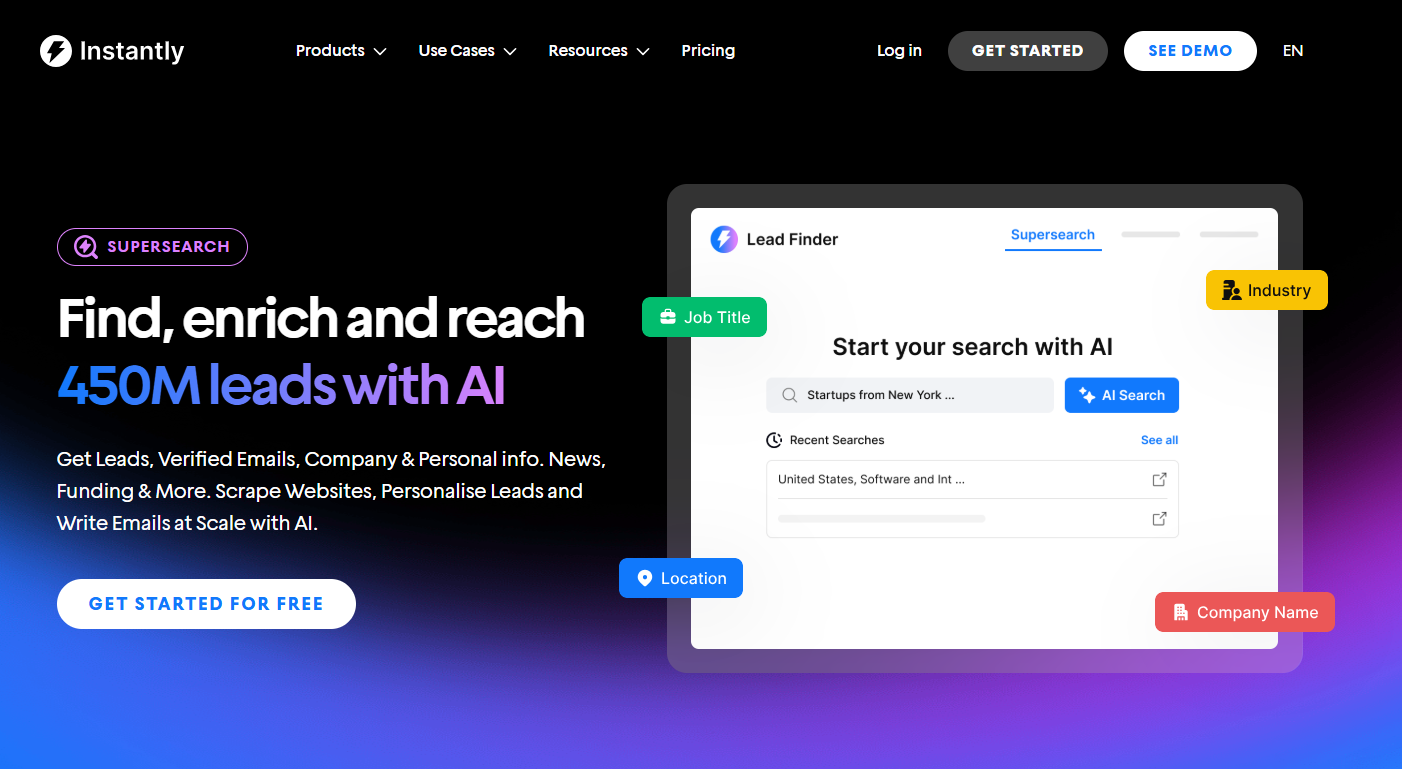
One of the fastest ways to build B2B email lists is with a lead finder like Instantly SuperSearch. It’s designed for convenience, automation, and scale. Users also get every feature, even on the starter plan. And if you’re already using Instantly, you can automate the lead generation process at scale. Here’s how:
Understand Your Unique Value Proposition
The first step to list building (which applies to every other method) is understanding what makes your product/service valuable.
Most people get this part wrong because they think they have only one unique selling proposition. But that’s not the case.
Instead of a templated value prop, adjust your offer to the leads you’re emailing. Let’s say you build websites. Great, so do many companies. Instead of just saying that, you can say that you:
- Create websites that help SaaS startups convert more free trials into paying customers
- Design sites that bring local businesses more booked appointments without ad spend.
- Build websites that cut checkout friction so e-commerce stores boost sales
Build Your Ideal Customer Profile (ICP)
Once you understand your value proposition, it’s time to find leads who will benefit most from it. This means defining your Ideal Customer Profile (ICP).
These are the type of companies and decision makers with the problem you solve, the budget to address it, and the urgency to act.
- Identify your best customers: Look at who already buys and gets value from you.
- Define firmographics: Industry, company size, revenue range, and location.
- Pinpoint roles: Decision makers and influencers who control budgets or priorities.
- Map pain points: Problems your product or service solves most effectively.
- Validate with data: Compare ICP against existing customer metrics and market research.
Use SuperSearch Advanced Filters to Find Leads Who Fit Your ICP
Unlike other lead finder tools, SuperSearch gives you unrestricted access to 450M+ pre-verified B2B leads and advanced enrichment options.
With 13 advanced filters, you can narrow down prospects by industry, role, company size, technology stack, recent job listings, and more.


Enrich Lead Data
Enriched lead data is what’ll set your personalization apart from competitors. And with Instantly SuperSearch, data enrichment is just a few clicks away.
You can layer on news, technology, or funding enrichment to spot prospects at the right moment, then use the Web Researcher Agent or AI Copilot to generate tailored outreach. Even better, you can tap into advanced LLMs like OpenAI and Anthropic without extra accounts.
Personalizing Cold Emails at Scale
Cold outreach works best when every prospect feels like the message is 1:1. The challenge is scaling that level of personalization across hundreds or thousands of leads. SuperSearch solves this by pairing enriched company data with AI-powered personalization tools.
With SuperSearch, you can generate custom insights like company challenges, recent changes, or industry pain points and insert them directly into your campaigns using variables such as {{pain points}}. Instead of generic intros, every lead sees content that matches their needs.
Here’s an example of using AI prompts in SuperSearch. Let’s say you’re targeting SaaS companies for a digital marketing agency. You can tell the AI to “Generate company pain points based on company update” and map it to generate a column called “pain points.”
Inside the “pain points” column, the AI can generate something like: “scaling digital marketing without burning the budget”, for one of your leads. Then you can use that column as a {{custom variable}} inside Instantly’s email editor:
Hi {{first name}},
I saw that you {{update}}. Incredible work! I was wondering if you already have a solution for {{pain point}}?
The result could be:
Hi John,
I saw that you recently onboarded 10 new clients. Incredible work! I was wondering if you already have a solution for handling increased client data securely while keeping systems efficient?
B2B Email List Building Using LinkedIn + Automation Tools
One consistently effective channel for generating B2B email lists is through LinkedIn. It’s where most professionals and brands build their networks and grow.
This method could take longer to generate leads, but it’s worthwhile since you can ensure that leads are verified and active.
All you need is a LinkedIn or Sales Navigator account and the prospecting automation tool of your choice. There are dozens of free and paid tools on the market. It’s all up to preference.
Use LinkedIn Search or Sales Navigator
LinkedIn’s free search can filter by title, company, and location, but Sales Navigator offers far more granularity. With Sales Navigator, you can filter by seniority level, company headcount, industry, function, and account activity.
For example, you can pull a list of “VP of Marketing at SaaS companies with 51–200 employees in California.” These filters help you surface only the most relevant prospects.
Review profiles
Even with advanced filters, some profiles won’t fit your ICP perfectly. Take a moment to click through and check for red flags.
- Is the person active on LinkedIn?
- Do they actually hold decision-making power?
- Are they in the correct type of company or region?
Reviewing a handful of profiles before exporting can save you from a bloated, low-quality list later.
Export or Save Leads with Automation Tools
Instead of manually copying each profile, automation tools can collect data for you. Tools like PhantomBuster, Expandi, Waalaxy, Dripify, or Dux-Soup can scrape lead information, capture profile URLs, and export them into a CSV.
Many of these tools also integrate directly with CRMs. For example, PhantomBuster lets you set up automated workflows that automatically search LinkedIn daily, pull profile data, and add it to your database.
Verify and Enrich Emails
Not every LinkedIn profile has a visible email. Use enrichment and verification tools like Hunter.io, Dropcontact, NeverBounce, Snov.io, or Apollo to find verified business emails and phone numbers.
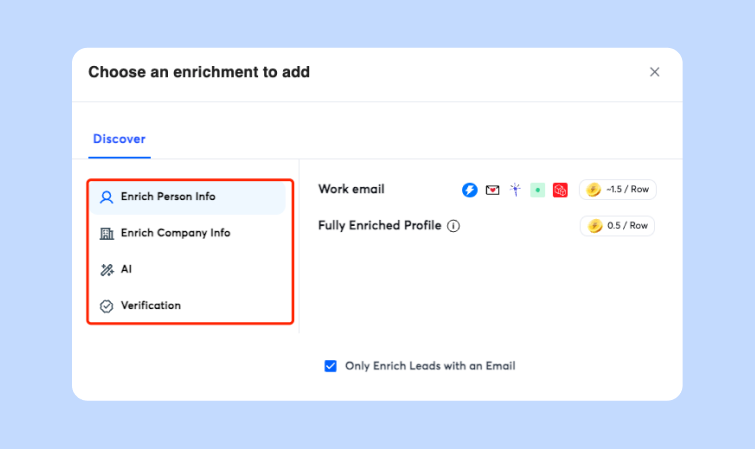
Verification is critical because sending cold emails to unverified addresses increases bounce rates and hurts deliverability. Many tools also append extra data like company size, funding stage, or tech stack to help with segmentation.
Organize in Your CRM or Outreach Platform
Once verified, upload your leads into your CRM or cold outreach platform. Tag leads by source (LinkedIn) and segment them based on your ICP criteria.
For example, create lists like “SaaS CMOs in the US” or “HR Managers in EMEA.” Organizing this data upfront ensures your cold email sequences or sales team outreach will be more structured, measurable, and effective.
Building a B2B Email List vs. Buying One
Building a B2B email list around your ICP gives you more control over who enters your cold email outreach campaigns. Instead of purchasing a static database and contacting everyone in it, you can select prospects based on criteria that are relevant to what you sell.
Third-party B2B databases can still speed up list building. The difference is how you use the data. Filtering contacts around your ICP, verifying their information and segmenting them before outreach produces a more targeted list than simply importing a large contact database.
Business contact data also changes over time as people change roles or companies. Whether you source contacts individually or through a B2B database, verification and ongoing list hygiene should remain part of the process.
How To Keep Your Lists Clean for Better Deliverability
An often-overlooked part of B2B email list building is ongoing list hygiene. Even verified emails can go stale over time as people change jobs or companies update their domains.
If you keep sending to unverified leads, your bounce rates rise, your sender reputation drops, and your emails start landing in spam.
That’s why filtering out risky addresses is critical before launching campaigns. Role-based emails like info@ or support@ rarely get replies, while spam traps and catch-all domains can hurt deliverability.
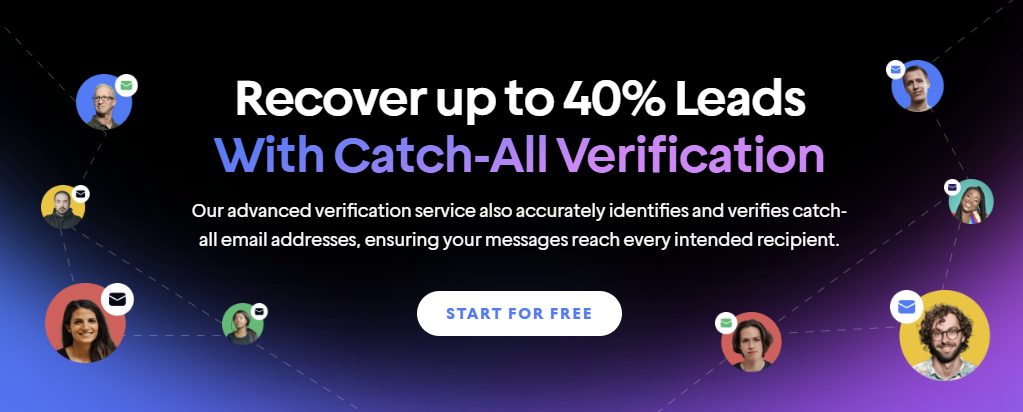
Instantly’s catch-all tool automates this process by detecting and removing problematic addresses, so your lists stay healthy without hours of manual cleaning.
Key Takeaways
B2B email list building doesn’t have to be complex. With the right tool and strategies, you can automate the entire process, use quality lead data for deeper personalization, and create a scalable lead generation process for your business.
If you want to streamline the entire process, Instantly SuperSearch has all the tools you need to find success with B2B lead generation. Start your free Instantly trial.

Frequently Asked Questions About B2B Email List Building
What Is B2B Email List Building?
B2B email list building is the process of finding, collecting and organizing business contacts for sales and marketing outreach. A useful list typically contains verified contact information alongside data that helps you determine whether each prospect fits your target audience.
How Do You Build a B2B Email List?
Start by defining your ICP and the roles you need to reach. You can then find relevant contacts through B2B databases, LinkedIn and AI sales prospecting tools before verifying their email addresses, enriching the data and organizing contacts into targeted segments.
What’s the Difference Between a B2B Email List and a B2B Lead List?
A B2B email list focuses on business contacts and the email addresses needed to reach them. A B2B lead list may contain broader prospect information, such as company details, phone numbers, buying signals and qualification data. In practice, the terms often overlap.
Should You Use Email List Building Services?
Email list building services can save time by sourcing and organizing prospect data for you, but the quality of the final list depends on the targeting criteria and accuracy of the data. Whether you use a service or build lists internally, contacts should still be checked against your ICP and verified before outreach.
Further Reading
- How to Find Sales Prospects – Learn how to identify relevant B2B prospects, prioritize accounts and verify contact information.
- How to Automate Prospecting – Learn how to automate prospect sourcing, enrichment, outreach and follow-ups across your sales process.
- How to Find Decision Makers at Companies – Learn how to identify the right contacts and reach people involved in purchasing decisions.
- Bulk Email Verification – Learn how to verify B2B email lists and remove invalid contacts before starting outreach.
- Bulk Email Extractor Tools – Compare tools for finding prospect email addresses and building targeted B2B email lists.


