.svg)
%20(1).svg)


Updated July 23, 2026
TL;DR: If you manage a sales team and your pipeline health is suffering from high bounce rates or slow rep productivity, you likely need automated data enrichment. Incomplete CRM records waste hours of manual research every week, and without a regular verification cadence, that problem compounds over time. This diagnostic guide helps you audit your current database, calculate the ROI of automated enrichment, and protect your domain reputation. If the diagnostic in this guide surfaces a data quality problem, a credit-based enrichment tool like Instantly is worth running the ROI math on before your next campaign cycle.
When cold email campaigns fail, sales leaders usually blame the copy. The real culprit is almost always the data quality hiding in their CRM logs.
In most outbound teams, reps lose more time to prospecting logistics and manual research than most sales leaders would like. That is not a people problem. It is a data infrastructure problem. This guide gives you a concrete framework to diagnose exactly how bad the problem is in your pipeline, calculate whether a fix pays for itself, and decide if a dedicated B2B data enrichment tool belongs in your stack right now.
If you manage an SDR or AE team and want a clear process for auditing your pipeline data, fixing the gaps, and protecting your sending domain, this guide is for you.
Defining B2B data enrichment for sales teams
B2B data enrichment is the process of taking a raw contact record and adding the missing fields that make it actionable. A raw record might tell you that "John Smith works at Acme Corp." An enriched record tells you that John is the VP of Sales at Acme Corp, a 50-200 person company generating $20M in revenue, with a verified work email, a direct dial, and a LinkedIn profile you can reference in your first line.
That gap between raw and enriched determines whether a rep can start a personalized sequence in minutes or spend most of their morning on Google and LinkedIn before sending a single email.
How enrichment improves data quality
The technical distinction that matters most for your operations is the difference between a static database and real-time API enrichment.
A static database is a pre-scraped list of contacts that was accurate at the time it was compiled. B2B contact data degrades continuously, with high-turnover industries seeing much faster decay than average, meaning a static list purchased or built six months ago is already materially degraded. Many legacy enterprise tools operate on this model, refreshing their datasets on a quarterly or annual cycle, which means you may be paying for data that is stale on delivery.
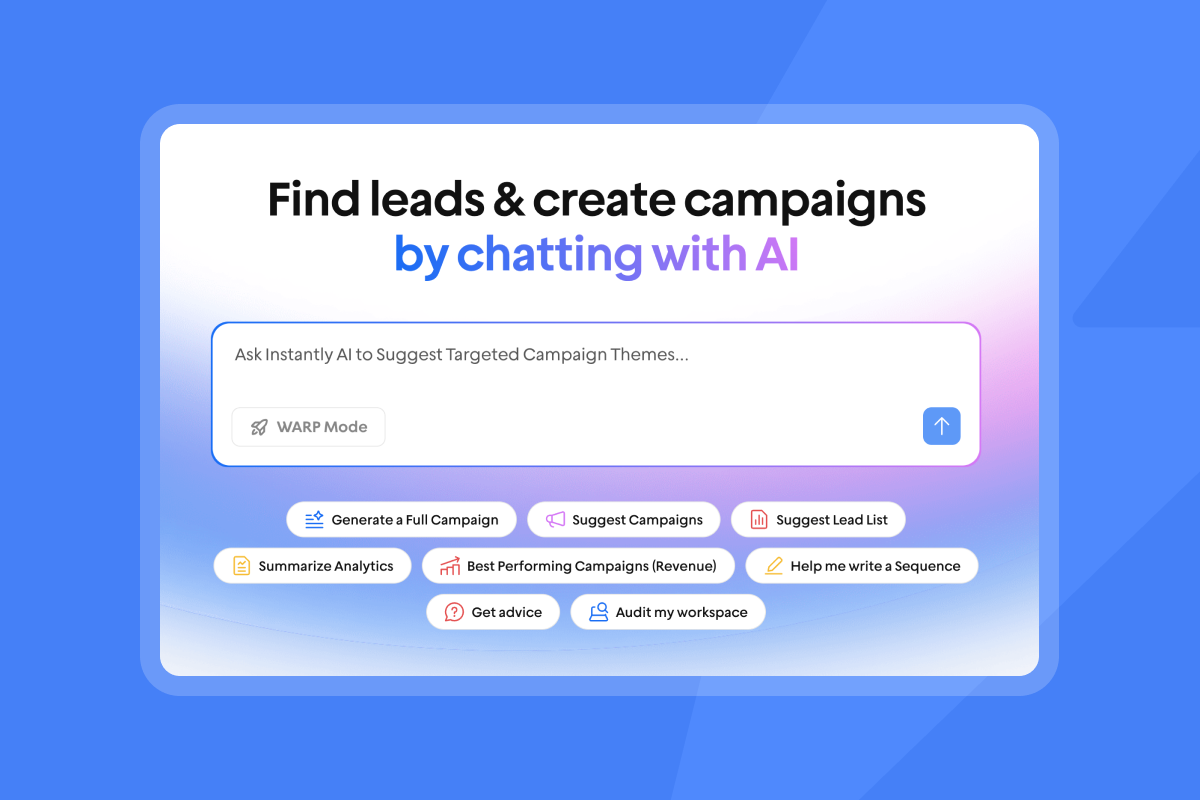
Real-time API enrichment queries live data sources at the moment of request, which suits form fills, AI agents, and high-precision account-based targeting. A third approach, waterfall enrichment, cascades one request across multiple providers in sequence until every required field is filled. Because no single provider covers the full market, cascading across multiple sources and taking the best result per field produces meaningfully higher coverage than any one provider can deliver alone. Instantly's SuperSearch uses waterfall enrichment with 5+ providers, which directly addresses the coverage gap that single-provider tools leave behind.
Here is what the difference looks like in practice:
Raw data vs. enriched data
Raw input | Enriched output | Business value for rep |
|---|---|---|
John Smith, Acme Corp | John Smith, VP of Sales, Acme Corp | Correct decision-maker targeted |
Email: john@acme.com (unverified) | Verified work email + deliverability score | Reduced bounce risk before send |
No company data | 50-200 employees, $20M revenue, SaaS | Better personalization and ICP fit |
No phone | Direct dial + mobile number | Multi-channel follow-up available |
No social | LinkedIn profile URL | First-line research completed for rep |
When to use contact enrichment tools
Enrichment applies at different points in your sales motion, and recognizing which stage you are at determines the level of investment that makes sense.
- Lead ingestion: Bulk enrichment for new campaign lists. Fill missing fields before any outreach goes out, preventing bad data from entering your pipeline in the first place.
- Account-based targeting: Deep, multi-variable enrichment for high-value accounts where you need technographic, firmographic, and intent data to build a fully personalized approach.
- List hygiene: Periodic re-enrichment of your existing database to account for job changes, company closures, and domain switches that have occurred since you last touched the record.
One critical distinction: enrichment provides the data, but verification is the essential second step. Enrichment tells you what the email address should be. Verification confirms that the address is active and safe to send to before your campaign launches. Skipping verification after enrichment is the most common mistake that causes bounce rates to spike, and it is entirely avoidable.
3 signs your pipeline has a data quality problem
Each sign points to a different failure mode. Together, they show you exactly where bad data is costing you meetings, rep hours, and domain reputation.
High bounce rates put your sending domain at risk
Every email that bounces sends a signal to inbox providers like Google and Microsoft that your list is poorly managed. Enough of those signals, and your domain gets flagged. Google's sender guidelines require you to keep your spam rate below 0.10% and warn against ever reaching 0.30% or higher. High bounce rates contribute directly to that spam rate signal, meaning poorly verified lists put your entire domain's sending reputation at risk, not just the individual campaign that triggered the problem.
A high bounce rate signals to inbox providers that you are using outdated, purchased, or scraped lists containing abandoned addresses and spam traps. Once your domain reputation drops, it is difficult and slow to recover. The practical implication is that data validation is not a nice-to-have cleanup task; it is the primary mechanism that protects your sending infrastructure.
For a clear look at why cold emails end up in spam and how to prevent it, watch the Instantly video on why cold emails go to spam to see the core deliverability mechanics in under five minutes.
Fixing decay in your prospect database
Your CRM is not a static asset. It degrades every day.
Professionals change roles regularly, companies are acquired, offices relocate, and email domains are deactivated. B2B data degrades continuously. A list built six months ago is already showing decay. By 12 months, that degradation has compounded across a large portion of its records.
Most sales teams, when they audit their CRM, find that many records are incomplete or inaccurate, and a notable portion are outright unusable due to missing critical fields or duplicated outdated information.
Run this CRM decay audit now
- Role changes: Run a 30-second spot-check on each sampled contact's LinkedIn profile. Note how many have changed roles or companies since the record was created.
- Dead domains: Take a sample of records from your list and run a basic MX lookup on each domain to confirm it still has active mail exchange records.
- Missing fields: Check each record for direct dial, job title, and company size.
If any of these three checks surfaces consistent problems, treat it as a signal that your data quality has degraded enough to affect outreach performance. That is the point to act.
Boost rep throughput by fixing CRM logs
When your CRM records are incomplete, your reps fill the gaps manually. In most outbound teams, reps regularly spend meaningful hours on prospecting logistics and administrative tasks rather than actual selling activities.
Fixing the underlying CRM records through automated enrichment directly reclaims selling hours without adding headcount.

Pipeline audit: Identifying your enrichment needs
Use these checks to get a clear picture of where your data stands before you invest in any enrichment tool. Each one maps to a different layer of your pipeline health.
Benchmark your email bounce rates
Open your sending tool and pull the bounce rate for your last three campaigns. Most platforms display this in the campaign analytics view. The Instantly Help Center's guide to understanding campaign email bounces details exactly how to read these signals in your dashboard.
The threshold you need to know is 1%. Keep your bounce rate below 1% to protect your sender reputation. If any campaign breaches 1%, treat it as an immediate signal to pause sending, re-verify the affected list, and identify the source of the bad data before resuming. Instantly's BounceShield feature automatically flags and skips leads likely to bounce, which acts as a safety net, but it does not replace proper list hygiene before campaigns launch.
Verify your lead record accuracy
Pull a random sample of 100 active leads from your CRM. For each record, check whether the email address returns a deliverable status when verified, whether the job title still matches the person's current role on LinkedIn, and whether the company domain is still active. If records are consistently failing any of these checks, your database has a quality problem that will affect outreach performance before you hit meaningful scale. Reviewing how to manage bounced leads properly starts with understanding how many of your records were never accurate to begin with.
Identify CRM data coverage blindspots
Run a query in your CRM filtering for records missing a direct dial, mobile number, or verified job title. In most sales databases, many records are missing basic context your reps need to personalize outreach or make a connected call.
Also run duplicate lead detection to identify records where the same contact appears under multiple entries. Duplicates inflate your database size, skew your reporting, and mean reps sometimes contact the same person from different campaign threads simultaneously.
Calculate the ROI of automated research
Here is the math that makes the enrichment budget decision straightforward.
Sales leader's ROI checklist:
- Manual research cost: Each SDR spending a meaningful portion of their week on manual research at your fully loaded hourly rate is your current floor. Compare that directly to the per-record cost of a credits-based enrichment tool.
- Rep capacity reclaimed: Every hour of manual research automated is an hour redirected to actual conversations, follow-ups, and closing activity.
- Domain protection value: One blacklisting event can take weeks of technical effort to recover from, and there is no guaranteed timeline. Preventing it through clean data carries asymmetric ROI.
When did you last calculate how much your team's research overhead is costing you in lost selling hours?
Why low quality data sabotages your pipeline
Bad data does not just produce missed calls and bounced emails. It creates compounding problems across deliverability, conversion rates, and rep ramp time that are difficult to untangle once they take hold.
How bad data ruins email deliverability
The mechanism works like this: you send to an unverified list, hard bounces push past the 1% threshold, and Google flags your sending domain as a spam risk. Your entire team's emails then land in spam folders or get blocked before delivery. Sender reputation determines inbox placement, and as Google's sender guidelines make clear, it is shaped by behavioral signals across your entire domain, not just the campaign that triggered the initial problem.
Instantly's cold email guide covers the full outreach lifecycle, from domain setup and warmup protocols to sequence structure, compliance, and ongoing inbox health monitoring.
How data quality drives conversions
Instantly's 2026 Cold Email Benchmark Report (based on data from January 1 through December 18, 2025) puts the platform average reply rate at 3.43%. Top-quartile senders achieve 5.5% or higher. The top 10% of senders reach 10.7% or above. That gap between average and elite is not primarily explained by better copy or more creative subject lines. It reflects what top performers do before they send: strict list hygiene, verified contacts, and consistent warmup protocols.
Consistent, stable sending patterns produce 15-20% higher reply rates compared to erratic send schedules. That consistency is only possible when your data is clean enough that you do not have to pause campaigns mid-flight to deal with bounce spikes.
Reducing ramp time via clean data
New SDRs take time to build productive habits. A poor data infrastructure extends the ramp period for every new hire. When a new rep joins and their assigned territory's CRM records are substantially incomplete or out of date, their first few weeks are spent on manual research instead of running sequences and booking meetings.
Clean, enriched lead lists allow new SDRs to start executing immediately. They can open a campaign template, load a verified and enriched list, and send their first sequence within hours of gaining system access, not weeks.
How many hours did your last new SDR spend on manual research before sending their first sequence?
Identifying the right moment to scale enrichment
The right time to invest in automated enrichment is usually earlier than most teams expect. These three checkpoints help you confirm whether your current volume and team size have reached the point where manual research is costing more than it saves.
SDR capacity and lead volume metrics
When your team is sending high cold email volume each month, the time cost of manually finding and verifying each contact can quickly exceed the cost of a credit-based enrichment tool at most pricing tiers. As you add more SDRs, that research burden scales with them, pulling rep time away from the conversations that actually move pipeline.
Watch 3 reasons leads don't respond from Instantly to understand the connection between data quality, send volume, and reply rates in practice.
Calculating ROI on enrichment spend
The Instantly Credits subscription starts at $9 per month on the Nano tier, with Growth at $47 per month and Supersonic at $97 per month. Within SuperSearch, finding a verified work email costs 1 credit when sourced directly by Instantly and 2 credits when sourced from data partners. No credits are consumed if a verified email is not found. Verifying an email you already have costs 0.25 credits, and optional enrichment fields cost 0.5 credits each.
Compare those per-record costs to the hourly cost of your SDRs spending the majority of their week on manual research. When you factor in rep hours recovered and error rates reduced, the ROI case for enrichment typically resolves in weeks rather than months.
Mapping data flows to your CRM
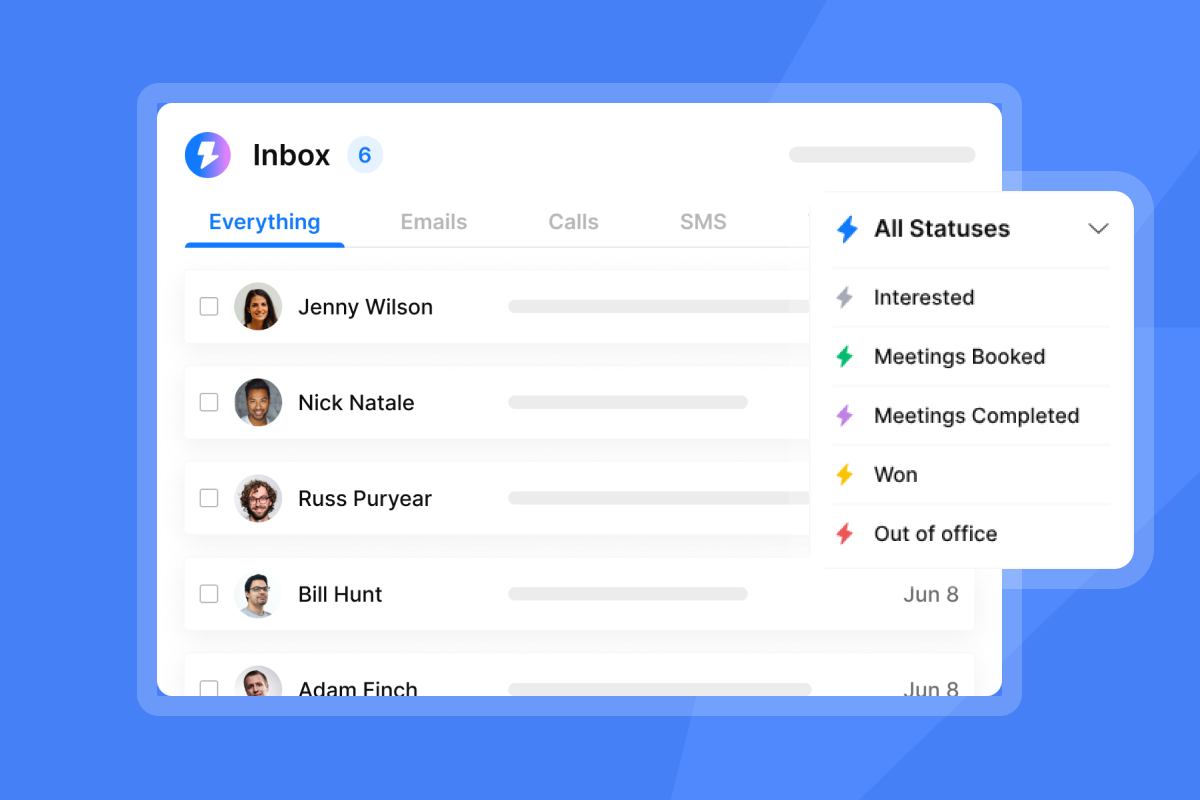
Enriched data should flow directly into your CRM without manual CSV exports and re-imports. Every manual step in that transfer is a point where records get dropped, formatting breaks, or fields map incorrectly. Instantly's native integration with HubSpot and Clay allows enriched leads from SuperSearch to move into your existing pipeline workflows automatically. The LeadMagic integration in the Instantly marketplace adds additional B2B data enrichment capabilities directly connected to your sending workflows.
Key criteria for vetting data providers
Not all data providers are built the same. Before you commit to any tool, run through these criteria to confirm the provider can support your compliance requirements, your CRM stack, and your team's actual workflow.
Evaluating provider data lineage
Before committing to any data provider, ask for documentation on where their data originates, how frequently it is refreshed, and what their process is for handling opt-out requests. This matters operationally and legally.
Under GDPR, the lawful basis for most B2B prospecting is legitimate interest under Article 6(1)(f), meaning you can contact a business prospect without prior consent if your message is relevant to their professional role, you are transparent about your data source, and you provide a clear opt-out. Article 6(1)(f) does not itself require a written document, but data protection authorities recommend maintaining a Legitimate Interest Assessment for each outbound campaign as a practical record of your reasoning. CCPA requires you to honor opt-out requests within 15 business days. These are operational requirements that your data provider's infrastructure needs to support.
How to validate data freshness
Ask every vendor two direct questions: "How often is your database refreshed?" and "Do you support real-time verification at the point of export?" A vendor that refreshes quarterly and does not offer real-time verification is selling you a static database with the same decay problem you already have in your CRM.
Automating data entry for SDRs
Direct CRM pushes eliminate manual upload steps. If a tool requires your reps to download a CSV, clean it in a spreadsheet, and re-import it into your CRM before a campaign can launch, that tool is adding friction to the exact bottleneck you are trying to remove. Require native integrations or webhook-based automation as a baseline capability, not a premium add-on.
Scalable pay-as-you-go plans
Tool selection by company stage
Company stage | Recommended model | What to look for | Example |
|---|---|---|---|
Scaling team (20-100 employees) | Credit-based, no annual lock-in | Flexible credits, waterfall enrichment, pay-per-use | Instantly Credits (Nano $9/mo to Hyper Credits from $197/mo) |
Enterprise (100+ employees) | Seat-based with dedicated support | Guaranteed SLAs, deep CRM sync | Legacy suites (Apollo, ZoomInfo) |
The key advantage of a credit-based model for scaling teams is that your data costs scale linearly with your actual usage rather than jumping in fixed seat increments. When you add a new SDR, you do not need to purchase an additional platform license; you simply use more credits as that rep generates more list volume.
Clarifying B2B contact verification needs
Enrichment and verification are related but distinct. Understanding where each one fits in your workflow helps you avoid the most common mistake: enriching a list without verifying it before sending.
How data enrichment protects inbox health
Enrichment and verification work as a two-stage filter for your sending domains. Enrichment fills the missing fields that make a contact actionable. Verification confirms that the email address is currently active and deliverable before you send anything. Running both stages before a campaign launches means your domain only touches addresses likely to deliver, which keeps your bounce rate below the 1% threshold and your sender reputation intact. If bounces pass 1%, pause all active campaigns on that domain immediately, re-verify the list from the beginning, and investigate which data source produced the bad records before resuming.
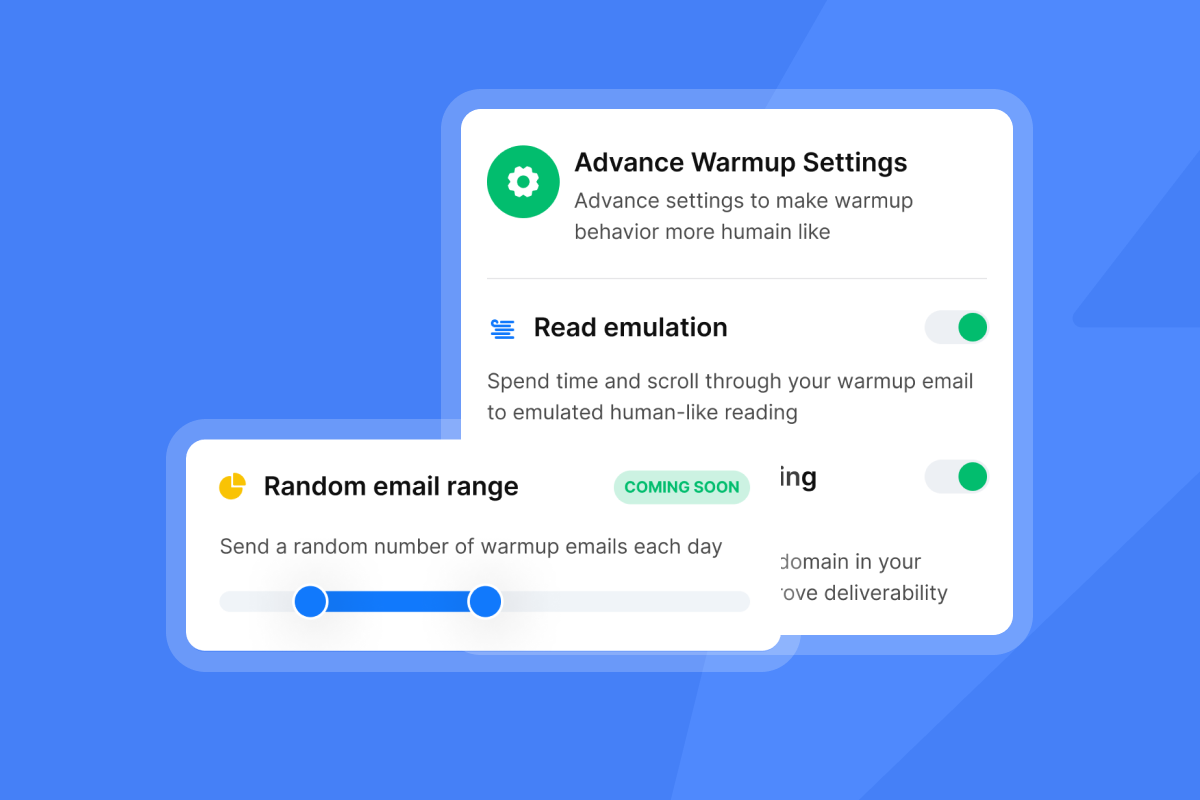
Instantly's inbox placement testing gives you an additional layer of confirmation, letting you verify that your sending infrastructure is landing in the primary inbox before you scale volume.
Integrating enrichment for cleaner data
The most reliable workflow connects SuperSearch directly to your campaign setup. Enrichment and verification happen before records enter a sequence rather than after bounces have already occurred. Instantly's infrastructure provides additional protection at the sending layer, but that protection works best when the list entering the campaign is already clean.
When to re-verify your contact lists
Re-verify every active prospect list on a 90-day cycle at minimum. A 90-day re-verification cadence helps keep bounce rates in check by catching records that have decayed since your last campaign. For high-velocity outbound programs where new leads enter the pipeline continuously, move to monthly verification or implement continuous verification at the point of lead ingestion.
If your list was built or last verified more than six months ago, treat it as unverified and run a full check before any campaign activity. Given the pace of B2B data decay, a six-month-old list has already started to degrade, and that degradation compounds the longer you wait.
Your reps are ready to run sequences. Give them the list quality that makes those sequences worth running. Start your Instantly free trial now. The 14-day trial requires no credit card. Read Instantly's 2026 Cold Email Benchmark Report to see exactly how top-quartile senders maintain 5.5%+ reply rates through strict list hygiene and consistent sending protocols.
FAQs
What is the highest safe bounce rate for cold email campaigns?
Keep your bounce rate below 1% to protect your sender reputation. If any campaign breaches that threshold, pause immediately, re-verify the affected list, and run the hygiene checklist before resuming.
How often does B2B contact data decay?
B2B contact data degrades continuously, with high-turnover industries seeing faster decay than others. Re-verify your active prospect lists every 90 days to maintain database accuracy.
Does Instantly SuperSearch require a separate subscription?
Yes, SuperSearch and AI agents run on Instantly Credits, a separate subscription starting at $9 per month for 150 credits on the Nano plan.
How does data enrichment affect email deliverability?
Enriched and verified contact data keeps your bounce rate below the 1% threshold that protects your sender reputation. Sending to unverified records produces hard bounces that signal to Google that your domain is managed poorly, triggering spam filtering across all future sends.
When should a sales team invest in dedicated enrichment tools?
When the time your reps spend on manual research starts to visibly reduce the hours they spend in active conversations, the cost of a credit-based enrichment tool is likely already lower than your current research overhead. The case strengthens further when you factor in the domain reputation risk of sending to unverified lists.
Key terms glossary
Data enrichment: The process of adding missing contact details, such as direct dials, social profiles, company size, and job titles, to raw lead records to make them actionable for sales outreach.
Email verification: The technical process of checking whether an email address is currently active and deliverable before launching a campaign, distinct from enrichment, which fills missing fields.
Data decay: The natural degradation of database accuracy over time as prospects change jobs, companies close, or email addresses are deactivated, occurring continuously in B2B databases, with decay accelerating in high-turnover industries.
Waterfall enrichment: A method of querying multiple data providers in sequence for each contact record, taking the best available result per field, which achieves higher coverage rates than relying on a single provider.
Sender reputation: A domain-level score assigned by inbox providers like Google and Microsoft based on your sending behavior, including bounce rates, spam complaints, and engagement signals. A damaged sender reputation results in emails landing in spam or being blocked before delivery.
Read next
- Cold email deliverability: 14 key checks before you hit send: A pre-send checklist covering authentication, domain health, warmup status, and list hygiene to protect your sender reputation before your campaign goes live.
- How to send cold emails + 5 templates that get replies: A step-by-step guide to structuring cold emails that earn replies, including five tested templates you can adapt for your ICP.
- B2B lead enrichment with Instantly: A deeper look at how SuperSearch and waterfall enrichment work together to fill CRM gaps and keep your contact data actionable.


