.svg)
%20(1).svg)


Updated June 19, 2026
TL;DR:
When you manage 50 or more client accounts, manual inbox triage eats the margins you worked to build. The Instantly.ai MCP Server connects AI assistants like Claude directly to your campaigns, Unibox, and CRM through the Model Context Protocol open standard, so reply classification, follow-up triggers, and lead routing run without a virtual assistant touching a single email. The AI Reply Agent targets reply times under five minutes, all on a flat credit model that scales without adding headcount.
Manual inbox triage is often the largest hidden cost in an outreach agency. You hire virtual assistants to classify replies, trigger follow-ups, and update CRM records. As you grow to 50 or more client accounts, those costs compound fast and the error rate compounds with them. A misclassified "Interested" reply that waits in a queue for hours can cost a client a meeting.
The Model Context Protocol (MCP) changes that math. It lets any MCP-compatible AI assistant read your Unibox, classify replies by intent, and write actions back into Instantly without custom middleware, without per-seat costs, and without a VA queue slowing things down. This is one specific implementation of the broader AI agents category.
This guide walks through how to configure the Instantly MCP Server, set up automated follow-up logic, run intelligent reply triage, and scale the whole system across dozens of client accounts while keeping your sender reputation clean.
The role of MCP Server in scaling sales operations
The Model Context Protocol gives your AI assistant structured access to campaigns, leads, and inbox data so it can classify replies, trigger follow-ups, and update your CRM without manual triage. This section explains how the Instantly MCP Server works as part of a broader AI-powered outbound sales automation guide, and why agencies at scale need it to maintain response speed and sender reputation.
How the Instantly MCP Server syncs AI
The Model Context Protocol lets AI assistants connect to external data sources and tools through a structured communication layer, instead of operating in isolation. Think of it like a translation service: your AI assistant speaks to Instantly's data in a format both sides understand natively, without you building custom middleware to bridge them.
The Instantly MCP Server provides 31 tools across five categories: Campaigns, Leads, Email, Analytics, and Accounts. A connected AI assistant can create campaigns, update lead statuses, retrieve Unibox messages, and trigger follow-up sequences, all from a single authenticated connection.
This differs from a webhook or a Zapier trigger. Webhooks push data on specific events. The MCP connection gives the AI assistant structured, on-demand read and write access across your entire account state, which is what makes complex reply logic possible.
Why agencies need MCP automation
B2B lead response research from Geckoboard shows the odds of a lead entering your sales process are 21 times greater when you contact them within five minutes versus 30 minutes after they reply. The industry average B2B response time is measured in hours, not minutes. Manual triage rarely closes that gap. AI-driven triage via MCP does it consistently.
For agencies, the business case is direct. Replacing VA-based triage with the AI Reply Agent running through MCP means you handle classification at scale for the cost of Instantly Credits (starting at $9/month on the Nano plan, with a free trial available) rather than paying per hour of human labor per account. The AI Reply Agent consumes 5 credits per reply. On the Growth Credits plan, you can process hundreds of AI replies per month, all without adding a headcount line item.
Setting up automated follow-ups via MCP Server
This section walks through the four steps to automate follow-ups at scale: connecting your AI assistant to the MCP Server, defining intent-based follow-up logic, setting safe send intervals that protect sender reputation, and applying sequence logic across multiple client accounts without manual configuration.
Configure your MCP Server connection
The full setup walkthrough lives in Instantly's MCP course, and the core steps are straightforward:
- Get your API key: Go to the Instantly developer portal and follow the current API key generation steps. Set the appropriate scope for your use case.
- Open your AI assistant settings: In Claude Desktop, go to Settings and find Connectors. Click "Add Custom Connector."
- Paste the server URL: Use
https://mcp.instantly.ai/mcpand add your API key in the Authorization header. - Test the connection: Ask the AI assistant to list your active campaigns. If it returns campaign data, the connection is live. API scopes give you granular control over what the AI assistant can access, so you can restrict a client-specific key to only their campaigns. Full endpoint documentation lives in the Instantly developer portal.
Defining logic for auto-followups
Once the AI assistant has access to your campaigns through the MCP connection, you define intent rules that tell it when to trigger a follow-up step. A practical logic structure:
- No reply within a set timeframe: The follow-up fires at the interval you set in the campaign sequence.
- Interested or Question: Send a calendar link, update CRM status, and notify the account manager.
- Out of Office: Pause the contact and handle according to your Out-of-Office Smart Pause settings.
- Not Interested: Update the contact status and stop the sequence. The AI uses natural language processing to read the full email body before classifying. An email saying "Not interested in your pricing" reads as a pricing objection, not an expression of interest. You can also build AI Custom Reply Labels in Instantly to create classification categories that match your clients' specific sales contexts.
For the underlying follow-up sequencing, the email threading feature keeps all follow-ups in the same email thread instead of starting a new conversation each time.
Maintaining stable sending intervals
Automation creates speed, but speed without guardrails burns domains. A common best practice: cap daily sends per inbox to protect sender reputation. Exceeding recommended limits increases spam complaint risk and can trigger domain-level blocks.
For email sequence timing, the AI-triggered follow-ups should respect your configured send windows. Configure send windows to align with your recipient's local business hours. Research consistently points to morning send times in the recipient's time zone as the strongest performers. 9 a.m. to 11 a.m. in the recipient's time zone is a strong starting point. Respecting send windows keeps your sending patterns consistent with your campaign strategy.
Google and Yahoo now enforce bulk sender rules requiring spam complaints under 0.3%. In cold email best practice, the operational target is bounces at or below 1%. Monitor bounce rates closely and pause campaigns if they climb too high while you re-verify your list.
Bulk sequence management for agencies
For agencies running 50-plus client accounts, the MCP connection lets you automate sales operations through natural language queries rather than configuring each one manually. Our guide to AI BDR for agencies covers the wider playbook. Instantly's campaign engine handles sequence timing and step dispatch automatically once campaigns are active. The MCP-connected AI pulls cross-account analytics, pauses campaigns in bulk, audits reply rates across all active accounts, and creates new campaigns without touching each one individually. You can instruct the AI to generate a report on all active campaigns, identify which accounts need attention based on reply rate or bounce thresholds, and apply configuration changes across multiple client workspaces in one session.
This is where the flat-fee structure of Instantly's Outreach plans compounds value. Your Outreach cost does not rise as you add inboxes because every plan includes unlimited email accounts and warmup. Adding a 50th client campaign does not add a new per-seat line item.
How MCP Servers organize your client inbox
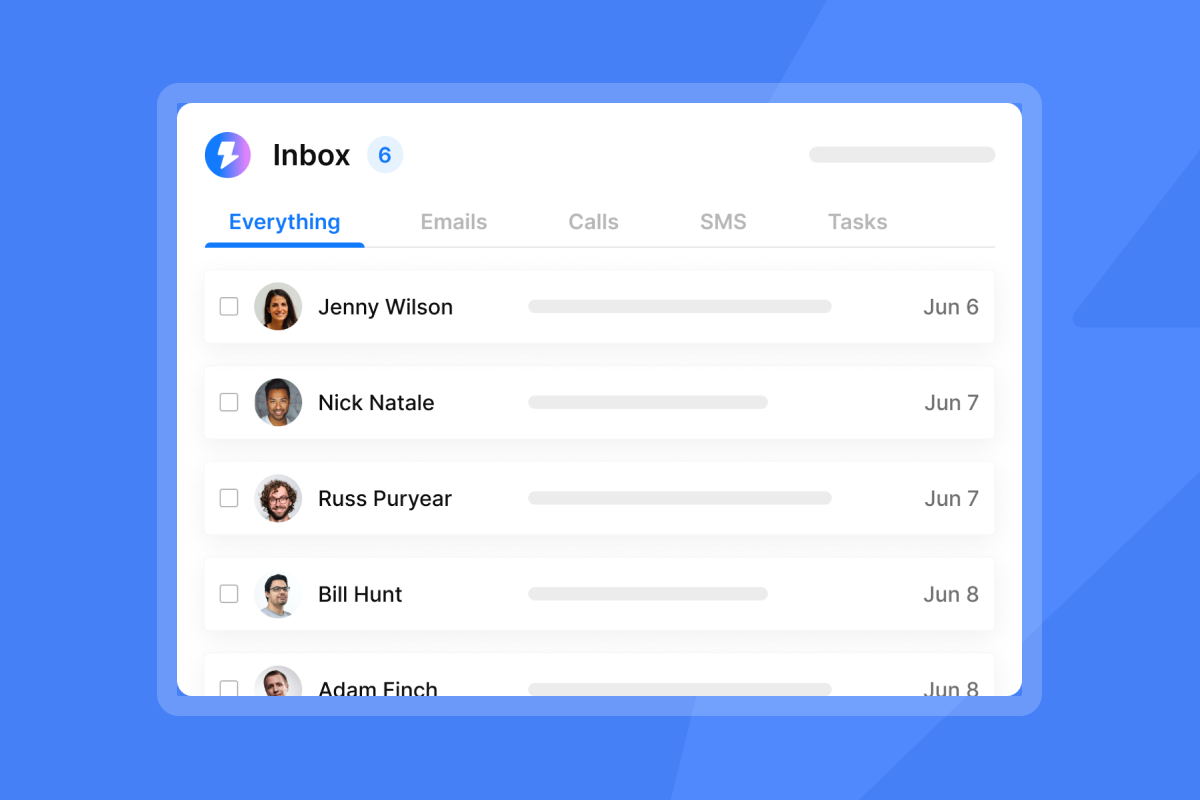
Once replies arrive in your Unibox, the MCP connection lets the AI classify each message by intent, apply routing rules, filter administrative noise like out-of-office replies, and assign hot leads to the correct account manager. This section explains how to configure classification logic, build triage workflows, and route leads across multiple client accounts so every reply moves to the right next step without manual review.
Building custom reply classification models
The AI assistant reads each incoming reply in your Unibox and classifies it into intent categories before any human sees it. Standard categories include Interested, Not Interested, Out of Office, Referral, and Neutral, but you can define custom labels that map to your clients' specific processes using Instantly's AI Custom Reply Labels.
That real-world note matters. For edge cases like forwarded chains and multi-threaded replies, Human-in-the-Loop (HITL) mode is the right default for the first two to four weeks of deployment. The AI drafts its classification and proposed reply, your team reviews in Unibox or Slack, then approves. That feedback loop refines accuracy before you move to full Autopilot.
MCP Server rules for lead triage
Once classification runs, the AI triggers downstream actions through the MCP connection. Each classification maps to a specific action set:
Classification | Automated action |
|---|---|
Interested | Send calendar link, update CRM to "Hot," notify account manager |
Not Interested | Route for review, update CRM status |
Out of Office | Smart pause until stated return date |
Referral | Configure the AI to route for human follow-up |
Question or Objection | Draft AI response, route to HITL review |
For teams that want to combine the AI reply suggestions feature with MCP-driven classification, this creates a two-layer approach: MCP handles routing logic while AI reply suggestions handle response drafting.
Filtering out-of-office and unsubscribes
Out-of-office replies are a deliverability trap if handled manually. A sequence that keeps firing follow-ups to someone who is away for two weeks racks up ignored sends and damages engagement metrics. Instantly's Out-of-Office Smart Pause feature automatically detects OOO language, pauses the contact, and resumes the sequence on the stated return date.
If a contact replies with an unsubscribe request, the AI updates their status and removes them from all active sequences. Automated handling is faster and more reliable than manual review, where an unsubscribe request can sit in a queue for hours before someone acts on it.
Assigning leads to the right agent
Once the AI classifies a reply as "Interested," the MCP connection updates the lead status in Instantly's CRM and triggers a Slack notification to the assigned account manager. It is a practical form of AI BDR lead qualification. The AI Reply Agent integrates with Slack for exactly this routing workflow. For agencies with multiple clients, you configure separate routing rules per client workspace, so an "Interested" reply for one client goes to their designated account manager without any manual intervention.

Scaling response logic with MCP Server
Once the AI classifies and routes replies, the next layer is converting that intelligence into meetings. This section covers how to scale response logic through the MCP connection: instant follow-ups for hot leads, clean workflows for negative replies, and automated calendar bookings that run without manual coordination. When you respond in under five minutes while competitors take hours, you are far more likely to win the meeting before they even see the reply.
Streamlining follow-ups for hot leads
When a lead replies with positive intent, every minute of delay costs conversion probability. The Instantly AI Reply Agent targets sub-five-minute responses, which manual handling almost never achieves consistently at scale.
The MCP-driven workflow for hot leads runs in seconds: reply arrives, AI classifies as "Interested," automated response with a calendar booking link goes out, CRM status updates to "Hot," and the account manager receives a Slack notification. This chain is powered by Instantly's AI agents. The entire chain runs without a human touching the Unibox. Watch how the AI Sales Agent handles end-to-end lead management for context on how these automation layers connect.
Automating negative reply workflows
A "Not Interested" reply should close the loop cleanly and immediately. You configure the MCP-connected AI to update the lead status in the CRM, add the contact to your global suppression list, and stop all further sequence steps. Our AI sales agent CRM integration guide covers the sync setup. This prevents the costly mistake of accidentally re-importing suppressed contacts into future campaigns.
For objection-based replies, the AI can route these to a separate holding sequence rather than hard-closing them. You define the logic: a different messaging angle, a lower send frequency, timed re-entry when conditions change.
Automating calendar bookings via MCP
When a lead shows positive intent, the AI sends a booking link using Instantly's AI reply templates rather than a generic follow-up email. You can configure the system to update CRM status to "Meeting Booked" and pause future sequence steps when a lead confirms, eliminating manual back-and-forth coordination per booking and saving significant time weekly across 50 client accounts.
Reducing manual triage work for sales ops
Manual triage costs you margins. Handle reply classification, CRM updates, and follow-up logic manually across 50 client accounts and labor hours compound faster than campaign volume. This section quantifies the time you reclaim per campaign when you automate your SDR workflow, shifting from VA-based inbox review to AI-driven classification through MCP, explains how to handle high-volume reply surges without human queues, and lays out the three sender reputation rules that keep automation safe at scale.
Quantifying hours saved per campaign
Manual triage at scale adds up fast. Manual reply triage runs approximately 4 minutes per reply when you factor in classifying intent, updating CRM status, and triggering the next sequence step. At a 5% reply rate on a 200-contact campaign, that is roughly 10 replies per active account per week. Across 10 client accounts, that is 100 replies and approximately 400 minutes (6.5 hours) per week spent on pure classification work. Across 50 accounts, the same math produces roughly 500 replies and 33 hours per week. The AI Reply Agent running through MCP processes each reply in under five minutes and shifts that entire classification workload off your team.
The AI Reply Agent targets responses in under five minutes, which directly addresses the lead response gap shown in B2B sales operations research. Faster response time correlates directly with higher qualification rates, and that gain compounds as campaign volume grows.
Automating triage with Instantly MCP
The contrast between manual Unibox management and AI-driven triage through the MCP is most visible during high-volume campaign launches. Manual triage builds queues when replies arrive faster than your team can classify them. The AI Reply Agent targets sub-five-minute responses for each reply, which keeps every message moving without a manual backlog forming.
Start with HITL for the first two to four weeks to build confidence in classification accuracy, then switch to Autopilot once you confirm the AI is handling your specific reply patterns correctly. The full AI Reply Agent guide walks through the HITL to Autopilot progression in detail.
Maintaining sender reputation during automation
Three rules protect your sender reputation when running MCP-driven automation:
- Cap sends at 30 per inbox per day. Instantly recommends 30 emails per single inbox per day as the operational maximum to protect sender reputation.
- Keep bounces at or below 1%. Use SuperSearch waterfall enrichment with five-plus data providers to verify contacts before they enter sequences.
- Monitor deliverability weekly. Run Instantly's Inbox Placement tests to catch deliverability drift before it compounds.
Handling 50+ client accounts via MCP automation
When you manage 50 or more client accounts, standardization is your best defense against chaos. This section explains how to build repeatable reply workflows that any team member can execute, how to track the metrics that prove automation is working after 30 days, and how the flat-fee structure of MCP automation lowers cost per acquisition as you scale. A repeatable architecture means you add clients without adding complexity.
Setting up automated reply workflows
For agencies at the 50-account scale, the workflow architecture needs to be standardized so any team member can execute it. A practical setup per client account:
- API key: Create a client-scoped key using the developer portal.
- Assistant config: Connect the AI with that key and define client-specific reply classification labels.
- Routing rules: Interested to account manager Slack, OOO to smart pause. Configure Not Interested replies to route to your suppression list or another workflow that fits your process.
- Training mode: Run HITL for the first campaign launch, then shift to Autopilot after validating classification accuracy across your initial replies.
- Reply templates: Set up Unibox reply macros for common response types the AI can draw on.
Watch the Instantly demo walkthrough from co-founder Raul Kaevand to see how the Unibox and campaign tools work together at the account level, which helps when building Standard Operating Procedures (SOPs) for new team members. Watch the AI Reply Agent outreach stack walkthrough to see how the AI Reply Agent fits into a complete outreach stack.
30-day campaign impact metrics
The metrics that matter most for outreach automation are reply rate, lead response time, meeting booking rate, and cost per qualified reply. Track these at 30 days:
Metric | Manual triage | MCP-automated triage |
|---|---|---|
Lead response time | Hours to days (B2B avg: 47 hrs) | Under 5 minutes |
Scalability | Grows with headcount | Flat across unlimited accounts |
Accuracy | Human error risk | Improves over time via HITL |
Lowering CPA with MCP automation
Cost per acquisition for agency clients has two major components: the cost of outreach (platform fees, data credits) and the cost of labor (triage, follow-up, CRM updates). MCP automation attacks the labor component directly.
On the Growth Credits plan ($47/month for 1,500 to 2,000 credits), with 5 credits per AI reply, you get 300 to 400 automated reply responses per month. That credit-based model replaces variable per-reply VA labor with predictable, plan-level costs.
As you add more client accounts, the Outreach plan cost stays flat because every tier includes unlimited email accounts and warmup. You are paying the same $47/month or $97/month whether you run 10 or 100 client campaigns, and only the Credits consumption scales with actual reply volume.
Watch the Instantly beginner guide to find out how to set up the full outreach stack, including pricing configuration, to keep costs predictable as volume scales.
The Instantly MCP Server is accessible with your Instantly subscription. Two setup paths are available. The hosted remote connector path requires your Instantly API key and an MCP-compatible AI assistant such as Claude Desktop. The local Python install path requires Python 3.10 or later, your API key, and basic command-line comfort. The Instantly MCP course covers both paths in detail.
Set up your API key and connect your AI assistant. Start with HITL mode across one client account, validate classification accuracy over your first few weeks, then shift to Autopilot and replicate the workflow across your remaining accounts.
Try Instantly free and use the MCP Server to let automation handle reply triage while you focus on booking meetings and expanding accounts.
FAQs
How does the Instantly MCP Server affect inbox placement?
The MCP Server does not directly affect inbox placement. It gives your AI assistant structured access to campaign and inbox data so it can classify replies and trigger routing actions. Protect sender reputation by pairing MCP-driven triage with good list hygiene and regular inbox placement tests to monitor actual delivery rates.
How do you set up reply routing rules?
Define routing rules within your AI assistant's instruction set and map them to MCP tool calls. Use AI Custom Reply Labels to create client-specific categories the AI references when routing, so "Interested" triggers a CRM update and Slack notification while "Not Interested" calls the lead suppression tool.
How do you get your Instantly MCP Server live?
Go to the Instantly developer portal and follow the current steps to generate an API key with the minimum scope your use case requires. For client-specific keys, restrict access to only their campaigns and data. Open your MCP-compatible AI assistant, add a custom connector using the server URL https://mcp.instantly.ai/mcp with your API key as the Authorization header, and test by asking the assistant to list your active campaigns.
How do you correct misclassified lead replies?
Run in HITL mode for two to four weeks so your team reviews classifications before they send. If patterns keep getting misclassified, add them as custom label definitions with example phrases in the AI Reply Agent's HITL workflow.
What is the daily send limit when using MCP automation?
The firm limit is 30 emails per single inbox per day, regardless of whether sends are triggered manually or through MCP-connected automation. If you need higher total volume, add more warmed inboxes rather than pushing the per-inbox cap.
Key terms glossary
MCP Server: A structured communication layer that gives AI assistants read and write access to your Instantly campaigns, leads, Unibox, and CRM through the Model Context Protocol open standard. It runs at https://mcp.instantly.ai/mcp and authenticates using your Instantly API key.
AI Reply Agent: An automated classification and response system that reads incoming Unibox replies, categorizes them by intent, and triggers the appropriate follow-up action in under five minutes. It consumes 5 Instantly Credits per reply.
HITL (Human-in-the-Loop): A training mode where the AI drafts reply classifications and proposed actions, then routes them to your team for review and approval before sending. Use HITL for the first two to four weeks to refine classification accuracy.
Autopilot: A fully automated mode where the AI classifies replies, triggers follow-ups, and updates CRM records without human review. Switch to Autopilot after validating classification accuracy in HITL mode.
Unibox: Instantly's unified inbox that aggregates replies from all your connected email accounts into one dashboard for centralized triage, classification, and response management.
Instantly Credits: A separate subscription that powers SuperSearch lookups, AI Sales Agent lead generation, and AI Reply Agent classification. Plans start at $9/month with a free trial, and each AI reply consumes 5 credits.
SuperSearch: Instantly's waterfall enrichment tool that searches across five or more data providers to verify and enrich contact information before you add leads to sequences. It helps keep bounce rates at or below 1 percent.
Sender Reputation: A score that inbox providers assign to your domain and sending IP based on engagement rates, bounce rates, spam complaints, and send patterns. Protecting sender reputation is critical for landing in primary inboxes.
Warmup: A 30-day process where your new inbox gradually increases daily send volume from 5 to 15 to 30 emails while engaging with other warmed accounts. Warmup builds trust with inbox providers before you launch outreach campaigns.
AI Custom Reply Labels: Client-specific classification categories you define in Instantly so the AI can route replies according to your sales process. Examples include pricing objection, demo request, or technical question.
Send Window: The time range during which your sequences send emails, typically set to match your recipient's local business hours. Proper send windows improve open rates and protect sender reputation.
Suppression List: A global list of contacts who have unsubscribed, marked emails as spam, or replied negatively. Instantly automatically adds these contacts to your suppression list and excludes them from all future campaigns.
Read next
- Instantly MCP Server: connect your AI assistant to your cold email platform: the official setup walkthrough covering Python configuration, API key scoping, and how to test your first MCP connection.
- API, webhooks, and custom integrations for outreach: how to build custom outreach integrations using Instantly's V2 API, webhook triggers, and third-party connection options.
- Email API for cold outreach: unlimited accounts, warmup, and ramp plans: how to manage unlimited sending accounts, automate warmup ramps, and control send pacing through the Instantly API.
