.svg)
%20(1).svg)


Updated September 16, 2026
TL;DR:
AI SDR platforms automate outbound sales by handling prospect research, enrichment, personalized outreach, follow-ups and lead qualification. This lets sales teams scale outbound activity while keeping human control over targeting, messaging and high-value conversations. Instantly combines AI agents with outbound infrastructure, including unlimited sending accounts on paid Outreach plans and a private deliverability network of 4.2M+ accounts.
Scaling AI outbound sales automation in 2026 is no longer about adding SDR headcount or blasting larger lists. AI SDR platforms automate outbound sales by handling time-consuming work across prospect research, lead qualification, personalized outreach and follow-ups.
For teams looking at how to automate outbound sales with AI, the goal isn’t to remove humans from the process. It’s to reduce the manual work involved in turning intent signals into personalized, deliverability safe campaigns.
This guide breaks down what AI can actually do for outbound sales, the mechanics behind these workflows, the governance frameworks that protect your domain, and the benchmarks you need to hold your AI stack accountable.
What Can AI Actually Do for Outbound Sales?
AI can automate much of the work that happens before and after a sales rep speaks to a prospect. It can research accounts, find and verify contacts, qualify leads against your targeting criteria, personalize outreach and manage email follow-ups.
AI SDR platforms can also help once prospects respond. Incoming replies can be classified based on intent, routine responses can be handled automatically and interested prospects can be routed to a sales rep for further conversation.
The level of automation depends on how you configure the workflow. Some sales teams use AI to support individual tasks such as prospect research or email personalization, while others use AI sales agents across several stages of the outbound process.
Human involvement is still useful when a prospect needs a more considered response or an account warrants additional research. The practical value of AI in outbound is reducing the repetitive work around those conversations so reps can spend more time working with interested prospects.
How to build a scalable AI outbound stack
A scalable AI outbound system separates three distinct layers: data sourcing, signal tracking, and execution. Each layer handles a specific job, and the connections between them determine how fast you can scale without breaking deliverability or reply rates. This section walks through each component and how they fit together.
The three layers every AI outbound stack needs
Traditional outbound automation follows rigid rules: if a prospect opens an email, send the next step. Every scenario needs explicit programming, and every edge case breaks the flow. Our AI SDR vs traditional sales automation guide covers this distinction in depth. Agentic GTM flips this model by letting you define goals instead of scripts. You tell the system "book meetings with Heads of Sales at Series B SaaS companies in North America," and it plans and executes enrichment, sequencing, and follow-ups automatically.
A well-structured AI outbound stack separates three distinct functions:
- Data sourcing: Finding and verifying contacts using waterfall enrichment across multiple providers.
- Signal tracking: Identifying the right moment to reach out based on intent triggers like hiring patterns, funding rounds, or technology changes.
- Execution: Sending at scale across multiple inboxes while protecting sender reputation.
Why legacy tools fail at scale
Per-seat pricing means costs climb directly with every new rep you hire, regardless of how much pipeline each account generates, a structural problem we cover in AI sales agent pricing models. When one domain triggers spam filters, emails stop reaching the primary inbox and pipeline dries up until the domain reputation recovers.
Instantly addresses this at the architecture level. Every paid Outreach plan includes unlimited email accounts and unlimited warmup, so volume distributes safely across multiple domains rather than concentrating risk in one place. The Growth plan at $47/mo includes A/Z testing, AI Sequence Writer, and advanced warmup options that were previously reserved for higher tiers. One of Instantly's AI agents, the AI Sequence Writer, is included at that tier.
How AI SDR Platforms Use AI Prospecting
The performance gap between AI-powered and manual outreach can be measured directly. The overall average cold email reply rate sits at approximately 3.43%, while signal-based personalized campaigns built on intent triggers consistently outperform that average, according to the Instantly 2026 Cold Email Benchmark Report. Industry research shows AI agents handle roughly 80% of research and sequencing work for elite outbound teams, freeing humans to focus on positioning, messaging strategy, and high-value conversations. Instantly's cold email strategy guide details how this distribution of work produces better results without burning out your SDR team.
The AI prospecting workflow: from signal to send
AI prospecting follows a repeatable sequence: find contacts who match your ICP, verify their email addresses through waterfall enrichment, write personalized copy based on intent signals, and send at a pace that protects deliverability. Each stage feeds the next, and automation handles the repetitive work while you control quality gates.
Build lists using waterfall enrichment and intent triggers
The signal-to-execution workflow follows three steps in sequence: identify a trigger signal, run waterfall enrichment on matched contacts, and push the verified data to your sending infrastructure.
Waterfall enrichment drives this improvement. Rather than relying on a single data provider, a waterfall system queries multiple providers sequentially until it finds a verified result, improving match rates over any single-provider approach. Verified contacts reduce hard bounces directly, which protects sender reputation and primary-inbox placement over time. Instantly's SuperSearch accesses 450M+ B2B leads with waterfall verification across 5+ providers. If one provider cannot find a verified email, SuperSearch automatically tries the next.
Scaling personalized sales sequences
AI-driven personalization works when you connect observed behavior with role-specific context and a relevant proof point. The AI handles research and hypothesis generation, a human reviews output before it sends, and that combination produces outreach that feels genuinely relevant at a volume no manual process could match. Fully automated campaigns without human review often damage deliverability and brand reputation over time.
Instantly's AI Sequence Writer generates copy at scale, while AI Spam Words Checker keeps each variant distinct and clean. For deep personalization at high volume, watch this technical walkthrough using Claude Code to send 1,000 personalized cold emails per day.
Automate Prospect Research With AI Sales Agents
Finding a prospect is only the first part of AI prospecting. Before cold email outreach begins, an AI sales agent can research the company and contact to identify information that may be useful for qualification or personalization.
The research you automate should reflect your ideal customer profile (ICP) and sales process. Depending on what you sell, that could include the prospect’s role, company size, industry, technology, hiring activity or recent company developments.
This is particularly useful when you’re working with larger prospect lists. You can automate prospect research with AI rather than asking an SDR to work through every account individually. AI sales agent software can then collect and summarize the information your team would normally look for before deciding how to approach the prospect.
For higher-value accounts, reps can review the research before outreach begins. The AI handles the repetitive research, while the rep can spend additional time on accounts where deeper personalization is worthwhile.
Automate Lead Qualification Before Outreach
As prospect volume increases, your sales team also needs a way to decide which leads should actually enter an outbound campaign.
AI can compare prospect and company information against your qualification criteria before outreach begins. Leads that meet those requirements can move into the appropriate campaign, while unclear prospects can be flagged for review.
The criteria should reflect how your team already qualifies leads rather than introducing an entirely separate AI scoring system. Company size, industry, location or seniority might be enough for one campaign, while another may need additional information about the company’s technology or recent activity.
You can automate lead qualification with AI as your outbound stack grows, reducing the number of prospects reps need to review manually before adding them to a sequence.
AI-driven lead response sorting
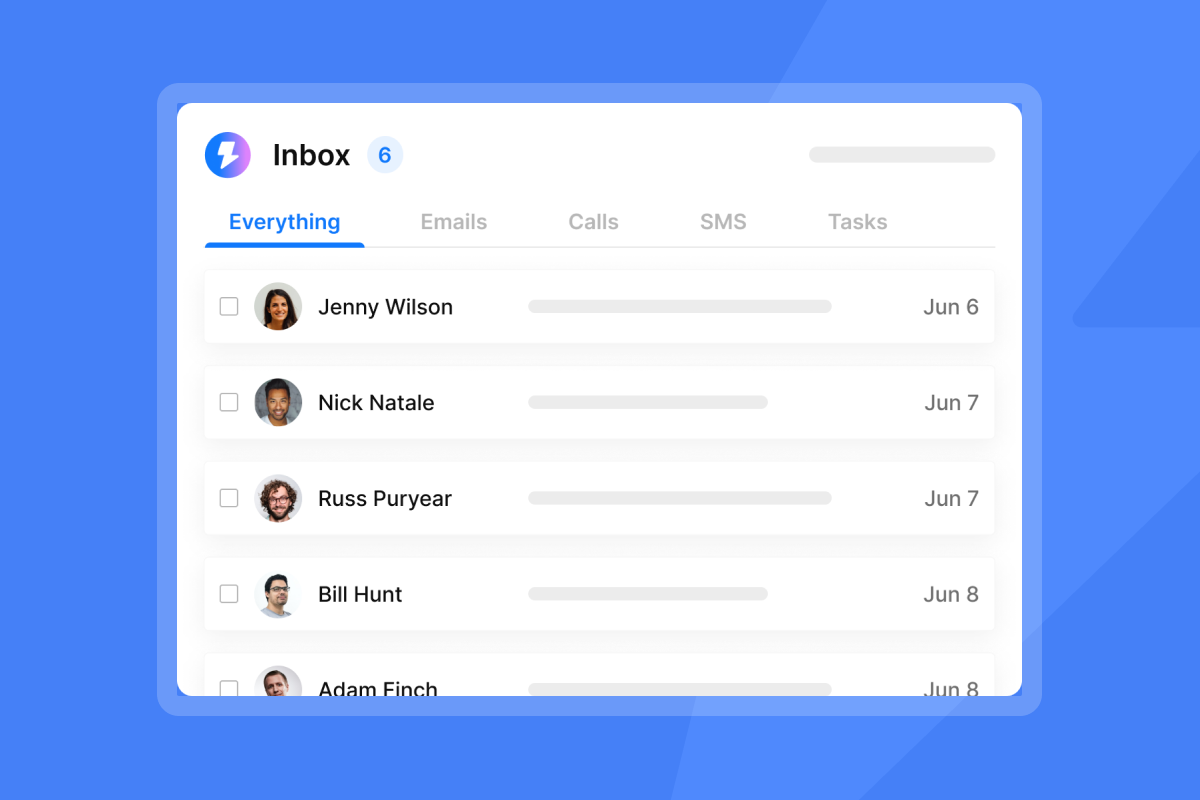
Unibox centralizes all replies so your team never loses interested leads in a crowded inbox. The AI Reply Agent operates on top of Unibox and handles inbound replies in two modes:
- Autopilot: Sends a reply instantly when the AI confidence score is high.
- Human-in-the-Loop (HITL): Routes the draft to Slack for rep approval before sending.
Each reply costs 5 Instantly Credits from your separate Instantly Credits subscription (starting at $9/mo, with a free trial at 100 credits). The agent classifies responses into categories including Interested, Not Interested, Out of Office, and Unsubscribe, then updates the contact record accordingly.
Reducing friction in SDR to AE handoffs
Automated reply classification triggers instant CRM updates and routes qualified leads to calendar booking workflows. When the AI Reply Agent marks a contact as interested, that status syncs to HubSpot so the AE pipeline updates without manual data entry, eliminating the gap where lead decay typically occurs between a positive reply and the first AE touchpoint.
Auditing outbound pipeline performance
When you run sends from 20 inboxes, legacy dashboards fragment your reporting across 20 separate campaigns. Instantly consolidates analytics across all sending accounts so you view reply rates, bounce rates, and meeting bookings in a single reporting view.
Framework for evaluating AI sales automation tools
The modern B2B outbound stack splits across five categories, and integration quality matters as much as individual features.
Category | Example tools | Primary strength | Instantly integration |
|---|---|---|---|
GTM engineering | Clay | Deep data enrichment and waterfalling | Native |
Signal-based ABM | UserGems | Job change and intent signal tracking | Webhooks / API |
All-in-one data/outreach | Apollo | Large database, multichannel outreach | Manual export / API |
Voice/demo automation | GoodCall | Automated voice dialing and discovery | API / CRM webhooks |
Infrastructure and sending | Instantly | Unlimited accounts, warmup, SISR, Unibox | Native platform |
Instantly's native Clay integration means enriched contact data flows directly into campaign sequences without manual export steps, which removes the friction point where data quality typically degrades.
Ensuring primary inbox placement
You must configure SPF, DKIM, and DMARC. In 2026, Google rejects non-compliant mail for senders above 5,000 messages per day, with Yahoo and other major providers enforcing similar bulk sender requirements. Follow this setup order: configure SPF first, then DKIM, then DMARC, because each layer builds on the previous one. Note that DKIM and SPF require at least 48 hours to authenticate before you turn on DMARC, so plan your DNS configuration accordingly.
Publish a DMARC record starting with p=none to monitor traffic, then graduate to p=quarantine and finally p=reject as you confirm alignment across all sending domains. Instantly's Inbox Placement tool runs automated placement tests that flag authentication gaps before they affect live campaigns.
The Light Speed plan adds SISR (Server and IP Sharding and Rotation), giving your sending infrastructure dedicated private servers and rotating IP pools for teams that need to separate their IP reputation from shared infrastructure.
"I run cold outbound at volume, so I'm constantly cycling in new domains, and the warmup paired with the unified inbox makes it genuinely manageable to operate dozens of mailboxes from one place." - Brian Y. on G2
Audit standards for AI sales tools
Sequence governance gives admins the controls to block AI-generated copy from sending without review. At a minimum, your governance framework should cover:
- Template approval: All sequences require admin sign-off before activation.
- AI review gates: AI Reply Agent defaults to HITL mode for new campaigns until reply classification accuracy is validated.
- Global block list: A shared suppression list prevents the same contact from receiving outreach across multiple campaigns or rep workspaces.
- Audit logs: Log all sequence changes, template edits, and contact uploads with timestamps so you can reconcile pipeline data with CRM records during quarterly reviews.
Managing team access and permissions
Use role-based permissions (Owner, Admin, Editor, View/VA) to control what each user can modify in your workspace. This prevents reps from editing shared sequences or uploading unapproved contact lists. The AI Sales Agent page details how agent-level permissions work alongside human rep access.
Analyzing ROI and contract risks
Per-seat pricing compounds your costs as teams grow. At 10 reps on a $30/seat tool, you pay $300/mo for sending infrastructure alone, before data or enrichment costs. Instantly's flat-fee model means the Outreach Growth plan at $47/mo covers unlimited accounts and unlimited warmup regardless of team size. A full starter stack (Outreach + Credits + CRM) runs approximately $141/mo.

Benchmarks: tracking the metrics that protect your pipeline
Use these benchmarks to spot reputation problems before they damage pipeline. Weekly checks against these thresholds let you pause and fix issues while your domain health is still recoverable. The tables below show green, yellow, and red zones for each metric.
Weekly scorecard: deliverability thresholds
Run your outbound against this scorecard every week. Any metric crossing a red threshold requires a pause and investigation before resuming sends.
Metric | Green | Yellow | Red: pause and investigate |
|---|---|---|---|
Hard bounce rate (industry benchmark) | 1-2% | Above 2% (industry guideline) | |
Spam complaint rate | Below 0.1% | Above 0.3% | |
Above 80 | 70-79 | Below 70 | |
Above 5% | 2-5% | Below 2% |
Benchmark: cost per meeting and SQL
Compare cost per meeting to prove ROI for AI outbound. A flat-fee infrastructure stack at $141/mo (starter) or $555/mo (Light Speed plus Hyper Credits) handles high-volume sends with consistent pacing, while per-seat models add cost every time you hire. For deeper ROI framing, watch Scaling Sales with AI from Instantly.
Reducing SDR ramp time with AI
Pre-approved templates in the Instantly template library reduce the time from rep onboarding to first campaign, because the copy approval process runs at the template level rather than per-campaign. The AI Sales Agent handles autonomous lead sourcing at 5 credits per generated lead, which means a new rep can start working qualified prospects without building a list from scratch.
"Instantly AI Sales Agent was a huge time-saver for me. It was able to source quality leads and write emails on my behalf, which made my workflow much easier." - Akira M. on G2
Where AI SDRs and AI BDRs Fit Into the Outbound Stack
AI SDR agents and AI BDR agents apply AI agents to work traditionally handled by sales development teams. Depending on the software, they can support prospect research, lead qualification, personalized outreach, follow-ups and response handling.
They don’t need to replace the SDR or BDR function entirely. A team might use an AI SDR to research and prepare prospects before a rep becomes involved, or use AI agents to manage repetitive campaign work while human reps handle interested prospects and more complex conversations.
The distinction becomes more important when evaluating your outbound stack. Traditional automation follows predefined workflows, while sales AI agents can interpret prospect information and determine an appropriate next action within the limits you give them.
For teams scaling outbound sales, this can increase the number of prospects each rep can manage without requiring every additional campaign to create the same increase in manual work.
Scale Outbound Sales Without Simply Increasing Email Volume
A scalable outbound stack shouldn’t depend on sending more emails through the same accounts. As volume grows, prospect sourcing, research, qualification and reply handling all need enough capacity to support the additional outreach.
Start by looking for the parts of your current process that require the most manual work. If SDRs spend hours researching accounts, automate prospect research first. If campaigns regularly run out of suitable leads, improve prospect sourcing and qualification. If interested replies are sitting unanswered, reply handling may be the more immediate bottleneck.
Sending infrastructure should grow alongside those changes. Add capacity gradually across properly configured accounts rather than increasing volume aggressively through existing inboxes.
AI and automation can then take on more of the repetitive work around outbound while reps concentrate on prospects that require their involvement.
Deploying AI outbound: a 6-step rollout plan
Use this checklist to move from zero to a running, governed AI outbound system.
- Prepare: domain setup and warmup. Purchase secondary sending domains and avoid sending from your primary business domain. Configure SPF, then DKIM, then DMARC on each domain, allowing up to 48 hours for DNS propagation, though most records resolve within a few hours on modern registrars. Connect domains to Instantly and activate the warmup network. The secondary sending domains guide covers the exact DNS configuration steps. Allow enough warmup time before any cold sends begin.
- Pilot: build and test sequence templates. Run an initial pilot with your most experienced SDRs. Test two to three sequence variants and verify CRM routing works before opening to the full team. During weeks 3 to 4, build and approve your foundational sequence templates, activate A/Z testing (included on Growth and above), and train reps on Unibox management and AI Reply Agent HITL mode. Run a list hygiene pass on all contact uploads before launching. A hard bounce rate below 2% is the accepted industry threshold, with below 1% as the target for strong list health and sender reputation.
- Tracking campaign health. Set up a weekly dashboard covering bounce rate, spam complaints, reply rate, and meetings booked. Use automated Inbox Placement tests to flag deliverability issues before they affect live campaigns.
- Scaling to the full team. Once the pilot reaches a 3%+ reply rate and CRM sync confirms clean, roll out the workspace to all reps. Apply the rotating IP and sending algorithm settings to distribute volume safely across all sending accounts. Cap each sending account at a maximum of 30 emails per day for cold outreach, as recommended in Instantly's sending guidance. Watch how to set up an AI sales agent for a live walkthrough of the setup flow, and why cold emails go to spam to understand the inbox placement risks this rollout plan is designed to avoid.
- Optimize: run A/Z tests and tighten sequences. Launch A/Z testing on subject lines and first-sentence copy variants. Pause any sequence variant delivering below 2% reply rate and replace it with a new angle. Analyze subject line performance weekly and refresh sequences every 30 days to prevent copy fatigue. Use the AI Spam Words Checker (included on Growth and above) to keep each variant distinct and avoid spam triggers.
- Govern: lock in sequence controls and CRM handoffs. Require admin sign-off on all active sequences before they go live. Set AI Reply Agent to HITL mode as the default for new reps until reply classification accuracy is validated. Run global block list audits monthly to prevent duplicate outreach. Confirm CRM sync via OutboundSync is functioning cleanly before removing pilot guardrails and scaling to full volume.
Managing reputation and compliance risk at scale
Scaling outbound creates two distinct failure modes: reputation damage that blocks your sending infrastructure, and data compliance gaps that trigger legal risk. Each requires separate controls. This section walks through the protocols that protect both your domain health and your legal standing as volume increases.
Distributing volume to protect sender reputation
The most common scaling mistake happens when teams push send volume too high, too fast, from too few accounts. Distributing volume across multiple secondary sending accounts keeps each account well below the threshold that triggers spam filters. Single-domain sending concentrates all reputation risk in one place, and a single blacklisting event can suspend an entire outbound operation.
Recovery timelines vary by severity. Pull affected inboxes back into warmup and do not resume cold sends until Inbox Placement tests confirm primary inbox delivery above 90%. Maintain 20 to 30% of daily send capacity in active warmup at all times to build a reputation buffer ahead of future scaling.
"The email deliverability is strong, which is crucial for email campaigns to reach recipients, and their pool of high-quality ESPs from the US is helpful." - Daniel L. on G2
Securing data for AI sales tools
You can legally send B2B cold email under GDPR by relying on legitimate interest under Article 6(1)(f) when three conditions are met: your message is relevant to the recipient's professional role, you are transparent about where you got their data, and you include a clear opt-out in every email. Do not rely on consent as your lawful basis for unsolicited B2B outreach, because consent requires prior opt-in.
The compliance matrix below summarizes the key requirements for each outbound activity.
Activity | Regulation | Requirement | Best practice |
|---|---|---|---|
B2B cold emailing | GDPR | Legitimate interest, clear opt-out | Include unsubscribe link, use business emails only |
AI data scraping | GDPR | Data minimization, DPA compliance | Follow standard DPA practices for customer data handling |
Voice AI dialing | TCPA | Prior express written consent required for personal/consumer numbers; published B2B business lines are generally exempt | Verify line type before running automated voice campaigns. Verify with legal counsel for AI-generated voice calls post-FCC February 2024 ruling. |
TCPA non-compliance carries statutory damages up to $1,500 per violation, and the FCC's February 2024 ruling classifies AI-generated voices as "artificial," meaning AI calls to personal or consumer numbers require the same prior express written consent as traditional robocalls.
Three operational controls that protect sender reputation
Domain protection at scale depends on three operational controls: send pacing that keeps each inbox below spam thresholds, a history log that prevents duplicate outreach, and a rep onboarding checklist that enforces warmup and permissions before the first send goes live.
Cap daily sends and distribute volume
Cap daily sends at a maximum of 30 per inbox per sending account and distribute volume across all connected accounts. The cold email copywriting framework covers how pacing interacts with copy quality to protect both deliverability and reply rates.
Documenting sales outreach history
Maintain a global block list and opt-out registry so no contact receives duplicate outreach across campaigns or rep workspaces. Log all campaign activity with timestamps so you can reconcile your sending tool's analytics against CRM records and identify attribution errors before they distort quota reporting.
Onboarding reps for AI outbound
Follow this checklist when adding each new rep to the workspace:
- Assign rep to their workspace with role-based permissions using the appropriate permission level (no Owner or Admin access on day one).
- Connect and warm up dedicated secondary sending domains before the rep sends any cold email.
- Add rep to the global block list configuration so suppressed contacts apply to their campaigns immediately.
- Provide access to the pre-approved template library from the 600 template library before enabling custom sequence creation.
- Complete the warmup period on their sending accounts before activating any outbound campaign.
When you separate data sourcing, signal tracking, and execution into distinct layers, then apply send caps, global suppression, and onboarding controls, you build an outbound system that scales pipeline without adding headcount or compounding per-seat costs. The governance framework protects your domain health while flat-fee infrastructure keeps your growth predictable. Start a free 14-day trial of Instantly with no credit card required. Your trial includes 250 uploaded contacts and 1,000 emails to validate the warmup network and run your first sequence variant test.
Why Use Instantly to Automate Outbound Sales With AI?
Instantly combines AI sales agents with the prospecting, cold outreach and deliverability infrastructure needed to run outbound campaigns from one platform.
Instantly’s AI Sales Agent software can research prospects and companies and prepare personalized outreach based on your targeting criteria. This reduces the amount of manual research and campaign preparation required before an SDR can begin reaching out.
Once prospects are ready for outreach, Instantly lets you manage campaigns across multiple sending accounts, automate sequences and follow-ups and monitor performance as volume increases. Paid Outreach plans include unlimited email accounts and email warmup, giving teams room to add sending capacity without paying for each additional mailbox.
AI automation continues after the initial outreach. The AI Reply Agent can classify incoming responses and either prepare or send replies depending on whether you use Human-in-the-Loop or Autopilot mode. Interested prospects can then move into the next stage of your sales process without reps manually working through every response.
For teams evaluating how AI SDR platforms automate outbound sales, this means AI can support the workflow from prospect research and qualification through personalized outreach and reply handling, while sales reps remain involved when a prospect is ready for a more detailed conversation.
Start your 14-day free trial and see how Instantly can help automate your outbound sales workflow with AI.

Frequently Asked Questions About How AI SDR Platforms Automate Outbound Sales
How long does it take to launch my first AI outbound campaign?
Setting up secondary domains and configuring SPF, DKIM, and DMARC takes 24 to 72 hours for DNS propagation, followed by a warmup period before launching any cold sends. Plan total lead time from domain purchase to first cold send accordingly.
What reply rate should I expect from AI outbound?
The overall average cold email reply rate is approximately 3.43%. Signal-based personalized campaigns triggered by intent signals consistently outperform that average, according to the Instantly 2026 Cold Email Benchmark Report. Broad template campaigns with generic targeting or unverified lists tend to fall below the 3.43% average, often significantly.
How many emails can I safely send per inbox per day?
Cap each inbox at a maximum of 30 emails per day for cold outreach, as recommended in Instantly's sending algorithm guide. Distribute your total daily volume across multiple connected sending accounts to stay well below spam-triggering thresholds.
How does the AI Reply Agent handle replies, and what does it cost?
The AI Reply Agent classifies inbound replies in under 5 minutes and operates in either Autopilot or Human-in-the-Loop mode, with Slack integration for rep approval in HITL mode. Each AI-generated reply costs 5 Instantly Credits, drawn from your separate Instantly Credits subscription (starting at $9/mo, with a free 100-credit trial).
What is the lawful basis for B2B cold email under GDPR?
The lawful basis for most B2B cold email prospecting is legitimate interest under GDPR Article 6(1)(f), which allows you to contact a business person without prior consent when your message is relevant to their professional role, you are transparent about your data source, and every email contains a clear opt-out mechanism.
 Brandon Charleson
Key terms glossary
Sender reputation: A score assigned by inbox providers (Google, Microsoft, Yahoo) based on your sending behavior, bounce rates, spam complaints, and engagement history. High reputation keeps your emails in the primary inbox. Low reputation triggers spam filters or blocks.
Warmup: The process of gradually increasing send volume from a new or idle email account to build trust with inbox providers before launching cold outreach campaigns. Warmup networks exchange real messages between accounts to simulate natural engagement patterns.
Waterfall enrichment: A data verification strategy that queries multiple contact providers sequentially until a verified email address is found, typically improving match rates well above what any single provider delivers on its own. This reduces hard bounces and protects sender reputation.
SPF/DKIM/DMARC: Three email authentication protocols that verify you are authorized to send from a domain. SPF lists approved sending servers, DKIM adds a cryptographic signature, and DMARC tells inbox providers how to handle mail that fails either check.
Hard bounce: A permanent delivery failure caused by an invalid, closed, or non-existent email address. Hard bounce rates above 2% require an immediate pause. Rates approaching 1% are a warning sign worth investigating before they escalate.
HITL (Human-in-the-Loop): A governance mode where AI-generated replies or sequences are routed to a human rep for approval before sending. HITL mode protects brand reputation and reply quality during the validation phase of new campaigns.
SISR: Server and IP Sharding and Rotation, an infrastructure feature on Instantly's Light Speed plan that assigns your sending accounts to dedicated private servers with rotating IP pools. SISR separates your IP reputation from shared infrastructure for high-volume senders.
Sequence governance: The set of admin controls and approval workflows that prevent unapproved or risky email copy from reaching prospects. Governance includes template sign-off, AI review gates, global block lists, and audit logs.
Read next
- Cold email tips that improve reply rates: Short, repeatable tactics for tightening subject lines, send windows, and opening copy to lift reply rates on campaigns that are already live.
- Email sequence timing and cadence: optimal send times and intervals: A data-backed breakdown of when to send, how long to wait between steps, and which day-of-week patterns keep your emails in the primary inbox.
- A step-by-step outbound lead generation strategy for consistent 5% reply rates: Covers how to build, verify, and segment contact lists that feed your AI outbound system with high-intent prospects and low bounce risk.


