.svg)
%20(1).svg)


Updated October 9, 2026
TL;DR: Most AI prompt guides teach you to write one cold email. This playbook gives you a modular framework for generating a full multi-touch sales cadence in a single prompt pass. According to Instantly's 2026 benchmark report, the platform average reply rate sits at 3.43%, but top-quartile senders clear 5.5% with 4-7 step sequences, emails under 80 words, and consistent send patterns. The difference is not better copy. It is better prompt architecture that builds sequence logic, tone guardrails, and spin syntax into the generation step before you write a word.
58% of all cold email replies come from Step 1 and the remaining 42% come from follow-ups, according to Instantly's 2026 benchmark report. Most AI prompts for sales sequences only cover the opening message, which leaves nearly half your potential pipeline on the table.
This guide treats the entire cadence as a single prompt architecture problem. You do not need five separate prompts for five steps. You need one modular framework you adapt per step, then feed into a tool that automates the send and runs the tests. The exact templates, Spintax examples, and measurable baselines to do that end to end are all below.
Key factors driving cold email campaign success
Before you write a single prompt, you need to understand the structural rules that drive reply rates. These are the inputs your prompt architecture has to respect.
Optimizing reply ratios: the 58/42 split
Instantly's 2026 benchmark report analyzed billions of cold email interactions and found that 58% of all replies come from the first email and 42% come from follow-ups. This split has a direct implication for where you focus iteration effort.
If your top-quartile target is a 5.5% reply rate, Step 1 is responsible for roughly 3.2 percentage points of that total, and follow-up steps account for the remaining 2.3 points. Cutting your sequence at two steps means you forfeit nearly half of achievable replies. Sequences shorter than four steps give up before follow-ups have a chance to work.
Write your Step 1 prompt last, after you have locked in your sequence logic, and iterate on it the most. A stronger opening message is the highest-impact change you can make to total sequence performance.
Why 4-7 steps maximize replies
The same benchmark report identifies the optimal sequence length as 4-7 steps. Each step should be under 80 words. Instantly's benchmark data puts first-touch messages performing best under 80 words. Pair that with a single clear CTA for best results. Sequences longer than seven steps show diminishing returns and increase unsubscribe risk.
Balancing email, calls, and LinkedIn
Email is the primary channel for multi-touch sequences because it scales send volume and reply tracking in a way calls and LinkedIn cannot. Instantly's multi-channel research shows that email plus LinkedIn is the standard B2B pairing, while email plus phone suits faster sales cycles. Apollo offers broader multichannel orchestration out of the box, and Instantly's Automations builder connects to LinkedIn-focused tools like HeyReach and Aimfox on a flat fee, so you get the same multi-touch coverage without per-seat pricing that scales against you.
Mastering full-sequence AI prompt frameworks
The difference between a prompt that generates one email and one that generates a complete cadence is structure. This guide uses two frameworks, RIGS and the step logic structure, to give you that structure in a modular format.
RIGS is a four-part prompt structure used in this guide to build sequence generation prompts: Role, Instruction, Guardrails, and Specifics.
| Component | What to define | Example input |
|---|---|---|
| Role | Copywriter context | "B2B SaaS cold email writer targeting VP of Sales at 50-200 person companies" |
| Instruction | Output structure | "Generate a 5-step sequence: 3 emails, 1 call task, 1 LinkedIn touch" |
| Guardrails | Hard limits | "Under 80 words per email, no exclamation marks, one CTA per message" |
| Specifics | Offer and proof | "We reduce sales rep ramp time by 30% using embedded coaching" |
Step logic structure (FUND) is the four-part content logic pattern used in this guide to define the angle and intent of each individual sequence step: Focus, Urgency, Nuance, and Direction. Use it inside the Specifics block of your RIGS prompt, applying a different combination of Focus, Urgency, Nuance, and Direction to each step so the cadence tells a logical story rather than repeating the same pitch.
Stack RIGS and the step logic structure together and your prompt produces an entire sequence with varied angles, consistent constraints, and measurable output in one pass.
Setting constraints for AI copy quality
Generic AI output usually fails because the prompt did not include hard constraints. You should add these guardrails to every sequence generation prompt:
- Subject line: 5-7 words, plain language, no promotional punctuation
- First sentence: states the specific reason for reaching out (a trigger, a signal, a concrete observation)
- Body: under 80 words
- Follow-ups: each step references the prior email without restating the full pitch
After you generate, run the output through Instantly's AI Spam Words Checker, which evaluates language in context rather than matching a static keyword list. You can also start from Instantly's 600-template reference sheet as a structural reference before generating new copy.

High-converting AI prompts for sales sequences
The templates below follow the RIGS plus step logic structure. Paste them into any AI tool or directly into Instantly's AI Sequence Writer, which generates a full multi-step sequence from offer and audience inputs in a single pass.
Step 1: AI prompts for baseline cold emails
This approach to AI prompts for sales sequence writing forces the AI to earn the reply with a specific hook. Run at least three Step 1 variants with different Focus and Urgency inputs to build your A/B test starting pool.
Copy-pasteable template:
Role: You are a B2B cold email copywriter specializing in [YOUR VERTICAL].
Your reader is a [JOB TITLE] at a [COMPANY SIZE] [INDUSTRY] company.

Instruction: Write a single cold email that is the first touch in a 5-step
outbound sequence. Format: subject line + 3-4 sentence body + one CTA.

Guardrails:
- Under 80 words in the body
- No exclamation marks
- One CTA only (a question, not a calendar link)
- No filler openers ("I hope this finds you well")
- Plain text format
- Subject line 5-7 words

Specifics (step logic structure):
- Focus: [ONE SPECIFIC PAIN POINT your ICP has]
- Urgency: [REAL-WORLD TRIGGER: recent funding, hiring signal, competitive shift]
- Nuance: [ONE VERIFIABLE DETAIL about their company or role]
- Direction: Ask if this is a current priority, not "let's book a call"

Offer: [DESCRIBE YOUR SOLUTION IN ONE SENTENCE]
Proof point: [ONE MEASURABLE RESULT a customer achieved]
Steps 2-3: high-conversion follow-up logic
Copy-pasteable template:
Role: Same as Step 1.

Instruction: Write Step 2 (Day 3) and Step 3 (Day 7) follow-up emails.
Each email references Step 1 without restating the full pitch.
Step 2 adds a new angle. Step 3 shifts to a case study or social proof.

Guardrails (same as Step 1 plus):
- Step 2 must open with a reference to the prior email in one sentence
- Step 3 must lead with a result, not a question
- Neither step repeats the same CTA as Step 1

Specifics:
- Step 2 Focus: [DIFFERENT PAIN POINT or same pain from a different angle]
- Step 2 Urgency: [TRIGGER or timing reason this is relevant now]
- Step 2 Direction: Same low-commitment ask as Step 1
- Step 3 Proof: [CUSTOMER RESULT with a number, e.g. "One [ROLE] we work with
  reduced [METRIC] by [X]% in [TIMEFRAME]"]
- Step 3 Direction: Same low-commitment ask as Step 1
Consistent senders earn 15-20% higher replies than irregular senders, so spacing matters as much as copy. Lock in Day 1, Day 3, and Day 7 as your default send windows for the first three steps.
Steps 4-6: finalizing sequence strategy
Copy-pasteable template:
Role: Same as Step 1.

Instruction: Write Steps 4, 5, and 6 for a cold email sequence.
Step 4 (Day 14): Introduce a new insight or industry data point.
Step 5 (Day 21): Short direct-question email, under 40 words.
Step 6 (Day 30): Final touch, leave the door open without pressure.

Guardrails:
- Step 4: under 60 words, lead with the data point
- Step 5: under 40 words, conversational, no jargon
- Step 6: include a soft opt-out ("If the timing is off, just let me know
  and I'll stop reaching out")

Specifics:
- Step 4 Insight: [RELEVANT STAT or trend from your industry]
- Step 5 Tone: one direct question only
- Step 6 Direction: give the prospect a clear, low-effort way to opt out or re-engage later, with no urgency language
Drafting cold call and VM scripts
Call tasks work best between email steps to reinforce the written message without duplicating it. Keep voicemail scripts under 25 seconds and mirror the email subject line so the prospect connects the touchpoints.
Write a 20-second voicemail script for a cold call following up on a cold
email sequence. Reference the email subject line. State one specific reason
for calling tied to [TRIGGER EVENT]. End with your callback number and one
sentence on what you can share if they call back. No more than 4 sentences.
LinkedIn connection requests work best when timed after an email has already landed in the sequence. Keep note copy under 200 characters for free LinkedIn accounts (Premium allows up to 300) and reference something specific from their profile, company news, or mutual connection rather than leading with your offer.
Write a LinkedIn connection request note (under 200 characters) from a
[ROLE] reaching out to a [TARGET ROLE] in [INDUSTRY]. Reference one specific
thing from their recent activity or company news. Do not pitch.
End with a question that invites a response.
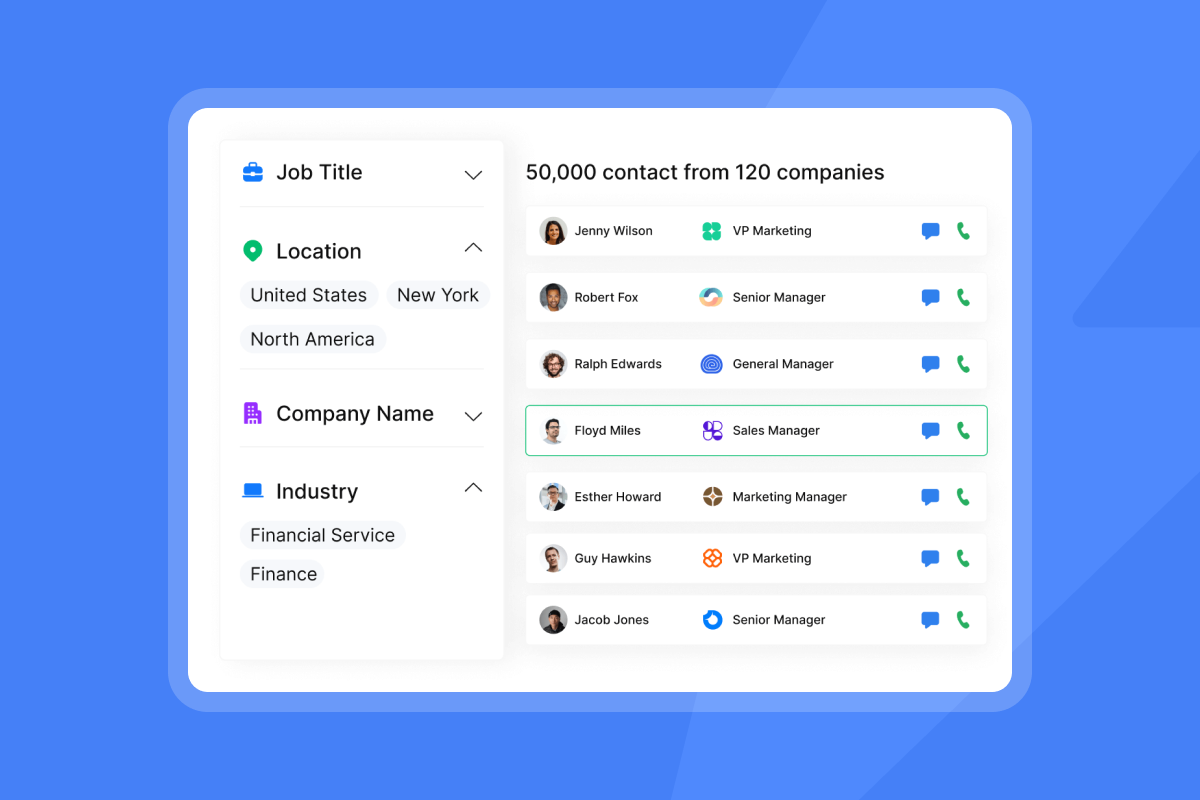
For LinkedIn outreach at scale, Instantly connects to tools like HeyReach and Aimfox through the Automations builder, pushing leads with LinkedIn URLs into multi-channel workflows without manual CSV exports.
Using spin syntax for rapid A/B testing
Spin syntax lets you test multiple copy angles across a large list without splitting it into separate campaigns. The steps below cover how the format works, when to apply it, and which elements to prioritize for the highest reply rate lift.
How spin syntax works for sequences
Instantly's Spintax feature uses the format {{RANDOM | option1 | option2 | option3}} to vary email copy at the lead level. Each recipient sees one randomly selected option, creating natural variation across your list from a single sequence step.
| Element | Base copy | Spin syntax variant | Expected test outcome |
|---|---|---|---|
| Subject line | "Quick question about [Company]" | {{RANDOM|Quick question about {{company}}|Noticed something about {{company}}|One thing for {{first_name}}}} |
26-50% open rate lift |
| Opening line | "I noticed you're hiring for SDRs" | {{RANDOM|I noticed you're hiring SDRs|Saw {{company}} is expanding the sales team|Your open SDR roles caught my attention}} |
Reduces repetition effect |
| CTA | "Worth a quick call?" | {{RANDOM|Worth a quick call?|Is this on your radar?|Open to a 10-minute conversation?}} |
Reduces repetition effect as identical CTAs appear across multiple follow-up steps |
After generating your AI sequence output, paste it into Instantly's AI Spintax Writer to automatically add variation with one click, accessed through Sequence Editor > AI Tools > AI Spintax Writer. Personalized subject lines lift open rates by 26-50%, and varied CTAs reduce the repetition effect that causes reply rates to drop across follow-up steps, so apply Spintax to these two elements first.
Structuring AI prompts for scalable A/B testing
For sequence-level tests, reply rate is always the control metric. Instantly's A/Z testing (available on Growth plan, with up to 26 variants on Hypergrowth $97/mo and above) supports auto-optimization that deactivates lower-performing variants based on your chosen winning metric (reply rate is recommended as the primary metric, though open rate is also available as a winning condition).
| Variant | Subject line approach | CTA style | Send window | Success metric |
|---|---|---|---|---|
| A (control) | Statement approach | Direct ask | Morning send | Reply rate |
| B | Question approach | Soft question | Late morning | Reply rate |
| C | Insight-led | Relevance check | Next day | Reply rate |
| D | Personalized | Conversational | Following day | Reply rate |
Reply rate is the primary metric to track across sequence tests. Instantly's 2026 benchmark report uses reply rate as the performance standard, with 3.43% as the platform average and 5.5% as the top-quartile target.
Run each variant to at least 1,000 recipients before reading results. At a 3.43% platform average reply rate, smaller samples return too few replies to separate signal from noise. The Monday launch, Wednesday peak-reply pattern from the benchmark report means starting tests on Monday gives you your first meaningful reply data by midweek.
Automating your campaign uploads with AI
Moving from a generated sequence to a live campaign introduces two common failure points: mismatched variable names and unverified contact data. Both are fixable before upload if you follow the steps below in order.
Cleaning sequence data before upload
AI-generated sequences use variable placeholders that must match your lead data column headers exactly. Before uploading, confirm that:
- Your CSV includes a column labeled "Email" (required, cannot be skipped)
- Variable names in copy match CSV column headers exactly (e.g.,
{{first_name}}matches a column called "First name") - Custom variables stay under 20 characters
Leads sourced in Lead Finder come pre-verified. CSV imports from external tools do not. Use lead verification at 0.25 Instantly Credits per lead before sending to keep bounce rates below the 2% threshold required for consistent deliverability.
Integrating AI drafts into sales stages
The fastest path from a RIGS prompt output to a live campaign is: generate in your AI tool, refine with the AI Spam Words Checker, apply Spintax, then load the sequence directly into the Instantly campaign builder. The AI Sequence Writer is capped at 100 generations per workspace per month, so use it for net-new sequences and use the AI Spintax Writer to add copy variation to steps within an already-built sequence. You can also pull from Instantly's in-editor sequence templates (loadable directly inside the campaign builder) to accelerate the build.
Data-driven benchmarks for outbound growth
Running AI-generated sequences without a numeric baseline means you cannot distinguish a copy problem from a targeting problem. The benchmarks below give you a control figure, a top-quartile goal, and a diagnostic framework for deciding when to iterate versus rebuild.
The 3.43% reply rate control group
Every sequence test needs a control baseline. Instantly's 2026 benchmark report puts the platform average reply rate at 3.43%, drawn from billions of interactions across thousands of active workspaces (January 1 through December 18, 2025). That is your floor. If your sequence is consistently sitting at or below the 3.43% platform average, treat it as a signal to review your prompt constraints and targeting before scaling send volume.
Keep bounce rates below 2%. Campaigns that exceed this threshold damage sender reputation and invalidate test results because deliverability variance, not copy quality, is driving the outcome.
Targeting the 5.5% top-quartile benchmark
Top-quartile senders in the benchmark data reach 5.5%+ reply rates and the top 10% clear 10.7%. The 5.5% target represents a 60% lift over the 3.43% average and is the realistic goal for well-structured AI-generated sequences with proper guardrails. That lift comes from inputs and mechanics, not prose polish alone.
Using the 58/42 split against a 5.5% target gives you a diagnostic tool at the step level:
- Step 1 expected contribution: 3.19% (58% of 5.5%)
- Follow-up steps combined: 2.31% (42% of 5.5%)
If your Step 1 reply rate falls short of that 3.19% contribution and your total sequence reply rate is below 4%, your opening message is the constraint to fix before touching follow-up copy.
Optimizing vs. replacing underperforming cadences
Replace an entire sequence only after you have isolated the variable. A sequence with high open rates but low reply rates points to a body copy or CTA problem. Your subject lines are working. The drop-off happens after the open.
A sequence with low open rates requires a second check: if the reply-to-open ratio among those who do open is healthy, the problem is deliverability or targeting, not subject line. If both open rate and reply-to-open ratio are low, then subject line, targeting, and deliverability are all worth reviewing. Unibox consolidates replies from every sending account into a single view, while campaign-level analytics track open rate, reply rate, and bounce rate per step, giving you the full picture from first send to replied lead without switching between tools.
Build your first AI-generated sequence, test it against the 3.43% baseline, and use the A/Z testing tools to move toward the 5.5% top-quartile target. Start your free Instantly trial and run your full cadence, including AI generation, Spintax variants, and deliverability checks, without a credit card.
FAQs: AI prompts for sales sequences
What are the best AI prompts for writing sales sequences?
The best AI prompts for sales sequences use a structured input framework rather than a single open-ended request. Apply the RIGS format (Role, Instruction, Guardrails, Specifics) as the outer shell and the step logic structure (Focus, Urgency, Nuance, Direction) inside the Specifics block for each step, which forces the AI to vary angle and logic across the cadence rather than repeating the same message with different words.
Can I generate an entire cadence in one ChatGPT prompt?
Yes, if the prompt includes the full sequence structure upfront: number of steps, channel per step, word count limit, tone rules, and a different combination of Focus, Urgency, Nuance, and Direction for each step. Most ChatGPT prompts for sales sequences fail because they ask for one email at a time and lose the narrative thread between steps. Use the copy-pasteable templates in the "High-converting AI prompts" section above to structure your input.
How do I prevent AI-generated emails from sounding generic?
Add hard constraints to your prompt (no filler openers, one CTA only, reference a specific company signal) and run the output through Instantly's AI Spam Words Checker, which evaluates language in context rather than matching a static keyword list. Pair each step with Spintax variants on the subject line and CTA to create natural copy variation across your list.
What reply rate should I expect from an AI-built sequence?
Use Instantly's 2026 benchmark report as your baseline: 3.43% is the platform average, 5.5% is the top-quartile target, and 10.7% is the top 10%. A well-structured AI-generated sequence with proper guardrails, list verification, and Spintax testing should realistically target the 5.5% range after iteration.
How do I integrate spin syntax with AI prompts?
Generate your sequence copy first, then either apply Spintax manually using the {{RANDOM | option1 | option2}} format or paste the copy into Instantly's AI Spintax Writer to auto-generate variants with one click. Prioritize Spintax on subject lines and CTAs first, since these two elements drive the largest share of open and reply rate variance.
Key terms glossary
Multi-touch sequence: A structured outbound cadence with multiple steps across email, call, and social channels. Instantly's 2026 benchmark report identifies 4-7 steps as the optimal sequence length, with Step 1 generating 58% of all replies and follow-up steps accounting for the remaining 42%.
Spintax: A text variation format that uses {{RANDOM | option1 | option2}} to randomly assign one copy variant per recipient at send time. Apply it to subject lines and CTAs first. Those two elements drive the largest share of open and reply rate variance without requiring you to split your list into separate campaigns.
A/B test matrix: A structured table mapping the variables under test across email variants, including subject line approach, CTA style, and send window, against a single success metric. Reply rate is the recommended control metric for sequence-level tests.
Reply rate baseline: The control metric for sequence performance. Defined as the percentage of contacted leads who reply to any step in the sequence. Instantly's 2026 benchmark report sets the platform average at 3.43% and the top-quartile threshold at 5.5%.
Prompt architecture: The structured approach to writing AI generation prompts. A prompt with defined role, instruction, guardrails, and step-specific inputs produces a full cadence with logical variation across steps. A prompt without this structure typically outputs a single message with no sequence logic.
Read next
- Best AI sales automation tools for GTM teams: 2026 buyer's guide & comparison: A side-by-side breakdown of the top AI sales automation platforms, covering features, pricing, and what each tool actually does well for outbound teams.
- AI lead generation vs AI prospecting: what's the difference?: Explains how the two terms differ in practice, what each stage requires from your toolstack, and where most teams lose efficiency by conflating them.
- AI sales agents for B2B company research: the complete guide for outbound teams: Covers how AI agents handle company research at scale, which data points matter for personalization, and how to feed research outputs directly into your sequence prompts.


