


Updated November 20, 2026
TL;DR: Static templates give you control, consistency, and predictable costs at low volume. Dynamic AI prompts give you speed, personalization depth, and scale. Most founders waste time choosing between them when the smarter move is a hybrid workflow: templates for follow-up sequences (steps 2-4) and prompts for first-touch personalization (step 1). For most teams, this approach tends to pay off once weekly volume outgrows what one person can personalize by hand. AI copy does not hurt deliverability if you constrain prompts with tone, length, and topic guardrails, verify lead data through enrichment tools, and review output before sending.
The average cold email reply rate is 3.43%, while top-quartile performers reach 5.5% and elite campaigns exceed 10.7%, according to Instantly.ai's 2026 benchmark report. The gap between average and top performers often depends on one tactical choice: static templates or dynamic AI prompts. Most founders treat them as an either/or decision. The smarter move is a hybrid workflow that uses both.
If you are a founder who needs meetings without hiring an SDR team, this guide helps you decide when to use AI prompts versus email templates, how much each costs, and how to combine them without burning your domain or your budget.
Defining the standard cold email framework
A cold email framework is a repeatable structure with a subject line, opening line, value proposition, proof point, and call to action. The structure matters because top performers average under 80 words per first-touch email, and the optimal sequence length is 4-7 steps.
The framework itself can be static or dynamic. That choice is the fork in the road where most founders get stuck.
Limitations of rigid email templates and the role of data
A static template is fill-in-the-blank copy with merge fields: "Hi {{first_name}}, I noticed {{company}} is in {{industry}}..." Merge fields personalize surface details but leave the core message untouched. After sending the same template repeatedly, patterns emerge and reply rates drop.
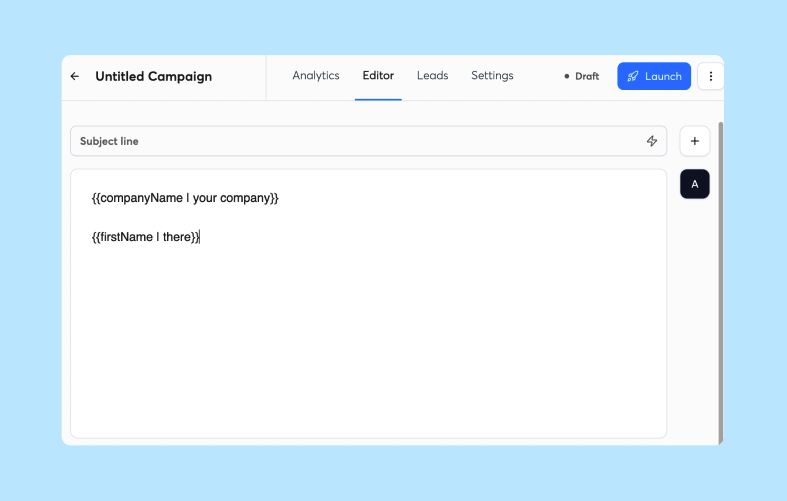
Data enrichment bridges the gap between raw templates and personalized outreach. Instead of a bare merge field, a template could reference a recent hire or funding round pulled from verified lead data. Instantly's Lead Finder database includes 450M+ B2B leads with waterfall enrichment across seven data partners, so templates can reference real context rather than guesswork.
The limitation remains: merge fields personalize names, companies, and attributes. They cannot rewrite the core message based on the lead's specific situation. That requires dynamic prompts.
Mastering dynamic prompts for cold email
A dynamic prompt is an instruction to an AI model that generates new copy for each lead based on data and constraints. Unlike a template, a prompt creates new variations every time.
Example prompt: "Write a cold email to {{first_name}}, {{title}} at {{company}}. The prospect's pain point is {{pain_point}}. Use a conversational tone, keep it under 100 words, and include one soft CTA. Do not mention pricing."
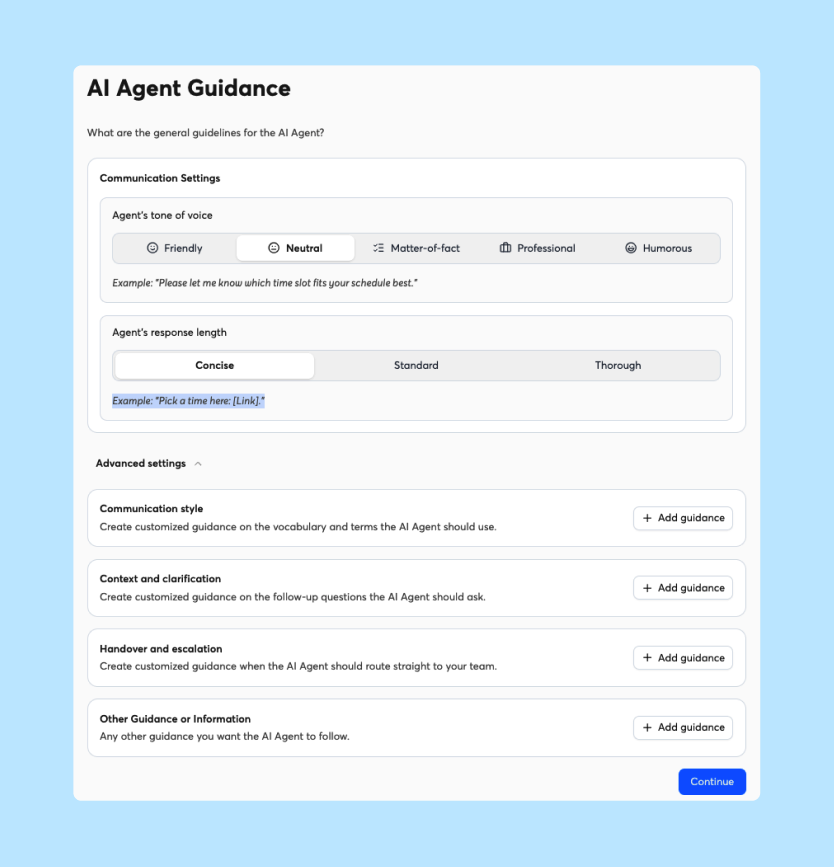
This prompt generates a unique email per lead by feeding in verified data and enforcing constraints. The AI-powered personalization approach works by pairing verified lead data with structured prompts that define role, tone, length, and call to action, which protects sender reputation while improving reply odds.
Automating your email creation
Instantly's AI Sequence Writer generates a full multi-step sequence from your business details and customer profile. You describe your offer, your ideal customer, and your messaging guidance, and the tool outputs a complete 4-7 step sequence ready to customize. It handles structure so you can focus on review and refinement. For prompt frameworks that cover every step, see these sales sequence prompts.
Scaling custom outreach efficiently
Prompts scale personalization without adding headcount. The AI Sequence Writer handles structure. The AI Spintax Writer auto-generates Spintax variants from existing copy, so each send reads differently without manual rewriting.
Example: You have 500 SaaS leads with different roles (CEO, VP Product, VP Sales). A single template does not fit all three. A constrained prompt can generate unique copy per role by feeding in the role field and instructing the AI to adjust tone and CTA accordingly.
Optimizing your prompt strategy
The safe pattern for AI prompting in cold email has three layers:
- Data enrichment: Feed the prompt verified fields only. Do not invent facts. Pull role, company, pain point, recent news, and buying signals from your lead data.
- Constrained prompting: Define tone, length, CTA type, and topics to avoid. Example: "Subject under 40 characters. Body under 100 words. Conversational tone. Ask for a call, not a demo."
- Human review: Read the first batch of generated emails and spot-check ongoing output. Flag brand inconsistencies, factual errors, or off-tone copy. Use the AI Spam Words Checker to catch spam-triggering language before sending.
Cold email deliverability depends on more than the message itself. List quality, domain reputation, and sending volume all affect whether emails reach the inbox. AI-generated copy alone cannot create strong deliverability.
Cold email templates vs AI prompts: side-by-side comparison
| Feature | Static Templates | Dynamic Prompts | Best For |
|---|---|---|---|
| Personalization depth | Surface level (names, companies) | Deep (context, pain points, role) | A hybrid workflow: prompts to personalize step 1, templates for consistent follow-ups in steps 2-4 |
| Speed to launch | More upfront work (write, test, edit) | Less upfront writing, but each batch needs review before sending | Prompts reduce upfront writing but add a review step, while templates need more setup but no per-batch review |
| Cost predictability | Flat (included in your Outreach plan) | Credit-based (per generated output) | Templates sit inside your flat Outreach plan, while prompts run on credits |
| Brand consistency | Fixed copy, so the wording stays the same until you edit it | Requires human review | Templates keep the wording fixed, while prompts need review to stay on brand |
| Scaling limit | Depends on how many emails one person can personalize by hand | Depends on how many credits you buy and how many batches you can review | Templates add manual personalization time as volume grows, while prompts add credit use and review time |
| Reply rate potential | Both can reach 5.5%+ with strong list hygiene and deliverability | Same | Either approach, paired with a clean list and strong deliverability |
Onboarding effort and time to launch
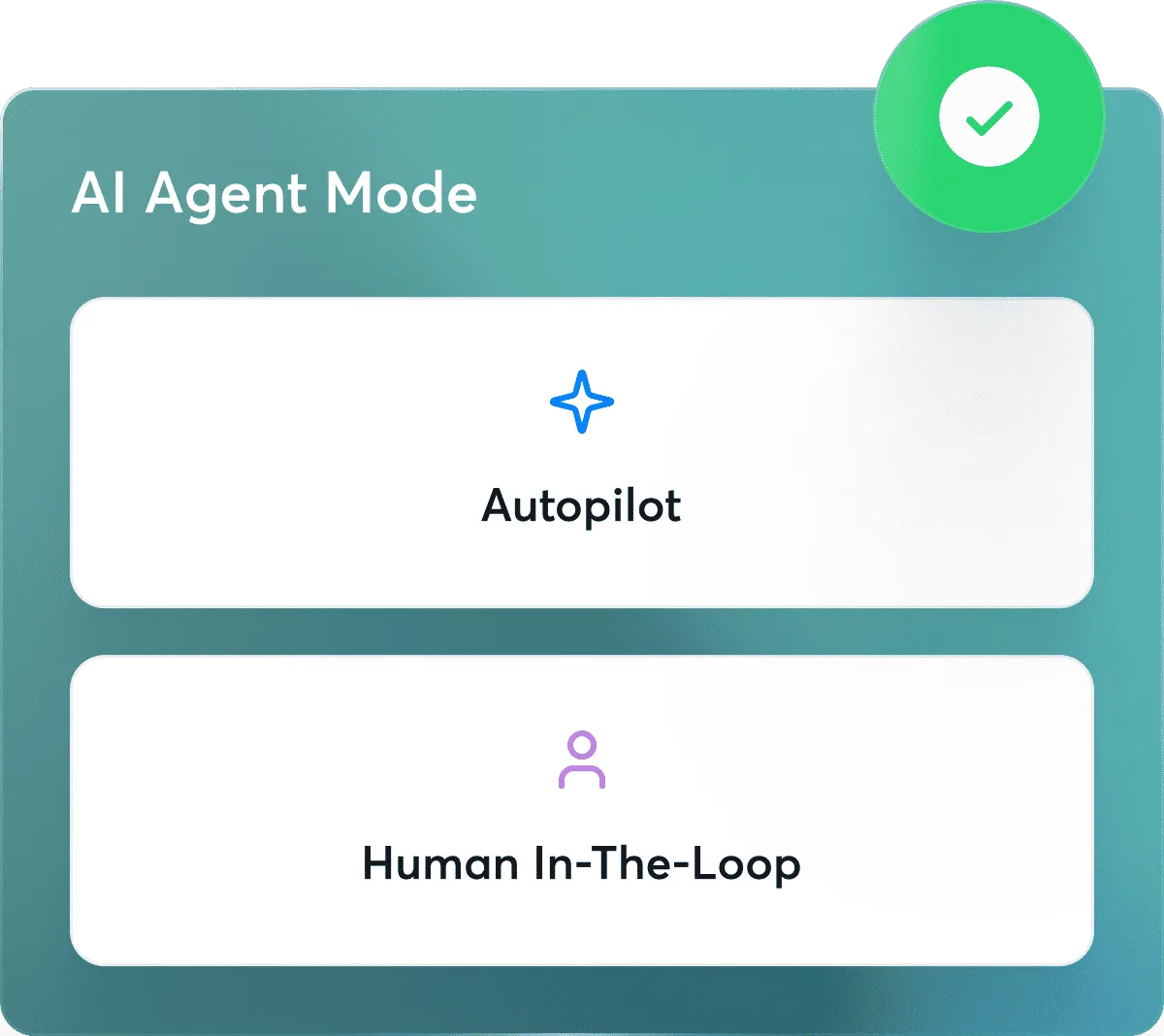
Templates need upfront writing and testing but require zero ongoing effort per send. Prompts need less upfront writing but require a review workflow to maintain brand quality at scale. Choose templates if your copy is stable and your volume is low. Choose prompts if you need fresh, personalized copy across hundreds of leads per week.
Hidden fees in AI outreach tools
Templates have no per-use cost. Prompts run on credits. Instantly Credits are a separate subscription from the Outreach plan. AI agents cost 5 credits per generated lead or reply. A typical starter stack: Outreach Growth at $47/mo plus Credits Growth at $47/mo (1,500 credits) totals $94/mo.
Dynamic prompts vs static templates
Neither approach guarantees higher replies on its own. The benchmark report found that top-quartile campaigns reach 5.5%+ reply rates, and that performance correlates with list quality, deliverability, and personalization depth combined. A template with a bad list lands in spam. A prompt with good data lands in the inbox and converts.
Keeping AI output on brand
The risk is real: AI copy can sound robotic. "Impactful solutions that empower your team" reads like every other AI-written email. The fix is constrained prompting and human review.
Bad output: "Hello {{first_name}}, I hope this email finds you well. I've been thinking about innovative ways to revolutionize your sales process..."
Good constrained output: "Hey {{first_name}}, saw {{company}} just onboarded a new VP of Sales. That's a growth move. Quick question..."
The difference is constraints in the prompt (casual, short, question-based) and human review of the first draft.
Max volume: templates vs AI prompts
Templates are limited by manual personalization time. Researching each lead by hand takes minutes per prospect, so quality tends to slip as weekly volume grows. Prompts are limited by credit budget and review capacity. AI agents cost 5 credits per generated lead or reply, so credit use grows with every email you generate. Check your expected weekly volume against your Credits plan before you scale. Using the AI Sequence Writer inside the sequence editor costs zero credits but requires more manual setup per segment.

Scaling your sales outreach: prompts vs templates
Templates are the backbone of a reliable outreach system. Prompts are the lever that lifts first-touch reply rates. Instantly's 2026 benchmark report found that 58% of replies arrive on step one, with the remaining 42% coming from follow-ups. If your first email is generic, your follow-ups have nothing to build on.
Build reliable workflows through templates
A 4-step follow-up sequence with fixed copy is predictable, testable, and repeatable. You can A/B test subject lines, measure reply rates per step, and iterate with confidence because the copy stays consistent. Templates make data-driven optimization possible.
Drive higher replies via AI prompts
The first-touch email is where personalization has the highest impact. A personalized opener shows the lead you understand their context. A generic one tells them you emailed 10,000 people just like them.
Personalization levers that move reply rates:
- Recent company news: Funding rounds, product launches, leadership changes.
- Role-specific pain points: A CEO cares about revenue. A VP Sales cares about pipeline.
- Buying signals: Technology adoption, hiring patterns, competitor mentions.
A constrained prompt can address these levers at scale without manual research per lead. For ready-made starting points, see this AI prompt library.
Increase ROI with a hybrid workflow
Here is a concrete hybrid workflow:
- Import leads: CSV or Lead Finder export, 1,000 leads per campaign.
- Enrich data: Auto-enrich job titles, company size, and buying signals.
- Segment: Split into 3 groups by role (CEO, VP Sales, IC).
- Generate first emails: Use AI Sequence Writer to create personalized openers per segment.
- Review: Read 10 emails per segment. Adjust tone if needed.
- Send step 1: Deploy personalized first emails across multiple sending domains.
- Template follow-ups: Steps 2-4 use fixed template copy at zero additional credit cost.
- Measure: Track reply rate, cost per meeting, and sequence performance.
For a full ROI breakdown, see the calculation section below. For repeatable setups across many inboxes, see the workflow template library.
When static templates hinder personalization
Templates fail when the core message does not match the lead's context. You send a template about "scaling your sales team" to a solo founder, or a template referencing "enterprise compliance" to a pre-seed startup. The template's rigidity makes it blind to context. Prompts solve this by feeding role, stage, and business type into the generation and adjusting the value proposition automatically.
Standardizing your outreach workflow
To standardize without losing personalization:
- Segment by role and stage. A CEO cares about revenue impact. An IC cares about workflow efficiency. Segment first, then personalize.
- Enrich every lead. Add role, company stage, recent news, and buying signals to each record.
- A/B test variants. Instantly's Growth plan includes A/Z testing, but the full 26-variant capability per step is gated to Hypergrowth ($107/mo) and above. Test subject lines, opening lines, and CTAs.
- Maintain both libraries. Keep a template library for follow-ups and a prompt library for first-touch. Create 5-10 core prompts for your most common segments.
Predicting your monthly outreach spend
| Team Size | Plan Stack | Monthly Cost |
|---|---|---|
| Solo founder | Growth Outreach + Growth Credits | $94/mo |
| 5-person team | Hypergrowth Outreach (includes CRM) + Growth Credits | $154/mo |
| Power sender (high volume) | Light Speed Outreach + Hyper Credits | $555/mo baseline |
Instantly CRM is not sold as a standalone subscription. It comes free with Hypergrowth ($107/mo) and Light Speed ($358/mo) Outreach plans, while Growth Outreach ($47/mo) does not include it. That is why the 5-person team row above uses Hypergrowth.
Per-seat tools price every additional seat, so costs grow with headcount. Instantly delivers unlimited accounts and flat-fee economics, so every new team member or client costs you throughput rather than seats.
Evaluating the ROI of flexible prompt systems
Flexible prompts pay off when personalization drives measurable reply-rate gains. As a rough working estimate (not a measured threshold), the break-even point sits around 500 emails per week. Below that, templates handle the workload. Above that, manual personalization becomes hard to sustain and prompts become more useful.
Scaling outreach with custom AI prompts
A solo founder with a well-tuned prompt and a Credits subscription can send 1,000 personalized emails per month across multiple domains without hiring an SDR. This needs at least 2 warmed inboxes at the 30-emails-per-inbox daily cap. The AI Sequence Writer handles structure. The AI Spintax Writer reduces repetition. Both run on the same credit pool.
Why dynamic prompts can fail at scale
Three failure modes to avoid:
- Unconstrained prompts: A vague prompt like "write a cold email" produces generic output. A constrained prompt with tone, length, and CTA rules produces reliable copy.
- No human review: Sending raw AI output without review risks off-brand or factually wrong copy reaching leads. Spot-check a sample of every batch.
- Poor data quality: If your lead data is missing job titles or is months stale, the prompt has nothing useful to work with. Garbage in, garbage out.
Calculating ROI on AI prompts
The calculation below uses illustrative figures based on B2B SaaS averages. Actual ROI depends on your deal size, conversion rate, and list quality.
Formula: (Meetings booked per month x Average deal value) minus (Tool cost + Time cost for review) equals Net ROI.
Example: 1,000 emails per month at a 5% reply rate yields 50 replies. At a 50% meeting rate, that is 25 meetings. At $2,000 average deal value, potential pipeline is $50,000. Tool cost is $94/mo, plus a small amount of review time each month. In this illustrative scenario, the potential pipeline is far larger than the tool and review costs, but actual revenue depends on how many of those meetings close.
The benchmark report found that warming up a new domain takes 4-6 weeks before reaching full sending volume, so factor that ramp time into your first-month expectations. Consistent senders also see 15-20% higher reply rates than sporadic senders, per Instantly's 2026 benchmark report.
Real use cases: templates vs prompts by team size and volume
| Criterion | Templates | Prompts | Hybrid |
|---|---|---|---|
| Lead volume | Lower weekly volumes that one person can still personalize by hand | Higher weekly volumes where hand-written personalization is not practical | Mid-range weekly volumes where first touches need personalization and follow-ups can stay fixed |
| Personalization depth | Surface level | Deep | First-touch deep, follow-up consistent |
| Team size | Solo or 1-2 people | 3+ people or agencies | Any size |
| Budget | Outreach plan only ($47/mo) | Outreach plan plus a separate Credits subscription (starter stack is $94/mo, and credit needs grow with volume) | Outreach plan plus a Credits subscription (starter stack is $94/mo, and credits are only used on first touches) |
| Time to launch | Upfront writing and testing | Less upfront writing, plus review time | Prompt setup for step 1, plus fixed templates for steps 2-4 |
Choosing AI prompts vs static templates
For most founders, the answer is both. Use templates for follow-up sequences where consistency matters. Use prompts for first-touch emails where personalization drives replies. This hybrid approach gives you process reliability and reply-rate gains without doubling your workload.
Example setup for high weekly volume
At 2,500 emails per week, use prompts for first-touch across 3-5 audience segments and templates for all follow-up steps. Size your setup by inboxes first, then group them into sending domains. The recommended cap is 30 emails per inbox per day for live campaigns. If you send five days a week, 2,500 emails is about 500 per day, which takes roughly 17 inboxes. Spread those inboxes across several sending domains instead of loading one domain. Use Inbox Rotation to distribute volume automatically. Segment each audience with a unique prompt, review a sample from each batch, and let the AI Spam Words Checker flag any risky language before sending.
You can test this hybrid workflow on a 14-day free trial with no credit card required. Start with 100 leads, generate a first-touch sequence using the AI Sequence Writer, review for brand fit, and measure reply rate against your current template baseline.
FAQs: AI prompts vs cold email templates
Should you use AI prompts or templates for cold email?
Use both. A common setup is prompts for first-touch personalization in step 1 and templates for follow-up steps 2-4, where consistency matters. Neither approach is proven best on its own, so test the split against your own reply rates. The hybrid approach gives you process reliability and reply-rate gains.
Do AI-generated emails hurt deliverability or reply rates?
No, if you constrain the prompts and review output before sending. AI copy that sounds robotic or includes spam-trigger words can hurt both. Use a spam word checker and human review as pre-send safety nets.
How much do AI prompts cost compared to templates?
Templates have no per-use cost. AI prompts run on credits. Instantly Credits start at $9/mo for 150 credits, and AI agents cost 5 credits per generated lead or reply. The AI Sequence Writer inside the sequence editor costs zero credits.
Which approach gets better reply rates?
Neither approach guarantees better replies on its own. List quality, deliverability, and personalization depth matter more than the tool. Top-quartile senders reach 5.5%+ reply rates through disciplined hygiene and iteration, not tool choice alone.
What is the difference between dynamic prompts vs static templates?
A static template fills merge fields into pre-written copy. A dynamic prompt instructs an AI model to generate new copy per lead based on data and constraints. Templates are consistent. Prompts are adaptive.
Key terms glossary
Static template: A pre-written email with fixed copy and merge fields for basic personalization like first name and company. Often used for follow-up sequences and brand-consistent messaging.
Dynamic prompt: An instruction to an AI model that generates new email copy based on lead data and constraints. Best for first-touch personalization at scale.
Merge field: A placeholder in a template that pulls data from a lead record, such as {{first_name}} or {{company}}. Personalizes surface details without changing the core message.
AI credit: A unit of usage for AI features. Instantly Credits power Lead Finder lookups and AI agents. AI agents cost 5 credits per generated lead or reply. Lead Finder enrichment costs 1-2 credits per verified email (1.5 credits on average).
Spintax: A syntax that creates multiple variations of a sentence or phrase, such as {{RANDOM | option1 | option2}}. Reduces repetition across sends.
Read next
- ChatGPT prompts for value proposition messaging: one core story for every persona: Shows how to turn one core value proposition into customized messaging for each buyer persona.
- Industry-specific outreach prompts: SaaS, agency, recruiting, and e-commerce: Gives ready-to-use prompt examples for SaaS, agency, recruiting, and e-commerce outreach.
- AI prospecting prompts: common mistakes and fixes: Explains the most common AI prospecting prompt errors and how to fix them.


