.svg)
%20(1).svg)


Updated: June 2, 2026
TL;DR:
No email finder delivers 100% accuracy for CEO contacts, and most sales teams run on data that decays at 22.5% to 70.3% annually. Stacking multiple unverified tools makes the problem worse because bad data destroys sender reputation faster than any spam filter. The fix is a systems-first approach: waterfall enrichment across multiple providers, mandatory verification before every send, continuous domain warmup, and strict bounce rate monitoring. Instantly.ai combines all four in one platform, giving you access to 450M+ B2B leads, a 4.2M+ account warmup network, and automated inbox placement testing.
B2B contact data decays at 22.5% to 70.3% annually across all industries and geographies, with the upper end of that range driven by high-churn sectors and smaller companies where roles shift frequently. For tech and SaaS executive contacts, data decay sits closer to 30% to 35% each year, driven by senior-level turnover, company acquisitions, and domain migrations. Yet most sales teams still believe that finding the right scraping tool solves the CEO outreach problem. It doesn't. This guide breaks down the most damaging email finder accuracy myths, gives you the real numbers on data decay and verification, and shows you how to build a safe, scalable system for reaching C-level executives without burning your sending domains.
Factors sustaining bad CEO email data beliefs
The market keeps believing in magic-bullet data tools because vendors lead with match rate claims and database size numbers rather than verified deliverability outcomes. A tool that claims 95% accuracy on its pricing page may still produce bounce rates of 15% to 25% in practice, because "found" does not mean "verified," and "verified" does not mean "still active." As Instantly's cold email deliverability guide shows, the gap between claimed accuracy and real-world inbox placement drives most campaign failures.
Why sales teams still believe in magic-bullet data tools
Sales teams expect 100% accuracy, but they run straight into the reality of constant data decay. B2B email lists decay at 22.5% to 70.3% per year, and for CEO contacts specifically, senior-level turnover, company acquisitions, and domain migrations all shorten the shelf life of any single data point.
Industry observers consistently note that single-source enrichment underperforms on CEO lookups because the B2B data field is too fragmented for any one provider to own it all. Waterfall enrichment, which queries Provider A, then B, then C in sequence until a verified result is found, consistently pushes match rates to 85% across a stack of three to four providers.
Quota pressure compounds the problem. When a rep needs 50 meetings booked by end of quarter, they reach for any tool that promises a fast list, often without checking whether exported contacts are verified, current, or unique across the other tools already in the stack.
A single campaign with sustained high bounces can drag a domain's reputation from Good to Low, affecting every rep sending from that domain simultaneously. Cold email spam issues rarely stop at one campaign. One bad list export is a companywide deliverability incident.
Verifying CEO emails: not all public
The myth that every CEO email address can be guessed from a first.last@company.com pattern or found via a LinkedIn scrape misses how corporate email infrastructure actually works. Corporate firewalls, role-based address routing, and subdomain configurations mean that public sources give you a starting point, not a deliverable contact.
The accuracy limits of public sources and single-source tools
Industry testing consistently shows that single-source email finders fall short on deliverability outcomes beyond basic syntax checks, producing bounce rates well above the threshold where sender reputation starts to suffer. Waterfall enrichment across five or more providers consistently lifts that baseline because each additional provider fills coverage gaps the previous one missed.
Public scraping from LinkedIn profiles, company websites, and press releases produces unverified raw addresses at best. Manual research via public sources can work at very low volume, for example finding two to three specific executives. It fails as soon as a team of five or more reps needs a consistent, repeatable process. At that scale, the only defensible approach is a verified database combined with a mandatory pre-send check, as covered in the Instantly cold email strategy.
Instantly's Lead Finder runs enrichment across 5+ data providers in sequence, targeting the lower end of the bounce range and giving you a verified work email, not a guessed format.
Legal barriers to CEO email access
Using found contact information without a proper legal basis carries specific financial penalties. Under CAN-SPAM, violations cost up to $53,088 per email as of January 2025. GDPR fines reach €20 million or 4% of global annual revenue, and CASL penalties hit $10 million per violation.
Under US law, you can contact a B2B prospect without prior consent if you include accurate sender information, an honest subject line, a physical address, and honor opt-outs within 10 business days. Under GDPR, legitimate interest is the most relevant legal basis for B2B cold outreach, requiring demonstrable relevance and fast opt-out processing.
Email finder accuracy: the real numbers
No tool provides 100% accuracy for CEO data. Any vendor claiming otherwise is describing syntax validation, not deliverability confirmation. Understanding what verification actually tests, and what it cannot test, is what separates a safe outreach system from a domain-burning liability.
Comparing email finder accuracy
Here is how single-source and waterfall enrichment models compare on the metrics that matter:
Model | Match rate | Typical bounce rate | Example approach |
|---|---|---|---|
Single-source (basic) | typically 40% to 65% | 15% to 25% | One database, format pattern guess |
Single-source (premium) | 65% to 80% | Varies by provider | One database, SMTP ping |
Waterfall enrichment | 80% to 95% | Under 3% | 5+ providers in sequence |
Instantly Lead Finder uses the waterfall model with 5+ enrichment providers plus LLM-assisted enrichment, targeting the lower end of that bounce range. Tools with per-seat pricing and single-provider data sit in the upper rows and require additional verification steps before sending, adding cost and time to every campaign.
How email finders generate addresses
Email finders use two primary methods: pattern guessing, which infers the likely format (first.last@company.com, first@company.com) by matching known patterns for that domain, and database retrieval, which looks up a cached, previously confirmed address that may be months or years old. Pattern guessing without SMTP verification is one of several contributing factors to high bounce rates in cold email programs, alongside stale data, misconfigured DNS, and fresh inboxes with no send history. As the Instantly copywriting framework makes clear, you cannot write your way past a bounce. The email needs to reach an active inbox before copy quality matters at all.
Interpreting "verified" email status
When you run verification, you'll see four distinct output classifications:
- Deliverable: The SMTP server confirmed the mailbox exists. Safe to send.
- Risky: The domain is a catch-all or the address triggers soft signals. Use with caution and apply secondary verification.
- Undeliverable: The mailbox does not exist. Remove before sending.
- Unknown: The server did not respond to the SMTP ping. Do not send without additional confirmation.
The verification stack tests syntax first (RFC 5322 compliance), then DNS and MX records to confirm the domain can receive mail, then SMTP connection to confirm the mailbox exists at the server level, and finally catch-all detection. Each step filters a different failure mode.
The limits of email data accuracy
Three technical constraints prevent any tool, including Instantly, from achieving 100% accuracy:
- Catch-all domains: The server accepts the SMTP ping for any address format, making it impossible to confirm individual mailbox existence without actually sending a message.
- Corporate firewalls: Enterprise mail servers at large organizations often reject or ignore SMTP verification attempts, producing Unknown results even for valid addresses.
- Role-based addresses: Addresses like info@, ceo@, or sales@ may exist but route to shared inboxes or gatekeepers rather than the individual you want to reach.
The Instantly email open tracking article explains a related reality: even when an email delivers, tracking signals are unreliable. Keep measurement focused on replies and meetings, not open rates.

Making CEO cold outreach work for you
Verified data is table stakes. What actually converts a deliverable email into a booked meeting is a message that earns attention in under three seconds and asks for something the executive can say yes to without committee approval. Study the future of cold email and one pattern becomes clear: the fundamentals of executive outreach have not changed, but the noise level has, which raises the bar for relevance.
Crafting effective CEO outreach playbooks
Two to four word subject lines perform best, and open rates decline as length increases. Effective executive subject lines reference the prospect's world, not your product. For the full pre-send checklist, see the subject line QA guide.
The body of a CEO email should:
- Lead with the executive's priorities, not your product features
- Reference peer results or social proof from similar companies
- Replace meeting requests with a value offer such as a benchmark, insight, or comparison
- Keep step one short and direct, with a single clear ask
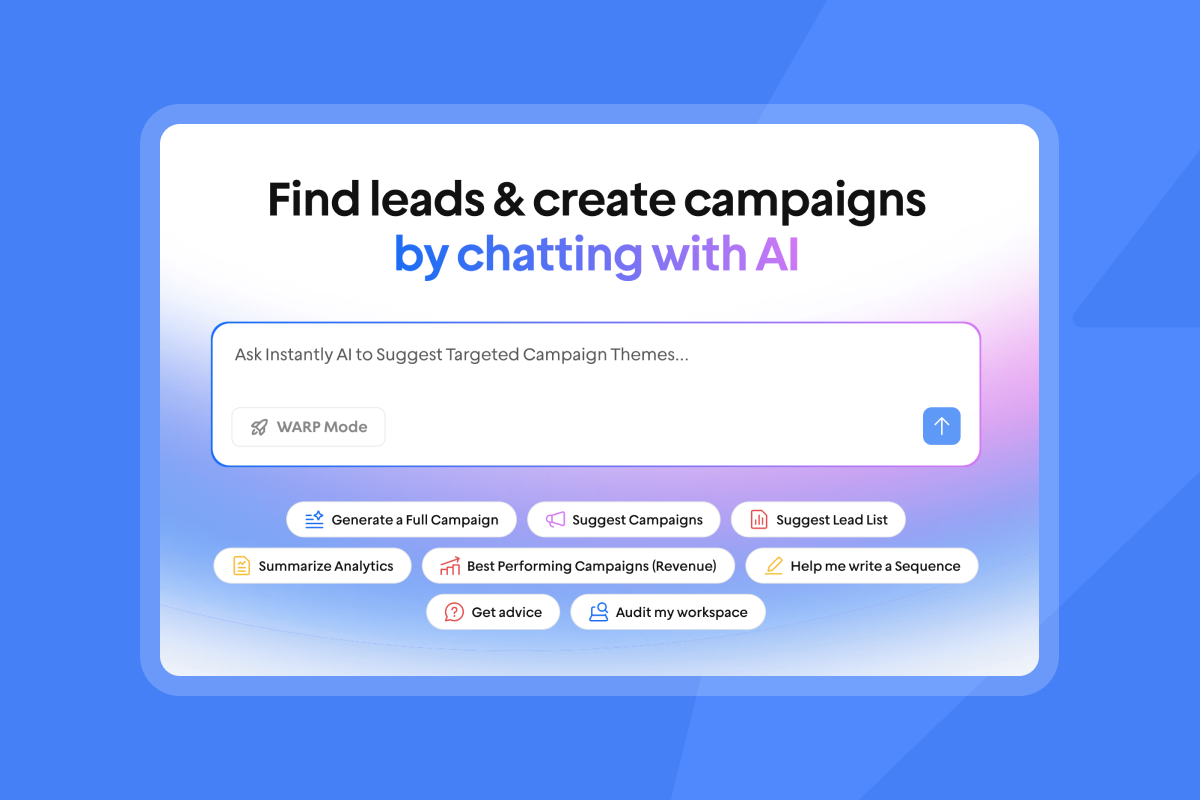
Instantly Copilot assists with campaign creation and lead targeting, generating sequence frameworks, subject line variants, and personalization inputs based on the prospect's profile. It runs on Instantly Credits and sits inside the platform, eliminating the export-to-ChatGPT-and-back workflow that breaks data integrity.
Triggers for CEO email engagement and reply rates
Three factors drive CEO email engagement: timing, relevance, and brevity. Targeting early morning send windows before midday calendar blocks fill, referencing a company event such as a funding round or executive hire, and keeping every message as short as possible all improve reply probability at the C-level.
Your technical infrastructure also determines whether the email reaches the primary inbox. SPF, DKIM, and DMARC authentication are now mandatory for any domain sending more than 5,000 messages per day, with Google, Yahoo, and Microsoft rejecting non-compliant mail at the SMTP level as of 2024. The deliverability sequence guide covers the full technical setup.
Before your team builds their first CEO sequence, set realistic expectations. Recent data shows average cold email response rates have dropped from 8.5% in 2019 to 3.43% in 2026, driven by inbox saturation, sophisticated spam filters, and low-quality AI-generated volume. For C-level contacts, the picture is more favorable: C-level executives respond 23% more often than non-C-suite contacts, according to a Belkins study, with reply rates of 6.4% compared to 5.2% for other titles. Meeting booked rates range from 0.69% to 2.34% depending on offer clarity, follow-up quality, and deal type.
Myth: one email format works for every company
first.last@company.com is not a universal rule. It is one of several common patterns that vary by company size, industry, and historical IT configuration. Applying a single format assumption across a list of 500 CEO contacts will generate bounces from every company that uses a different convention.
Why email finders aren't 100% accurate and how to test formats safely
Beyond data decay, many enterprise mail servers actively block SMTP verification pings to prevent enumeration attacks. This means verifying an address at a large enterprise with firewall rules will return Unknown status, not Deliverable. The address may be perfectly active, but the verification layer cannot confirm it. That is a structural limit of the technology, not a product failure.
When verification returns Unknown or Risky for a set of addresses, safe format testing is the next step:
- Generate variants: Create all plausible format permutations for a test domain
- Run verification: Pass each variant through a verification tool to filter clear Undeliverable results
- Send to verified only: Send only to Deliverable-classified variants first
- Monitor in real time: Set bounce rate alerts below the 2% danger threshold
- Confirm and scale: Verify the winning format before rolling out to the full list segment
Instantly's A/Z testing capability supports up to 26 variants per sequence step, which means you can test format-driven subject line and opening combinations simultaneously across a controlled send group without spiking bounce rates. This is covered in the subject line testing framework, which outlines the minimum send volume per variant (1,000+ sends) needed to generate statistically valid data.
Myth: more email tools guarantee better results
Adding more email finders to an existing stack doesn't improve accuracy. It can introduce risks: duplicate contacts across tools, format conflicts, inconsistent verification timestamps, and manual CSV transfers that skip verification steps and reintroduce bounced addresses into live campaigns.
A reliable email finding system needs these three stages
A clean data process has three mandatory stages before any email sends:
- Source: Pull from a verified database with waterfall enrichment, not a single-provider export.
- Verify: Classify every address as Deliverable, Risky, Undeliverable, or Unknown before importing to your sending platform.
- Segment: Send only to Deliverable addresses in the first wave. Build a separate workflow for Risky addresses that require secondary confirmation.
List hygiene is not a quarterly task. Static lists that sit in a local CSV are liabilities that decay from the moment you download them. The fix is continuous verification built into the workflow, not periodic purges. The secondary sending domain strategy from Instantly's help center adds another layer of protection: separating new contact lists from warmed domains so testing never touches your highest-reputation senders.
Tool stacking's impact on domain reputation and key engagement factors
Here's how tool stacking damages your domain in practice: Export from Tool A introduces 200 unverified contacts. Verification in Tool B runs, but the Risky category gets imported anyway. Tool C sends to the full list, bounces climb above 2%, and Gmail starts routing that domain's mail away from the primary inbox. Every rep using that domain sees placement drop across all their campaigns.
Instantly keeps Lead Finder, verification, and sending inside one unified platform. There is no CSV transfer, no manual verification step, and no opportunity for a skipped stage to reintroduce bad data. The Instantly vs. Apollo comparison covers how the combined platform approach reduces these failure points in practice.
Verified data plus high relevance equals engagement. A perfectly verified email sent with a generic pitch will generate no replies. A highly personalized email sent to a bounced address damages your domain and also generates no replies, for different reasons. Both levers must work together: waterfall enrichment for data quality, and a company-specific trigger plus one clear ask for message relevance.
Setting realistic expectations for CEO outreach
Treat CEO outreach as a system with known inputs and measurable outputs, not a prospecting sprint. The system has three levers: data quality, message relevance, and domain health. All three need ongoing management, not a one-time setup.
Typical success metrics and personalization for executive campaigns
Build your CEO campaign targets around these benchmarks:
- Bounce rate: Keep below 2%. Sustained rates above 2% damage sender reputation and reduce primary inbox placement.
- Reply rate: Aim for 5% or above. Below 3% signals a message or targeting problem, not a volume problem.
- Meeting booked rate: 0.5% to 2.5% is the realistic range for cold CEO outreach, with the upper end achieved through strong offer clarity and follow-up cadence.
- Spam complaint rate: Keep below 0.10%. Google flags senders above this threshold, and 0.30% triggers active rejections.
Cap individual inbox sends at 30 emails per day per account. Watch the Instantly 39 things guide to see exactly how pushing above this threshold accelerates reputation risk across every inbox on your domain. Spread volume across multiple warmed accounts rather than concentrating sends on one domain.
Full manual personalization does not scale past 20 to 30 emails per day without dedicated research time. The personalization sweet spot for CEO outreach at scale is one company-specific detail (a recent funding round, product launch, or public statement), one outcome reference (a result you achieved for a similar company), and one specific ask (a 15-minute call to share a benchmark, not a vague opener). AI-assisted personalization through Instantly Copilot handles research and draft generation, so reps spend their time on final review rather than starting from a blank page.
Maintaining long-term email deliverability
Deliverability is a system, not a one-time setup. Three components need ongoing management:
- Domain warmup: New sending accounts need 30 days of gradual ramping, from 5 sends per day to 15 to 30, before running live campaigns. Instantly's warmup network covers 4.2M+ accounts in its private deliverability network, simulating genuine email activity to build sender trust.
- Inbox placement testing: Running automated placement tests before and during campaigns shows you which inbox folder your emails land in across Gmail and Outlook. Instantly's automated Inbox Placement tests make this continuous rather than reactive.
- Bounce rate monitoring: Set alerts below the 2% danger threshold and pause any campaign that crosses it immediately. Investigate list quality before resuming at a lower send cap.
Ready to move from disconnected tools to a unified sending and data system? Start your free trial to access Lead Finder, built-in warmup, and automated inbox placement testing.
FAQs
What are the legal risks of searching for CEO email addresses?
CAN-SPAM allows cold B2B outreach in the US without prior consent if you include accurate sender information, an honest subject line, a physical address, and honor opt-outs within 10 business days, with violations carrying penalties up to $53,088 per email as of January 2025. GDPR requires a legal basis such as legitimate interest for B2B cold outreach, with fines reaching €20 million or 4% of global annual revenue for violations.
What is a realistic accuracy rate for email finder tools?
Single-source email finders operate in a 40% to 80% match rate range for B2B contacts, with basic tools typically delivering 40% to 65% and premium tools reaching 65% to 80%, often producing bounce rates of 15% to 25%. Waterfall enrichment across five or more providers lifts accuracy to 80% to 95% with bounce rates typically under 3%, because each additional provider fills coverage gaps that the previous one missed.
How do you get past CEO inbox filters?
Proper SPF, DKIM, and DMARC authentication is mandatory in 2026, with Google, Yahoo, and Microsoft rejecting non-compliant mail at the SMTP level for domains sending more than 5,000 messages per day. Beyond authentication, send from warmed domains with a minimum 30-day warmup history, use plain text over heavy HTML, keep spam complaint rates below 0.10%, and include a one-click unsubscribe link.
How do you avoid bounces when emailing CEO contacts?
Never send to Undeliverable or Risky (catch-all) classified addresses without secondary verification, and keep your bounce rate below 2% to protect sender reputation. Run verification as a mandatory pre-send step, set real-time alerts before the 2% threshold, and pause any campaign immediately if the rate climbs above it.
Key terms glossary
Waterfall enrichment: Sequential querying of multiple data providers until a verified contact is found. Match rates typically improve from 40% to 65% (single-source) to 80% to 95% across a provider stack
Sender reputation: A score assigned by inbox providers (Gmail, Outlook) based on bounce rates, spam complaints, and authentication compliance that determines whether your mail reaches the primary inbox.
Catch-all domain: A mail server configured to accept SMTP pings for any address format, making individual mailbox verification impossible without sending a live email.
Primary inbox: The main inbox folder in Gmail and Outlook where legitimate email lands, as opposed to Promotions, Spam, or other filtered folders.
SMTP verification: A technical process that pings a recipient mail server to confirm a mailbox exists without sending a full email message.
Domain warmup: The 30-day process of gradually increasing send volume from a new email account (5 to 15 to 30 emails per day) to build sender reputation with inbox providers before running live campaigns.
Read next:
- Powerful Cold Email Templates for B2B Sales Outreach: Ready-to-use frameworks covering first touch, follow-up, and breakup emails for B2B sequences.
- Mastering Cold Email Inbox Rotation: Strategies, Throttling, and Monitoring for 100+ Accounts: How to spread send volume across multiple warmed inboxes to protect domain reputation at scale.
- Email Warmup Guide: Clean Sending, Stronger Inbox Placement: The 30-day ramp plan for building sender trust with Gmail and Outlook before your first live campaign.



