



Updated October 21, 2026
TL;DR: The cold email setup process has eight steps: buy alternate domains, authenticate them (SPF, DKIM, DMARC), warm them up for at least 2 weeks, build a verified lead list, create sequences, write value-first copy, personalize with AI, and A/B test. Expect 2 to 4 weeks before campaigns can launch at meaningful volume. Instantly's done-for-you setup service and pre-warmed accounts skip the wait entirely.
Many business owners jump into cold email, thinking it’s as simple as hiring virtual assistants, giving them free Gmail accounts, and telling them to write a business proposal.
The truth is that the cold email setup process takes work. Domain authentications can get technical, and it might take a lot of fine-tuning to know what works. That includes choosing a business email provider for your sending domains.
But once you’ve built a solid framework, scaling becomes as simple as adding more domains and leads. You can automate lead generation, drip campaigns, and outreach on autopilot.
This outreach setup guide walks through every step, from buying domains to automating campaigns, plus the done-for-you shortcut that skips the technical work entirely.
Is this for you?
This is for you if
You're setting up cold email from scratch and deciding whether to build it yourself or use a done-for-you service.
This isn't for you if
Your cold email infrastructure is already running and configured.
Fast-track the cold email setup process with Instantly's done-for-you service
Manual cold email setup requires many moving parts. You need an email tool, a CRM, a way to generate leads, business email setup, warmups, email copy, and A/B testing.
Instantly offers a way to streamline everything all in one dashboard. It’s the most plug-and-play option for cold email marketing. You get to run cold email campaigns in a few clicks.
All you need to do is create an account (you can make one for free), then go to the Email Accounts tab in the top left corner and click Add Email.
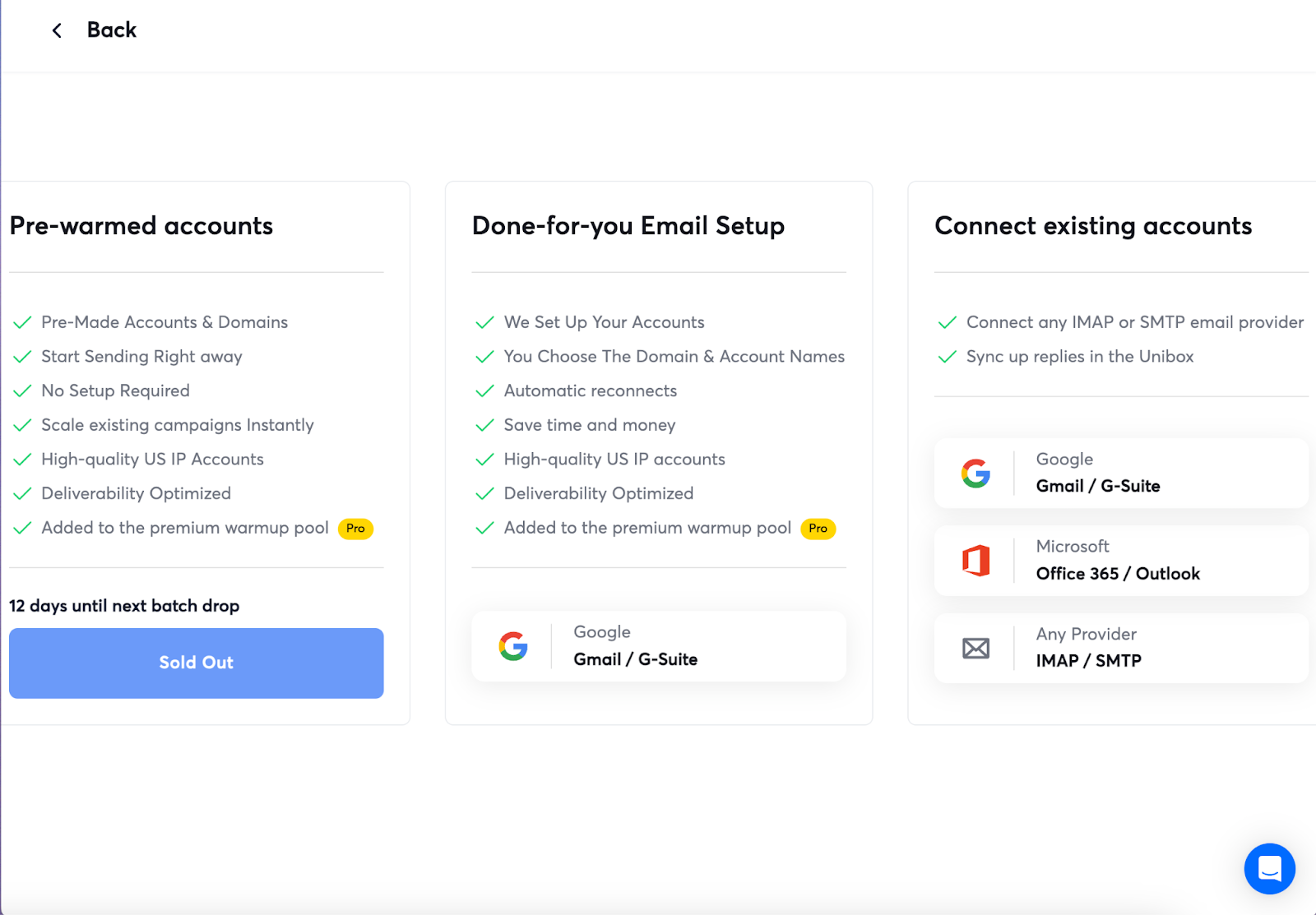
With Instantly's Done-For-You (DFY) email setup, you can buy as many alternate domains as you want without going through all the domain authentications for DKIM, DMARC, SPF, and Forwarding.
Instantly also offers Pre-warmed accounts, so you’ll be good to go the moment you finish your purchase. There's no need to wait for weeks for them to warm up (availability is limited and batches sell out quickly).
And that’s it. After buying prewarmed accounts or getting our DFY email setup service, all that’s left is to add leads and create sequences for automated drip campaigns.
Cold email setup process: a step-by-step guide
In this section, you'll find everything you need to consider for the entire cold email setup process: the tools, strategies, and steps to ensure effective outreach. For more on this, see the full cold email outreach guide.
Step 1: buy alternate domains for cold email
If you want to do cold email outreach, the last thing you want to do is use your company’s primary business domain. Even with everything perfect, there are still potentially harmful effects.
To avoid burning your primary domain, use alternate domains. You can buy them from sites like GoDaddy or Namecheap. To use the domains you purchased, you need to authenticate each.
Step 2: cold email domain setup and authentication
After buying your alternate domains, you must set up DMARC, DKIM, SPF, and forwarding. Authenticating domains lets you ou send and receive emails. The step-by-step records walkthrough is in the SPF, DKIM, and DMARC guide.
The setup process is slightly different for each domain provider. Once authentications are complete, you must configure the SMTP settings to use the domains with your email tool.
What usually goes wrong here
- Skipping or rushing the 2-week warmup period. An unwarmed domain gets flagged on the very first real send Get pre-warmed inboxes instead
- Buying domains and sending from them immediately. A brand-new domain with no sending history triggers spam filters fast Get pre-warmed inboxes
- Piecing the 8 steps together across separate tools. Every handoff between tools is a place something breaks See how Instantly works
Step 3: domain warmup
Authenticated domains can start sending emails. You could use them immediately for cold outreach. However, deliverability would be low due to a lack of sender reputation.
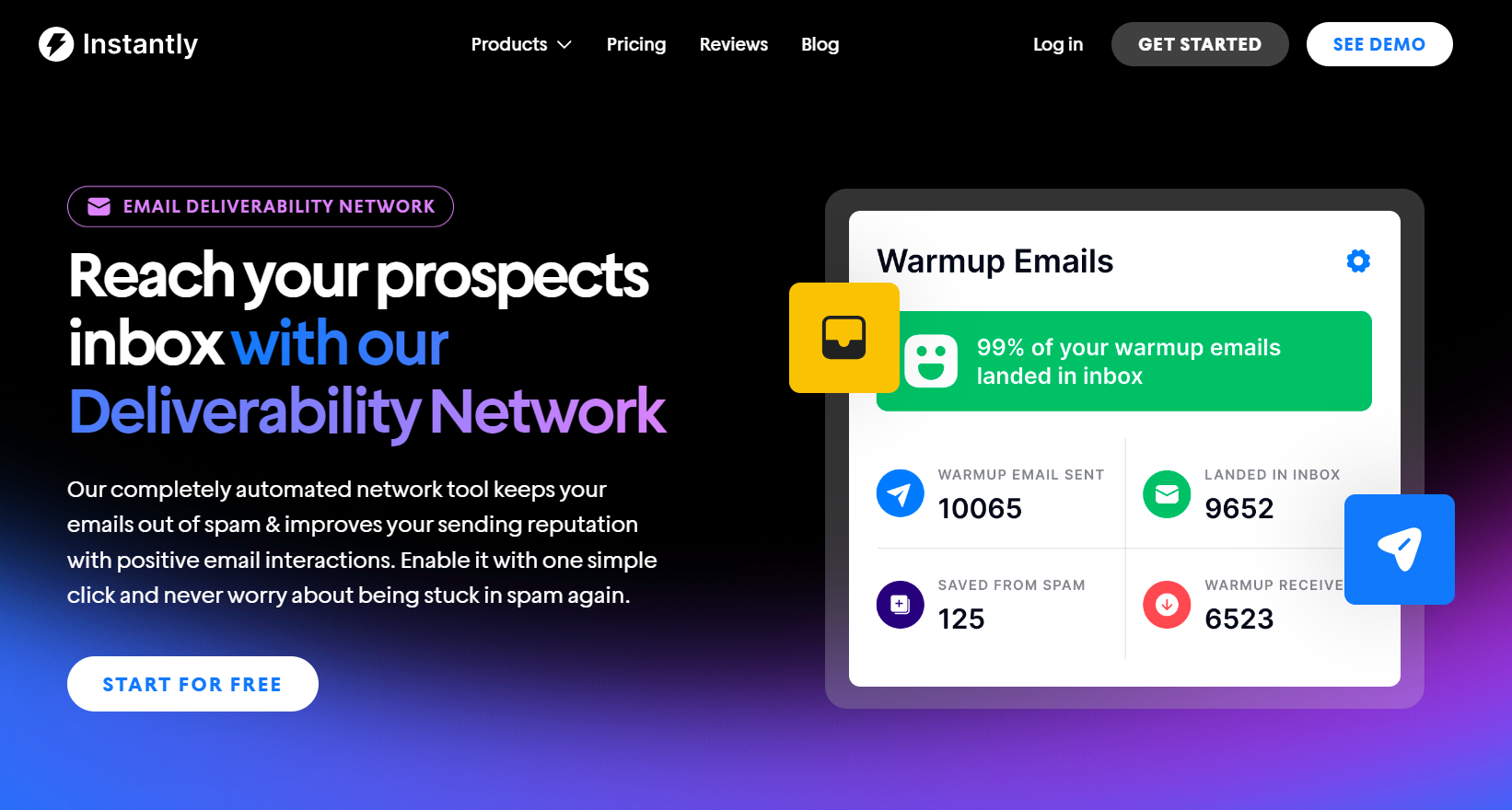
The best way to improve sender reputation is to do domain warmup, which occurs naturally as you send and receive emails. As mentioned earlier, Instantly offers pre-warmed accounts.
But if the pre-warmed accounts are sold out, you can still warm up your new domains for free with Instantly. Instantly requires a minimum of 2 weeks of warmup before accounts are campaign-eligible, and its 2026 benchmark report puts the full ramp to stable sending volume at 4 to 6 weeks. The complete schedule is in the email warmup guide.
Step 4: lead generation and prospecting
When domains are warmed up, you’re closer to sending your first cold email. Before that, you need to find leads, and lots of them!
Cold email is a numbers game. But that doesn’t mean you can trade off quality for quantity. You must figure out your ICPs and buyer personas to ensure quality leads.
After establishing guidelines for lead generation, you can use lead finder tools like Instantly's Lead Finder, which covers 450M+ B2B leads with built-in verification, to source leads for cold outreach. LinkedIn prospecting also works if you’re starting and don’t have the budget for an extra tool just yet. Use the ICPs you created and input them in LinkedIn’s search filters.
Inbound marketing works great for creating an email list of warm leads. These leads are already interested in your service. Create landing pages with forms or lead magnets to collect lead info.
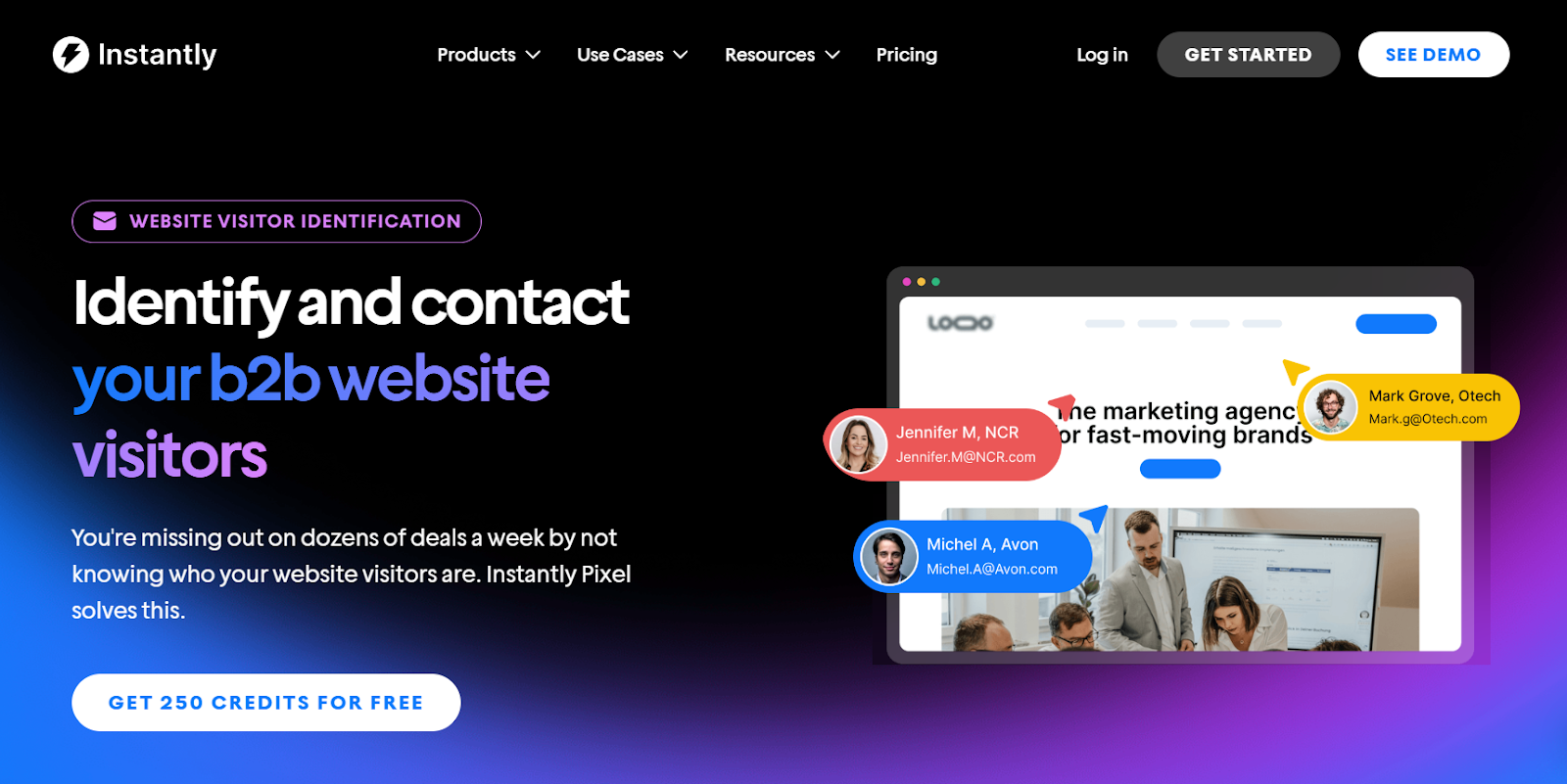
Website visitor identification tools can turn anonymous site traffic into warm leads for outreach campaigns. If you want to do that, check out Instantly's Website Visitors feature.
Step 5: create email sequences
Email sequences are automated steps in your cold email drip campaigns. They can be time-based (send a follow-up after x days) or trigger-based (send a follow-up based on activity). Proven structures are in the cold email sequence guide.
Some email tools, like Instantly, can gauge buying intent based on how leads interact with an email. For example, if a lead didn’t reply to an email but clicked a link multiple times, it could signify interest. Instantly can filter out these leads, and you can add them to a new campaign.
Try sending two or three follow-ups spread across one or two weeks. If leads still haven’t replied after three follow-ups, it’s best to remove them from your email lists to avoid issues.
Step 6: writing email copy

Copy is the core of any outreach campaign. It’s how you present value to your prospects. You can’t just write a meeting request out of nowhere and expect a positive reply.
The best approach to cold email copywriting is to leverage value-based selling. It’s when sales teams act as advisers, providing value at each customer journey stage.
How does that translate into cold email copy? Here’s a quick three-step framework you can use:
Know your audience. Blanket emails don’t cut it. If your message doesn’t hit home, it’s getting ignored. Instead of going generic, zero in on who you’re talking to and what they care about.
What are their problems? What do they want? For example, if you’re targeting “coaches making $20k+ a month,” talk about the specific challenges someone in that income bracket faces.
The more dialed-in you are, the more they’ll feel like, “Hey, this person gets me.” Specificity = trust.
Nail the Subject Line. If your subject line flops, the rest of your email might as well not exist. Keep it simple and human. No gimmicks, no hype. Try something like “quick question” or even just their name, like “Hey {{First Name}}.”
It feels casual and personal, not like you’re coming in hot with a sales pitch. Steer clear of flashy promises or clickbait. That’s a fast track to the spam folder.
Write a Value-Packed Email. The body of the email is where you deliver the goods. Start with a personalized opening, such as mentioning something they’ve accomplished or something specific about their industry.
Then, discuss how you can help. What value do you bring to their table? Keep it clear and straight to the point. When you wrap it up, go for a low-pressure call to action, like offering a free audit, resource, or quick video. This way, it feels helpful, not pushy.
Step 7: use AI to generate personalized email copy (optional)
Personalization is king, but doing it manually for every email? Nope. That’s when you use AI tools like ChatGPT to generate personalized email copy at scale. A full tool rundown is in the guide to AI tools for cold email outreach.
AI can create different angles for your unique selling propositions. For example, you can try the prompt, “Give me five ways to help clients achieve {{benefit}}” or “Based on the company description I give, provide potential pain points that {{product}} can solve.”
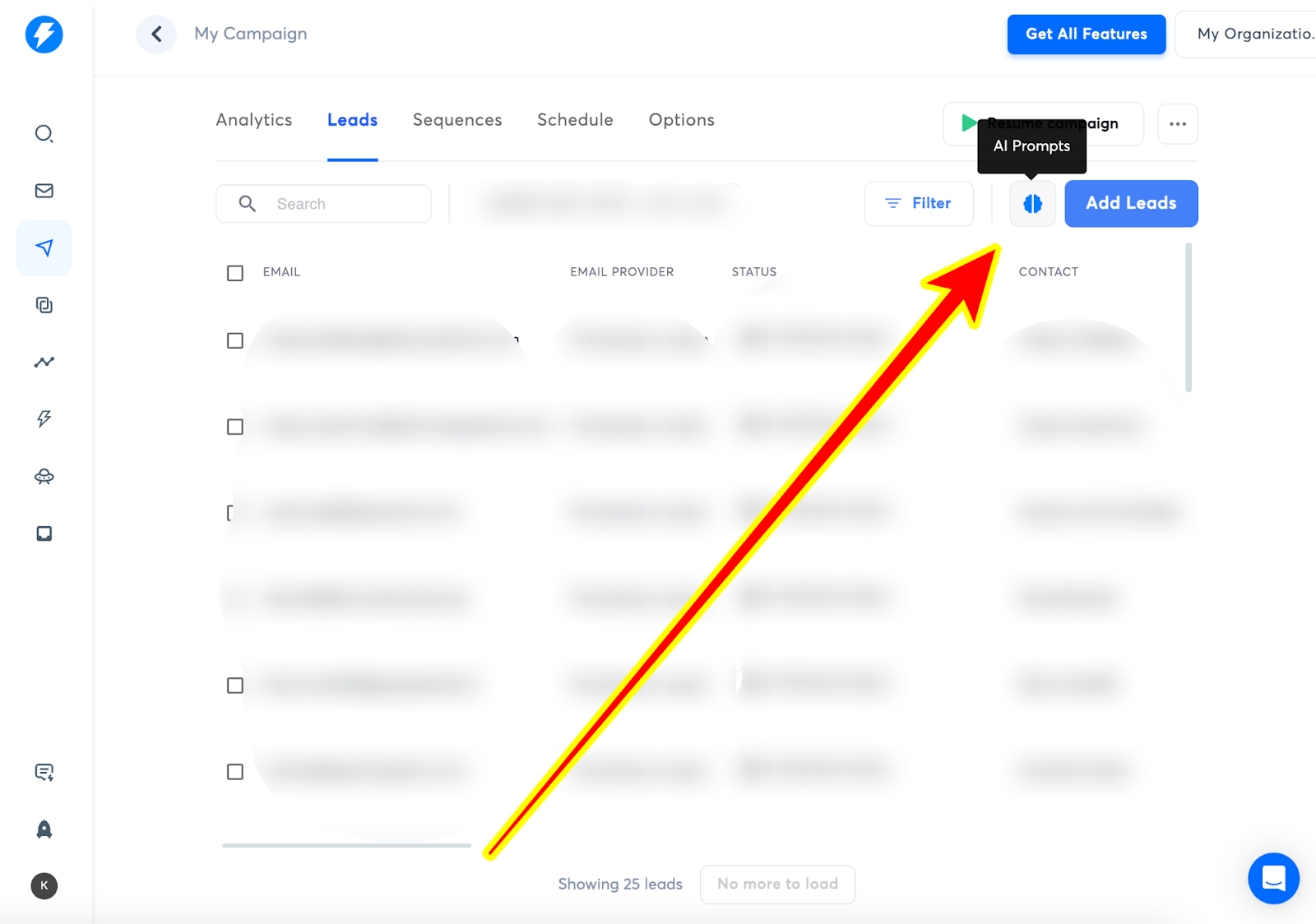
With Instantly, the built-in AI Prompts tool generates custom variables for personalization at scale, covering email copywriting, research, and data operations, with per-task credit costs. Open the AI prompts tool in the leads tab and use the ready-made prompt templates or create your own.
But if you’re still starting, you can always go with the tried-and-true manual email copywriting, which can work better, especially if you know your audience.
Step 8: monitor campaigns and A/B test
Want better results? Test different versions of your emails. Play around with subject lines, value props, and CTAs. The testing playbook is in the cold email A/B testing guide.
For example, see how a direct ask like “Can I send you a personalized video?” stacks up against a softer one like “Would you like a free audit?” Monitor the data to determine which versions are best for your audience.
Instantly gives you the lowdown on key metrics like open rates, reply rates, and click-through rates. By comparing these stats across your campaigns, you can see what’s working (and what’s not). You'll know where to double down, whether it’s your subject lines, personalization, or offers.
What to consider with the cold email setup process
Building a solid cold email framework is tedious but not rocket science. With a bit of technical know-how, you can set it up yourself. But there are things to consider when doing it manually.
You can’t realistically scale cold email manually
Consider the steps involved in the cold email setup process. You buy alternate domains, set up authentication, and do warmup. The entire process takes weeks. At higher volumes, the domain and mailbox math compounds fast. The cold email infrastructure guide covers scaling from startup to enterprise.
That’s a lot of work for one person. Scaling the cold email setup process isn’t feasible unless you have a team dedicated to it.
You can streamline the process by using a third-party service for domain authentications. But that also means you’d need to pay extra for the service and domain warmups.
If you want plug-and-play, Instantly's DFY email setup and pre-warmed accounts are your best options. Warmup itself is included free on every Instantly plan, for every domain you add.
DFY and pre-warmed accounts warm inside Instantly's deliverability network of 4.2M+ real accounts, so they build reputation against genuine inboxes rather than synthetic traffic.
Test deliverability before running campaigns
You could burn sending accounts and domains once campaigns are live and deliverability is low. Even with proper authentications and warmups, this can still happen.
Your email copy, recipient engagement, sending behavior, or recipient-domain-specific issues must be considered. With Instantly, you can test all of that BEFORE going live.
Instantly's Inbox Placement feature runs automated placement tests across hundreds of mailboxes in a single click. You get unlimited tests with one subscription. Everything is automated, saving you hours.
You can detect issues and fix deliverability concerns early, ensuring that you confidently launch effective campaigns.
Segment leads before running campaigns
High-quality lead lists mean that leads are active, verified, and fit your ICPs. But that won’t be enough. You can’t just chuck all your leads in one campaign and call it a day.
Conduct list preparation and segmentation first before running a campaign. Clearly define your ICP and buyer personas. Avoid buying email lists from sketchy third-party sellers.
Always verify leads first. Then, group them based on demographics (industry, job role, company size, or pain points). Different segments will respond differently to your email copy.
Instead of adding more leads to a campaign, try creating more campaigns, each for a specific lead segment. For example, sales operations heads might respond better when you talk about features. Business owners could reply more if you talk about pricing and scalability.
Consider your techstack
Cold email outreach requires several tools for lead generation, lead management, and outreach automation. This topic is covered further in the personalized email software resource.
Ensure that these tools integrate seamlessly with each other. More importantly, consider the scalability between your tools. In most cases, the bigger you grow, the more you need to pay.
For example, CRMs like HubSpot charge per seat. As your team grows, you need to pay for more. Some tools also charge more for advanced cold email automation features.
These won’t be an issue with Instantly. Instantly's CRM is built for omnichannel outreach and is priced flat per plan, not per seat (see current pricing). And you get all the features required to run effective campaigns.
Key takeaways
The cold email setup process can get technical but relatively straightforward. To recap, here’s what you need to establish a solid cold email framework for your business:
- Buy alternate domains
- Authenticate the domains (DMARC, DKIM, SPF, and Forwarding)
- Warmup the domains at least 2 weeks before running outreach
- Build your ICP and conduct lead generation
- Create personalized copy
- Monitor campaigns and iterate on winning campaigns
Instantly automates all of this hassle-free, in one dashboard. Want to start cold emailing today? Try Instantly for free.
FAQs: cold email setup
How long does the cold email setup process take?
Plan for 2 to 4 weeks from buying domains to launching campaigns, with warmup as the long pole: Instantly requires a minimum of 2 weeks before accounts are campaign-eligible, and full sending volume typically takes 4 to 6 weeks per Instantly's 2026 benchmark report. Pre-warmed accounts cut that to the same day.
What's the best way to automate cold email outreach?
Use a platform that combines sending, warmup, and reply handling in one place: automated sequences handle follow-ups, inbox rotation spreads volume across accounts, and AI tools draft personalized copy and replies. The parts worth automating first are follow-ups and warmup, since both run on schedules no human keeps reliably.
Does cold email still work?
Yes. Instantly's 2026 benchmark report, built on billions of cold email interactions, puts the platform-wide average reply rate at 3.43 percent, with top-quartile senders above 5.5 percent. The gap comes down to setup quality: authenticated domains, warmed accounts, verified lists, and copy under 80 words.
How many domains and mailboxes do I need for cold email?
Work backward from your sending target using the 30-emails-per-account daily cap: 2 to 3 mailboxes per domain, 30 campaign emails per mailbox per day. A 500-email daily target needs roughly 17 mailboxes across 6 to 9 domains. Scaling past that is an infrastructure question, covered in the cold email infrastructure guide.



