.svg)
%20(1).svg)


Updated October 22, 2026
TL;DR: To benchmark AI sales agent performance, start with the platform average reply rate from Instantly.ai's 2026 benchmark report as your baseline, then set top-quartile and top-10% goals as stretch targets. These are platform-wide cold email benchmarks, not AI sales agent specific figures, so use them as a proxy baseline. Normalize your data before comparing: standardize time windows, weight lead lists, and exclude bad leads. Reconcile every AI-reported metric against CRM logs using first-touch or multi-touch attribution models. Document the audit trail for executive review so every reported number traces back to a CRM log.
Instantly's 2026 benchmark report found a platform average cold email reply rate of 3.43%, with the top 10% at 10.7% and above. These are platform-wide cold email figures (2025 data), not AI sales agent specific data, so treat them as a proxy baseline. If your AI sales agent reports a rate well above that, either it belongs to an elite tier, or the numbers feeding your dashboard are wrong. Learning how to benchmark AI sales agent performance means building a system that reconciles every reported metric against CRM records before those numbers reach your CFO.
Why benchmarking AI sales agents matters for revenue leaders
AI sales agents generate their own performance dashboards, but those numbers only matter if they reconcile with your CRM. Without a verification layer, you risk presenting inflated metrics to finance and losing credibility when the pipeline doesn't materialize.
Open rates get inflated by Apple Mail Privacy Protection, click-through rates get skewed by security bots, and CRM sync gaps mean pipeline data often lags behind reality by hours or days. When these distorted metrics flow into board decks, they create a credibility gap that undermines your entire sales operation.
The cost of bad benchmarking shows up in three places:
- Budget misallocation: Overstated agent performance leads to overinvestment in the wrong tools.
- Team friction: Human SDRs resent being compared against inflated AI numbers.
- Missed forecasts: If the agent's reported pipeline doesn't match CRM reality, quarterly targets collapse.
Measuring AI SDR performance requires the same rigor as measuring human SDR performance, plus additional checks for data quality, attribution accuracy, and decision speed.
Your CFO cares about three numbers: cost per meeting, pipeline contribution, and revenue attribution. AI agent KPI tracking should map directly to these financial outcomes.
Core financial KPIs:
| KPI | Formula | Target |
|---|---|---|
| Cost per meeting | (Tool cost + credits used) / meetings booked | Below your human SDR cost per meeting |
| Pipeline contribution | AI-sourced pipeline value / total pipeline | Growing quarter over quarter |
| AI-sourced closed-won share | Closed-won deals from AI-sourced leads / total closed-won | Proportional to AI's share of outreach |
Instantly Credits pricing starts at $9/mo for 150 credits, with the AI Sales Agent consuming 5 credits per generated lead and the AI Reply Agent consuming 5 credits per reply. Factor these variable costs into your cost-per-meeting calculation alongside the flat subscription fee. Standardize these outcome KPIs, decision quality metrics (correct reply classification, appropriate handoff timing), speed metrics (time to first touch), and cost metrics across both AI agents and human SDRs to prevent the "why is this working and nobody can explain it" problem that erodes executive confidence.
Selecting the right KPIs to measure AI sales agent performance
Choosing the wrong KPIs leads to optimizing for the wrong behaviors. An agent rewarded for raw send volume will blast unqualified leads. An agent rewarded for reply rate alone will avoid hard-to-reach prospects who might convert at higher deal values.
The AI Sales Agent offers configurable daily sending limits from 10 to 10,000 emails per day, multiple ICP support, and manual-approval or full Autopilot modes. Your KPI selection should reflect how you've configured the agent to operate.
Start with this KPI selection checklist:
- Define the agent's primary job (lead sourcing, reply handling, or full-cycle outreach)
- Map each job function to 2-3 measurable outcomes
- Assign a CRM field to each outcome for reconciliation
- Set baseline targets using category benchmarks
- Establish review cadence (weekly for speed metrics, monthly for outcome metrics)
Benchmarking conversation quality and handoff success
Conversation quality determines whether replies convert to meetings. If your agent generates 100 replies but books few or no meetings, check reply quality before adding more volume. Meetings booked equal reply rate multiplied by the share of replies that convert, so a weak conversion rate can hide behind a healthy reply count.
Conversation quality indicators:
- Positive reply rate: Percentage of replies expressing interest (not objections or unsubscribes)
- Meeting conversion rate: Percentage of positive replies that result in booked meetings
- Handoff success rate: Percentage of agent-handled conversations that transition smoothly to human reps
The handoff from AI agent to human rep is where deals often stall. If the AE (Account Executive) doesn't have the conversation history and qualification notes before the meeting, the booked meeting is less likely to convert, and it becomes harder to trace the outcome back to the agent in your CRM.
Handoff quality metrics:
- Context completeness: Does the CRM record include conversation history, lead source, and qualification notes?
- Handoff latency: Time from agent decision to human notification
- Post-handoff conversion: Percentage of agent-booked meetings that convert to SQLs (Sales Qualified Leads)
Unibox NLP auto-classifies incoming replies into custom labels using sentiment and context detection across 50+ languages, feeding your conversation quality metrics directly. The AI Reply Agent tracks Involvement Rate and Resolution Rate as named metrics, giving you built-in visibility into how often the agent handles conversations independently versus escalating to humans.
Tracking AI sender velocity metrics
Sender velocity measures how quickly your agent moves leads through the sequence. Too fast, and you risk spam complaints. Too slow, and deals age out.
Velocity benchmarks from Instantly's 2026 benchmark report show the sweet spot for sequence length is 4 to 7 touchpoints, with under 80 words per email. Instantly's cold email sequence best practices guide recommends spacing touchpoints 3 to 7 days apart. First-touch emails generate 58% of replies. For live campaigns, keep sends at or below 30 emails per inbox per day. The 30 to 50 range applies to warmup volume, which builds up gradually over 4 to 6 weeks, according to Instantly's 2026 benchmark report. New inboxes should start at 5 to 10 emails per day during warmup, per Instantly's guidance, which caps live sending at 30 campaign emails plus 10 warmup emails per account per day.
Monitoring sender reputation and health
Deliverability problems invalidate every other metric. If your emails land in spam, reply rates crash and your agent appears to underperform when the real issue is sender reputation.
Domain health checklist:
| Metric | Healthy Range | Action Threshold |
|---|---|---|
| Bounce rate | Below 2% | Pause and re-verify list above 2% (Instantly's own auto-pause defaults to 5%, but 2% is a tighter target worth watching) |
| Inbox placement | Above 90% | Investigate below 90% |
| Warmup health score | Above 90% | Extend warmup below 90% |
| Spam complaints | Below 0.1% (general industry guideline, not an Instantly-specific benchmark) | Pause campaign above 0.1% |
Validating data via CRM sync
CRM sync is the bridge between agent activity and revenue outcomes. Without reliable sync, your agent's dashboard becomes a work of fiction.
Instantly's native HubSpot integration connects via OAuth. A best-practice mapping table (available in Instantly's integration guide) shows how to map lead variables to HubSpot contact properties, so personalization tokens can pull live data and activity logs can flow into the CRM record.
Common sync failure modes:
- Timing lag: CRM sync runs on scheduled triggers, so records may lag behind actual events
- Status mapping gaps: "Replied" in Instantly doesn't automatically map to "Contacted" or "MQL" (Marketing Qualified Lead) in your CRM without explicit field mapping rules
- Duplicate records: Missing unique identifier logic creates duplicate contacts when the same lead appears in multiple campaigns
The Automations builder supports bidirectional HubSpot workflows, so CRM updates can trigger Instantly actions and Instantly events can update CRM records in near real time.

Cleaning your data for accurate agent comparisons
Raw dashboard numbers mean nothing without normalization. Comparing an agent's performance across different time periods, lead lists, or sequence configurations requires standardized data preparation.
Dirty data can lead AI agents to amplify errors rather than correct them, so clean your inputs before you compare anything. Before comparing performance across time periods or campaigns, match comparison windows (30 days to 30 days, not months to quarters). Compare your current 30-day stats against the previous 30 to 90 days to set a baseline specific to your audience and sending frequency. Use 7-day or 30-day rolling averages to smooth daily noise. If your own data shows a ramp-up period in new campaigns or seasonal dips (such as in December or August), flag those periods or analyze them separately.
Weighting lead lists for accuracy
A lead list of Fortune 500 CTOs will produce different reply rates than a list of small business owners. Weight your comparisons by lead quality tier.
Lead weighting framework:
- Tier 1 (ICP-perfect): Job title, company size, and industry all match your ideal customer profile
- Tier 2 (Partial match): Two of three ICP criteria match
- Tier 3 (Stretch): One criterion matches, or the lead comes from a lookalike audience
Adjusting for sequence length and cadence
An agent running 7-step sequences will naturally generate more total replies than an agent running 3-step sequences, but the reply rate per step may be lower. To compare fairly, start with the standard reply rate formula: unique replies divided by delivered emails, multiplied by 100. Then calculate it for each step separately, or compare agents only when their sequences have the same number of steps.
Identifying and excluding bad leads
Bad leads poison your benchmarks. Invalid emails, role-based addresses (info@, sales@), and contacts who have already opted out should be excluded before calculating performance metrics.
Lead hygiene checklist:
- Verify all emails before adding to campaigns (0.25 credits per lead via Instantly's verification)
- Remove role-based addresses from sequences
- Exclude previous unsubscribes using the global blocklist
- Flag high-risk domains with historical bounce patterns
BounceShield automatically skips known high-risk recipients based on real-time and historical bounce data, reducing the manual work of list hygiene.
Security and compliance note: When benchmarking AI agents, ensure your data practices align with your privacy commitments. Instantly's DPA (Data Processing Agreement) specifies data categories that customers must not upload (PHI, payment card data, biometric data), and the sub-processor list provides transparency into where data is processed. Build these constraints into your benchmarking framework.
Validate AI agent KPIs via CRM integration
Attribution determines whether your AI agent gets credit for outcomes it drove. Without clear rules, every closed deal becomes an argument between the dashboard and the CRM.
First-touch vs. multi-touch models
First-touch attribution assigns full credit to the first customer interaction. If your AI agent sent the first email that eventually led to a closed deal, the agent gets 100% credit regardless of what happened afterward.
Multi-touch attribution distributes credit across all touchpoints in the customer path. A typical distribution might assign 40% to the first touch, 40% to the final conversion, and 20% to mid-funnel interactions.
For AI sales agents, first-touch attribution is a useful starting point, but it isn't the full picture. It shows which leads the agent contacted first, but it gives no credit to the touches that follow, and buyers rarely convert after a single touchpoint. Agent-sourced leads can also get filed as "Organic" or "Direct" if the CRM source field isn't set when the lead is created.
Tag agent-sourced leads explicitly in your CRM, then pair first-touch with a multi-touch view. First-touch shows what the agent originated. Multi-touch shows how human reps and other channels contributed to the close.
Connecting agent workflow to CRM wins
The path from agent action to CRM win requires explicit tracking at each stage. The agent sends an email, and the CRM logs the activity. The lead replies, and the CRM updates the status and creates a rep task. A meeting is booked, and the CRM creates an event and updates the deal stage. The deal closes, and the CRM marks it Closed-Won with source attribution.
The HubSpot integration in Automations supports bidirectional triggers, so a HubSpot deal stage change can trigger an Instantly action (like removing the contact from active campaigns) and an Instantly reply can trigger HubSpot contact property updates.
Fixing data gaps and verifying AI actions
Data gaps between agent dashboards and CRM logs create distrust. Common gaps include missing meeting records (agent books meeting via calendar link, but CRM doesn't capture the event), orphaned replies (lead replies to a different email address than the one in the sequence), and cross-campaign attribution (lead appears in multiple campaigns, and the agent claims credit for the wrong one).
"I had a complex issue involving multiple campaigns, sending accounts, and analytics showing confusing overlaps. I was stuck and couldn't figure out why replies were being attributed to different accounts. The support team, especially Andrea and Sumesh, went above and beyond to help. They patiently reviewed everything and clearly explained how Instantly handles global lead status, cross-account replies, analytics, and sending windows." - Aman on Trustpilot
Every AI-reported action should have a corresponding CRM log entry. Build a verification query that flags discrepancies: Agent reports 50 emails sent, CRM shows 50 activity records. Agent reports 12 replies, CRM shows 12 contacts with updated status. Agent reports 4 meetings, CRM shows 4 calendar events with agent-sourced leads. No source sets one standard discrepancy threshold, so treat 5% as a starting point and adjust it to your team. Discrepancies above that level between agent reports and CRM logs often point to a sync configuration problem that needs prompt attention.
How to benchmark AI sales agent performance levels
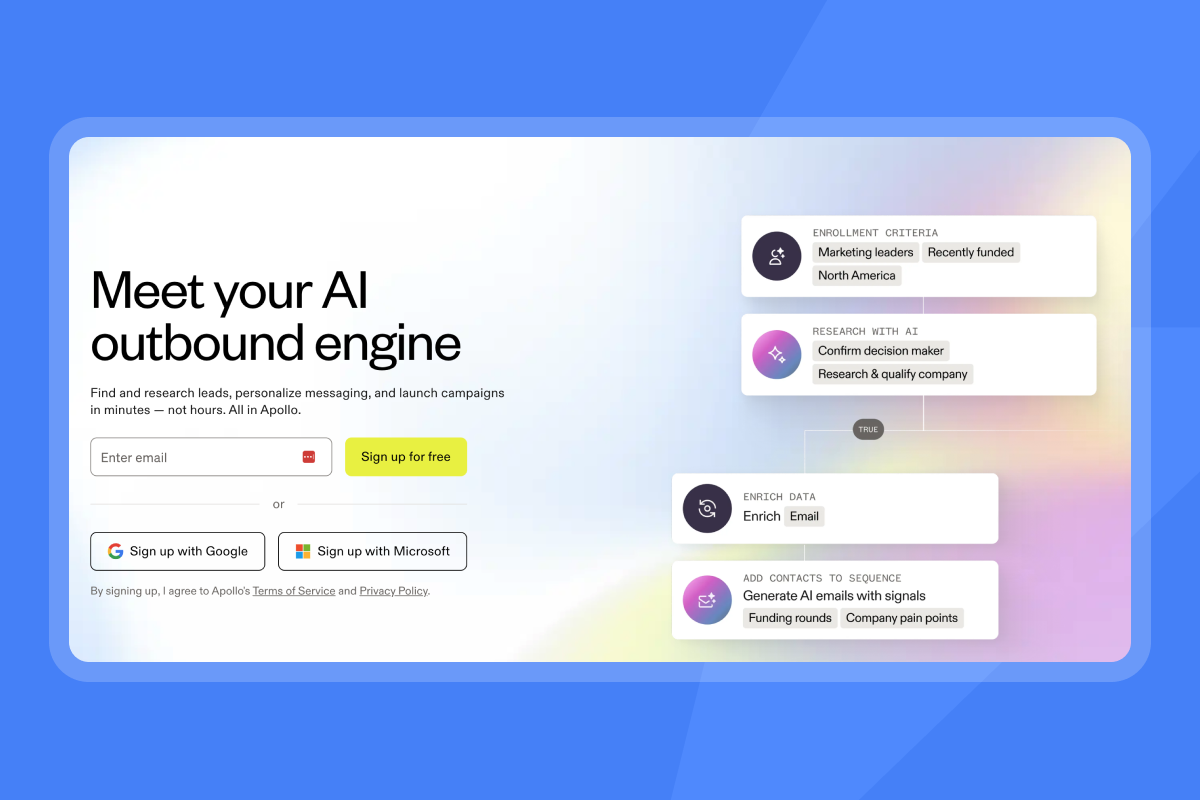
Category benchmarks give you external reference points for internal performance. Instantly's 2026 benchmark report analyzed billions of cold email interactions from January 1 through December 18, 2025, establishing clear performance tiers. These are platform-wide cold email benchmarks, not AI sales agent specific figures, so use them as a proxy baseline for your agent.
| Performance Tier | Reply Rate | What It Means |
|---|---|---|
| Platform average | 3.43% | Baseline performance across all senders |
| Top quartile | 5.5%+ | Strong list quality, copy, and deliverability |
| Top 10% | 10.7%+ | Exceptional performance, rarely sustained at scale |
Baseline performance expectations
The platform average represents the midpoint of all senders, including those with poor list hygiene, weak copy, and deliverability problems. Your AI agent should clear this baseline within the first 30 days of operation.
If your agent falls below baseline after 30 days of steady-state operation, investigate list quality (are you targeting verified contacts in your ICP?), deliverability (is your sender reputation healthy?), and copy relevance (does your messaging match the lead's likely pain points?).
KPI goals for top-quartile sales agents
Top-quartile performers share common traits:
- Consistent sending patterns: Consistent senders see +15-20% higher replies than erratic senders
- Tight list hygiene: Verified contacts, low bounce rates, regular list cleaning
- Optimized sequences: 4-7 steps, under 80 words per email, proper spacing
- Strong warmup discipline: Properly warmed inboxes with stable sending volume
Reaching top-quartile performance requires systematic optimization across all these variables, not just better AI.
How to audit AI agent data for executive trust
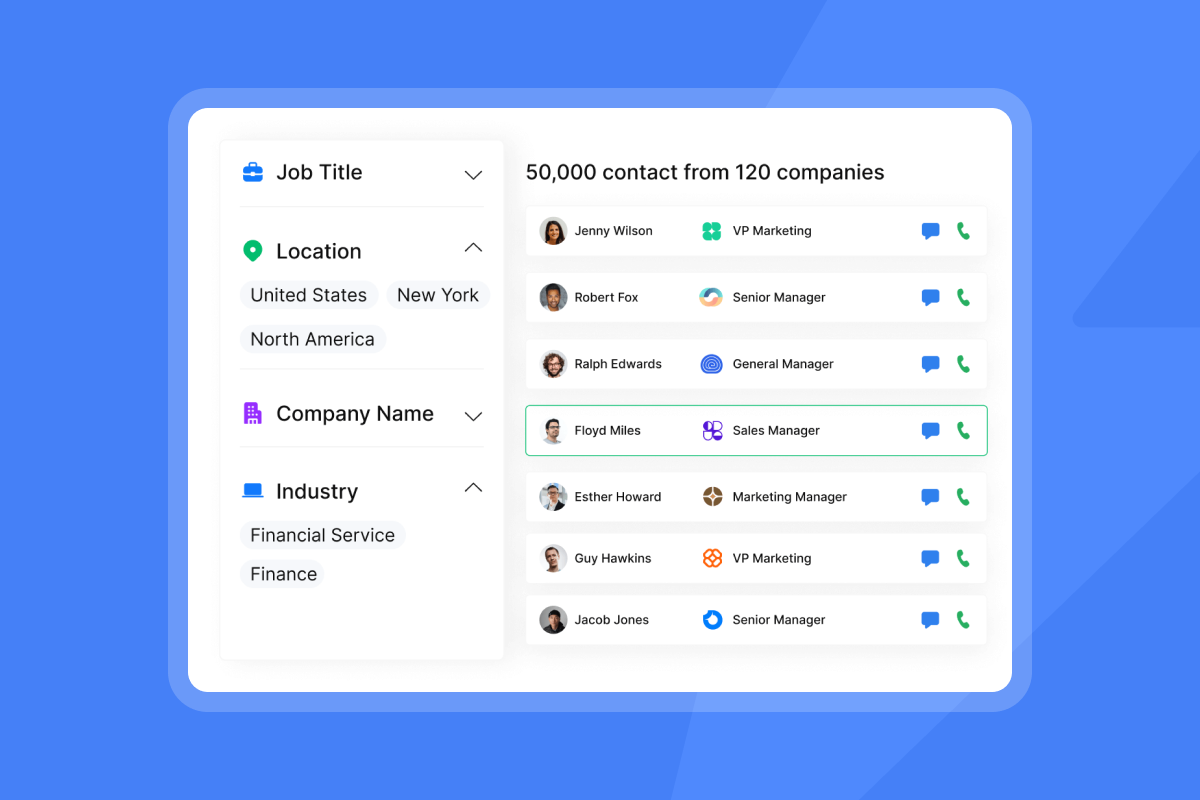
Executive trust requires audit trails. When your CFO asks "how do you know the agent booked those meetings?", you need documentation that traces each claimed outcome back to verifiable records.
Filtering artificial engagement and auditing intent accuracy
Artificial engagement inflates metrics without driving revenue. Common sources include bot opens (security scanners and email filters that trigger open tracking), auto-replies (out-of-office messages counted as replies), and unsubscribe clicks (negative signals counted as engagement).
Beyond filtering bots and auto-replies, AI intent classification determines whether a reply gets labeled "interested," "not interested," or "needs follow-up." Misclassified intent corrupts your pipeline data.
Human-in-the-loop (HITL) audit steps (no standard protocol exists, so adjust them to your team):
- Sample a share of classified replies weekly: Have a human review the AI's classification decisions. No source sets one required sampling rate, so start with a sample of roughly 5-10% of auto-accepted classifications on a rolling basis and adjust based on your reply volume.
- Track classification accuracy: Percentage of AI classifications that humans agree with
- Refine labels based on errors: Update label descriptions and examples when misclassifications cluster
The Out-of-Office Resume feature detects OOO auto-replies via NLP (Natural Language Processing), extracts the return date, pauses the lead, and auto-resumes sending on that date. Unibox NLP allows refinable accuracy per label through description edits and misclassification feedback, so the system improves over time.
Fixing discrepancies in lead tracking
Lead tracking discrepancies emerge when the same person appears in multiple systems with different statuses. A lead marked "replied" in Instantly might show "new" in HubSpot if the sync didn't fire correctly.
Discrepancy resolution workflow:
- Run a weekly reconciliation report comparing agent dashboard counts to CRM counts
- Identify records with mismatched statuses
- Trace each mismatch to its root cause (sync failure, timing lag, manual override)
- Fix the underlying configuration, not just the individual records
Confidence intervals in AI reporting
Single-point metrics ("47 replies this week") hide variance. Confidence intervals ("expected range: 40-55 replies based on current trends") communicate uncertainty honestly. No source prescribes one reporting format for every cadence, so treat the following as a starting point and adjust it to your team. In weekly reports, show the point estimate next to the prior week's number. In monthly reports, add a range based on your own historical variance. In quarterly reports, compare actual results against the ranges you set earlier, alongside your static targets.
Institutionalizing AI sales agent performance reviews
One-time audits don't create lasting accountability. Institutionalize performance reviews with regular cadences, standardized dashboards, and documented audit trails.
Optimizing review frequency
| Review Type | Frequency | Focus |
|---|---|---|
| Daily standup | Daily | Send volume, bounce alerts, urgent blockers |
| Weekly performance review | Weekly | Reply rates, meeting counts, classification accuracy |
| Monthly benchmarking | Monthly | Comparison against category benchmarks, trend analysis |
| Quarterly deep dive | Quarterly | Attribution audit, cost analysis, strategic adjustments |
No source prescribes this exact review schedule, so treat the table above as a starting point and adjust it to your team. Daily checks on send volume and bounces help you spot problems early. Weekly and monthly reviews show trends. Quarterly reviews give you a regular point to recheck the agent's contribution to pipeline against your CRM records.
Visualizing AI agent performance data
Dashboards should answer questions, not create them. Every visualization should map to a decision.
Essential dashboard views:
- Funnel view: Emails sent → replies → positive replies → meetings → SQLs → closed-won
- Trend view: 30-day rolling average for key metrics
- Comparison view: Agent performance vs. human SDR performance (same metrics, same time period)
- Attribution view: Pipeline value by source (agent-sourced vs. other channels)
Establishing audit trails for KPIs
Audit trails document the path from raw data to reported metric. For each KPI, document the source data location, transformation logic, reconciliation process, and owner accountable for accuracy.
The 30-60-90 day ramp plan below gives you a structured approach to scaling agent performance while maintaining accountability.
| Phase | Focus Metric | Target | Review Action |
|---|---|---|---|
| Days 1-30 | Reply rate baseline | Match or exceed platform average | Verify CRM sync is capturing all activity |
| Days 31-60 | Meeting rate | 1%+ of contacted leads | Audit classification accuracy, refine labels |
| Days 61-90 | Cost per meeting | Below human SDR benchmark | Full attribution audit, document for CFO |
KPI-to-CRM mapping table:
| KPI Family | Metric | HubSpot Field | Data Source |
|---|---|---|---|
| Outcome | Reply rate | Contact status = "Replied" | Instantly campaign analytics |
| Outcome | Meeting rate | Meeting scheduled date | Calendar sync + CRM events |
| Decision Quality | Reply classification accuracy (share of AI labels a human reviewer agrees with) | Custom property you create to record the audit result (no standard field exists) | Manual audit sample |
| Speed | Time to first touch (time between contact creation and the first outreach activity, defined by your team) | Calculated property you create (first activity date - contact create date). No standard field exists | CRM calculated property |
| Cost | Cost per meeting (total tool cost divided by meetings booked, as in the calculator below) | Meetings booked count from CRM meeting events. No standard field holds tool cost, so track cost in a custom property or a separate sheet | Subscription and Instantly Credits usage from billing + CRM meeting count |
Cost-per-meeting calculator:
Cost per meeting = (Monthly subscription + Instantly Credits spend for the month) / Meetings booked
No source defines one standard formula for AI agent cost per meeting, so treat this as a working formula. Add any other tool costs you pay for the agent, and use the same inputs every month so your numbers stay comparable.
Example: ($47 Outreach Growth + $47 Credits Growth) / 12 meetings = $7.83 per meeting. If credits consumed vary month to month (8 to 15 meetings), your range sits at $6.27 to $11.75 per meeting. Compare this range against your fully-loaded human SDR cost per meeting (salary + tools + overhead / meetings booked) to evaluate agent economics.
Ready to put this framework into practice? Try Instantly free and track these metrics in your campaign analytics. When you're ready to cut manual spreadsheet work, the Deliverability AI Agent (available on Hypergrowth plans and above) monitors sender health for you. The 14-day trial includes 250 uploaded contacts and 1,000 emails, no credit card required.
FAQs: how to benchmark AI sales agent performance
How do you measure AI sales agent performance accurately?
Measure AI sales agent performance by reconciling every dashboard metric against CRM records. Track outcome KPIs (reply rate, meeting rate, SQL conversion), decision quality KPIs (classification accuracy), speed KPIs (time to first touch), and cost KPIs (cost per meeting).
What KPIs matter most for AI SDR benchmarking?
The most important KPIs for AI SDR benchmarking are reply rate, meeting conversion rate, cost per meeting, and CRM reconciliation rate (percentage of agent-reported outcomes that match CRM records). Add classification accuracy if your agent handles reply triage.
How often should you benchmark your AI agent against category averages?
Run weekly reviews for operational metrics like send volume and bounce rate, monthly benchmarking against category averages to track trend direction, and quarterly attribution audits to verify CRM reconciliation before finance reviews.
What's a good reply rate for AI sales agents in 2026?
The platform average sits at 3.43%, with top quartile above 5.5% and top 10% above 10.7%, according to Instantly's 2026 benchmark report covering 2025 data. These are platform-wide cold email benchmarks, not AI sales agent specific figures, so use them as a proxy baseline.
How do you reconcile AI agent metrics with CRM data?
Reconcile AI agent metrics with CRM data by establishing explicit field mapping rules, running weekly reconciliation reports that compare dashboard counts to CRM counts, and investigating discrepancies above 5%. Use first-touch attribution to clearly identify agent-sourced pipeline.
Key terms glossary
Reply rate: The percentage of sent emails that receive a response. Calculate as (unique human replies / delivered emails) × 100, where delivered emails equal emails sent minus hard bounces.
SQL (Sales Qualified Lead): A lead vetted by sales as ready for direct engagement, typically meeting budget, authority, need, and timeline criteria.
Attribution model: A rule set that determines how credit for conversions is assigned to different touchpoints. First-touch gives full credit to the first interaction, while multi-touch distributes credit across all interactions.
Data normalization: The process of standardizing data for fair comparison. No single source defines one fixed set of steps, so treat these as common practices. They include matching time windows (such as comparing current 30-day stats against the previous 30 to 90 days), excluding bounced and low-quality leads, weighting lead lists by quality tier, and adjusting for sequence length before calculating performance metrics.
Category benchmarks: Industry-wide performance averages derived from large datasets. Instantly's 2026 benchmark report analyzed billions of cold email interactions from January 1 through December 18, 2025, to establish reply rate benchmarks.
Read next
- AI sales agents for startups: the complete 2026 buyer's guide: Learn what to look for when choosing an AI sales agent for a small team, so you can pick a tool that fits your budget and goals.
- AI sales agent workflow: the complete template library for cold outreach: Copy ready-made workflow templates for cold outreach so you can set up your agent faster and keep your process consistent.
- AI sales agent benchmarks 2026: the complete performance report: See the full benchmark data behind reply rate tiers so you can compare your agent against category averages.


