.svg)
%20(1).svg)


Updated August 26, 2026
TL;DR: Choosing the right AI prospecting tool means looking past flashy generative features and evaluating the underlying systems for deliverability, data quality, admin controls, and cost predictability. The right platform must offer automated warmup, built-in list verification, and centralized admin controls. While legacy suites charge per seat, modern platforms like Instantly.ai provide unlimited sending accounts on a flat fee, so you scale outreach without budget shocks. Use this framework to evaluate vendors, protect your sender reputation, and avoid common contract traps before you sign anything.
When you evaluate how to choose AI prospecting tools, most vendors will lead with how fast they generate email copy. That's the wrong focus. The fastest AI writer in the world is useless if your messages land in spam, because the real bottleneck in AI prospecting software is deliverability infrastructure, data hygiene, and admin controls, not generative features. Platforms like the Instantly AI Agents combine several of these roles into one connected system.
This guide gives you a structured, risk-mitigating framework to evaluate vendors, protect your sender reputation, and avoid the billing traps that have burned teams before. See this breakdown of the AI agent types for how these roles typically divide across a stack.
Pre-demo checklist for AI tool selection
Before you sit through a single vendor demo, spend 30 minutes mapping your own requirements. Vendors will shape the conversation around their strengths. You need your own scorecard.
Use the three checks below to map your requirements before any vendor controls the conversation. This keeps evaluation on your terms, not theirs.
Define your team's workflow requirements
Start by documenting who will actually use the tool. SDRs need fast lead search, simple sequence builders, and clear reply routing. AEs need clean handoffs from a unified inbox to calendar and CRM. Map the full motion: where leads come from, how sequences are structured, who handles replies, and how outcomes land in your CRM. Any tool that breaks this chain at any step costs you meetings. For more, see our guide to AI prospecting vs. traditional prospecting.
Identify gaps in your sales infrastructure
Audit your current domain health, bounce rates, and sender reputation before evaluating new software. Tab-toggling across disconnected tools for prospecting, sending, and reply management drains rep time and creates data gaps that compound over time. An integrated platform with a built-in B2B lead database and outreach engine eliminates this friction.
Establish clear KPIs for tool ROI
Define success in meetings booked and cost per meeting, not open rates. Instantly's 2026 benchmark report puts the platform average reply rate at 3.43%, top-quartile senders at 5.5%, and the top 10% at 10.7%. Use these as your 30-day proof-of-concept benchmarks, not vanity metrics from vendor marketing pages.
Protecting your sender reputation and inbox placement
Deliverability is not a feature. It is a system, and every component of that system must work before you send a single campaign email.
Scaling deliverability via AI warmup
Warmup is the equivalent of pre-race stretching. Skip it and you risk a strain that takes months to recover from. A quality warmup system must run on a private network of real accounts that simulate human engagement signals, not a small shared pool that contaminates reputation across unrelated users.
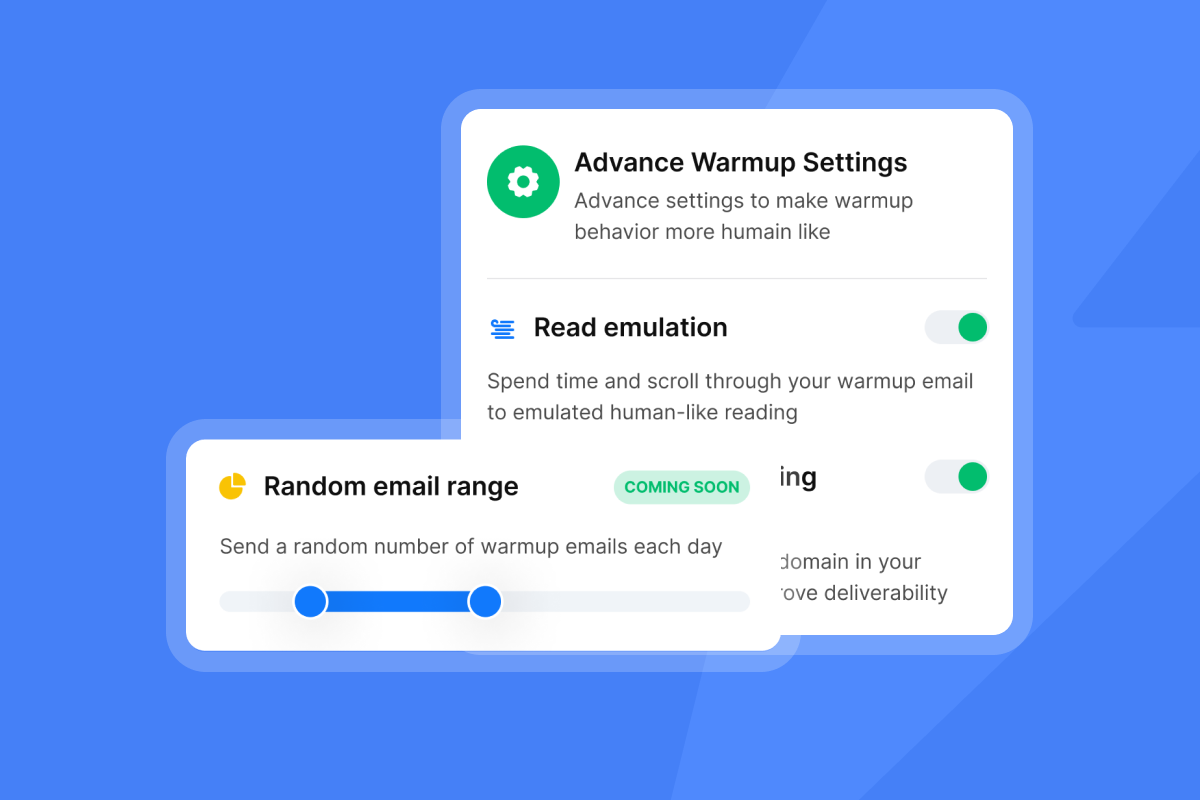
Instantly's built-in warmup connects accounts to a private deliverability network of 4.2M+ accounts that exchange opens and replies at randomized intervals to build trust with Gmail and Outlook. The minimum warmup window is two weeks, and health score must clear 90% (the share of warmup emails landing in inbox versus spam over the trailing seven days) before a campaign goes live. Track this in the automated Inbox Placement test dashboard, which checks placement across major providers and alerts you when your position drops.
Configuring volume and sending cadence
Send windows are like traffic lights. Running a red light causes collisions in the form of high bounces and blacklist entries. The safe ceiling is 30 campaign emails plus 10 warmup emails per inbox per day. Do not exceed this regardless of pipeline pressure.
Inbox Rotation distributes sends across all accounts assigned to a campaign automatically. Note that if an account is disconnected but not removed, Instantly waits on that account rather than reassigning its sends. Only removing an account triggers automatic takeover by the next active account. This distinction matters when you audit team configurations or offboard a rep mid-campaign.
Preventing blacklist and delivery issues
The Deliverability AI Agent runs automatically every 24 hours and monitors DNS health, blocklists, warmup scores, bounce rates, provider balance, and reply-rate benchmarks. When it detects a problem, it surfaces what is affected, why it matters, and a one-click fix. Slack alerts notify your team before issues compound into campaign failures. The Deliverability AI Agent is included on Hypergrowth and above Outreach plans at no additional credits cost.
Key indicators for inbox reliability
Before committing to a vendor, run this three-step health check:
- Health score threshold: Confirm the tool surfaces a health score per account and that score must stay above 90% before campaigns are eligible.
- Bounce rate threshold: Campaigns must auto-pause when bounce rate exceeds 5% after a minimum of 200 sends. Instantly's Inbox Placement product and BounceShield work together to keep your rate well below the 2% threshold where sender reputation degrades.
- Blacklist monitoring frequency: Verify monitoring runs daily. Weekly checks leave too large a window for reputation damage.

Assessing vendor privacy and security standards
Privacy and data quality problems compound quickly once campaigns are live. Work through these checks before you hand over any prospect data to a new platform.
Reducing bounce rates for deliverability
A bounce rate above 2% directly threatens your sender reputation and monthly pipeline targets. BounceShield automatically skips known high-risk recipients based on real-time and historical bounce data from millions of sends. It is enabled by default on all plans, and the BounceShield documentation explains how it classifies hard, soft, and unknown bounces. Campaigns also auto-pause when bounce rate exceeds 5% after 200 sends, giving you a built-in safety floor.
"A problem that it solved is the problems of mail landing in spam and that was a game changer for us." - Ayush K. on G2
Ensuring prospect data authenticity
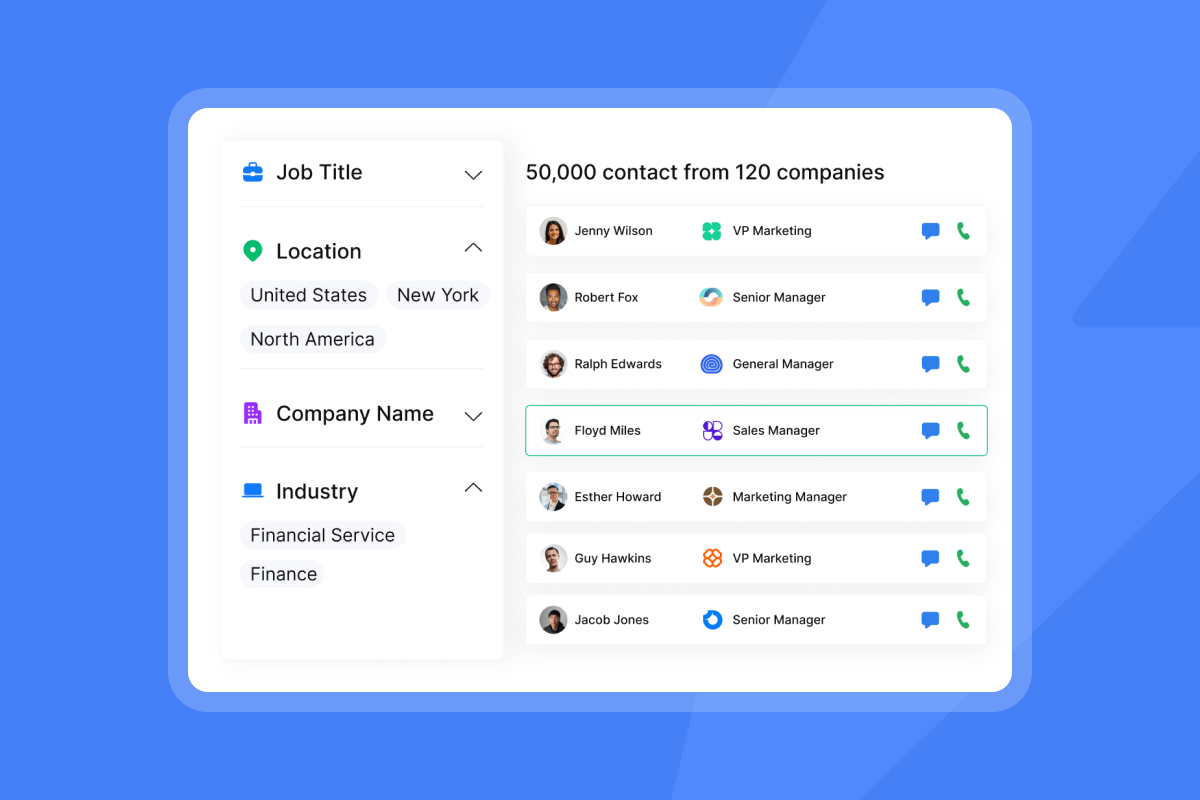
Single-source databases typically produce lower match rates. Waterfall enrichment improves match rates by checking multiple providers in sequence. Lead Finder checks Instantly's own 450M+ contact database first, then sequences through seven partner providers (BetterContact, ContactOut, Findymail, IcyPeas, LeadMagic, Prospeo, and Wiza) before returning a result. You only pay credits when a match is found.
Instantly's flat-fee model and DPA framework cover the same operational ground without per-seat pricing that scales against you as your team grows.
Managing opt-in and privacy risk
Ask every vendor for their Data Processing Addendum before you buy. Instantly's DPA is operated under Foo Monk LLC and specifies data categories you must not upload, including PHI, payment card data, and biometric data. It also documents a self-service CCPA and GDPR opt-out flow for data subjects. For GDPR, B2B teams typically operate under Legitimate Interest, which requires a documented Legitimate Interest Assessment and a clear opt-out mechanism.
Risk mitigation for email outreach
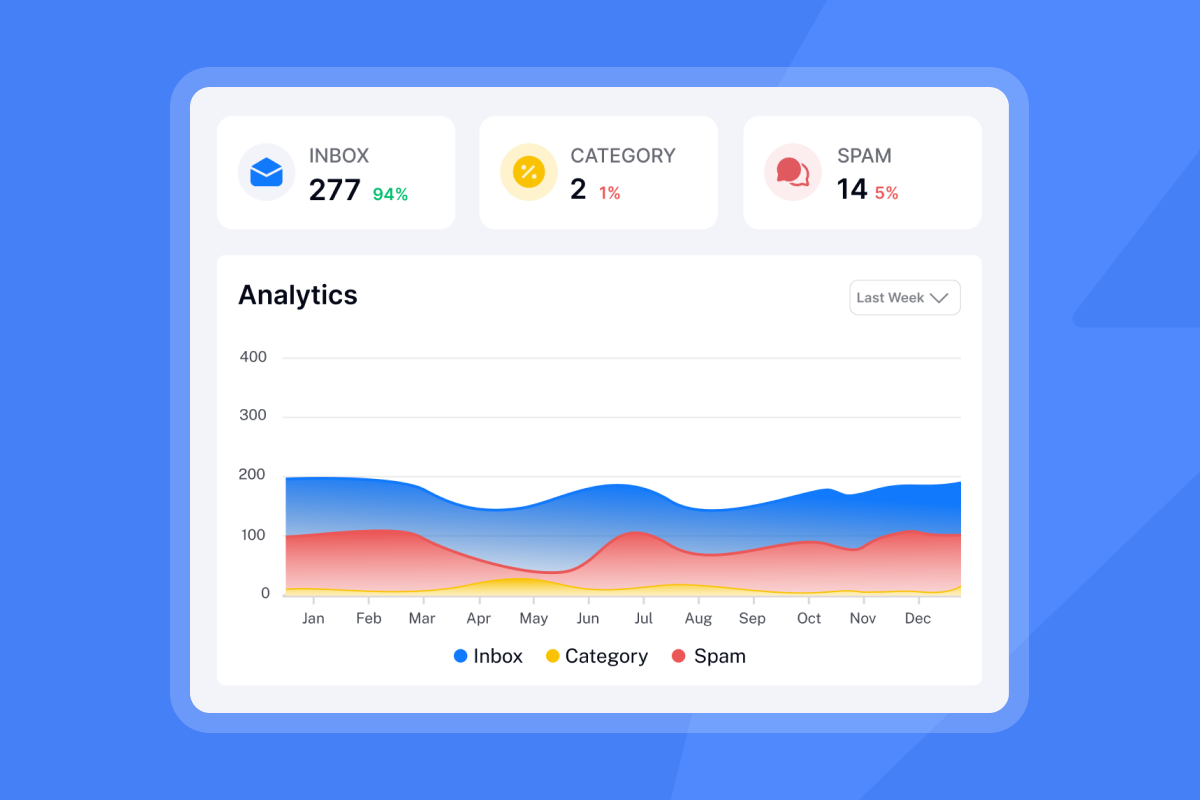
The Global Blocklist syncs workspace-wide and prevents any blocked domain or email from entering a campaign, even if imported from an external CSV. The AI Blocklist Triggers feature extends this by automatically adding leads based on unsubscribe status, account status, or reply-content keyword matches. Unsubscribe-based blocklisting is available on all plans; account-status and reply-content-keyword blocklisting require Hypergrowth or above.
Configuring workspace roles and permissions
Admin controls determine how much risk a single rep can introduce to the whole team. These settings are worth verifying before any rollout begins.
Structuring secure team workspaces
Isolated workspaces prevent data leakage between clients or rep groups. Each workspace in Instantly maintains its own lead lists, campaign settings, and account assignments, reducing the risk of a deliverability issue in one workspace spreading to another.
Setting guardrails for outbound sends
Admins can configure global daily sending caps, restrict account access by user, and set approved send windows to prevent reps from blasting outside business hours. The High Bounce Auto-Pause feature is enabled by default for all plans and triggers automatically when bounce rate exceeds the configured threshold.
Scaling consistent brand voice in replies
The AI Sequence Writer generates structured multi-step sequences from offer and audience inputs. The AI Spam Words Checker flags risky language using contextual AI analysis, not keyword matching. Unibox NLP auto-classifies incoming replies into labels like "Interested," "Not Interested," and "Wrong Person" across 50+ languages, routing leads to the right rep without manual triage. Custom label selection is available on Hypergrowth and Light Speed plans.
Verifying team actions and security
Instantly's API v2 includes granular scopes so admins assign per-key permissions, preventing any single integration from accessing data outside its designated scope. Zapier supports 11 trigger events (including email sent, lead replied, and campaign completed) and is filterable by campaign or global scope. For flexible workflows across thousands of apps, Zapier, n8n, and Make provide iPaaS connections.
Automating lead flow to your CRM stack
Broken handoffs between outreach and CRM are where meetings get lost. The sections below cover the integrations and routing logic that keep that pipeline intact.
Ensuring reliable CRM sync
Instantly supports native CRM integrations for straightforward activity data sync. For more flexible workflows across thousands of apps, Zapier, n8n, and Make provide iPaaS connections. A workflow like "when a lead replies, create a contact in HubSpot and assign a task" takes minutes to configure using these integrations. The Automations documentation covers native triggers and actions, including bidirectional HubSpot sync where HubSpot contact changes can trigger Instantly actions and vice versa.
Unified inbox and intent routing
Unibox v2 centralizes replies across all sending accounts into one view with bulk actions, team-visible notes, auto-refresh, and AI sentiment analysis. The Out-of-Office Resume feature detects out-of-office auto-replies via NLP, extracts the stated return date, pauses the lead, and resumes sends automatically on that date. It is included on all plans at no extra cost.
Optimizing rep calendar synchronization
The AI Reply Agent handles incoming replies in under five minutes, operating in Human-in-the-Loop or Autopilot mode. In Human-in-the-Loop mode, it drafts a response and routes it to a rep for approval via Slack before sending. No-Show Recovery integrates with Calendly to automatically re-engage leads who missed a scheduled meeting.
Evaluating subscription models and lock-in risks
Pricing structure affects more than the invoice. It shapes how freely your team can scale, and how cleanly you can exit if the tool stops working for you. For more, see our guide to AI sales automation tools for GTM teams.
Scaling costs: seat models vs flat fees
The seat tax is the hidden cost that breaks outbound budgets. As you add reps, senders, or inboxes, per-seat tools multiply costs without improving infrastructure. Flat-fee models fix your cost regardless of how many accounts or users you add.
| Evaluation criteria | Legacy seat-based model | Instantly flat-fee model | Business impact |
|---|---|---|---|
| Pricing structure | Per user, per month | Flat monthly fee | Seat tax penalizes team growth |
| Sending limits | Often per seat or capped by tier | 5,000/mo (Growth) to 500,000/mo (Light Speed) | Predictable throughput at any team size |
| Warmup costs | Separate add-on or third-party tool | Included on all plans | One fewer tool and budget line |
| Contract flexibility | Annual-only common | Monthly or annual available | Exit without loss if needs change |
See the Outreach plan comparison for all tier limits in detail.
Scaling outreach without budget shocks
The Growth plan includes unlimited sending accounts, unlimited warmup, and high monthly email throughput. Hypergrowth raises the ceiling for larger teams. Light Speed adds SISR (Server & IP Sharding & Rotation) for dedicated IP pools. All plans include unlimited sending accounts and warmup, eliminating the seat tax entirely. Review the full pricing breakdown to model your specific stack and see current plan limits.
Avoiding long-term billing traps
Monthly billing is available on all Instantly Outreach plans. If you cancel, each subscription (Outreach, Credits, CRM) cancels independently, so you are not locked into a bundle you no longer need. Confirm with any vendor that monthly plans are available and that cancellation is self-serve from billing settings. For Instantly, cancellation behavior varies by subscription type. Check the cancellation help article for current details on access end dates and billing cutoffs before you cancel.
Avoiding hidden credit costs
Instantly Credits (starting at $9/month for 150 credits) is a separate subscription from the Outreach plan. It powers the Lead Finder, Copilot, AI Sales Agent (5 credits per generated lead), and AI Reply Agent (5 credits per reply handled). The Deliverability AI Agent is included in the Outreach plan on Hypergrowth and above at no credits cost. This separation means you pay for data consumption only when you use it.
Vetting vendors: 7 checks before you buy
Walk into every vendor demo with these questions written down and push for specific, auditable answers. For more, see our guide to best AI sales prospecting tools.
Verifying email warmup process and network
Ask for warmup network size (not just "we have a network"), the minimum warmup period, and how health is measured. Instantly's private deliverability network covers 4.2M+ accounts with a minimum two-week warmup period and a 90% health score threshold.
Validating lead and outcome metrics
Ask how the tool reconciles open and reply analytics with your CRM. If a vendor cannot show you a direct mapping between unified inbox replies and CRM contacts, the analytics are not audit-ready. Tools that over-count opens or replies will create false confidence until a quarter is already at risk.
Assessing vendor troubleshooting speed
Ask for support channel options (email only versus live chat), average first-response time, and the escalation path for active campaign failures. Slow support during a live campaign costs meetings, and this is non-negotiable for time-sensitive pipeline programs.
Setting success metrics for your POC
A 30-day proof of concept should tie directly to meetings booked, reply rate, and cost per meeting. Instantly's 14-day free trial (no credit card required) includes enough uploaded contacts and emails to validate warmup behavior, sequence performance, and CRM sync before any financial commitment.
Validating data sourcing methodology
Ask for the specific providers behind the lead database and how contacts are verified. Single-source databases produce lower match rates than waterfall enrichment, which checks multiple providers in sequence before returning a result. Waterfall enrichment across seven providers pushes match rates higher. Ask what happens when no match is found (you should not be charged for failed lookups).
Assessing blacklist monitoring and remediation
Ask how frequently the tool checks blacklists, how many it covers, and what happens when an account is flagged. Daily automated monitoring with one-click remediation is the standard. Ad hoc checking is not acceptable for a team with active pipeline.
Reviewing contract exit terms
Ask whether monthly plans are available, whether cancellations take effect immediately or at the end of a billing period, and whether data export tools are available before account deletion. Any vendor who avoids these questions directly is a billing risk.
Vendor pitfalls that signal high risk
Some risks only surface after a contract is signed. The patterns below are consistent signals that a vendor will cost you more than the subscription fee suggests.
Lack of audit-ready analytics
If a vendor cannot show you a raw data export or a reconciliation between their reporting and your CRM, do not trust their analytics. Over-counted opens or inflated reply rates create false confidence and hide real performance problems until your quarter is already at risk.
Contract traps to avoid during selection
Vendors who offer only annual plans with automatic renewals and no self-serve cancellation are pricing themselves as a switching cost, not a value provider. Require a monthly option or a clear, no-penalty exit clause before signing.
Unsafe LinkedIn automation features
Tools that push browser-extension-based LinkedIn automation are a direct threat to your reps' profiles. LinkedIn actively detects and restricts automated browsing patterns. Getting a rep's account restricted mid-quarter is an entirely avoidable problem. Instantly does not offer native LinkedIn messaging and relies on safe email infrastructure instead. For LinkedIn outreach workflows, use API-based Automations to tools like HeyReach, which require a LinkedIn URL on the lead record rather than session-level browser access.
Hidden risks in prospecting data
Ask vendors for their data consent posture and whether they maintain an opt-out registry. Vendors with no clear DPA, no GDPR/CCPA opt-out mechanism, and no sub-processor disclosure are compliance risks before the first campaign sends. Instantly's DPA specifies restricted data categories and provides a self-service opt-out flow for CCPA and GDPR requests.
Workflow impact matrix
| Tool category | Primary function | Common bottleneck | Instantly solution |
|---|---|---|---|
| Data providers | Lead sourcing and enrichment | Low match rates, stale contacts | Lead Finder with 450M+ contacts and 7-provider waterfall enrichment |
| Outreach engines | Sequence sending and inbox management | Deliverability crashes, tab-toggling | Unlimited accounts, built-in warmup, Unibox v2 |
| Autonomous agents | Lead generation and reply handling | Manual triage, slow follow-up | AI Sales Agent, AI Reply Agent, Lead Finder Agent |
"Clear Analytics, warming of your email domains and AI Agent adds an extra layer of use for any sales people who want to run different email campaign." - Rahul Vithlani on Trustpilot
Apply this framework before your next vendor demo. Start your free 14-day trial with no credit card required. You get unlimited sending accounts, built-in warmup, and access to Lead Finder from day one. Start at 10 to 15 sends per inbox per day, scale to 30 over two to four weeks, and measure your health score before you push any campaign live.
FAQs: AI prospecting tools
What reply rates should I expect from an AI prospecting tool?
Instantly's 2026 benchmark report shows a platform average reply rate of 3.43%, top quartile at 5.5%, and top 10% at 10.7%. Consistent sending patterns produce 15 to 20% higher replies than irregular ones.
How long does it take to set up and start sending campaigns?
DNS record propagation takes 24 to 48 hours after setup (MX, SPF, DKIM, DMARC records per the DNS setup guide), followed by a minimum two-week warmup period with health score above 90% before campaign eligibility. Pre-warmed accounts from Instantly skip the warmup wait and are ready from day one.
Should I use my primary domain for cold email campaigns?
No. Use secondary sending domains (for example, getcompany.com rather than company.com) to isolate your primary corporate domain from outbound risk. If a secondary domain is flagged, it does not affect your main brand domain or corporate email.
How does Instantly differ from legacy prospecting databases?
Legacy databases require manual exports, separate sending tools, and independent deliverability monitoring. Instantly combines a 450M+ contact database (Lead Finder), unlimited sending accounts with built-in warmup, five AI agents, and centralized reply management in one subscription, with the AI Sales Agent sourcing leads autonomously and the Deliverability AI Agent monitoring infrastructure 24 hours a day.
What bounce rate threshold should I set before pausing a campaign?
Keep bounce rates below 2% to protect sender reputation. BounceShield automatically skips known high-risk recipients before they generate a bounce, and campaigns auto-pause when the rate exceeds 5% after a minimum of 200 sends, enabled by default on all plans.
Key terms glossary
Sender reputation: A score assigned by email providers (Gmail, Outlook, etc.) based on your domain's sending history, bounce rates, spam complaints, and engagement patterns. Poor sender reputation causes emails to land in spam or get blocked entirely.
Warmup: The process of gradually building trust with email providers by sending small volumes of email that receive opens and replies before launching full campaigns. Warmup typically requires a minimum of two weeks before campaign eligibility, with four to six weeks to reach full sending capacity, and reduces the risk of landing in spam when you scale.
Health score: The percentage of warmup emails landing in the primary inbox versus spam over the trailing seven days. A health score above 90% indicates your account is ready to send campaigns.
BounceShield: A feature that automatically skips known high-risk email addresses based on real-time and historical bounce data, protecting your sender reputation by preventing hard bounces before they occur.
Inbox Rotation: A sending strategy that distributes outbound emails across multiple accounts assigned to a campaign, so no single inbox exceeds daily send limits or triggers provider flags.
Bounce rate: The percentage of sent emails that fail to deliver. Hard bounces (permanent failures) and soft bounces (temporary failures) both count. Keep your bounce rate below 2% to protect sender reputation.
Waterfall enrichment: A lead data strategy that checks multiple contact databases in sequence until a verified email is found, improving match rates compared to single-source lookups.
Lead Finder: Instantly's lead database with 450M+ contacts that uses waterfall enrichment across seven partner providers to locate verified business emails. You only pay credits when a match is found.
SISR: Server and IP Sharding and Rotation. A deliverability feature available on Light Speed plans that assigns dedicated IP pools to your campaigns, isolating your sending infrastructure from other users.
Unibox: Instantly's unified inbox that centralizes replies from all sending accounts into one view, with AI-powered sentiment analysis, auto-tagging, bulk actions, and team-visible notes.
Data Processing Addendum (DPA): A legal contract between a software vendor and customer that specifies how customer data is processed, stored, and protected, and defines compliance obligations under regulations like GDPR and CCPA.
Spintax: Spin syntax. A text format that lets you create multiple variations of a sentence by rotating words or phrases, so each recipient receives a slightly different version of the same email.
Read next
- What is AI prospecting? The complete guide for B2B sales teams: covers how AI prospecting works, what tools are involved, and how B2B sales teams use automation to source and engage leads at scale.
- AI BDR Explained: How Automated Prospecting Works: breaks down what an AI BDR does, how it differs from a human BDR, and where automated prospecting fits into a modern outbound motion.
- How to map organizational charts: a step-by-step framework for enterprise prospecting: walks through how to identify decision-makers, map reporting structures, and prioritize contacts before launching an enterprise outbound campaign.


