.svg)
%20(1).svg)


Updated July 13, 2026
TLDR: An AI BDR agent automates prospecting by combining data aggregation, LLM-driven reasoning, and automated deliverability systems. To scale safely, sales leaders need to move away from brittle, single-inbox automation and adopt a "Deliverability-as-a-System" approach. Instantly.ai provides unlimited sending accounts, automated warmup across a network of 4.2M+ accounts, and a Deliverability AI Agent to scale outreach safely while keeping human-in-the-loop controls to protect brand voice, helping top-quartile senders reach 5.5% reply rates or higher (platform average: 3.43%).
An AI BDR automates prospecting by combining three core capabilities: data aggregation from contact databases, LLM-driven reasoning that generates personalized outreach at scale, and automated sending infrastructure that manages deliverability across multiple domains. When you deploy an AI BDR, you hand over your domain reputation and brand voice to an AI sales agent. Most deployments fail not because of bad copywriting, but because of a broken deliverability system that drops emails into spam before anyone reads a single word. If you are a sales leader or RevOps manager responsible for outbound pipeline, this guide is for you.
Understanding how an AI BDR works at the infrastructure level changes your approach from treating it as a copywriting shortcut to treating it as a precision outbound engine, the same lens we apply in our AI BDR tools roundup. This guide breaks down the technical architecture of automated prospecting agents, one of the more specialized types of ai agents, from data aggregation and LLM reasoning to deliverability safeguards and human-in-the-loop governance, so you can deploy these tools without risking your domain reputation or brand voice.
Core functions of an automated prospecting agent
AI BDR tools typically handle three core functions in sequence: identifying relevant prospects, reasoning over that data to generate personalized outreach, and executing sends with automated follow-up logic, the same three-layer breakdown used in Instantly's complete guide to what an AI BDR is. This structure turns raw data signals into targeted outreach through three distinct layers.
- Perception: The agent scans data inputs to identify prospects that match your Ideal Customer Profile (ICP). It finds a reason to reach out, such as a recent funding announcement or a new leadership hire, not just a name.
- Reasoning: A large language model (LLM) processes that context, assesses sentiment, scores relevance, and determines the most appropriate message, timing, and follow-up path.
- Action: The agent executes: emails send via API calls, CRM records update, and sequence logic advances or pauses based on prospect behavior. The output is a system that handles more active contacts than a single rep can manually track, a common bottleneck for small startup teams running lean, with consistent follow-up logic applied across every contact in the sequence.
How AI engines manage lead sequences
The sequence layer runs as a dynamic decision engine. AI engines manage multi-step campaigns by adjusting each step based on what the prospect has done (or not done), keeping each touchpoint relevant rather than repetitive. Instantly's AI Sequence Writer generates context-aware sequences that adapt copy and timing to prospect metadata. You can also keep sequences in the same thread to preserve conversational context across follow-ups.
Human BDR vs. AI BDR workflows
Dimension | Human BDR | AI BDR |
|---|---|---|
Lead sourcing | Manual search and research | Automated database pull, 450M+ B2B leads |
Email verification | Manual or partial verification | Automated waterfall enrichment before send |
Personalization | One email at a time | LLM-generated copy per prospect using CRM field variables, with A/Z testing across sequence variants |
Daily send volume | Limited by manual research and writing time per rep | 30 per inbox, scaled across unlimited accounts |
Sequence follow-ups | Calendar reminders | Triggered automatically by prospect behavior |
Reply triage | Manual inbox check | NLP classification in under 5 minutes |
CRM logging | Depends on rep discipline and tool integrations. Gaps and delays are common | Real-time bi-directional sync |
Cost structure | Per-seat salary plus tools | Flat-fee platform plus credit consumption |
The value comes from parallel execution across your entire team, with standardized processes that reduce rep-to-rep variance and give you consistent, auditable performance data, exactly the kind of evidence Instantly's framework on how to evaluate AI BDR platforms asks you to demand from vendors. Human judgment remains essential in the reasoning and relationship-building stages of mid-funnel and late-stage deals. See how an AI BDR differs from an AI SDR for where each role fits.
How AI BDRs identify and verify prospect data
Your output quality tracks directly to your data input quality. No amount of LLM prompt optimization fixes a list full of invalid emails.
How AI BDRs aggregate prospect data
AI BDR agents pull from multiple data providers in a sequential waterfall: if provider one doesn't return a verified result, the system queries provider two, then three, and so on. Instantly's Lead Finder waterfall enrichment uses 5+ providers to locate email addresses across its 450M+ B2B leads database, which means higher verification rates before any email is ever sent. The system also runs LLM-assisted enrichment, pulling company context such as tech stack, headcount, and recent news to build richer prospect profiles for personalization downstream.
Validating leads for inbox placement
Hard bounces are the fastest way to destroy a sending domain. Instantly's deliverability research consistently identifies the same threshold: hard bounces at or below 1%. Automated verification before send catches role-based addresses (info@, support@), domains with no mail exchange records, and known spam traps before they damage your sender reputation.
How AI assigns prospect relevance and validates data
LLMs analyze prospect websites, job descriptions, and company signals to score each lead against your ICP definition, keeping your sequence volume focused on the contacts most likely to reply. This protects both deliverability and rep time.
Before any email sends, a well-configured AI BDR runs a validation sequence:
- Verify the email address format and domain MX record.
- Check against blocklists to prevent re-engagement of opted-out contacts.
- Confirm the contact is not already in an active sequence to prevent duplicate outreach.
- Score the contact for ICP relevance and route to the appropriate sequence variant.
- Review bounce history on the domain and skip if flagged.

How AI models optimize email relevance at scale
The difference between a generic blast and a personalized sequence at scale comes down to how structured data gets mapped into LLM prompts.
Mapping CRM data to email fields
CRM field variables such as {{company_news}} or {{recent_hire}} pass into the LLM's system prompt as structured context. The model uses that context to generate a relevant sentence rather than a static merge tag. Instantly's Lead Finder runs personalization prompts using company context, so you can generate custom outreach at scale without manually drafting each email.
Automated outreach with guardrails
Prompt engineering is how you prevent LLMs from hallucinating company details or making claims your legal team would flag. Instantly's cold email copywriting framework uses an 8-component formula designed to reach a 25% reply rate.
Centralized controls for brand safety
Brand safety depends on global rules that govern every sequence, regardless of which rep or campaign triggers them. Instantly's AI Blocklist Triggers automatically blocklist leads based on unsubscribe status, account status, or reply-content keyword matches, and you define the phrase list once at the workspace level so it governs every campaign across all reps. This prevents a prospect who asked to be removed from ending up back in a sequence because a rep manually re-imported the list.
Optimizing sequences for higher replies
Instantly's 2026 Cold Email Benchmark Report analyzed billions of cold email interactions (data: January 1 to December 18, 2025):
Metric | Benchmark |
|---|---|
Platform average reply rate | 3.43% |
Top quartile reply rate | 5.5%+ |
Top 10% reply rate | 10.7%+ |
Optimal sequence length | 4-7 steps |
First email reply capture | 58% of all replies |
Best email length | Under 80 words |
Consistency advantage | +15-20% higher replies |
AI optimizes for these constraints automatically, keeping copy tight and follow-ups spaced to match the highest engagement windows.
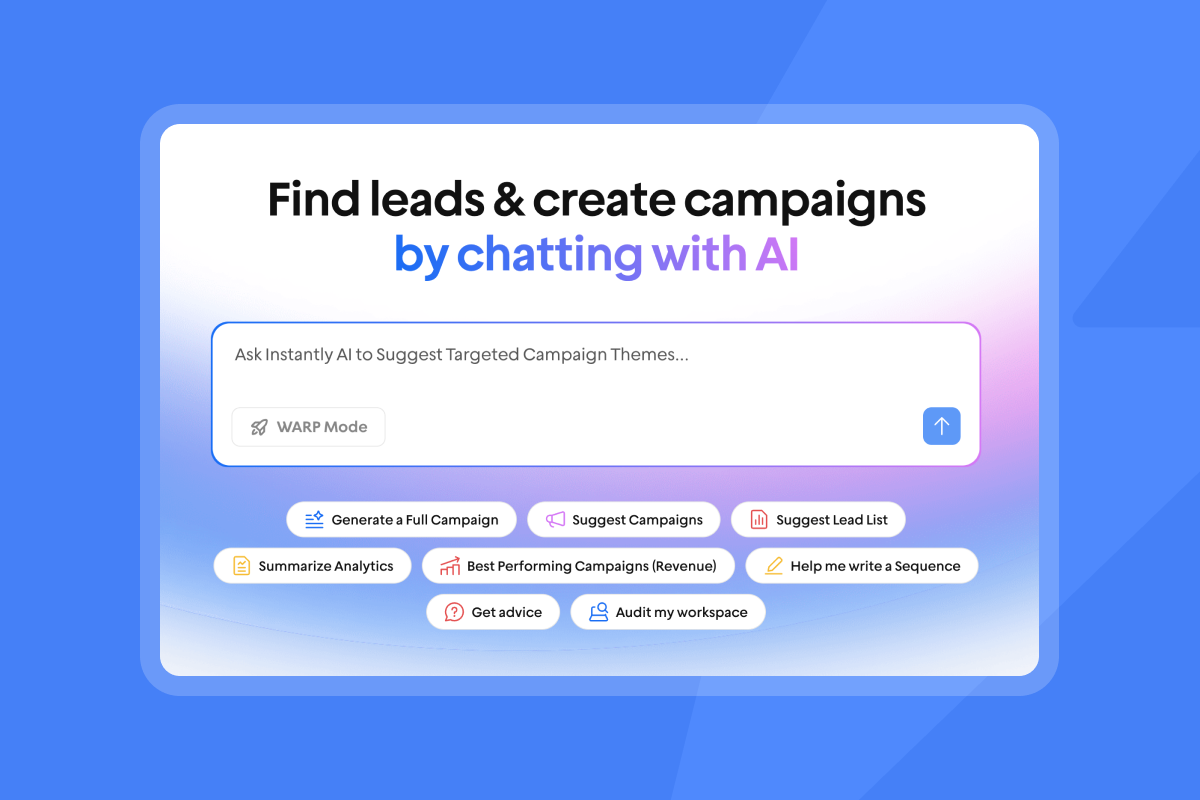
Managing campaign flow through AI orchestration
The orchestration layer handles the timing, volume, and logic that keeps campaigns running without rep intervention.
Defining automated outreach logic
Orchestration runs on conditional logic: if a prospect opens but doesn't reply after 48 hours, advance to step two. If they reply with a negative signal, route to the blocklist. If they reply positively, flag for priority follow-up. This if-this-then-that structure means the system responds to prospect behavior in real time rather than sending the same message to every contact on the same day. This mirrors the approach in our guide to automating your SDR workflow with AI.
Timing outreach for maximum engagement
Instantly's 2026 benchmark data shows that Monday is the best day to launch a campaign, and Wednesday generates the highest reply volume. The AI schedules sends based on the prospect's local time zone to target peak attention windows during business hours, rather than sending at a fixed time that ignores where your contact actually is.
Volume limits for safe outreach
Do not scale past 30 emails per single inbox per day. This is not a conservative suggestion. It is the threshold above which spam filters start pattern-matching your sending behavior and downgrading your placement. The logic is simple: ESP spam filters pattern-match on sending behavior, and consistent low-volume sending across multiple inboxes signals a legitimate sender far more reliably than high-volume sending from a single domain.
The way to scale volume is not to raise the per-inbox limit. It is to add more inboxes. Instantly's unlimited accounts model lets you distribute campaigns across multiple sending domains without paying per seat, which means you can run 300 sends per day safely by spreading them across 10 warmed inboxes at 30 each. The secondary sending domains guide walks through how to set this up structurally.
Stopping sequences after lead replies
When a prospect replies, the system detects the incoming message and stops the sequence automatically. Instantly's Out-of-Office Resume feature goes further, using NLP to detect OOO auto-replies, extract the stated return date, pause the lead at that step, and automatically resume sending on the extracted date. No manual tracking required, and the lead doesn't receive follow-ups while they are unavailable.
Technical safeguards for sender reputation
Deliverability is a system, not a one-time DNS setting. It requires four active components running in parallel: authentication, warmup, list hygiene, and real-time monitoring.
Maintaining sender reputation at scale
Your domain needs three authentication records in place before any campaign sends:
- SPF (Sender Policy Framework): Publish one SPF record that includes your mailbox provider and any sending platform you use.
- DKIM (DomainKeys Identified Mail): Enable a 2048-bit DKIM key with an active selector that confirms message integrity.
- DMARC (Domain-based Message Authentication, Reporting, and Conformance): Start in monitor mode with
p=noneand a reporting address to collect data on authentication failures before tightening top=quarantine, which protects your domain from spoofing without risking legitimate email rejection during the learning phase.
Warmup runs alongside this. Instantly's email warmup network gradually increases send volume on new domains, building positive engagement signals that tell ESPs your domain behaves like a legitimate sender. The warmup timeline is 4 to 6 weeks before you push into active campaign sends, a key input to any AI BDR rollout timeline.
Optimizing outreach with data hygiene
Continuous list cleaning is not a setup task. It is an ongoing operational requirement. Instantly's deliverability guide is direct on this: run a 30-day warmup, monitor health daily, and scale horizontally (more inboxes, not more volume per inbox). If an inbox shows declining open rates, rising bounces, or spam complaints, pause it immediately and let warmup continue running while the inbox rests.
Improving primary inbox placement
Instantly's Deliverability AI Agent runs automatically every 24 hours and monitors DNS health, blocklist status, warmup scores, bounce rates, provider balance, and campaign copy. When it detects a problem, it surfaces what is affected, why it matters, and what to fix first, with direct in-platform actions including pausing campaigns, replacing risky accounts, and rebalancing providers. This agent is available on Hypergrowth and above Outreach plans.
For teams sending at high volume, Instantly's Light Speed plan adds SISR technology (Server and IP Sharding and Rotation), which splits email volume across dedicated private server and IP blocks instead of a shared public IP pool. The system continuously monitors IP performance and replaces flagged IPs without disrupting active campaigns.
"Instantly makes it genuinely easy to run outbound at scale without feeling overwhelmed by complexity. The inbox rotation, sending controls, and campaign setup are all intuitive, which means you can go from idea to live campaign quickly." - Curtis S. on G2
Real-time blacklist status tracking
The Deliverability AI Agent tracks domain status against major blocklists and automatically pauses sending if a domain is flagged. DNS failures trigger an auto-pause, bounce rate spikes trigger list re-verification, and a placement decline re-enables a slow warmup ramp. Monitor operational status in real time at Instantly's status page, and your team receives Slack alerts the moment a domain is flagged so you can act before a temporary issue turns into a permanent deliverability problem.
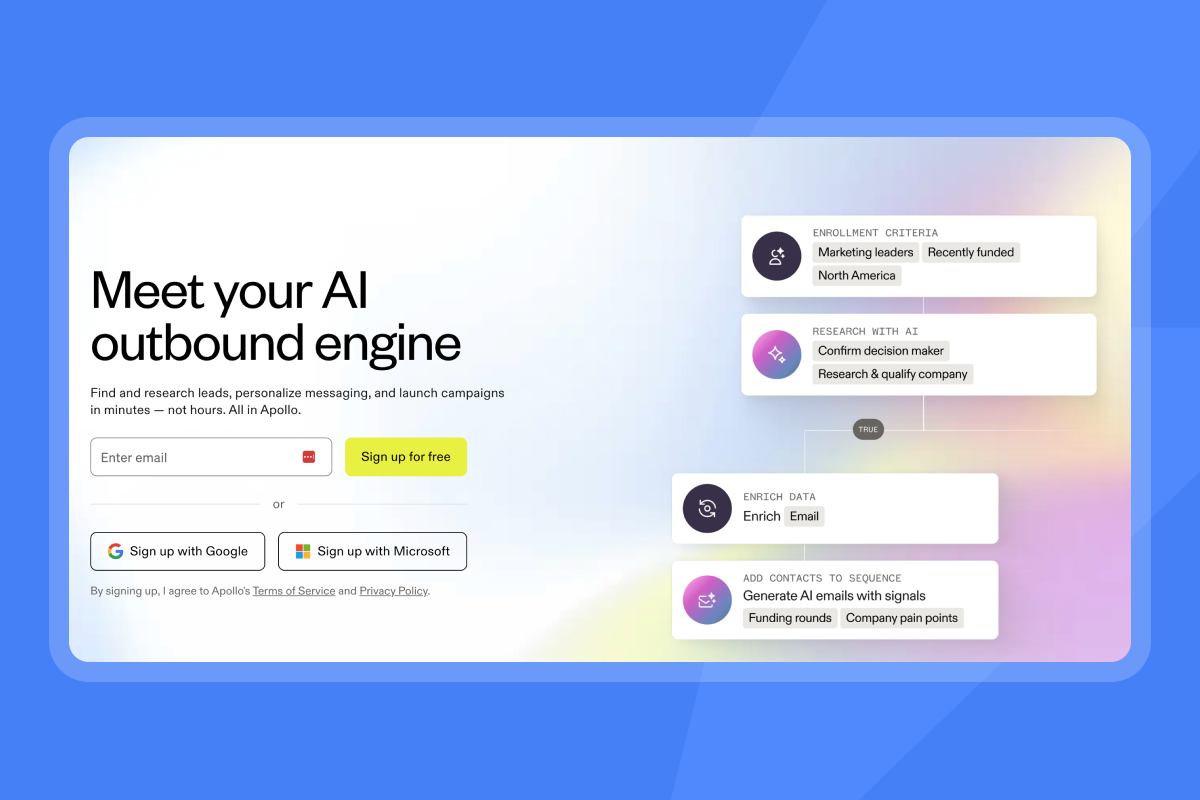
Standardizing lead handoffs via sentiment analysis
Reply management is where many teams lose the ROI they built during the outreach phase. An unread positive reply that sits for 48 hours is a meeting that didn't happen.
How AI models interpret email tone
Natural Language Processing (NLP) classifies incoming replies by analyzing word choice, context, and intent signals, then assigns a confidence score to each classification. High-confidence classifications trigger automated actions, while low-confidence classifications flag the reply for human review rather than acting on an uncertain signal. Instantly's AI Reply Agent handles replies in under 5 minutes using this approach, and you can read more about how it works in the AI cold email reply management guide.
How AI labels prospect responses
Instantly's Unibox NLP automatically applies labels to incoming replies using AI, classifying them into the three default built-in categories: "Interested," "Not interested," and "Out of Office." You can extend this with custom labels configured at the workspace level. It works across 50+ languages, and you can improve accuracy per label by editing the label description or flagging misclassifications. Custom label selection is available on Hypergrowth and Light Speed plans, and labeled replies trigger the appropriate next action automatically.
How AI routes replies to your CRM
Positive replies tagged as "Interested" or "Meeting booked" route to the CRM via real-time sync, which means an AE sees the qualified reply in HubSpot within minutes of the prospect sending it. Combined with Slack notifications, this keeps the handoff tight and the rep's response time competitive.
How AI BDR systems plug into your revenue pipeline
Outbound AI only creates pipeline value if the data flows cleanly into the systems your team already uses, which makes AI BDR and CRM integration a core requirement.
Automating CRM data flow and sync
Bi-directional CRM sync prevents two failure modes: duplicate outreach and missing activity data. The HubSpot native integration keeps contact status current in both systems, marks leads as "contacted" in Instantly when a campaign sends, and updates CRM status in real time when a reply comes in. Leads that opt out are added to Instantly's global block list, which propagates across all connected accounts so reps cannot accidentally re-contact opted-out prospects.
This 3-step data readiness check, part of a broader AI BDR onboarding checklist, should run before any CRM integration goes live:
- Audit existing contacts for duplicate records and missing fields before importing into Instantly.
- Map CRM field names to Instantly variables to confirm personalization tokens pull the right data.
- Test a 10-contact pilot campaign and verify that reply status, opt-out flags, and activity logs sync correctly in both directions before scaling.
Syncing AI outreach with sales calendars
When the AI Reply Agent detects a booking intent, it sends a Calendly link directly and handles the scheduling autonomously, cutting time-to-meeting by eliminating the back-and-forth. The agent runs on Instantly Credits (a separate subscription starting at $9/mo with a free trial), billed at 5 credits per reply handled.
Verifying automated activity data
Instantly's activity logs capture every send, open, click, reply, and sequence step with timestamps, giving you an audit trail you can reconcile against your CRM pipeline data. The Deliverability AI Agent flags anomalies in placement and bounce data that would otherwise skew your reported numbers, so the metrics your team presents hold up under CFO scrutiny.
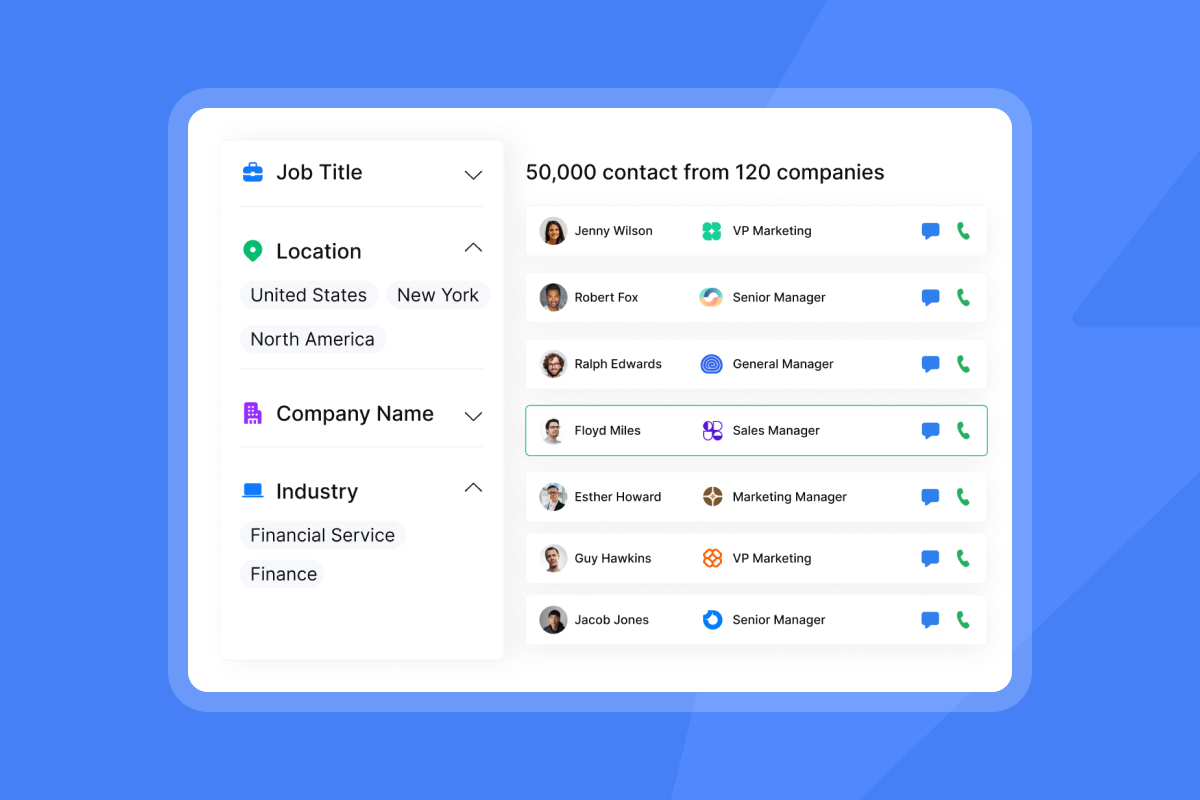
Operational guardrails for AI sales tools
The most common objection from risk-aware sales leaders is not "can AI do this?" It is "what happens when AI does the wrong thing?" Our breakdown of what an AI BDR can't do covers where humans still need to step in.
Can AI BDRs handle complex qualification?
AI is strong at the top of the funnel: lead research, outreach execution, reply triage, and scheduling. It cannot replace human judgment in multi-stakeholder negotiations, complex objection handling, or strategic partnership discussions where trust and interpersonal dynamics matter most. Use Instantly's ai agents to handle the volume work so your reps invest their hours in the conversations that require a human.
Setting boundaries for AI prospecting
Instantly's AI Reply Agent runs in Human-in-the-Loop (HITL) mode when you need every reply reviewed before it sends: the AI classifies the reply, drafts a suggested response, and holds it for approval via Slack or the Unibox. Only after a human approves does the message go out. Use this mode for new campaigns, sensitive verticals, or any sequence where an off-brand reply would cause real damage.
Preventing inbox placement failures
A 30-day POC ramp-up checklist for deploying an AI BDR for the first time:
Week | Action | Success metric |
|---|---|---|
Week 1 | Authenticate domains (SPF, DKIM, DMARC). Start warmup on all sending accounts. | Zero authentication errors. |
Week 2 | Import verified contact list. Run waterfall enrichment. Set up HITL mode. | Bounce rate at or below 1%. |
Week 3 | Launch pilot campaign at 20 sends per inbox per day. Monitor Deliverability AI Agent daily. | Reply rate at or above 3%. Bounce rate holding at or below 1%. |
Week 4 | Scale to 30 sends per inbox per day. Add inboxes to increase total volume. | Zero blacklist flags. At least 2 meetings booked per 100 contacts. |
Day 30 | Reconcile CRM activity data against meetings set. Adjust ICP scoring and copy variants. | Pipeline entries from AI BDR source tracking in CRM. |
"I am new to using cold email at scale. The team has answered all my questions and their documentation is comprehensive enough where I didn't have many questions to begin with. Very user friendly." - Joel Martinez on Trustpilot
Privacy standards for AI BDR tools
CAN-SPAM requires honoring opt-out requests within 10 business days, with penalties of up to $53,088 per violating email. GDPR requires a lawful basis for processing personal data, including IP addresses collected via email tracking pixels. CCPA requires a clear data provider relationship established in contract.
Instantly maintains a Data Processing Agreement that covers processing terms under Foo Monk LLC, a public sub-processor list (primary: AWS USA), and data category restrictions on what customers may not upload (including PHI, payment card data, and biometric data). The privacy and compliance guide for sales leaders covers the operational setup required to stay compliant across GDPR, CAN-SPAM, and CCPA simultaneously.
For compliance-sensitive deployments, obtain the DPA countersigned, review the sub-processor roster, and confirm that your contact data sourcing has a lawful basis before importing into any campaign.
Ready to scale your outbound safely?
Start with the Outreach Growth plan at $47/mo (or $37.60/mo annual) and add Lead Finder for 450M+ verified B2B leads when you're ready to build your first list. Instantly's AI Sales Agent Software handles prospecting, verification, and reply triage while your team focuses on closing the conversations that matter. The Growth plan includes A/Z testing, AI Sequence Writer, AI Spam Words Checker, and advanced warmup options that were previously only available on higher tiers.
As you scale, upgrade to Hypergrowth at $97/mo for the Deliverability AI Agent, Unibox NLP custom label selection, and AI Blocklist Triggers that protect your sender reputation automatically. For enterprise sales teams sending at high volume, Light Speed at $358/mo adds SISR technology that distributes campaigns across dedicated private server and IP blocks, keeping your domains off shared infrastructure that other senders can pollute. Let the AI handle prospecting, verification, and reply triage while your team focuses on closing the conversations that matter.
Instantly gives you a 14-day free trial with no credit card required to test the AI Sales Agent, Deliverability AI Agent, and unlimited sending accounts with built-in warmup on a pilot campaign of up to 250 contacts and 1,000 emails.For performance context before you launch, read Instantly's 2026 Cold Email Benchmark Report to understand what top-quartile campaigns do differently.
FAQs
How many emails should an AI BDR send per inbox daily?
Keep sending volume at or below 30 emails per single inbox per day. To scale total volume, use Instantly's unlimited accounts feature to distribute campaigns across multiple domains and inboxes rather than increasing the per-inbox cap.
How long does it take to warm up a new sending domain?
A standard warmup timeline takes 4 to 6 weeks. Instantly's built-in warmup network automates this process before you launch active campaigns, gradually building sender reputation with ESPs.
What is the average reply rate for top-performing AI sequences?
According to Instantly's 2026 benchmark report, the platform average reply rate is 3.43%, while top-quartile senders achieve 5.5% or higher. Consistent sending patterns and strict list hygiene are the key factors in reaching those numbers.
Does Instantly integrate natively with Salesforce?
No, Instantly does not offer native Salesforce integration, and the previous partner connector is sunsetting by the end of June 2026. Use the native HubSpot integration or connect via Zapier, Make, or Clay for CRM synchronization.
What is the difference between the AI Reply Agent and the Deliverability AI Agent?
The AI Reply Agent classifies and responds to incoming prospect replies in under 5 minutes, either autonomously or held for human approval in Human-in-the-Loop (HITL) mode. It runs on Instantly Credits, billed at 5 credits per reply handled (separate subscription, starting at $9/mo with a free trial). The Deliverability AI Agent monitors DNS health, blocklist status, warmup scores, bounce rates, provider balance, and campaign copy on a 24-hour cycle. When it detects a problem, it surfaces the issue and recommended fix, and can take direct in-platform actions such as pausing campaigns or replacing flagged accounts. It is included on Hypergrowth and above Outreach plans with no additional credit cost.
Key terms glossary
Primary inbox: The main folder where legitimate emails land, distinct from the promotions tab or spam folder.
Sender reputation: A score assigned by Email Service Providers based on your sending history, bounce rates, and spam complaints. Bounce rates above 1% signal poor list hygiene to ESPs and drop placement rates directly.
Warmup: The process of gradually increasing email volume on a new domain over 4 to 6 weeks to build trust with ESPs before running active campaigns.
SISR: Server and IP Sharding and Rotation. A technology on Instantly's Light Speed plan that routes campaigns through dedicated private servers and IP pools rather than shared public infrastructure.
Unibox: Instantly's centralized inbox that aggregates replies from all sending accounts into a single dashboard for triage, labeling, and CRM routing.
Waterfall enrichment: A data verification method where the system queries multiple data providers sequentially until it finds a verified contact result, reducing bounce rates and improving list quality before any email sends.
HITL (Human-in-the-Loop): A governance mode in Instantly's AI Reply Agent where all AI-drafted replies require human approval before sending, protecting brand voice in high-risk or sensitive outreach contexts.
Read next
- How to use AI for sales outreach personalization: A practical breakdown of how to use LLM prompts, CRM field variables, and enrichment data to generate personalized cold email copy at scale without manual drafting.
- How to write follow-ups for cold leads, warm leads, proposals, and objections: A scenario-by-scenario guide to writing follow-up emails that match prospect intent, covering timing, tone, and message structure for each stage of the sequence.
- Cold email subject lines: What works, what doesn't, and why: An evidence-based look at subject line patterns that drive open rates, including what to avoid and which formats perform consistently across cold outreach campaigns.



