.svg)
%20(1).svg)


Updated August 22, 2026
TL;DR: Most outbound sales mistakes are silent technical failures, not bad copywriting. The average cold email reply rate is 3.43%, yet top-quartile senders reach 5.5%+ by running disciplined infrastructure: capped daily sends per inbox, automated warmup, verified contact data, and NLP-powered reply triage. Instantly gives sales teams unlimited sending accounts on a flat fee, a deliverability network of 4.2M+ accounts, and the Deliverability AI Agent to monitor DNS health, blocklists, warmup scores, and bounce rates continuously. Apollo offers deep sales intelligence and CRM integrations, and Instantly syncs to the same CRMs while giving you unlimited accounts on a flat fee instead of per-seat pricing that scales cost with headcount.
The outbound sales mistakes that destroy pipeline rarely announce themselves. Reply rates slide gradually, and the first instinct is to blame the subject line or the offer. In reality, the culprit is almost always a silent technical error compounding underneath the surface: erratic send volumes, skipped warmup protocols, or unverified contact lists that poison domain reputation one batch at a time. This guide details the seven execution errors that destroy reply rates and provides the exact operational fixes to recover them. Many of these errors trace back to skipping the basics of outbound lead generation.
How Instantly compares to Apollo for outbound sales
| Feature | Apollo | Instantly |
|---|---|---|
| Pricing model | Per-seat ($49-$119/month, annual, $65-$149/month, monthly) | Flat fee ($47-$358/month, unlimited accounts) |
| Sending accounts | Capped by plan tier | Unlimited across all plans |
| Built-in email warmup | 1 free mailbox included, credits required for additional mailboxes | 4.2M+ account warmup network |
| CRM integrations | Built-in CRM, Salesforce and Gmail extensions included on all plans | Syncs to HubSpot and major CRMs |
| Primary focus | Sales intelligence and multichannel | Email deliverability and high-volume sending |
Why reply rates collapse (and what most teams miss)
Instantly's 2026 benchmark report (covering January 1 to December 18, 2025, across billions of cold email interactions) puts the platform average reply rate at 3.43%. Top-quartile senders hit 5.5%+. The top 10% reach 10.7%+. Better copywriting alone does not explain the gap between average and elite performers. Operational discipline applied consistently does. Reaching these benchmarks is easier with a sales development tool built for outbound teams.
The hidden cost of execution errors
When a domain's sender reputation drops, even perfectly written emails land in spam. ESPs evaluate every domain on a rolling basis, scoring bounce rates, complaint signals, and volume behavior. One week of erratic sending or a batch of unverified contacts does not just hurt that week's campaign. It builds a negative fingerprint across your sending elements, content, IP, subject lines, and links, that degrades placement for every campaign that follows. The cost is not one missed meeting. It is a quarter of missed pipeline.
What top performers do differently
Top-performing teams treat deliverability as a continuous system, not a one-time setup task. They use multiple sending domains, cap daily volume per inbox, automate warmup and health monitoring, and verify every contact before import. Instantly's benchmark data confirms that consistent, stable sending patterns produce 15 to 20% higher reply rates compared to teams with erratic send behavior. Consistency is a process variable, not a talent variable.

Mistake #1: Inconsistent sending patterns that trigger spam filters
Erratic send volumes trigger spam filters. ESPs treat sudden volume spikes as a strong signal of non-human behavior, and the result is immediate IP throttling or domain-level filtering, often with no alert to the sender. As the inbox rotation guide explains, alternating between sending accounts helps maintain a positive sender reputation and increases the chance that emails land in the primary inbox.
The fix: stable daily send limits
The industry standard for cold outbound is a hard cap of 30 campaign emails per inbox per day. Warmup emails stay in the 5 to 10 per day range, separate from your campaign send cap. Do not exceed the 30-email campaign limit regardless of pipeline pressure. To scale aggregate volume without breaking individual inbox limits, distribute campaigns across multiple verified accounts using Inbox Rotation. Instead of one inbox sending 300 emails, ten inboxes each send 30, and the total volume scales linearly without triggering behavioral filters.
Setting up ramp plans for new domains
New domains need a minimum of two weeks of automated warmup before carrying any campaign volume. Start at 5 to 10 warmup emails per day and increase gradually. Instantly's domain ramp guide recommends only introducing campaign sends once inbox placement on seed tests holds at or above 80%, and only in minimal volume (10 to 18 emails per inbox per day) before stepping up further. Proper DNS authentication (SPF, DKIM, DMARC) must be confirmed and propagated before warmup begins, per the DNS setup guide.
"Super easy to use and quick to launch campaigns. Inbox warm-up, rotation, and analytics are all built in, which saves a ton of time. Deliverability has been solid and reply rates improved pretty quickly with homeowners." - Jonaldie M. on G2
Mistake #2: Skipping proper email warmup and domain preparation
A domain with no sending history is invisible to ESPs. They have no engagement data to reference, no complaint history to weigh, and no behavioral pattern to evaluate. ESPs treat that absence of history as risk, and initial campaigns from cold domains land in spam at a materially higher rate regardless of copy quality or list hygiene. Our outbound sales tips guide covers the fundamentals that prevent this exact failure mode.
The fix: warmup protocols that build reputation
Effective warmup requires real engagement, not just email delivery. Instantly's private deliverability network automates this through a pool of 4.2M+ accounts that send to, open, and reply to your warmup emails, building positive sender history across every major ESP. This is one reason outbound sales automation treats warmup as infrastructure, not a checkbox.
Monitoring health scores and blacklists
A warmup health score above 90% (the percentage of warmup emails landing in the primary inbox over a trailing seven-day window) is the minimum standard before campaign sends begin. The Deliverability AI Agent (available on Hypergrowth plans and above) runs automated checks every 24 hours across DNS health, blocklists, bounce rates, and warmup momentum. When a signal drops below threshold, it surfaces the affected component, explains the risk, and offers one-click remediation actions, plus Slack alerts so your team catches problems without logging in.
You can also run on-demand Inbox Placement tests and check standing against 94 blacklists at any point in a campaign lifecycle.
Mistake #3: Misclassified replies that hide real engagement
Out-of-office autoresponders, unsubscribe confirmations, and bounce notifications can land alongside warm replies from interested prospects. Without automated classification, reps spend time processing noise while actual opportunities sit unanswered. Misclassified replies also inflate "reply rate" metrics in a way that looks healthy on a dashboard but hides the actual proportion of positive responses, causing teams to optimize on the wrong signal. The Reply Rate Discrepancy help article explains how this gap between reported and real reply rates distorts campaign diagnostics.
The fix: accurate reply detection and triage
Unibox NLP auto-classifies incoming replies into custom labels using sentiment and context detection across 50+ languages. You can refine accuracy per label through description edits and misclassification feedback, so the system improves with your actual campaign data. Base labeling is available on all plans. Custom label selection requires Hypergrowth or Light Speed.
The Out-of-Office Resume feature adds a parallel layer: it detects OOO autoresponders via NLP, extracts the stated return date, pauses that lead, and auto-resumes sending on that date. This is included on all plans at no extra cost.
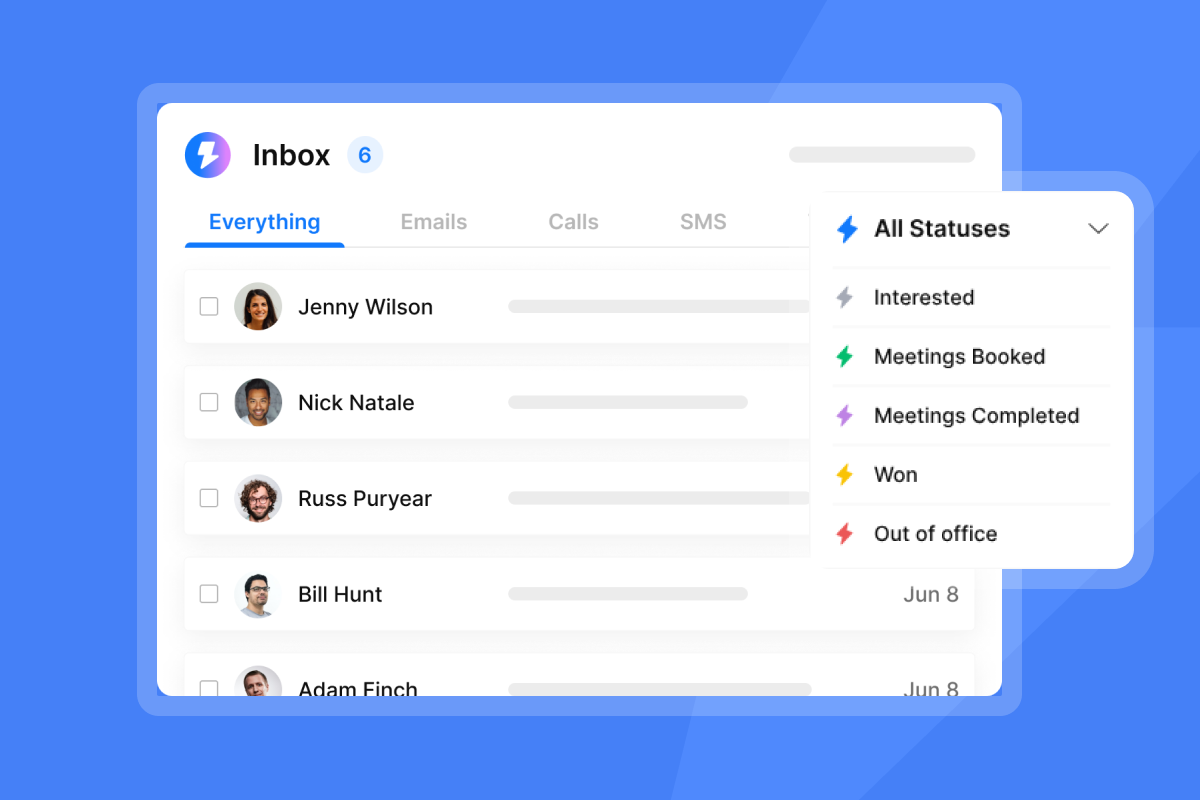
Unibox v2 centralizes all replies from every sending account in one view with bulk actions, team-visible notes, and an "Others Folder" for non-lead replies, so reps can triage, respond, and hand off to AEs without switching between accounts.
Mistake #4: Poor contact data quality and high bounce rates
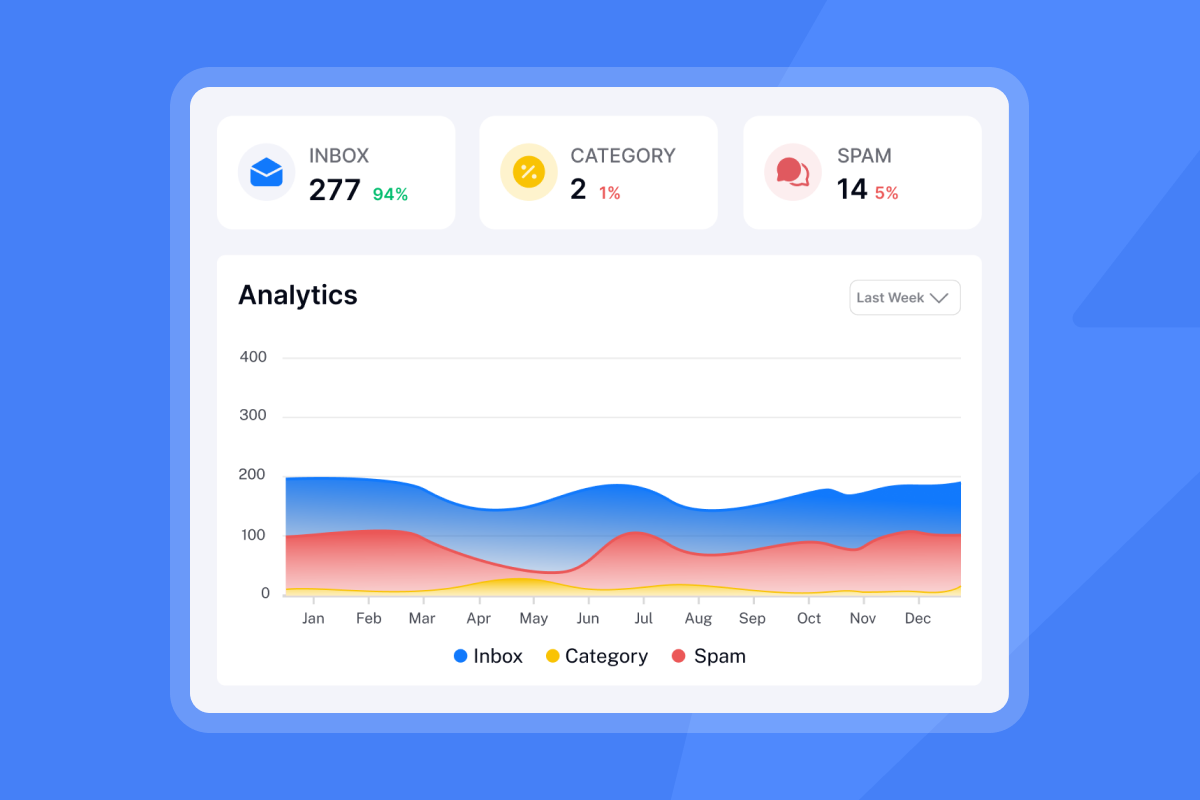
Sending to unverified or stale contact lists is the single fastest way to destroy domain reputation. Hard bounces tell ESPs your list contains addresses that do not exist or have been abandoned, a pattern strongly associated with purchased spam lists. The industry-standard bounce rate threshold is 2%, per Instantly's 2026 benchmark report. Cross it and ESP deliverability algorithms begin throttling your domain. ESPs track cumulative patterns, and a domain that persistently exceeds that 2% threshold gets scored as a spam risk and deprioritized for primary inbox delivery even if subsequent campaigns use fully verified lists.
The fix: verified contacts and list hygiene
Instantly's email verification system classifies addresses as valid, invalid, or risky before any send. Leads sourced in Lead Finder arrive pre-verified. CSV or CRM imports do not, so run verification on those lists before uploading. BounceShield adds a second layer by automatically skipping known high-risk recipients based on real-time and historical bounce data.
The high bounce auto-pause feature provides a backstop at the campaign level: it automatically pauses any campaign that exceeds a 5% bounce rate (configurable, default is 5%) after a minimum of 200 sends, preventing runaway damage to your sending infrastructure while you investigate.
"I like that Instantly is the industry standard and the best tool on the market... Features like email rotation and a global unsubscribe list in various time zones are valuable. Setup was very easy." - Bara A. on G2
Mistake #5: Ignoring send window optimization and time zones
Emails that arrive at 3 a.m. local time for the recipient get buried under a full morning of higher-priority messages. Even a well-written subject line cannot overcome low visibility caused by poor timing. Instantly's 2026 benchmark report shows that Monday is the best day to launch a new sequence, while Wednesday consistently produces the highest reply rates across the dataset. Sending outside the prospect's standard business hours reduces the attention your email receives when they open their inbox.
The fix: time zone-aware scheduling
Configure campaign send windows to align with each segment's local business hours using multiple sending schedules. Avoid Friday afternoons and weekends for most B2B segments unless your data shows otherwise. For global campaigns, segment by region and assign a separate schedule per segment.
Mistake #6: Running sequences without A/B testing and iteration
A sequence that produced a 5.2% reply rate in Q1 will not necessarily produce the same result in Q3. Market noise changes, competitor messaging evolves, and prospect attention fatigue sets in on overused openers. Without systematic testing, teams run on stale assumptions and miss the inflection point where a once-effective sequence starts to decay. Stale sequences often trace back to weak sourcing, which is where finding better sales prospects comes in.
The fix: systematic testing frameworks
A/Z testing in Instantly is available on Growth plans and above. Hypergrowth plans and above support up to 26 variants per sequence step simultaneously. Instead of waiting weeks for a binary A/B test to reach significance, you can test six subject line variants against four body copy variants in a single campaign and identify winning combinations faster. The AI Sequence Writer generates full multi-step sequences from offer and audience inputs if you need to build new variants without starting from a blank page.
What to test first: subject lines vs. body copy
Test subject lines first to establish which framing gets the email opened. Once you have a consistently outperforming subject line, shift testing to the opening line and call to action. Keep email length under 80 words. Instantly's 2026 benchmark data confirms that the highest-performing campaigns maintain sub-80-word emails, and that first-touch emails generate 58% of all replies compared to 42% from follow-ups, which means the opener deserves the most testing investment.
Mistake #7: No governance or quality assurance across reps
A single rep sending from an unverified list, using flagged copy, or running a rogue campaign through an unsanctioned tool can get the entire company's sending infrastructure throttled. The technical damage is shared even if the behavior was isolated. Without centralized governance, those decisions are invisible to RevOps until deliverability metrics drop. Fingerprinting at high volumes is a specific risk: when multiple reps send nearly identical copy from the same domain cluster, ESPs detect the pattern and suppress the entire sending infrastructure.
The fix: standardized templates and approval workflows
Centralize all sequence templates in a shared workspace. Use the Global Blocklist to prevent reps from contacting the same prospects across different campaigns. Set workspace-wide send caps so individual reps cannot exceed the 30-per-inbox daily limit regardless of their personal campaign settings. Run the AI Spam Words Checker on every new sequence before it launches to flag copy that risks triggering spam filters.
Building rep enablement playbooks
Document the exact setup sequence every rep must follow: domain purchase, DNS configuration (SPF, DKIM, DMARC) confirmed via the DNS setup guide, warmup activation, health score target, and minimum warmup period before campaign launch. Set a QA requirement covering spam word scanning, mobile preview check, and personalization field validation for every new sequence. Instantly's benchmark report confirms the optimal sequence structure is 4 to 7 steps. The sequence best practices guide covers step spacing in detail. Use that as the reference for documented touchpoint intervals in your playbook.
How to audit your campaigns for outbound sales mistakes
Use this checklist to evaluate your current outbound infrastructure. Each row maps an audit area to a measurable target, an operational fix, and the Instantly feature that enforces it.
| Audit area | Target metric | Operational fix | Instantly feature |
|---|---|---|---|
| Daily send volume | Max 30 emails per inbox | Distribute volume across accounts | Inbox Rotation |
| Bounce rate | Under 2% | Real-time contact verification | BounceShield |
| Warmup health score | Above 90% | Automated warmup + daily monitoring | Deliverability AI Agent |
| Sequence length | 4 to 7 steps | Multi-step automation with step spacing | AI Sequence Writer |
Deliverability health checklist
Before launching any new campaign or onboarding a new domain, verify:
- DNS records: MX, SPF, DKIM, and DMARC configured and propagated per the DNS setup guide.
- Custom Tracking Domain: CNAME configured to isolate your sender reputation from shared tracking URLs.
- Warmup status: Active, with health score above 90% for at least two weeks before campaign sends begin.
- Contact verification: All imported CSV or CRM lists verified before upload. Leads sourced in Lead Finder are pre-verified.
- Bounce auto-pause: Configured and active on every campaign.
- Inbox Placement test: Run at least one automated placement test before launch and weekly during active campaigns.
Reply rate benchmarks to measure against
Use Instantly's 2026 benchmark report as your reference frame:
- 3.43% is the platform average. If your team is below this, the seven mistakes above are the diagnostic starting point.
- 5.5%+ is the top-quartile target. Reaching this level requires targeted lead list building, segmentation, and message personalization, per the benchmark report's findings on tier-2 performers.
- 10.7%+ is the top 10% threshold. Reaching this requires all of the above plus disciplined sequence structure (4 to 7 steps, under 80 words per email) and weekly copy iteration. Watch this signal-based cold email webinar for an applied example of how top performers structure campaigns at scale.
When to escalate to your email provider
If your warmup health score drops below 90%, bounce rates spike above 2%, or you see a sudden reply rate drop that does not correlate with copy changes, pause campaigns immediately. Re-verify your contact list, run a fresh Inbox Placement test via the Instantly Inbox Placement dashboard, and review the Deliverability AI Agent's diagnostic output for affected sending accounts. If a domain appears on a blacklist, request removal from the operator, resolve the underlying cause, and resume sending only after the health score recovers. Severely flagged domains are often faster to replace with a pre-warmed domain than to rehabilitate.
Fix these mistakes in your current stack with a free 14-day trial of Instantly (no credit card required). Set up automated warmup and Inbox Rotation across unlimited sending accounts on a flat fee.
FAQs
What reply rate should I expect from cold email outbound?
The platform average is 3.43%, with top-quartile senders achieving 5.5%+ and the top 10% exceeding 10.7%, according to Instantly's 2026 benchmark report. Your actual rate depends on list hygiene, domain warmup status, sequence length, and how consistently you cap daily send volume.
How many cold emails can I safely send per day?
The safe limit is 30 campaign emails per inbox per day. Warmup emails stay in the 5 to 10 per day range and run separately from your campaign sends. To scale total volume beyond that, use Inbox Rotation to distribute sends across multiple verified accounts rather than pushing any single inbox past the threshold.
How long does it take to fix deliverability after a domain gets flagged?
Recovery time varies depending on the severity of the issue. Expect several weeks of reduced volume, automated warmup, and list re-verification before placement stabilizes. If the domain is severely blacklisted, replacing it with a pre-warmed domain is usually faster than rehabilitation.
Can I recover from a blacklist listing?
Yes, but recovery requires pausing campaigns, resolving the root cause (high bounces or spam complaints), and submitting a removal request to the blacklist operator. Repeated or severe listings may require abandoning the domain entirely.
What DNS records does every sending domain need?
Every domain needs MX, SPF, DKIM, and DMARC records configured and propagated before any sending begins, as Gmail, Yahoo, and Outlook enforce these for bulk senders. Full setup instructions are in the Instantly DNS configuration guide.
Key terms glossary
Inbox Rotation: An automated system that distributes campaign sending volume across multiple verified email accounts to prevent volume spikes on any single inbox.
Deliverability AI Agent: An always-on monitoring tool that checks DNS health, blocklists, warmup scores, and bounce rates, then surfaces one-click remediation actions. Available on Hypergrowth plans and above.
Unibox NLP: An AI-powered reply classification system that automatically tags incoming emails by sentiment and context across 50+ languages to separate warm leads from noise.
BounceShield: A deliverability protection feature that automatically skips high-risk email addresses based on real-time and historical bounce data to help maintain low bounce rates.
Sender reputation: A domain-level score maintained by ESPs based on historical sending behavior, bounce rates, complaint rates, and engagement signals. All deliverability outcomes depend on it.
Warmup health score: The percentage of warmup emails landing in the primary inbox versus spam over a trailing seven-day window. The minimum safe threshold before campaign sends begin is 90%.
A/Z testing: A multi-variant testing system to identify winning copy combinations faster than binary A/B tests. Available on Growth plans and above. Hypergrowth plans and above support up to 26 variants per sequence step simultaneously.
Spintax: Syntax that creates multiple variations of the same text by rotating words or phrases, used to reduce spam filter fingerprinting when sending at scale.
Read next
- Outbound sales software: what it is, how it works, and how to choose: A breakdown of the tools that power outbound sales, how each category works, and what to look for when building or replacing your stack.
- Outbound vs inbound sales: key differences, pros, and when to use each: A practical comparison of both motions covering where each fits in a B2B go-to-market strategy and how to decide which to prioritize.
- Best outbound sales software for B2B GTM teams: Instantly's 2026 guide: A reviewed list of the top outbound tools for B2B teams in 2026, organized by use case, pricing model, and fit for lean or scaling sales teams.


