.svg)
%20(1).svg)


Updated August 3, 2026
TL;DR: If you manage a sales team and your pipeline depends on cold outreach, choose a platform built for deliverability and scale, not seat-based administration. Outbound sales software must protect your domain reputation while automating rep workflows. Instantly.ai provides unlimited sending accounts, a private deliverability network of 4.2M+ accounts, and built-in lead data so you can scale campaigns safely. Legacy platforms like Outreach charge per seat and require separate deliverability monitoring. Instantly combines sending, warmup, and data on a flat fee, starting at $47/mo, to keep your costs predictable and your emails in the primary inbox.
Most sales teams focus on copy quality when their pipeline underperforms. The real gap is infrastructure: the domains, warmup schedules, inbox rotation, and data hygiene decisions that determine whether your emails reach the primary inbox at all. Most sales leaders invest hours perfecting email templates while ignoring the infrastructure that determines whether their messages ever reach the primary inbox. According to Instantly's 2026 benchmark report (data covers Jan 1 to Dec 18, 2025), the average cold email reply rate sits at 3.43%, but the top 10% of senders reach 10.7%+. That gap is almost entirely explained by infrastructure decisions, not copy quality.
This guide breaks down how outbound sales software works, how to structure your sending setup to avoid spam filters, and how to choose a platform that scales with your team instead of taxing you per seat. Most of what separates a good outbound stack from a bad one comes down to how well its sales automation ai handles deliverability, not how it writes copy.
What defines a scalable outbound tech stack
Outbound sales software is go-to-market tooling built to execute cold outreach at scale while protecting sender reputation. It handles email sequencing, domain warmup, inbox rotation, reply triage, and lead data management. The category is distinct from CRMs (which manage deals and relationships) and from email marketing tools (which handle opted-in audiences). For a full breakdown of what to look for in a B2B outbound tool, see the best outbound sales software guide.
Outbound vs. inbound automation
Inbound tools like HubSpot and Mailchimp are built for permissioned audiences. Their sending infrastructure assumes high engagement and low complaint rates. Their terms of service explicitly prohibit unsolicited commercial email. Sending cold outreach through an inbound marketing platform damages your domain reputation, with inbox placement dropping sharply within days, and can result in account suspension. Several of the top AI sales prospecting tools now bundle these components together rather than requiring a separate point solution for each one.
Outbound tools are built for unverified lists. They handle dedicated sending domains, automated warmup, bounce management, and sequence automation specifically designed for cold outreach environments. Sending cold email from an inbound platform is the fastest way to get your primary domain flagged, which makes the choice of infrastructure a pipeline risk, not just a software preference.
Standardizing rep outreach tasks
For a team of 3 to 15 SDRs, you face a bigger operational risk than deliverability alone: reps running inconsistent or unsafe outreach without oversight. You solve this by centralizing shared templates, global blocklists, and unified reply management so every rep operates within the same guardrails. The same centralization logic applies when you need to scale outbound sales with automation tools without adding headcount.
Features like AI Blocklist Triggers automatically remove leads who unsubscribe or match keyword-based opt-out signals, protecting both compliance and domain health without manual intervention. Standardized workflows also mean new SDR hires ramp on the same proven cadences rather than improvising.
Target users for outbound software
If you're a sales leader or RevOps manager at a B2B company managing quota accountability across a team of SDRs and coordinating with marketing ops on domains and data hygiene, outbound sales software is the foundational layer of your stack. For a full view of how platform costs compare across team sizes, see the outbound sales software pricing guide.
Systematizing your outbound sales process
Getting outbound to run consistently means building systems around each core task, not relying on individual rep habits. The sections below cover each component in order.
Email sequencing and cadence automation
You build a modern outbound sequence as a multi-step, automated email cadence that sends follow-ups based on time delays and lead behavior. Instantly's 2026 benchmark report found the optimal sequence length is 4 to 7 steps, and the best-performing emails run under 80 words. The first email generates 58% of all replies. Follow-ups account for the remaining 42%, making a multi-step sequence essential to capturing the full reply volume from any given list.
Auditing platform deliverability metrics
Monitor bounce rate as your single most important health signal during a live campaign. Industry practice sets the safe threshold at below 2%. Instantly's high bounce auto-pause feature triggers automatically when bounce rate exceeds 5% (configurable) after a minimum of 200 sends, stopping domain damage before it compounds. BounceShield (also known as BounceProtect) goes further by skipping known high-risk recipients before a send even goes out.
Optimizing outbound sender trust
You can scale safely by following one simple rule: never send more than 30 campaign emails per inbox per day. Exceed that and you trigger anti-abuse systems at Gmail and Outlook that can result in suspension or permanent spam placement. The safe approach is Inbox Rotation, which distributes campaign volume across multiple accounts so each inbox stays well within daily limits. Instead of sending 200 emails from one inbox, you send 15 to 20 from each of 10 inboxes, reaching the same daily volume without risking any single sender. Instantly's Inbox Rotation handles this automatically across all accounts assigned to a campaign.
Automating lead response and triage
You need fast reply speed. The longer a positive reply sits unactioned, the colder the prospect gets. Instantly's AI Reply Agent handles incoming replies in under 5 minutes, operating in Human-in-the-Loop mode (where a rep approves before send) or full Autopilot. The Unibox centralizes replies from all connected inboxes into a single queue, so reps stop context-switching between accounts and focus on actual conversations.
Ensuring prospect data accuracy
Bad data creates a compounding problem for you: high bounce rates from stale or unverified contacts damage sender reputation, inflate cost per meeting, and waste rep time. Static lists from a single provider carry inconsistent coverage. Waterfall enrichment solves this by routing each enrichment request through multiple data sources in sequence, returning results from the best available provider for each individual record rather than stopping after a single source comes up empty.

Building blocks for scalable sales automation
Each layer of your outbound stack depends on the one below it. Start with domain health, then standardize rep workflows, then layer in data quality and reply management. This mirrors how AI prospecting layers these systems together: each layer only works if the one below it is solid.
Email domain health and warmup
Every sending domain needs three DNS records before a single campaign email goes out. Gmail and Yahoo made SPF, DKIM, and DMARC mandatory for bulk senders in early 2024:
- SPF: A TXT DNS record listing which servers are authorized to send mail from your domain.
- DKIM: A DNS-published cryptographic signature proving each message was not altered in transit.
- DMARC: A
_dmarcTXT record that sets policy on SPF or DKIM failures and requires alignment with the visible From address.
All three records must align across your headers. DKIM and SPF need 48 hours to authenticate before DMARC activates, and full DNS propagation takes 24 to 48 hours. Instantly auto-configures DNS for Done-For-You and pre-warmed accounts, removing that manual step for teams that want to move faster.
After DNS setup, allow a minimum of 2 weeks of warmup before production sends, starting at 5 to 10 emails per day and ramping gradually to build sender reputation. New domain and inbox combinations may need 4 to 6 weeks to reach full sending volume safely, as confirmed by Instantly's deliverability research. Instantly's built-in warmup pool covers this automatically across all plans.
Standardizing sales cadence workflows
A ramp plan for new SDRs should follow a three-phase structure:
- Infrastructure first: Configure secondary sending domains, complete DNS setup, connect inboxes, and begin warmup. Do not launch live campaigns until the account health score is above 90%.
- Controlled launch: Start campaigns using approved templates. Cap sends at 15 to 20 per inbox per day while warmup continues. Run A/Z tests on subject lines (Growth includes A/Z testing, while Hypergrowth+ supports up to 26 variants per step).
- Full scale: Move to 30 sends per inbox per day once account scores stabilize. Sync positive replies and booked meetings into HubSpot via Automations. This framework standardizes the ramp for every hire and protects the team's domain reputation during the critical early phase.
Targeting with enriched lead data
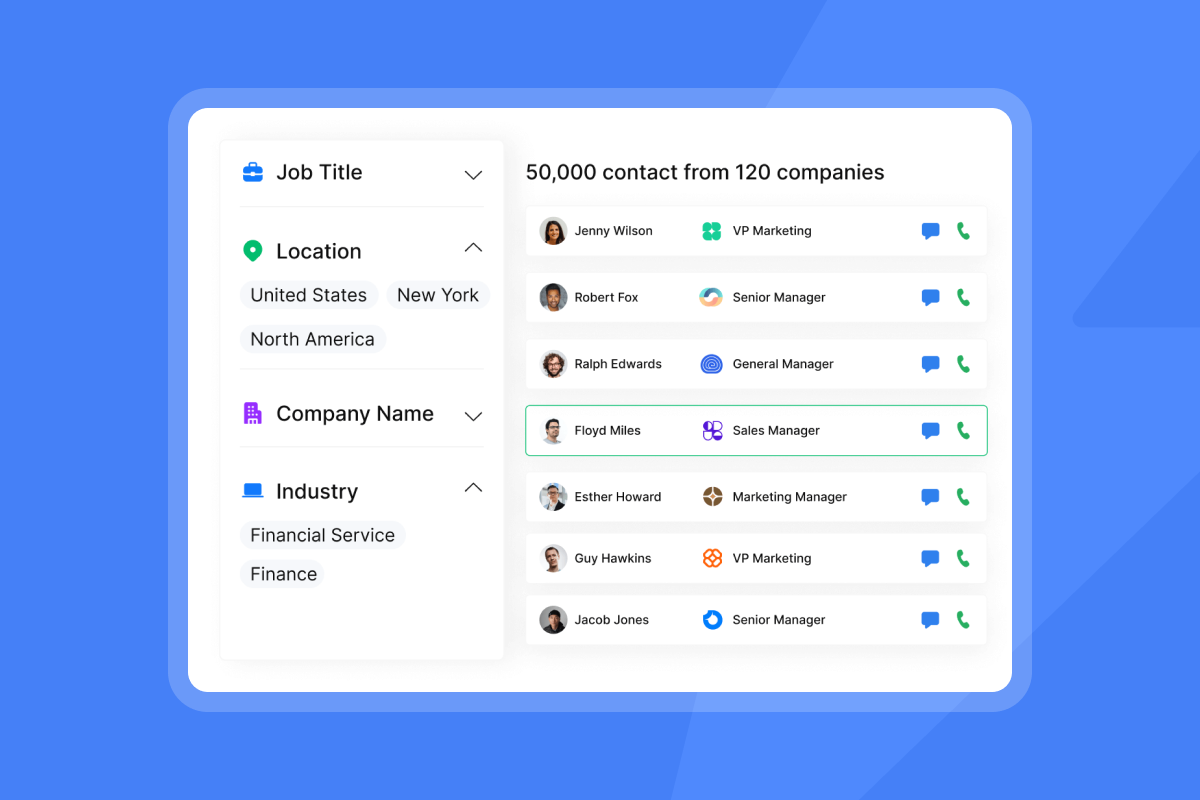
Instantly gives you access to 450M+ B2B contacts through Lead Finder with waterfall enrichment that checks Instantly's own database first, then sequences through BetterContact, ContactOut, Findymail, IcyPeas, LeadMagic, Prospeo, and Wiza until a verified contact is found. Leads sourced in Lead Finder arrive pre-verified at no extra cost, while imported lists require a separate verification step at 0.25 credits per lead. The Signals filter adds intent data, including buyer signals, funding events, leadership changes, and competitor mentions, to help you prioritize the highest-value prospects first.
Optimizing reply triage and reporting
Instantly's Unibox NLP auto-classifies incoming replies into custom labels using sentiment and context detection across 50+ languages. Labels like "Interested," "Not Now," and "Out of Office" appear automatically, giving reps a pre-sorted queue instead of a wall of raw text. Out-of-Office Resume detects return dates and auto-resumes sequences on the right date, keeping every lead in the correct stage without manual tracking.
You should treat open rates as an unreliable signal in 2026. Track reply rate, meetings booked, and pipeline generated instead. These metrics reconcile directly with your CRM and withstand ops review.
Key criteria for vetting sales tools
Use this framework when comparing platforms. Each criterion maps to a real failure mode seen with legacy suites and enterprise implementations.
Criterion | What to ask | Instantly advantage |
|---|---|---|
Inbox placement | Does the vendor monitor blocklists and DNS health automatically? | Deliverability AI Agent runs 24-hour automated checks with one-click remediation on Hypergrowth+ |
Admin controls | Can you enforce shared templates, blocklists, and workspace rules across all reps? | Global Blocklist, AI Blocklist Triggers, and Unibox operate at the workspace level |
Analytics | Does reporting reconcile with your CRM, or just show open rates? | Tracks reply rate, meetings set, and conversion to SQL by default |
Compliance | Does the vendor provide a signed DPA and a published sub-processor list? | DPA available at instantly.ai/dpa, sub-processor list published, GDPR/CCPA opt-out self-service available. |
Pricing model | Does the cost increase every time you add a rep or inbox? | Flat fee regardless of team size, unlimited email accounts and warmup on all plans |
Support | What is the escalation path when deliverability drops during a live campaign? | Public status page with component-level uptime, 4.8 rating on G2 across over 4,000 reviews |
Evaluating platform costs and contracts
Seat-based pricing creates a growth tax. Every new rep, every new sending account, and every new inbox adds to your monthly bill. Here is how that math plays out in practice:
Team size | Apollo ($65-149/seat/mo) | Instantly (flat fee) |
|---|---|---|
10 reps | Est. $650-1,490/mo | $47-$358/mo |
15 reps | Est. $975-2,235/mo (at $65-149/seat) | $47-$358/mo |
Apollo's per-seat structure starts at $65 per user on Basic and $99 on Professional when billed monthly, or $49 and $79 respectively when billed annually. Organization is available on monthly ($149/month) and annual ($119/month) billing, with a 3-seat minimum. Apollo carries deep data and strong multichannel tooling, and Instantly's Lead Finder covers the same contact database on a flat fee with waterfall enrichment so you're not paying per seat to access the same records.
Instantly's plans start at $47/mo (Growth), scale to $97/mo (Hypergrowth), and reach $358/mo (Light Speed with SISR) regardless of how many inboxes or reps you add. A starter stack combining Growth Outreach, Instantly Credits, and Growth CRM runs $141/mo on monthly billing ($37.60/mo each on annual, totalling $112.80/mo).
"I really like that Instantly continues to evolve beyond just being another cold email platform. My favorite part is how everything works together in a single ecosystem. SuperSearch [now Lead Finder] makes prospecting simple, and email verification helps maintain data quality." - Verified user on G2
How to evaluate outbound sales software during a trial
Use a 14-day trial to validate the platform against real metrics:
- Set reply rate targets. Instantly's 2026 benchmark report gives you three reference points: platform average is 3.43%, top quartile is 5.5%+, and the top 10% hits 10.7%+. Use 3.43% as your minimum baseline in week two.
- Audit inbox placement. Use secondary domains (for example, getcompany.com instead of company.com) for all cold outreach to isolate your primary domain. Run Inbox Placement tests to confirm primary inbox delivery before scaling.
- Check data quality. Measure bounce rate on your imported list against the 2% threshold. If bounces run above that, verify the list before any campaign goes live. Pre-verified contacts from Lead Finder skip this step. Use Instantly's lead verification step to classify addresses as valid, invalid, or risky before sending.
- Verify compliance posture. Request a signed DPA, review the sub-processor list, and confirm which data categories the vendor prohibits. Instantly's DPA covers processing terms under Foo Monk LLC, sub-processor obligations, and audit rights.
- Review support patterns. Look for themes on G2, not individual scores. G2 shows 4.8/5 across over 4,000 Instantly reviews, with recurring themes around ease of use and scale alongside some pricing feedback as teams add modules.
Critical errors when scaling sales ops
- Choosing features over reliability. You need a stable, fast UI and a reliable sending engine more than an AI feature list that looks impressive in a demo. SMB and mid-market teams routinely find enterprise suites overbuilt and overpriced for their actual motion. Salesloft carries strong enterprise workflow tooling, and Instantly's Calling and SMS on Hyper CRM plus flat-fee email infrastructure give you the same channel coverage without per-seat overhead.
- Skipping deliverability monitoring. You only see the cost of ignoring deliverability monitoring after your reply rates collapse. By then, your domain may already be on blocklists and your campaign pipeline for the month is gone. Tools that include automated monitoring, like Instantly's Deliverability AI Agent, catch degradation before it compounds.
- Trusting open rate dashboards. If a tool reports primarily on open rates, it gives you misleading data in 2026. Demand CRM-reconcilable metrics: reply rate, meetings booked, pipeline generated.
- Signing annual contracts too early. Annual contracts with legacy suites lock you into a pricing model and a workflow before you have proven deliverability or team adoption. Some enterprise implementations can take several weeks, and if deliverability issues emerge mid-implementation, you have limited options. Instantly offers a 14-day free trial with no credit card required so you validate inbox placement, test reply rates, and confirm HubSpot sync before committing.
Outbound sales software platform comparison
Category | Core focus | Key platforms | Instantly pairing |
|---|---|---|---|
All-in-one | Deliverability, sending, and built-in B2B data | Instantly | Flat-fee unlimited accounts, built-in warmup, and 450M+ contact database |
AI-assisted | Autonomous lead sourcing and AI copywriting | Instantly (AI Agents), Clay | AI Sales Agent and AI Reply Agent run on a single credit pool without seat taxes. Clay enriches and qualifies leads, Instantly sends them. |
CRM-centric | Deal management and pipeline tracking | HubSpot | Instantly syncs bidirectionally with HubSpot to keep your CRM as the single source of truth while handling cold outreach infrastructure |
Multichannel | Enterprise sales engagement across phone and email | Outreach, Salesloft | Instantly offers Calling and SMS on Hyper CRM while keeping email costs flat, giving you the same channel coverage without per-seat overhead |
The decision comes down to two variables: whether your infrastructure can protect domain reputation as volume grows, and whether your pricing model punishes you for adding reps and inboxes. Seat-based platforms add cost every time your team scales. A deliverability-first stack on a flat fee keeps those two growth curves separate. Getting this infrastructure decision right has a direct effect on accelerating the sales cycle, since a platform that can't scale becomes the next bottleneck.
Ready to build a deliverability-first outbound engine? Try Instantly free for 14 days with no credit card required and use the warmup infrastructure and sequence templates inside the app to reach your first meetings within two weeks.
FAQs
What is the difference between outbound sales software and a CRM?
Your CRM manages existing relationships, open deals, and pipeline stages for contacts who are already engaged. Outbound sales software handles cold delivery infrastructure, including domain warmup, inbox rotation, bounce management, and initial reply triage, before any deal exists. You need both: outbound software to get the reply, and a CRM to manage what happens after.
Can I manage LinkedIn and email workflows in the same platform?
Instantly does not offer native LinkedIn messaging. You can connect LinkedIn outreach tools like HeyReach or Aimfox as Automations actions, where Instantly pushes leads to those platforms via API when specific triggers occur (such as a campaign completion or a reply tagged as "Interested"). Native browser-based LinkedIn automation tools carry account ban risk and should be avoided.
How quickly can I get reps sending with a new platform?
With Instantly's pre-warmed domains, your reps can start sending from day one because the warmup period is already complete. For new domains you configure yourself, allow at least 2 weeks of warmup before launching live campaigns, and plan for 4 to 6 weeks to reach full sending volume safely. Using secondary domains for cold outreach (separate from your primary company domain) protects your brand while that warmup runs.
What reply rate should I expect from cold email outreach?
Instantly's 2026 benchmark report shows the platform average at 3.43%, the top quartile at 5.5%+, and the top 10% of senders at 10.7%+. Consistent, stable sending patterns produce 15 to 20% higher replies than erratic volume. Use 3.43% as your minimum baseline when evaluating trial performance.
What is the safe daily sending limit per inbox?
Cap cold outreach at 30 campaign emails per inbox per day, with up to 10 warmup emails per inbox on top of that. Exceeding 30 campaign sends per inbox per day risks anti-abuse triggers at Gmail and Outlook that can result in account suspension or permanent spam placement. Use Inbox Rotation to distribute volume across multiple accounts and stay within that limit while scaling total daily output.
Key terms glossary
Bounce rate: The percentage of sent emails that fail to deliver. Keep this below 2% to protect sender reputation. Instantly's high bounce auto-pause triggers at 5% (configurable) after 200 sends.
BounceShield (also known as BounceProtect): Instantly's pre-send filter that identifies and skips known high-risk recipient addresses before an email goes out, preventing bounces from occurring in the first place.
DKIM (DomainKeys Identified Mail): A DNS-published cryptographic signature that proves an email was not altered in transit. Required alongside SPF and DMARC for bulk senders since Gmail and Yahoo's 2024 mandate.
DMARC (Domain-based Message Authentication, Reporting and Conformance): A DNS policy record that tells receiving mail servers what to do when SPF or DKIM checks fail. Must align with the visible From address to pass authentication.
Domain warmup: The process of gradually increasing daily send volume from a new inbox or domain to build sender reputation before running live campaigns. Typically takes 2 to 6 weeks starting at 5 to 10 emails per day.
Inbox Rotation: A sending method that distributes campaign volume across multiple connected inboxes so no single account exceeds the 30-email-per-day safe limit, allowing teams to scale total daily output without triggering anti-abuse systems.
Reply rate: The percentage of sent emails that receive a response. The platform average across Instantly senders is 3.43%, the top quartile reaches 5.5%+, and the top 10% hits 10.7%+, according to Instantly's 2026 benchmark report.
Sender reputation: A trust score assigned to a sending domain and IP address by mailbox providers based on engagement signals, bounce rates, spam complaints, and authentication records. Low sender reputation causes emails to land in spam or be blocked entirely.
SPF (Sender Policy Framework): A DNS TXT record that lists which servers are authorized to send email from your domain. One of three required authentication records for bulk senders.
Waterfall enrichment: A data enrichment method that routes each contact lookup through multiple providers in sequence, returning results from the first source that finds a verified match, rather than stopping after a single failed lookup.
Read next
- AI SDR technical breakdown: how it works (2026): A look under the hood at how AI SDR systems handle prospecting, personalization, and reply management without human input at each step.
- Best AI SDR tools for outbound B2B sales in 2026: top platforms compared: A side-by-side comparison of the leading AI SDR platforms by deliverability, pricing model, and integration depth.
- Common outbound automation mistakes and how to fix them: The most damaging setup errors sales teams make with outbound automation and the specific fixes that restore performance.


