.svg)
%20(1).svg)


Updated October 9, 2026
TL;DR: ChatGPT sales prompts produce meetings when they feed real prospect context into every output. A structured approach using Financial triggers, Updates, News, and Data intelligence helps you avoid generic outputs. Realistic targets for a founder-led campaign: 3.43% average reply rate and 5.5%+ top quartile, per Instantly.ai's 2026 benchmark report. ChatGPT output is a first draft, and a human verification pass before any email goes out is non-negotiable. The difference between a ChatGPT draft and an email that books meetings is structured prospect context loaded before you prompt, not better phrasing after.
If you're a founder running outbound solo or with a small team and need booked meetings without hiring an SDR, this guide is for you. The average cold email reply rate is 3.43%, and top-quartile senders reach 5.5%+ by supplying real prospect context at every step. That figure counts all replies, including no's and out-of-office messages. The share of genuinely interested responses is lower, which makes targeting the right prospect with the right context more important than chasing volume. This guide starts with the prospect and builds every ChatGPT sales prompts template around structured intelligence placeholders so you never ask ChatGPT to guess.
Getting the most ROI from your sales prompts
ROI from sales prompts comes from context, not clever phrasing. A structured approach to prospect intelligence forces you to supply real data before ChatGPT writes a single word.
| Element | What it means | Example placeholder |
|---|---|---|
| Financial triggers | Recent financial events, including investment rounds, revenue milestones, or budget cycle signals | [Company raised $8M Series A in March 2026] |
| Updates | Recent company activity, including product launches, new hires, team expansions, or operational changes | [Company launched new enterprise tier last quarter] |
| News | External signals about the company or its market, including press coverage, awards, regulatory changes, competitor moves, or sector trends | [Company featured in TechCrunch for international expansion] |
| Data | Publicly available signals about the prospect's business, including growth metrics, performance figures, or benchmarks they have shared in blog posts, reports, or press releases | [Company reports 40% YoY growth in blog post] |
Every prompt in this guide includes bracketed placeholders for the four intelligence types above: Financial triggers, Updates, News, and Data. Paste the relevant prospect context into each placeholder before you send anything to ChatGPT.
Refining prompts for better results
Start specific, test two variants, and keep a prompt log. Compare these two versions:
Generic: "Write a cold email to a SaaS founder about [PRODUCT]."
Context-refined: "Write a cold email to a SaaS founder whose company [recently raised $5M and is expanding into Europe]. [PRODUCT] helps growing SaaS companies cut churn by identifying at-risk accounts before renewal. Keep it under 80 words and end with one soft question."
The second version gives ChatGPT a specific trigger, a concrete outcome, and a format constraint. Track which variants get replies and update your prompt log weekly. The Instantly cold email strategy guide covers the same iteration logic for full campaigns.
Avoiding model hallucinations
ChatGPT invents facts when it lacks data. Before any email goes out, run this verification checklist:
- Confirm the FUND fact: Financial triggers, Updates, News, and Data spell FUND. Is the funding round, news item, or data point verifiable from a public source?
- Check company name and role: Does ChatGPT have the correct title and company name for the prospect?
- Flag invented metrics: Remove any statistic ChatGPT attributes to the prospect's company if you cannot verify it.
- Run the AI Spam Words Checker: Instantly's AI Spam Words Checker evaluates language in context, not just keyword matching, so it catches risk that generic checkers miss.
Treat every ChatGPT output as a first draft. The human verification pass is not optional.
Adapting prompts for your ideal buyer
Swap the FUND placeholder based on buyer persona. A VP of Sales at a 50-person SaaS company responds to different triggers than a founder at a two-person startup. Build an ICP-specific prompt library using this template:
"Write a [NUMBER]-word cold email to a [ROLE] at a [COMPANY SIZE] [INDUSTRY] company.
Context: [FUND PLACEHOLDER]. [PRODUCT] helps [ROLE] achieve [OUTCOME].
Tone: direct, conversational, no jargon. End with: [SOFT ASK or DIRECT ASK]."
Store each ICP variant in your Google Sheets prompt library and update the intelligence placeholder weekly as new information surfaces. Instantly's Lead Finder pulls verified contact data for B2B leads, giving you the raw intelligence to fill those placeholders without manual research.
High-converting ChatGPT sales prompts for outreach
High-converting ChatGPT prompt templates for sales follow three rules: the output must be under 80 words, built on real prospect context, and free of spam-triggering language. Instantly's 2026 benchmark report confirms that email length under 80 words is a consistent driver of reply rate.
Cold outreach templates for ChatGPT
Prompt 1 (trigger-based opener):
"Write a 70-word cold email opener referencing: [FUND PLACEHOLDER]. Position [PRODUCT]
as the tool that helps fast-growing [ROLE] teams achieve [OUTCOME]. One sentence intro,
two sentences on the problem, one question. No subject line needed."
Prompt 2 (pain-first):
"Write a 75-word cold email to a [ROLE] at a [INDUSTRY] company. Start with a specific
pain: [PAIN POINT]. Show how [PRODUCT] fixes it in one sentence. Use [FUND PLACEHOLDER]
as the reason for reaching out now. End with a yes/no question."
Both prompts cap output at 75-80 words, matching the under-80-word length that Instantly's 2026 benchmark report identifies as a consistent driver of reply rate.
Driving conversions with PAS prompts
The Problem-Agitate-Solve structure names the problem your audience faces, intensifies the consequence, and presents your product as the resolution.
PAS prompt template:
"Write a PAS cold email under 80 words for a [ROLE] at a company that [FUND PLACEHOLDER].
Problem: [SPECIFIC PAIN]. Agitation: what happens if they do not fix it. Solution: how
[PRODUCT] resolves it in one concrete sentence. CTA: one soft question. No fluff."
Scaling cold email conversations
Use this prompt to turn a prospect's LinkedIn activity into an email opener that feels researched, not templated:
"Here is a LinkedIn post or comment from my prospect: [PASTE TEXT]. Write a one-sentence
email opener that references this activity without quoting it directly. Connect it to the
problem that [PRODUCT] solves. Keep it under 20 words."
AI prompts for click-worthy hooks
Subject lines under six words and opening lines that reference a specific trigger consistently outperform generic alternatives. Run this subject line prompt, then check the output with Instantly's AI Spam Words Checker before sending:
"Generate five subject lines for a cold email to a [ROLE] at a company that [FUND
PLACEHOLDER]. Rules: under six words each, no questions, no 'quick' or 'just', no
exclamation marks. Output a numbered list only."

Boost reply rates using custom AI context
Custom context is the single biggest lever for reply rate. Instantly's 2026 benchmark report found that consistent senders see 15-20% higher replies, and the difference between consistent and inconsistent senders is almost always data quality, not prompt quality.
Prospect research via LinkedIn profiles
Paste a prospect's LinkedIn summary or recent post directly into this prompt:
"Here is the prospect's LinkedIn profile summary: [PASTE TEXT]. Extract: 1) their current
priority based on language used, 2) a recent achievement or project, 3) one connection
point to [PRODUCT]. Output as three bullet points, each under 15 words."
Feed the output back into your cold email prompt as the FUND placeholder. Instantly's Lead Finder enriches contacts with verified emails and AI-generated summaries, which you can paste directly into this extraction step.
Turning press releases into sales hooks
"Here is a press release excerpt from the target company: [PASTE EXCERPT]. Identify the
biggest business trigger for a sales conversation about [PRODUCT]. Write one hook sentence
under 20 words that references the news without quoting it verbatim."
This prompt works best when you pair it with a structured database of recent company news. Instantly's lead enrichment tools pull funding, leadership changes, and expansion signals automatically, which reduces the manual research step.
Scale personalization with ChatGPT
For batch personalization, format your prospect data as a CSV-style input and run it through this prompt:
"Here are five prospects with their company names and one FUND context each: [PASTE CSV
ROWS]. For each, write a unique 15-word email opener that references their specific context.
Output as a numbered list with the prospect name first."
Review each opener before adding it to your sequence. A manual check catches any output that reads templated rather than researched, which protects reply rate across the batch.
Automating email variation with spin syntax
Spintax generates multiple copy variations from one template by randomly selecting between bracketed options at send time, reducing repetitive content signals across high-volume campaigns. The format in Instantly is {{RANDOM | option1 | option2}}. Use this prompt to generate variants:
"Rewrite this cold email opener three ways, keeping the same meaning but changing sentence
structure and word choice: [PASTE OPENER]. Format each version on its own line, separated
by a pipe character, so I can turn them into Spintax."
Instantly's AI Spintax Writer automates this step inside the sequence editor if you want to skip the manual paste.
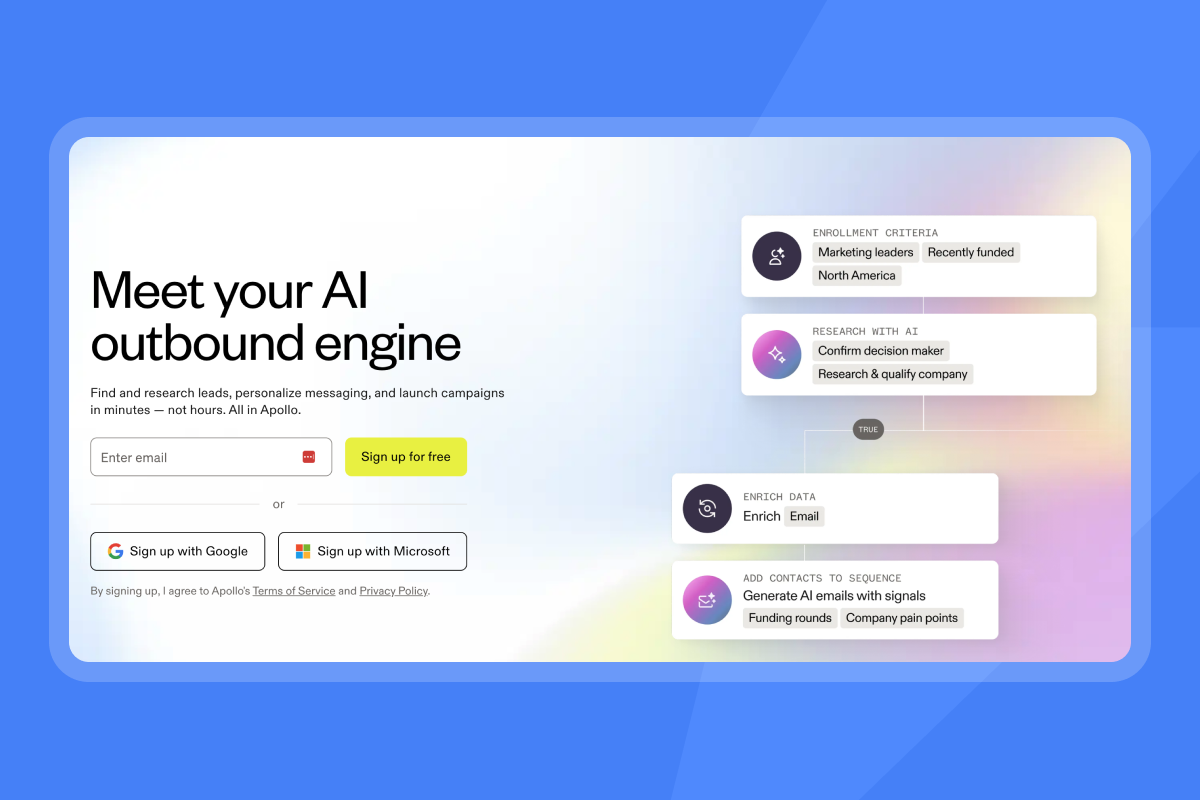
ChatGPT sales prompts for multi-step sequences
Sequences outperform single sends, and the optimal length is 4-7 steps. Instantly's 2026 benchmark report confirms that first-touch emails generate 58% of replies, with the remaining 42% coming from follow-ups, which means cutting a sequence short after one or two steps leaves real pipeline on the table.
4-step workflow for sales sequences
- Step 1 (trigger-based opener): Use Prompt 1 from the cold outreach section above. FUND context required.
- Step 2 (value add, day 3): "Write a 60-word follow-up that adds one piece of value (a stat, a tip, or a relevant example) related to [PROBLEM]. Do not reference that this is a follow-up. End with a different question than step 1."
- Step 3 (social proof, day 7): "Write a 60-word follow-up that mentions a result a company like [PROSPECT'S COMPANY] achieved with [PRODUCT]. One sentence result, one sentence connection to their situation, one soft question."
- Step 4 (breakup, day 14): See the breakup prompt below.
Instantly's AI Sequence Writer generates a full multi-step sequence from your offer and audience inputs, but these prompts let you control each step manually in ChatGPT.
Injecting value into follow-up emails
Follow-ups that add something new consistently outperform "just bumping this up" emails.
"Write a 60-word follow-up email for a prospect who has not replied. Add exactly one piece
of value: [CHOOSE ONE: a relevant industry stat, a short tip, or a brief case result].
Do not reference that this is a follow-up. End with a question different from the first
email. Tone: helpful, direct, no pressure."
Drafting high-response breakup emails
Breakup emails get replies because they create low-stakes finality.
"Write a 40-word breakup email to a prospect who has not replied after [NUMBER] touches.
Tell them you will stop following up after this. Give them one last easy out: a yes or no
question about whether [PROBLEM] is even on their radar. Keep it warm, not passive-aggressive."
Turning cold leads into meetings
Soft ask (for earlier in the sequence):
"Write a one-sentence meeting ask for a prospect who has shown mild interest. Offer a
specific 15-minute slot or a calendar link. Frame it as a quick check, not a demo. Under 25 words."
Direct ask (for warmer prospects):
"Write a two-sentence meeting ask. Reference [FUND PLACEHOLDER] as the reason for timing.
Offer two specific times or a scheduling link. Under 35 words total."
ChatGPT workflows for faster lead engagement
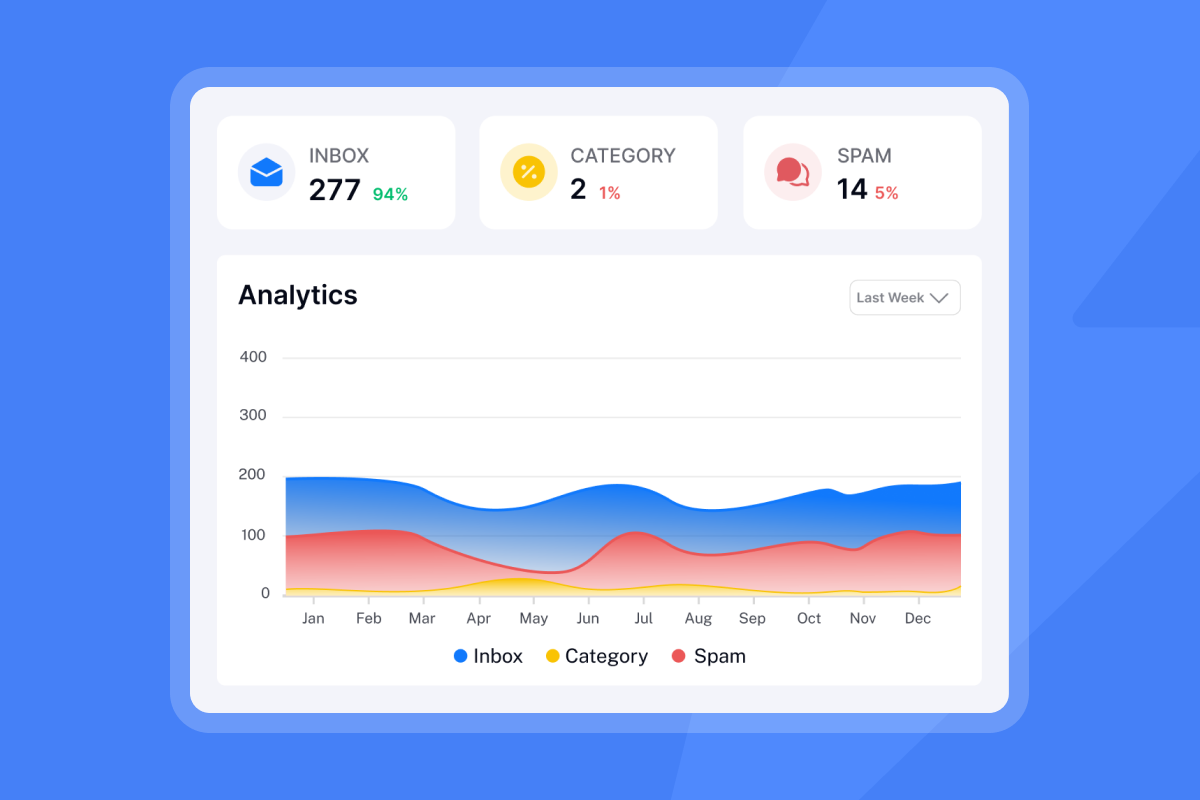
ChatGPT can triage replies and prioritize leads so you spend time on warm conversations instead of inbox management. Instantly's Unibox NLP auto-classifies incoming replies into labels like "Interested," "Not Interested," and "Out of Office" across multiple languages, reducing most manual triage for teams running at volume. Full custom-label control is available on Hyper Growth and Light Speed plans.
Sentiment analysis for priority leads
"Classify this email reply into one of five categories: Interested, Soft No, Hard No,
Question, or Out of Office. Then write a one-sentence recommended next action.
Reply: [PASTE REPLY TEXT]."
Run this prompt on every reply before you respond. It helps you read the reply accurately before deciding on a next action, whether that is a reframe, an answer, or a close.
Prioritizing warm lead follow-ups
"Here are five prospect replies: [PASTE REPLIES WITH NAMES]. Score each one from 1-5 on
buying intent based on language used. Output a ranked list with the score and one-sentence
reason for each score."
Cleaning lists of unqualified leads
"Here is a list of prospect descriptions: [PASTE LIST]. Flag anyone who does not match
this ICP: [DESCRIBE ICP]. Output two lists: Qualified and Unqualified, with one-sentence
reasoning for each flagged contact."
Instantly's BounceShield automatically skips known high-risk recipients based on real-time and historical bounce data, which handles the deliverability side of list hygiene without manual intervention.
Flagging OOO emails for follow-up
"Detect if this email is an out-of-office auto-reply: [PASTE EMAIL]. If yes, extract:
1) the return date, 2) any alternate contact mentioned. If no return date is given, flag
it as 'date unknown.' Output as two labeled fields."
Instantly's Out-of-Office Resume feature handles this automatically at the campaign level on all plans, pausing and resuming sends based on the NLP-detected return date.
Proven ChatGPT scripts for closing objections
Objection handling scripts work when they acknowledge the objection, reframe with evidence, and ask a small next step. FUND context makes rebuttals feel personal rather than scripted.
Closing deals on price objections
"Write a two-paragraph email responding to a price objection. Prospect said: [PASTE
OBJECTION]. Acknowledge their concern. Reframe with one specific value metric: [METRIC,
e.g., '[PRODUCT] users report cutting research time by 3 hours per week']. End with a low-stakes
question about what ROI would justify the investment."
Addressing prospect scheduling delays
"Write a 50-word re-engagement email for a prospect who agreed to a meeting but went quiet.
Reference [FUND PLACEHOLDER] as a reason to reconnect now. Offer a new specific time slot.
No guilt. One clear ask."
Handling vendor displacement objections
"Write a two-sentence response to 'we already use [COMPETITOR].' Acknowledge the incumbent
without criticizing it. Offer one specific comparison point: [SPECIFIC DIFFERENTIATOR].
End with a question that opens the door to a 15-minute comparison call."
Apollo carries a broader multichannel feature set for enterprise buyers, and Instantly handles the same email motion on unlimited accounts at a flat fee, so the comparison question often comes down to whether per-seat pricing scales as your account count grows.
| Feature | Apollo | Instantly |
|---|---|---|
| Email accounts | Per-seat pricing | Unlimited on flat fee |
| Multichannel | LinkedIn, calls, email | Email + syncs to LinkedIn tools via Automations |
| Primary use case | SMB to mid-market sales engagement | Founder and agency email at scale |
| Pricing model | Scales with seats | Flat fee regardless of accounts |
Handling the no budget objection
"Write a 60-word response to 'we don't have budget right now.' Acknowledge it directly.
Reframe around the cost of the problem staying unsolved: [COST OF INACTION]. Offer a
low-commitment next step, not a pitch. End with one question."
ChatGPT prompts for sales call preparation
Call prep prompts take unstructured research inputs and return structured notes you can use directly in a call. The Instantly AI Sales Agent guide covers the broader workflow for moving from first reply to booked meeting automatically.
Automating pre-call research tasks
"Generate a pre-call brief using this information: Company website: [URL or PASTE TEXT].
LinkedIn profile: [PASTE TEXT]. FUND context: [PLACEHOLDER]. Include: 1) three likely
pain points, 2) two relevant talking points, 3) one risk to flag. Output as a structured
brief with labeled sections."
Customizing prospect discovery questions
"Generate five discovery questions for a call with a [ROLE] at a [INDUSTRY] company that
[FUND PLACEHOLDER]. Questions should uncover: budget authority, current process, key pain,
timeline, and success metrics. Keep each question under 15 words. Number the list."
Meeting flow and script generator
This flow is written for a founder running the discovery call without a team. Trim or compress sections to fit your style.
"Create a 30-minute meeting flow for a discovery call with [ROLE]. Include: 2-minute intro,
5-minute agenda confirmation, 15-minute discovery using these questions: [PASTE QUESTIONS],
5-minute product relevance summary, 3-minute next steps. Add one transition phrase between
each section."
Fix CRM records using ChatGPT sales prompts
When you're running outbound solo, CRM hygiene is easy to skip. ChatGPT handles the cleanup in minutes when you give it structured inputs, so follow-up timing and pipeline accuracy don't slip while you're focused on closing. Instantly's HubSpot integration in Automations syncs contact status bidirectionally, keeping your CRM current without manual data entry.
Prioritize leads with ChatGPT
"Here is a CSV export of 10 leads with these fields: Name, Company, Last Contact Date,
Reply Status, Deal Stage. Rank them by follow-up priority based on recency and engagement
signals. Output a numbered list with one-sentence reasoning per lead."
Drafting concise sales meeting notes
"Here are the raw notes from a sales call: [PASTE NOTES]. Reformat them into a structured
CRM entry with these fields: Summary (2 sentences), Pain Points Identified, Budget Signal,
Next Action, Follow-up Date. Keep each field under 30 words."
Mapping CRM deals with ChatGPT
Use this if you're tracking deals in a spreadsheet or lightweight CRM and want a quick next-action read across your pipeline.
"Here is a list of open deals with their current stages: [PASTE LIST]. Suggest the most
likely next action for each deal based on the stage and last activity. Output as a table
with columns: Deal Name, Current Stage, Recommended Next Action."
Instantly's CRM pipeline features track deal stages natively, so these cleaned records flow directly into your existing pipeline view.
Benchmarking your ChatGPT sales prompt results
Benchmark against real data, not AI hype. Instantly's 2026 benchmark report analyzed billions of cold email interactions from Jan 1 to Dec 18, 2025, across thousands of active workspaces. These are the numbers that matter for a founder-led campaign.
Targeting the 3% to 5% reply range
The platform average reply rate is 3.43%, top-quartile senders reach 5.5%+, and the top 10% clear 10.7%+. Instantly's 2026 benchmark report attributes the gap to micro-segmentation, problem-focused messaging, consistent A/B testing, and smart automation, not any single prompt technique. For a first campaign, target 3-5%.
If you send 500 emails per week and hit 3.43%, that is 17 replies. A typical booked-meeting ratio runs 2-5% of prospects contacted, per Martal Group's SDR KPI benchmarks. Across 500 contacted prospects, that is 10-25 meetings from one campaign without an SDR.
KPI targets for elite sales prompts
| KPI | Target range | Action if below target |
|---|---|---|
| Reply rate | 3.43% avg, 5.5%+ top quartile | Tighten ICP, improve prospect context |
| Bounce rate | Under 2% | Re-verify list, enable BounceShield |
| Meeting rate from prospects contacted | 2-5% | Test soft vs. direct ask prompt |
Where ChatGPT prompts fall short
ChatGPT can draft and send emails through a connected Gmail or Outlook account, but it does not warm up domains, does not verify contacts at scale, and does not protect deliverability across multiple accounts. Sending is one step. The infrastructure around it, warmup, bounce protection, spam language detection, and reply classification, still falls to you manually in a ChatGPT-only workflow, which is where most founder-led motions stall.
Instantly handles the infrastructure layer that ChatGPT cannot reach: unlimited email accounts with built-in warmup, BounceShield for automatic skip of risky recipients, AI Spam Words Checker for contextual spam language detection, and Unibox NLP for automatic reply classification. The AI Sales Agent closes the loop by sourcing leads, writing the sequence, and optimizing on replies autonomously. Lemlist supports multichannel sequences, and Instantly syncs to LinkedIn outreach tools via Automations on a flat fee that does not scale against you as your account count grows.
"The UI UX is clean and easy to follow, setting up domain and emails were smooth, the copilot does help with writing cold emails may be because of the system prompt designed specifically to write cold emails" - Vivek on Trustpilot
Load your first structured prompt and run your first campaign with deliverability protections already in place. Start your free trial and use the ramp template inside the app to reach your first meetings.
FAQs: ChatGPT sales prompts
Can ChatGPT write cold emails that get 10%+ reply rates?
10%+ is a top-decile outlier, not a standard target. Instantly's 2026 benchmark report puts the platform average at 3.43% and top-quartile senders at 5.5%+, so build your first campaign around the 3-5% range and iterate up from there.
How do you stop ChatGPT from sounding robotic in sales emails?
Feed it real prospect context using structured intelligence (Financial triggers, Updates, News, Data), set a firm word limit under 80 words, and run a human tone check before sending. The less specific the input, the higher the chance of copy that reads templated rather than researched.
Should you use the paid tier or the free tier of ChatGPT for sales prompts?
The paid tier handles longer context windows better and produces fewer hallucinations, which matters for prompts with long prospect excerpts pasted in. The free tier works for short subject line or breakup email prompts if you verify the output manually. Regardless of tier, run the same verification checklist before any email goes out.
How often should you update your ChatGPT sales prompts?
Review your prompt log monthly and update FUND placeholder variables weekly as new prospect intelligence surfaces. A/B test two prompt variants per campaign step and keep the version with the higher reply rate.
Can you use these prompts with Claude or other AI tools?
Structured prospect context and bracketed placeholders are model-agnostic, meaning the same inputs work whether you are prompting ChatGPT, Claude, or another tool. Adjust formatting instructions to match each tool's output style, and always run the same verification checklist regardless of which model you use.
Key terms glossary
Reply rate: The percentage of sent emails that receive a response. The platform average for cold outreach is 3.43%, per Instantly's 2026 benchmark report.
Warmup: The process of gradually increasing send volume from a new inbox to build sender reputation before full campaign deployment. Instantly's 2026 benchmark report recommends 4-6 weeks before sending at full volume.
List hygiene: The practice of verifying, deduplicating, and removing unqualified or risky contacts before sending. Keep bounce rate under 2% to maintain deliverability.
Primary inbox: The Primary tab in Gmail's tabbed inbox, separate from Promotions, Social, Updates, and Forums. Emails that land in Primary are treated as personal or business correspondence rather than bulk or promotional sends. Landing here consistently requires proper authentication, warmup, and clean copy.
Spintax: A formatting method that generates email variations from one template by randomly selecting between bracketed options at send time, using the {{RANDOM | option1 | option2}} format in Instantly.
Send windows: The scheduled time blocks during which a campaign delivers emails. Instantly's 2026 benchmark report identifies Monday as the best launch day and Wednesday as the highest reply day.
Verified contacts: Email addresses confirmed as deliverable before sending, reducing bounce risk. Leads sourced in Lead Finder ship pre-verified in Instantly.
Prospect intelligence structure: A context-loading approach for ChatGPT sales prompts built on four types of data: Financial triggers (investment rounds, revenue milestones, budget cycle signals), Updates (recent company activity such as product launches, new hires, team expansions, or operational changes), News (external signals such as press coverage, awards, regulatory changes, competitor moves, or sector trends), and Data (publicly available signals such as growth metrics, performance figures, or benchmarks shared in blog posts, reports, or press releases). Filling in each type with real prospect information before prompting ChatGPT reduces the chance of generic or hallucinated output.
Read next:
- AI sales agents for sales enablement programs: the complete guide for sales leaders: How sales leaders can deploy AI agents across enablement programs to improve rep output, reduce ramp time, and increase pipeline per headcount.
- AI sales agent benchmarks 2026: the complete performance report: Performance data on AI sales agents across reply rates, meeting bookings, and pipeline contribution, so you can set realistic targets before deploying.
- AI agents for sales calls: what actually works in 2026: a sales leader's capability map: A practical breakdown of which AI call capabilities deliver measurable results in 2026 and which are still too early to build a process around.


