.svg)
%20(1).svg)


Updated October 23, 2026
TL;DR: The average cold email reply rate is 3.43% according to Instantly.ai's 2026 benchmark report. Top-quartile senders hit 5.5%+ with disciplined prompts, list hygiene, and 4-6 week warmup. Every prompt needs three layers: ideal customer profile (ICP) context, voice guardrails, and negative constraints that block robotic phrases and spam triggers. Apply the Rule of One: one problem, one solution, one call to action (CTA) per email. Artificial intelligence (AI) handles drafting and triage. You handle tone, proof, and final review. Full automation without human review burns young domains.
Generic AI prompts produce generic enterprise copy that burns young domains and wastes founder time. The best AI prompts for bootstrapped software as a service (SaaS) outbound encode your voice, your ICP, and your cash constraints into every send.
Why most AI sales prompts fail bootstrapped founders
Generic prompts produce copy that triggers spam filters and ignores founder economics. When you ask ChatGPT to "write a cold email," you get enterprise sales development representative (SDR) language: "I hope this finds you well," "30-minute demo," "synergy." That copy assumes a big brand and a big team. You have neither. Bootstrapped founders compete on authenticity and speed, not brand recognition and SDR armies.
The problem compounds when you scale. AI-generated copy overuses trigger words because it learned from millions of marketing emails. Those same phrases now flag spam filters, damage sender reputation, and tank domain health. Young domains don't recover fast, and founders can't afford to burn one while learning.
Crafting personal founder narratives
Founder story beats enterprise case study in cold email. Prospects buy from people they trust, not logos they recognize. Start prompts with your narrative: why you built this, what problem you saw firsthand, what changed after launch.
Here's a prompt fragment that works: "Write a cold email from a bootstrapped SaaS founder who built [product] after experiencing [specific problem]. Keep it under 80 words. Conversational tone. No corporate jargon. One clear CTA."
The specificity matters. You're not asking for "a cold email." You're asking for your cold email rooted in real experience, not a generic pitch template.
Why spam filters kill your outreach
AI-generated copy repeats patterns. Spam filters learn those patterns. When thousands of senders use the same AI to write "I hope this email finds you well," that phrase becomes a recognizable cliché associated with mass-sent messages. Your email goes to spam, reply rate drops, and domain reputation suffers.
Instantly's AI Spam Words Checker evaluates context, not just keyword matching. It flags phrases that look harmless alone but trigger filters when combined with other signals, catching problems before you send.
Why high volume hurts your customer acquisition cost
Volume without reply rate burns budget and domain reputation. Sending 1,000 emails per day sounds productive until you calculate cost per meeting. At a 1% reply rate, you need 100 sends for one reply and maybe 10 replies to book one meeting. That's 1,000 sends per meeting.
The smarter play is pipeline per dollar, not emails per day. Cap sends at 30 campaign emails per account per day, as Instantly's campaign options guide recommends. Scale by adding accounts, not by pushing one account harder. Unlimited accounts on a flat fee mean you spread volume across ten inboxes instead of burning one.
Sharpening AI prompts to reach your ideal buyer
The Rule of One fixes most prompt problems: one recipient, one problem, one solution, one CTA per email. Asking AI to write for "marketing managers at SaaS companies" produces generic copy. Asking it to write for "a head of growth at a 10-person SaaS who just lost their SDR and needs pipeline this quarter" produces something specific.
Map your ideal customer profile
Start with a prompt that defines your ICP in plain language:
"Define the ideal customer for [product]. They work at [employee count or revenue range] in [industry]. Their biggest pain point is [specific problem]. They currently solve this by [workaround]. They care about [metric]. They fear [risk]. Write this as a short paragraph for future prompts."
Fill the brackets with real data from customer calls, win-loss interviews, or support tickets. Once you've defined your ICP, use it to build targeted lists in SuperSearch, which accesses 450M+ B2B (business-to-business) leads with waterfall enrichment, but the prompt starts with your definition, not the database.
Mine insights from customer calls
Your best copy comes from real conversations. Record sales calls (with permission), transcribe them, and feed transcripts to AI:
"Analyze this customer call transcript. Extract the exact phrases the customer used to describe their problem, their current solution, and why they switched. List the top pain points in their words. Then write a cold email that mirrors that language back to a similar prospect."
This keeps copy grounded in how buyers talk, not how marketers think they talk. You're quoting pain points, not guessing.
Create AI prompts for your voice
Voice guardrails make AI copy sound like you. Add these constraints to every prompt:
- Sentence length: Aim for 15 to 20 words per sentence on average
- Tone: Conversational, not corporate
- Banned phrases: No "I hope this finds you well," no "just checking in," no "touching base"
- Formatting: Short paragraphs, one idea per paragraph
- Proof: Include one specific example or metric
Instantly's AI Sequence Writer generates multi-step sequences from offer and audience inputs. It's capped at 100 generations per workspace per month, so you can iterate without burning credits.
Prevent spam triggers in your prompts
Negative constraints block robotic output. Tell AI what not to write:
| Banned phrase | Why it fails | Replacement |
|---|---|---|
| "I hope this finds you well" | Robotic filler | Start with the problem |
| "30-minute demo" | Too long, enterprise ask | "10-minute call" or "quick question" |
| "Just checking in" | No value | Add a new insight or resource |
| "Touching base" | Corporate jargon | "Following up on [specific thing]" |
| "Game-changing" | Hype, spam trigger | Describe the actual outcome |
Add this instruction: "Avoid these phrases: [list]. Avoid hype words like 'revolutionary,' 'cutting-edge,' 'best-in-class.' Write like a human, not a marketer."
Common openers that read as mass-sent include "I came across your website and was impressed," "My name is X and I am reaching out from Y," and "I wanted to touch base." These lines won't trip a filter alone, but they're in so many cold emails that readers skim past them.

Proven SaaS cold email prompts that book meetings
These prompts are stackable and copy-pasteable with placeholders. Each encodes ICP context, voice guardrails, and negative constraints.
Writing subject lines that get opened
Subject lines set the tone. Here are two templates:
Template 1: "Write 5 subject lines for a cold email to [ICP] about [problem]. Keep them under 40 characters. No clickbait. No 'quick question' or 'touching base.' Make them specific and curiosity-driven. Good tone: 'Your [metric] dropped last quarter' or 'How [competitor] solved [problem].'"
Template 2: "Write 3 subject line variants for a follow-up email. The first email mentioned [pain point]. Keep these under 40 characters. No 'Re:' or 'Following up.' Try: 'Still seeing [problem]?' or '[Competitor] fixed this in [timeframe].'"
Test these with A/Z testing. The Growth plan includes A/Z testing, and the full 26-variant capability is gated to Hypergrowth ($97/mo) and above.
Writing SaaS emails that get replies
Here's a full email prompt using the Rule of One:
"Write a cold email to [persona] at [company type] about [one problem]. Start with a specific observation about their company or a recent trigger event (funding, hire, product launch). Explain how [product] solves that problem in one sentence. Include one proof point (metric, customer name, or outcome). End with one low-friction CTA like 'Worth a 10-minute call?' Keep the email under 80 words. Conversational tone. No jargon. No 'I hope this finds you well.' No '30-minute demo.'"
Benchmark data shows emails under 80 words perform best, and first-touch emails generate 58% of replies versus 42% from follow-ups.
Nurture sequences that drive meetings
Multi-step sequences beat one-off emails. Use this prompt:
"Write a 4-step cold email sequence for [ICP] about [problem]. Each email under 80 words. Step 1 (day 1): Introduce problem and solution. Step 2 (day 3): Add proof point or case study. Step 3 (day 7): Address common objection. Step 4 (day 12): Breakup email with final low-friction ask. Consistent tone. No hype. No spam triggers."
Here's a baseline follow-up schedule with widening gaps between touches, per Instantly's sequence best practices:
| Day | Action | Notes |
|---|---|---|
| 1 | First email | Introduce problem + solution |
| 3 | Follow-up 1 | Add proof point |
| 7 | Follow-up 2 | Address objection |
| 12 | Follow-up 3 | Breakup or final ask |
Optimal sequence length is 4-7 steps. Consistent senders see 15-20% higher replies than erratic senders.
Automating inbox triage with AI
Once replies come in, triage matters. Use this prompt:
"Classify this reply into one of three categories: Interested (wants to learn more or book a call), Not Now (timing issue, follow up in 3-6 months), or Wrong Person (redirect to correct contact). Extract the key sentence signaling intent. Suggest a response matching their tone."
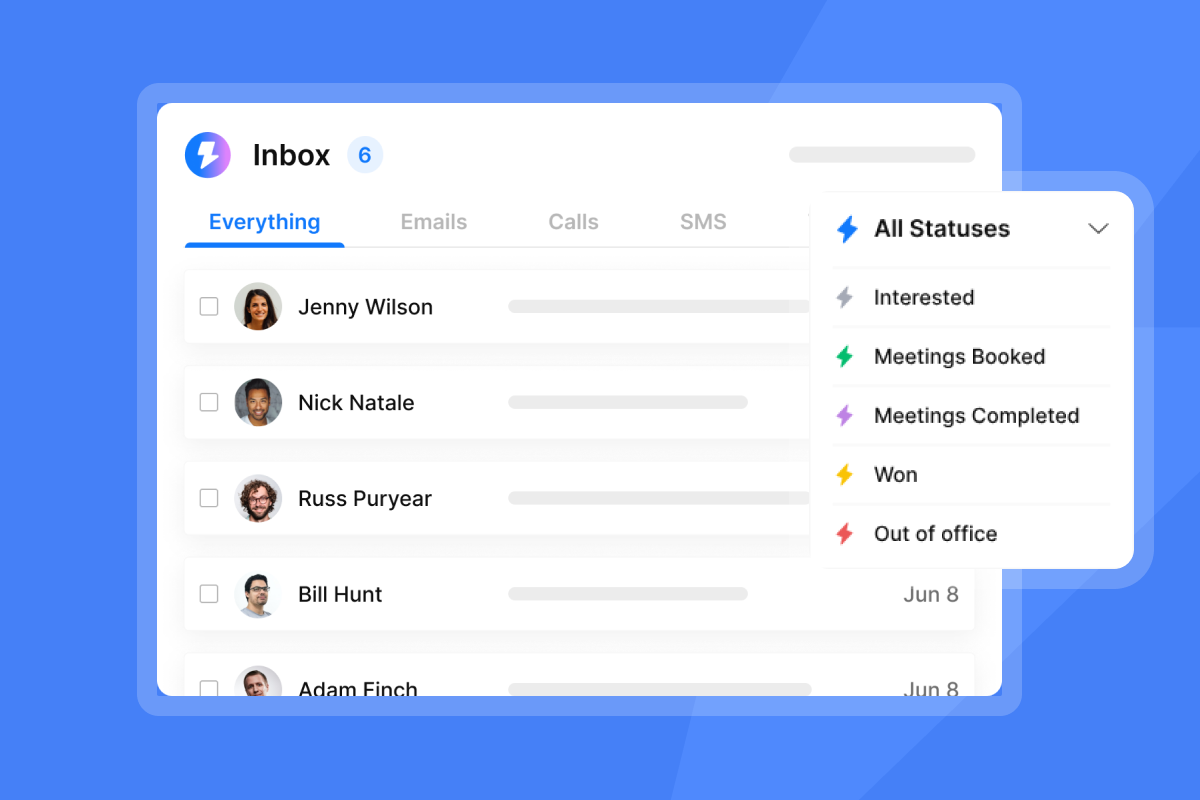
Unibox NLP handles this at scale by auto-classifying replies into interest labels across 50+ languages using sentiment and context detection. Custom label classification is plan-gated, so you need Hypergrowth or Light Speed to use it.
Prompts to boost meeting bookings
Calendar follow-ups and no-show recovery need their own prompts:
"Write a follow-up email to someone who booked a call but didn't show. Acknowledge things come up. Offer two alternative times. Include the calendar link again. Keep it between 50 and 125 words with one clear ask. Warm tone, no guilt trip."
The 50 to 125 word range increases engagement with busy decision-makers, according to The Small Business Expo, and emails between 75 and 100 words have the best shot at a reply per Mixmax.
The AI Reply Agent auto-handles lead replies in under five minutes with Human-in-the-Loop or Autopilot modes, costing 5 credits per reply generated.
Humanizing automated outreach for SaaS growth
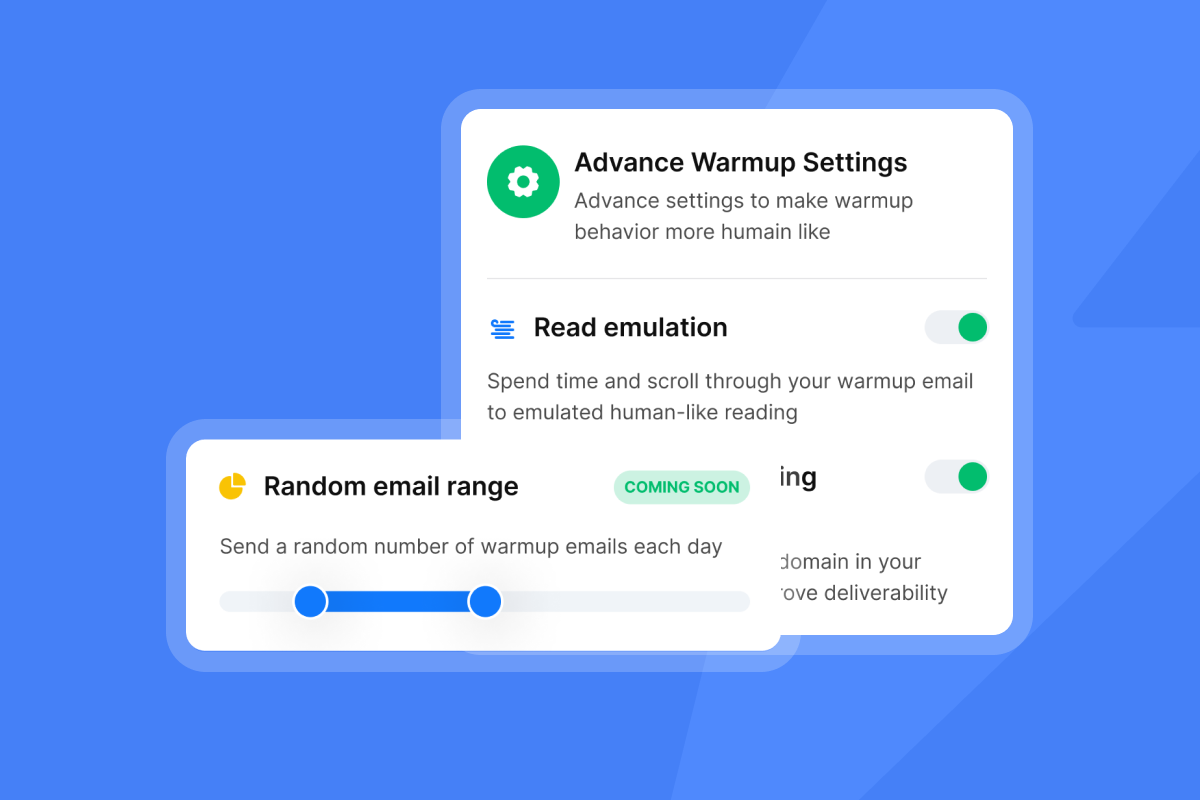
Human-in-the-loop is the workflow. AI drafts, you review, AI sends. Full automation sounds efficient until your brand voice drifts or a spam trigger slips through. Your voice is the moat. Protect it.
Turning personal style into prompts
Encode your voice into reusable prompt fragments. Write down 10 sentences you've sent in real emails. Feed them to AI:
"Analyze these 10 sentences. Identify my tone (formal vs casual), average sentence length, common phrases I use, and how I structure CTAs. Then write a style guide I can paste into future prompts to make AI copy match my voice."
Save that style guide. Add it to every prompt. That's how you scale without sounding robotic.
Turning generic AI into your voice
Run this 3-step manual review before sending:
- Read it out loud. Does it sound like something you'd say in person? If not, rewrite.
- Check for spam triggers. Paste the email into Instantly's AI Spam Words Checker to catch context-based triggers.
- Verify the proof point. Is the metric real? Is the example accurate? AI sometimes invents details.
Stop spam filters from blacklisting your domain
Technical safeguards are mandatory, not optional, for AI-driven volume. You can write the best prompts in the world, but if your domain name system (DNS) isn't configured or bounce rate spikes, none of it matters.
High-risk spam trigger phrases
The AI Spam Words Checker flags high-risk phrases in context. It evaluates whether "free trial" in a SaaS email is descriptive or a trigger, catching problems that keyword-only filters miss. Context matters: "free trial" for your product is fine, "100% free, no credit card required" is promotional spam language.
Configuring safe outreach limits
Cap sends at 30 campaign emails per account per day. Scale by adding accounts, not by pushing one account harder. Ramp new domains slowly. Instantly's 2026 benchmark report recommends starting at 5-10 emails per day and increasing gradually over 4-6 weeks, until you reach the 30-per-day cap.
Standard warmup timeline is 4 to 6 weeks, with a minimum 2 weeks before launching campaigns (3 weeks for Done-For-You Airmail accounts).
Google, Yahoo, and Microsoft require Sender Policy Framework (SPF), DomainKeys Identified Mail (DKIM), and Domain-based Message Authentication, Reporting, and Conformance (DMARC) authentication for bulk senders, per major mailbox providers' bulk sender requirements. DKIM and SPF need time to propagate, so allow up to 48 hours (most DNS changes resolve within an hour). Confirm both authenticate before you enable DMARC.
Validating emails before campaign launch
Verify your list before sending. Bounce rate above 2% hurts sender reputation. SuperSearch-sourced leads ship pre-verified. Comma-separated values (CSV) imports don't. Verification costs 0.25 credits per lead and classifies addresses as valid, invalid, or risky.
Enable BounceShield, which automatically skips known high-risk recipients based on real-time and historical bounce data. It's enabled by default. High bounce auto-pause stops campaigns once bounce rate exceeds 5% after a minimum 200 sends.
Defining realistic key performance indicators (KPIs) for your outreach
Measure against the 3.43% average, not aspirational 15% claims. Most cold email advice cherry-picks outliers. Benchmarks keep you honest.
Baseline reply rates for SaaS founders
Here's what Instantly's 2026 benchmark report found across billions of cold email interactions from January to December 2025:
| Metric | Average | Top quartile | Top 10% |
|---|---|---|---|
| Reply rate | 3.43% | 5.5%+ | 10.7%+ |
| Sequence length | 4-7 steps | 4-7 steps | 4-7 steps |
| Email length | Under 80 words | Under 80 words | Under 80 words |
Top-quartile senders send better email with tighter prompts, cleaner lists, and consistent follow-up while maintaining volume.
Hitting the 5.5% reply rate threshold
Top performers share three habits: they warm up for 4-6 weeks, keep bounce rates below 2%, and iterate on copy weekly. Consistent senders see 15-20% higher replies than senders who blast sporadically.
Benchmark data shows the best launch day is Monday and the highest reply day is Wednesday, so schedule your first email Monday morning and let follow-ups land midweek.
Optimal sequence length and email word count
Keep sequences between 4 and 7 steps. Shorter sequences miss follow-up opportunities. Longer sequences annoy prospects. Each email should stay under 80 words. First-touch emails generate 58% of replies, so make that first email count.
"The AI feature that reads replies and marks them as interested or not interested saves me a lot of time, making it easy to configure whom I need to focus on and reply to promptly." - Anurag K. on G2
Refining AI prompts using real campaign metrics
Treat prompt design as a debugging loop. Write a prompt, test it, measure reply rate, revise, repeat. Your first prompt won't be your best. That's fine.
Measure reply rates against benchmarks
Track reply rate in the Analytics & Report dashboard and compare it with the 3.43% platform average. If it falls below 1% to 2% after 100+ sends, pause and revise. A rate between that range and 3.43% means you're below average but not broken, so keep testing. Check bounce rate first. If that's clean, rewrite the prompt. Tighten the ICP. Add more negative constraints. Test a new subject line.
Schedule recurring prompt audits
Review prompts weekly or biweekly. Use this checklist:
- Is reply rate above 3.43%?
- Is bounce rate below 2%?
- Are spam complaints low, with no upward trend?
- Does the copy still sound like you?
- Are spam trigger phrases slipping through?
Update prompts based on what the data shows, not what you think should work.
Validate messaging with smart tests
A/Z testing is included on the Growth plan, and the full 26-variant capability is gated to Hypergrowth ($97/mo) and above. Test subject lines first, then body copy.
Change one variable at a time. If you change the subject line and the CTA in the same test, you won't know which change drove the lift.
Ready to apply these prompts? Try Instantly free and use the AI Sequence Writer to build your first campaign with the templates above. No credit card required for the 14-day trial.
FAQs: AI prompts for SaaS founders
Can AI prompts really match your founder voice?
Yes, if you feed AI examples of your real writing and add voice guardrails like sentence length, tone, and banned phrases. Use customer call transcripts to extract your natural language, then encode that into every prompt.
How do you avoid sounding robotic in cold emails?
Add negative constraints to your prompts: no "I hope this finds you well," no "just checking in," no corporate jargon. Read every email out loud before sending. If it doesn't sound like something you'd say in person, rewrite it.
What's a realistic reply rate for bootstrapped SaaS?
The platform average is 3.43% according to Instantly's 2026 benchmark report. Top-quartile senders hit 5.5% or more with disciplined list hygiene, 4-6 week warmup, and tight prompts.
How often should you update your prompts?
Review prompts weekly or biweekly based on reply rate, bounce rate, and spam complaints. If reply rate falls below 1% to 2% after 100+ sends or bounce rate climbs above 2%, pause and revise immediately.
Will these prompts work with Instantly's AI Writer?
Yes. The AI Sequence Writer generates multi-step sequences from offer and audience inputs, and you can paste these prompt templates directly into the tool. It's capped at 100 generations per workspace per month.
Key terms glossary
ICP (Ideal Customer Profile): The specific type of company and person most likely to buy your product. Includes company size, industry, job title, pain points, and buying triggers.
Domain health: A measure of your sender reputation based on bounce rate, spam complaints, and engagement. Poor domain health sends emails to spam. Good domain health lands them in the primary inbox.
Spam trigger words: Phrases that flag email filters as promotional or mass-sent. Examples include "free," "guarantee," "act now," and "click here." Context matters: "free trial" in a SaaS email is fine, "100% free" is not.
Reply rate: The percentage of delivered emails that get a response. Calculate it by dividing replies by delivered emails (sent minus bounces), then multiplying by 100.
Founder-led sales: A sales motion where the founder or co-founder runs outreach, demos, and closing instead of hiring an SDR team. Common in bootstrapped SaaS companies with 2-10 people.
Read next
- AI prompts for sales rep onboarding: the complete guide to faster ramp times: Learn how to use prompts to train new reps faster and shorten the time to their first booked meetings.
- AI prompts for sales sequences: the complete guide to multi-touch outbound cadences: See how to write prompts that build multi-step sequences with consistent tone and well-spaced follow-ups.
- AI prompts for sales outreach copy: the complete guide for growth marketers: Get prompt templates that help growth marketers write outreach copy that earns replies without sounding generic.


