


Updated November 11, 2026
TL;DR: Build this stack if you want control over your prompts, data, and CRM fields and have some ops capacity to maintain it. Buy a prebuilt tool like Fireflies if call volume is low and nobody can own the setup. Consider a platform when you pass roughly 50 calls per week (this guide's rule of thumb) or need sub-second latency for live coaching. The build uses five components: call recording (Zoom or Fireflies), speech-to-text (Deepgram or AssemblyAI), LLM prompts (OpenAI or Anthropic), automation (Zapier or Make), and CRM write-back. Start with Instantly.ai as your data layer to feed verified contacts into the agent via webhooks on the Hypergrowth plan. Build a minimum viable agent in about five days using usage-based pricing (about $133 to $141 per month for 50 calls per week, based on the published tool rates below), and review a small set of trial calls against their recordings before scaling (this guide uses three).
AI voice agents can handle some call work, but no published source in this guide shows they answer more calls than human operators. The catch is that most teams buy a closed platform whose prompts and logic they cannot audit instead of building a stack they control. If you run a sales team and want full control over your data, prompts, and CRM updates, you can assemble an AI call agent from modular components using no-code tools. Build time depends on your stack. This guide's five-component setup is designed to be built in about one work week without writing code.
Why custom agents outperform off-the-shelf tools
Custom agents win on auditability, cost control, and CRM fit. When you assemble the stack yourself, you own the prompts, see the raw transcripts, and map fields exactly how your RevOps process works. Off-the-shelf platforms hide the logic and often charge per seat or per minute with annual lock-ins.
Transparent costs for agile teams
Building yourself means paying only for what you use. AssemblyAI charges $0.15 per hour for pre-recorded transcription with its Universal-2 model ($0.21 per hour for Universal-3.5 Pro), and OpenAI's GPT-6 Luna costs $0.10 per 1M input tokens and $0.50 per 1M output tokens at standard rates. Based on the rates in this guide, a stack for 50 calls per week runs about $133 to $141 per month with no annual contract, including Instantly Hypergrowth for webhooks. Instantly's flat-fee unlimited accounts follow the same principle. You scale up when volume justifies it, not because a vendor changed tiers.
Escaping proprietary platform traps
Proprietary suites lock your call data and prompts inside their system. If you leave, you lose your history and your logic. A modular stack lets you swap Deepgram for AssemblyAI or switch LLMs without rebuilding the entire workflow. Your prompts stay in your version control, and your data flows into your CRM, not theirs.
When a prebuilt solution makes sense
If your team handles a low call volume (this guide uses under 50 calls per week as a rule of thumb) and lacks any ops capacity, a prebuilt tool like Fireflies offers faster setup than a custom stack. Prebuilt tools excel at recording and basic analytics. For teams needing custom CRM logic or audit trails, Instantly's flat-fee model and webhook triggers provide the data layer without the per-seat pricing that scales against you as you add reps.
Essential assets for building AI sales agents
This guide's no-code AI call agent uses four assets: call intake, transcription, instruction set, and pipeline update. Miss one and the system breaks. You need a reliable stream of audio, accurate text conversion, clear prompt logic, and clean CRM write-back. Other voice agent architectures, such as live phone agents, layer different components like speech-to-text, an LLM, text-to-speech, and a telephony layer.
Streamlining your call intake process
Pick one source of truth for recordings. Zoom and Fireflies both record calls, but Zoom provides raw API access for automation. Fireflies works well for smaller teams already using it for note-taking. The key is consistency. Every call must land in the same bucket with the same naming convention so your automation can find it.
Choosing the right speech-to-text API
Your agent is only as good as its transcript. Deepgram's Nova-3 model delivers a 5.26% Word Error Rate on batch transcription, while AssemblyAI's Universal-3.5 Pro averages 4.35% WER on pre-recorded audio. On real-world voice agent tasks, AssemblyAI's Universal-3.6 Pro Realtime records a 5.19% WER compared to Deepgram Nova-3's 8.64%. AssemblyAI charges $0.15 per hour for pre-recorded transcription with its Universal-2 model ($0.21 per hour for Universal-3.5 Pro).
Deepgram's pricing page lists Nova-3 streaming at $0.0077 per minute (about $0.46 per hour) on pay as you go. That $0.46 figure is a streaming rate, not a pre-recorded rate, so it isn't a like-for-like comparison with AssemblyAI's pre-recorded prices. For pre-recorded audio, Deepgram's pricing page lists Nova-3 at $0.26 per hour, which is the figure used in the comparison table below. Compare current pre-recorded rates on both pricing pages before you choose, since the better value depends on your call volume.
Instruction sets for AI sales bots
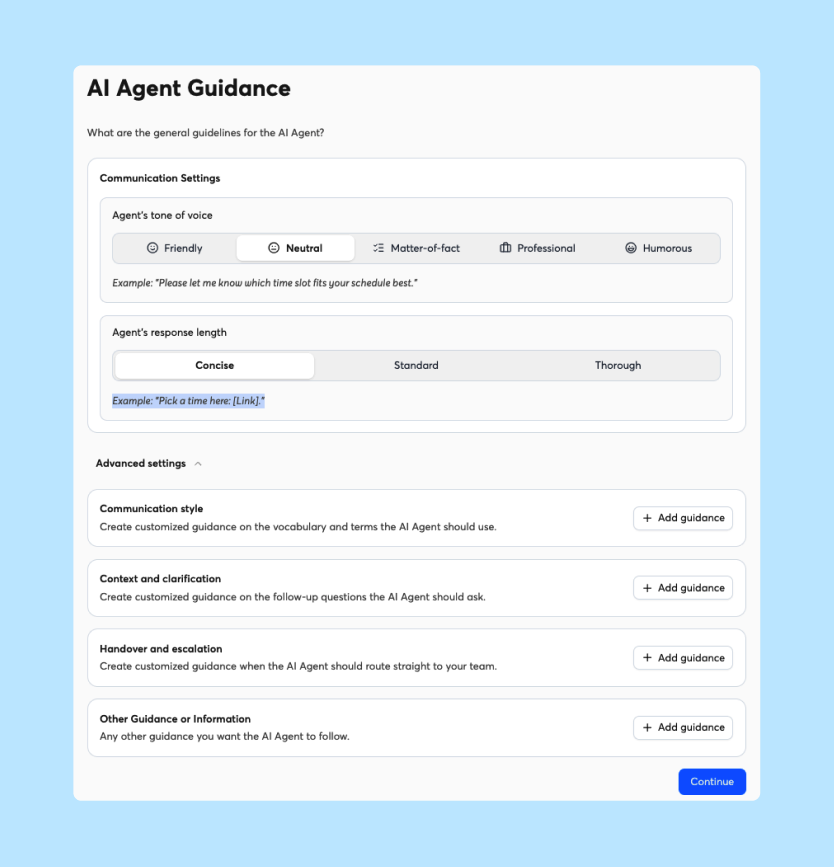
The prompt is your agent's brain. A well-designed prompt names the fields to extract (this guide uses budget, timeline, and objections) and the output format (this guide uses JSON, which most CRM tools and automation platforms can ingest). Write separate prompts for qualification, objection tracking, and next steps. One prompt trying to do everything creates hallucinations and bad data.
Ensuring clean pipeline updates
Bad write-back destroys trust faster than no write-back. If the agent logs "Interested" when the rep heard "Not now," your pipeline coverage becomes fiction. Map every AI output to a specific CRM field and have a person review the results before you trust them (this guide uses the first three calls). Instantly's Automations can pair an Instantly trigger, such as Lead Replies or Email Opened, with a HubSpot action, such as create or update contact, note, or task, without code. Use the newer HubSpot connection for Automations workflows. The "HubSpot (old)" connection only handles lead import.
Exporting verified contacts from Lead Finder
Go to Lead Finder in Instantly and run a search with your ICP filters (title, industry, company size). Select leads with verified contact data and click Export to download a CSV or push directly to your CRM. Instantly's people-search documentation covers contact data such as verified emails, not phone numbers. Add phone numbers from your CRM or another enrichment source, then map the phone field into your AI calling tool so your agent starts with accurate contact data, reducing wasted calls and improving connection rates.

Mapping your no-code AI sales infrastructure
Your stack flows from audio capture to text to logic to action. Each component specializes in one job, and each handoff must be explicit. Here is how the pieces connect.
Audio capture: Fireflies, Zoom
| Tool | Cost | Storage | API Access |
|---|---|---|---|
| Zoom | Included with paid plans | Cloud | Yes, via Zoom API |
| Fireflies | $10 per user/month on annual billing ($18 per user/month on monthly billing) | 8,000 minutes storage | Yes, via API |
Zoom gives you raw audio files you can process anywhere. Fireflies works for teams wanting AI summaries without enterprise pricing. To trigger post-call workflows when a meeting ends, set the trigger from your recording tool in your automation tool, such as Zapier or Make. Instantly's Zapier integration and webhooks work the other way. They send Instantly events, such as Reply Received or Lead status changed to Meeting Booked, to your other apps. Webhooks require the Hypergrowth plan or above.
Speech-to-text: Deepgram vs AssemblyAI
| Metric | Deepgram Nova-3 | AssemblyAI Universal-3.5 Pro |
|---|---|---|
| Cost per hour (pre-recorded) | $0.26 | $0.21 |
| Word Error Rate (pre-recorded, vendor-published) | 5.26% | 4.35% |
| Word Error Rate (streaming, AssemblyAI benchmark) | 8.64% | 5.19% (Universal-3.6 Pro Realtime) |
| Free tier | $200 credit | Free to start, pay as you go |
AssemblyAI costs less per hour and posts the lower pre-recorded WER. Both pre-recorded WER figures are vendor-published, and on AssemblyAI's own benchmark Nova-3 averages 6.66%, so test both on your recordings. For streaming, Deepgram lists Nova-3 at $0.46 per hour on pay as you go, and AssemblyAI's benchmark shows its streaming model at 5.19% WER against 8.64% for Nova-3. For a no-code sales agent handling recorded calls, AssemblyAI's lower cost per hour and lower WER make it the logical choice. Cost transparency matters as much for transcription as it does for email verification.
Which LLM should you use: OpenAI or Anthropic?
| Model | Input (per 1M tokens) | Output (per 1M tokens) |
|---|---|---|
| OpenAI GPT-6 Luna | $0.10 | $0.50 |
| Anthropic Claude Haiku 5.5 (prompts up to 100K tokens) | $0.10 | $0.50 |
| OpenAI GPT-6.1 Sol | $2.00 | $10.00 |
| Anthropic Claude Sonnet 5.5 | $2.00 | $10.00 |
For transcript parsing, both providers offer budget tiers at $0.10 per million input tokens (Luna and Haiku). Haiku's rate applies to prompts up to 100K tokens. Above that, Anthropic's page lists $0.50 per million input tokens and $2.50 per million output tokens. Test both with your actual transcripts. Start with Luna or Haiku for cost efficiency, upgrade to Sol or Sonnet if accuracy drops.
Automating handoffs: Zapier or Make
Zapier connects 9,000+ apps with a visual interface. Make offers 3,500+ integrations but with more complex logic and better pricing for high-volume workflows. Make's Core plan costs $10.59 per month for 10,000 operations on monthly billing, while Zapier's Professional starts at $29.99 per month. For call agent workflows with conditional branching (if objection mentioned, then tag in CRM), Make handles the logic more efficiently.
Instantly's Zapier integration and Make app can start a workflow from Instantly events, such as Reply Received or Lead status changed to Meeting Booked. Instantly's webhooks can also send those events to a Zapier or Make URL, but they require the Hypergrowth plan or above. Instantly's events come from email activity and lead status changes, so they don't report call outcomes. To act on a call outcome, trigger the workflow from your recording or transcript step instead.
Mapping AI outputs to CRM fields
| AI Output | CRM Field | Example Value | Notes |
|---|---|---|---|
| Call outcome | Lead status | "Meeting booked" | Maps to HubSpot lifecycle stage |
| Next step date | Task due date | "2026-11-15" | Creates follow-up task automatically |
| Budget mentioned | BANT field | "$50k to $100k" | Text field or dropdown |
| Churn risk | Health score | "High" | Triggers alert to CSM |
Instantly's Automations can pair an Instantly trigger with a HubSpot action, such as create or update contact, note, or task. When your AI agent identifies a qualified lead, the automation can create or update the contact and log the call notes without manual entry. Clean and format the AI output in your own automation step (Make or Zapier) before it reaches your CRM.
Launch your no-code sales agent in five days
You can ship a minimum viable agent in one work week. Each day builds on the previous one. By Friday, you have a working system processing live calls.
1. Set up the call stream input
Choose your recording tool and configure storage consistently. If using Zoom, enable cloud recording and set the retention policy, then create a dedicated folder or label for AI processing so your automation can find every call. Ensure every rep knows to record discovery calls and demos. This becomes your raw material.
2. Set up automated transcript ingestion
Connect your recording tool to AssemblyAI via Make. Set the trigger to detect new Zoom recordings and the action to upload the audio to AssemblyAI for transcription. Configure the webhook to notify your automation when the transcript completes. Test with a 30-second audio clip to verify the connection.
3. Configure your sales prompt logic
Write your instruction set. Start with qualification extraction. Your prompt should specify the exact fields to extract (Budget, Authority, Need, Timeline) and the output format (JSON). Include guardrails like "If the prospect did not mention budget, return null rather than guessing." Store the prompt in a document you can version control.
4. Map outputs to CRM fields
Configure the final automation step. When the LLM returns the JSON payload, parse the fields and update HubSpot or Pipedrive. Use Instantly's webhook setup to receive the trigger if you are pushing leads from Instantly into your CRM. Map the AI output fields to your CRM custom properties. Run one test call through the entire chain.
To trigger your AI agent from Instantly, go to Settings > Webhooks (available on Hypergrowth and above). Create a new webhook pointing to your Make or Zapier automation URL. Set the trigger event (e.g., "Lead replied" or "Campaign completed"). Include the payload fields you need (lead email, phone number, campaign name). Test the webhook with one contact to verify the handoff. When a lead engages, the webhook fires immediately and your AI agent can place the call within minutes, not hours.
5. Audit performance on three trial calls
Process three real calls. Check the transcript accuracy against the recording. Verify the LLM extracted the right qualification data. Confirm the CRM updated correctly. Ask the rep who ran the call if the AI summary matches reality. Fix any prompt errors or mapping gaps before rolling out to the team.
Prompt templates for common sales tasks
Use one prompt per task. Trying to extract everything in one pass reduces accuracy. Here are four templates for common sales scenarios.
Automating CRM sync for follow-ups
Extract next steps and due dates.
Review this sales call transcript. Identify any mentioned follow-up actions, scheduled meetings, or promised deliverables. Return as JSON with keys: next_step_description, due_date, assigned_to. If no next steps were discussed, return empty values.
Tracking buyer signals and objections
Log objections and buying signals.
Analyze this transcript for objections (budget, timing, competition, authority) and buying signals (asking about implementation, pricing, or contract terms). List each with a timestamp. Classify objections by category. Return as structured list.
Automating BANT and MEDDIC qualification
Extract qualification framework data.
From this transcript, extract BANT criteria: Budget (specific numbers mentioned), Authority (decision makers identified), Need (pain points stated), Timeline (implementation dates or urgency). Also extract MEDDIC elements: Metrics (KPIs discussed), Economic Buyer (who controls budget), Decision Criteria (how they will choose), Decision Process (steps to purchase), Identify Pain (business impact of problem), Champion (internal advocate). Return as JSON.
Predicting late stage churn risk
Identify risk signals from language.
Scan this transcript for churn risk indicators: mentions of competitors, dissatisfaction with current solution, budget freezes, or stakeholder departures. Also identify positive signals: expansion discussions, renewal mentions, or success metrics. Provide a risk score from 1 to 5 with reasoning.
How to audit your agent for reliable performance
Measure what the agent logs, not what it says. An agent that writes perfect prose but corrupts CRM data fails the audit. You need quantitative metrics and qualitative feedback.
Quantifiable KPIs for AI agents
Track field accuracy rate (correct extractions divided by total fields), CRM sync rate (calls successfully logged divided by total calls), and rep correction rate (how often reps manually fix the agent's work). Target 95% field accuracy and 98% sync rate. If rep correction exceeds 10%, your prompts need work.
Gathering rep input for AI tuning
Run a weekly feedback session. Ask reps three questions: Did the agent capture the qualification data correctly? Did it miss any objections? Did it log the next step accurately? Log these responses in a spreadsheet. Patterns reveal prompt gaps. If three reps report missing budget data, your BANT prompt needs a budget-specific instruction.
Audit trails for AI prompt versions
Version control your prompts like code. Save v1.0, v1.1, v2.0 with dates and change logs. When accuracy shifts, you can revert to a previous version or identify which change broke the logic. This matters for compliance and debugging. Store prompts in a shared doc with edit history or a simple Git repository.
Outgrowing your no-code agent: when to switch
The modular stack works until it doesn't. Three thresholds signal it is time to consider a platform: call volume, language complexity, and latency requirements.
Scaling beyond 50 calls per week
At 50 calls per week with 30-minute average duration, you process about 100 hours of audio monthly (50 calls × 4 weeks × 0.5 hours). AssemblyAI costs $15 with Universal-2 ($0.15 per hour) or $21 with Universal-3.5 Pro ($0.21 per hour) for transcription, OpenAI GPT-6 Luna costs well under $2 for processing (about 1.2 million transcript tokens at $0.10 per 1M input tokens, plus a small amount of output at $0.50 per 1M), and Make's Core plan handles the automation for $10.59 per month (10,000 operations on monthly billing). Transcription, LLM, and automation together stay under $40. Add Instantly Hypergrowth ($107 per month, which provides the webhooks and also includes CRM access and the Deliverability AI Agent) and the full stack comes to about $133 to $141 per month, matching the cost FAQ. At 200 calls per week, transcription, LLM, and automation costs quadruple but remain under $160. Instantly Hypergrowth stays flat at $107, so the full stack stays under about $267 per month. However, management overhead grows. If you spend more than five hours weekly maintaining prompts and fixing errors, a platform subscription becomes cheaper than your time.
Handling multi-language sales workflows
If you expand to EMEA or LATAM markets, you need transcription and prompts in Spanish, German, or Portuguese. AssemblyAI and Deepgram support multiple languages, but your prompt logic must handle cultural nuances and different qualification frameworks per region. When you need five or more language variants, managing the complexity in a no-code stack becomes unwieldy.
Managing low latency call feedback
No-code stacks process calls after they end. If you need live coaching during the call (real-time prompts or battlecards), you require sub-second latency that Zapier and Make cannot deliver. Live assistance requires streaming transcription and immediate LLM inference, which demands a different architecture than post-call analysis. Specialized platforms like Balto and Cresta enable live whisper coaching with sub-second suggestion lag, but that requires purpose-built infrastructure rather than generic automation tools.
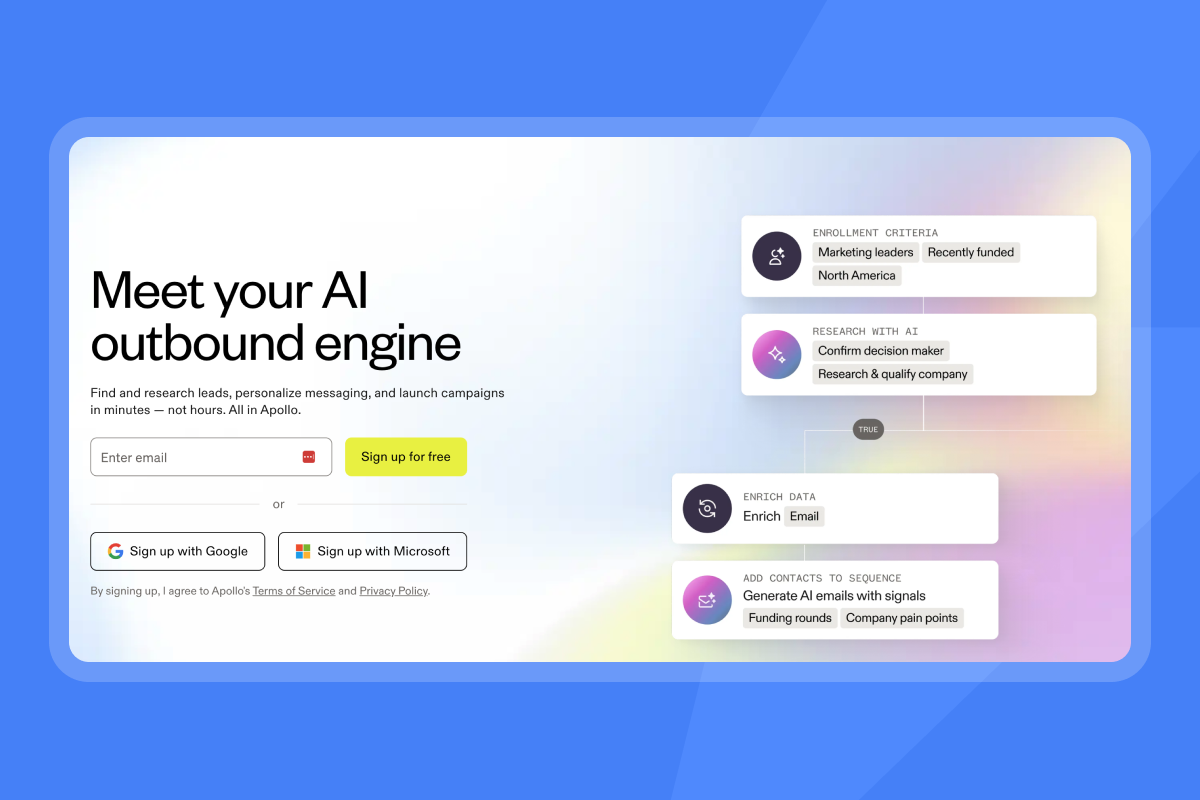
When you outgrow the DIY approach, Instantly offers AI Sales Agent and AI Reply Agent to handle lead sourcing and response handling, feeding your call agent with verified contacts and automated follow-ups. You keep the CRM logic while offloading the repetitive outreach. These integrate with Instantly's unlimited sending accounts to scale outreach without per-seat penalties.
Build an AI agent you control
You can build an AI agent for your sales calls in about five days with a recording tool, a speech-to-text API, an LLM, Make or Zapier, and your CRM. You keep control of your prompts, transcripts, and CRM fields, and the stack costs about $133 to $141 per month at 50 calls per week. Review a small set of trial calls first, then scale, or move to a platform when call volume or latency demands it.
Here is what to do next. Finish the five-day build, then audit three trial calls against their recordings. Track field accuracy (target 95%), CRM sync rate (target 98%), and rep correction rate (keep it under 10%).
Review prompts weekly with your reps. If call volume passes about 50 per week or you need live coaching, compare platforms. Until then, the modular stack keeps your prompts, data, and costs transparent, with no annual lock-in and no per-seat pricing.
Try Instantly free and use Lead Finder to export verified contacts that feed your AI call agent. Start with the Hypergrowth plan to access webhooks that trigger your agent when leads engage.
FAQs: building an AI agent for sales calls
How much does it cost to build an AI sales agent?
For 50 calls per week, expect about $133 to $141 monthly. That covers transcription ($15 to $21), LLM processing (under $2 with GPT-6 Luna), automation ($10.59 for Make Core on monthly billing), and Instantly Hypergrowth ($107 per month). Hypergrowth provides the webhooks that trigger your agent and also includes CRM access and the Deliverability AI Agent. Transcription and LLM costs grow with call volume. Instantly Hypergrowth stays flat.
Do you need developer resources to maintain this?
No. You need RevOps or sales ops capacity to manage prompts and field mappings. Budget two to four hours weekly for monitoring accuracy and updating prompts based on rep feedback. No coding required.
How accurate are no-code AI call agents?
AssemblyAI's Universal-3.5 Pro averages 4.35% WER (about 95.65% word accuracy) on AssemblyAI's own pre-recorded benchmarks. Phone and noisy audio often score lower, so test it on your recordings. Extraction accuracy depends on your prompts and audio, so measure it instead of assuming it. This guide targets 95% field accuracy and a rep correction rate under 10%. Accuracy drops for nuanced qualification like MEDDIC without human review. Review a small set of trial calls before trusting the automation (this guide uses three).
Can you use a no-code AI agent for live call coaching?
Not with this architecture. The no-code stack processes recordings after calls end. Live coaching requires streaming transcription and real-time LLM inference, which needs a different technical approach and sub-second latency.
What happens to call recordings and data privacy?
Establish a lawful basis for recording under GDPR (consent or legitimate interest) and comply with TCPA one-party or all-party consent laws depending on state. Store recordings encrypted, honor right-to-erasure requests within one month, and disclose AI usage to participants.
Key terms glossary
AI call agent: Software that processes sales call audio, extracts data, and updates CRM records using artificial intelligence without human data entry.
BANT: Budget, Authority, Need, Timeline. A qualification framework for determining if a prospect is ready to buy.
CRM write-back: The automated process of updating customer relationship management records with data extracted from calls or interactions.
LLM prompts: Instructions given to large language models (like OpenAI or Anthropic) to extract, classify, or summarize information from text.
MEDDIC: Metrics, Economic Buyer, Decision Criteria, Decision Process, Identify Pain, Champion. An enterprise sales qualification methodology.
Speech-to-text API: A service that converts audio recordings into written text, such as Deepgram or AssemblyAI.
Webhook: An automated message sent from one app to another when a specific event occurs, used here to trigger the AI agent when a call ends.
Read next:
- AI sales agent vs manual prospect research: time, cost, and accuracy compared: Compares how long research takes, what it costs, and how accurate the results are when an AI sales agent replaces manual work.
- AI sales agent reply rate benchmarks 2026: what's average vs. top quartile: Shows the average and top-quartile reply rates you can use to judge your own AI sales agent results.
- ChatGPT prompts for value proposition messaging: one core story for every persona: Gives you ChatGPT prompts that turn one core value proposition into messaging for each buyer persona.


