


Updated November 13, 2026
TL;DR: AI sales agents earn their seat on an SDR team when they improve meetings set and SQL quality through better pre-call research, live call guidance, and post-call CRM hygiene, not when they simply increase dial volume. A phased rollout is a practical way to protect ramp and reduce the risk of the shiny-tool adoption dip. One workable order is CRM data entry first, pre-call prep second, and live call guidance third, but you can start where your team loses the most meetings. Measure ROI through cohort testing and true cost-per-meeting, not vendor dashboards alone. Instantly.ai's AI Reply Agent handles lead replies in under 5 minutes, and CRM automation standardizes the post-call data that makes meetings-set reporting trustworthy.
Most AI sales agent pitches start with dials per day. Your CFO starts with meetings set. Activity volume alone doesn't predict meetings set. If you lead an SDR team evaluating AI sales agents for SDR teams, the only question that matters is which use cases move the meetings-set metric, not which ones inflate activity dashboards.
This article maps AI agent capabilities to the SDR daily workflow, ties each use case to the meetings-set number, and provides a rollout sequence that protects ramp plus a framework for measuring ROI that withstands CFO scrutiny.
Beyond activity: measuring actual meeting yield
Activity metrics without meeting yield are a trap. Calls made and emails sent matter only when they turn into booked meetings, and only a fraction of qualified conversations does. Volume helps only when quality holds: an SDR blasting 200 generic emails a day tanks reply rates and burns the domain, while an SDR making 20 calls and 15 emails a day will likely book too few meetings, even with strong messaging, because too few conversations start. Activity without process improvement just scales mediocrity.
The meetings-set metric is the number of qualified meetings an SDR books in a given period. This is the primary metric for SDR performance because it directly feeds pipeline coverage and revenue. According to Instantly's 2026 benchmark report, the platform average reply rate is 3.43%, while top-quartile senders reach 5.5% or higher. The gap is process, not volume, and the wider cold email statistics show the same pattern across industries.
Rep throughput (calls made, emails sent) matters only if it converts to meetings. Start with use cases that improve interaction quality, then scale volume once the process works.
The danger of scaling broken sequences
AI scales whatever process you feed it. If your sequence is broken, AI will scale the breakage. More activity, same or worse meetings. Fix the sequence first, then add AI.
A broken sequence shows low connect-to-meeting rates, high objection-to-meeting drop-off, or inconsistent follow-up that kills momentum. AI can help with each failure mode, but only if you map the use case to the specific problem. Start with post-call CRM hygiene before live call coaching.
From meeting set to qualified SQL
A meeting set is not the finish line. The handoff from SDR to AE is where many teams lose pipeline. If the AE rejects the meeting as unqualified, the SDR's effort was wasted.
SQL quality depends on clean CRM data and standardized dispositions. When an SDR logs a call outcome, the AE needs to know what was discussed, what objections came up, and what the next step is. AI helps by standardizing disposition logs and syncing call outcomes to CRM automatically. Instantly's Unibox NLP classifies incoming replies into custom labels using sentiment and context detection across 50+ languages. Base labeling is free on all plans, but custom labels require the Hypergrowth or Light Speed plan.
The result is audit-ready data that reconciles with CRM reporting. When your CFO asks how many meetings turned into SQLs last month, you can answer with confidence.
Mapping AI sales agents to SDR daily tasks
The SDR daily workflow has four stages: research, call prep, live calls, and post-call CRM work. The three AI use case categories that matter most are:
- Research and pre-call prep: AI pulls firmographics, intent signals, and recent news into a pre-call brief.
- Live call guidance: AI prompts help reps stay on script and handle objections without freezing.
- Post-call CRM hygiene: AI standardizes disposition logs, syncs tasks, and keeps data clean.
The table below compares autonomous agents, copilots/coaching tools, and hybrid configurations based on volume, quality outcomes, and best-fit use cases.
| Use Case | Volume Range | Quality Outcome | Best For | Pricing and plan notes |
|---|---|---|---|---|
| Autonomous agents | High call volume | Consistent messaging, but misclassified replies and off-target messages need guardrails and human review | High-volume, low-complexity outreach | Instantly's AI Sales Agent and AI Reply Agent are billed through Instantly Credits at 5 credits per generated lead or reply |
| Copilots/coaching | Lower volume | Better-prepared calls because reps get a brief and live prompts, with results that depend on rep skill | Consultative sales, complex objections | Varies by vendor, so confirm per-seat or flat pricing before you compare cost per meeting |
| Hybrid pods | Balanced | AI handles research, CRM entry, and reply triage while reps own live conversations | Most B2B SDR teams | Combines both: credits for AI agents, plus Instantly CRM, which is included on Hypergrowth and Light Speed plans |
AI-driven research for SDR prep
Research before outreach means reviewing an account's pain points and in-market signals first, then personalizing the first touch based on what you find. Instantly's 2026 benchmark report found that consistent, stable sending patterns produce 15-20% higher replies than erratic sending, which directly applies to research-driven outreach quality. For sequence design and testing cadence, see these AI SDR best practices.
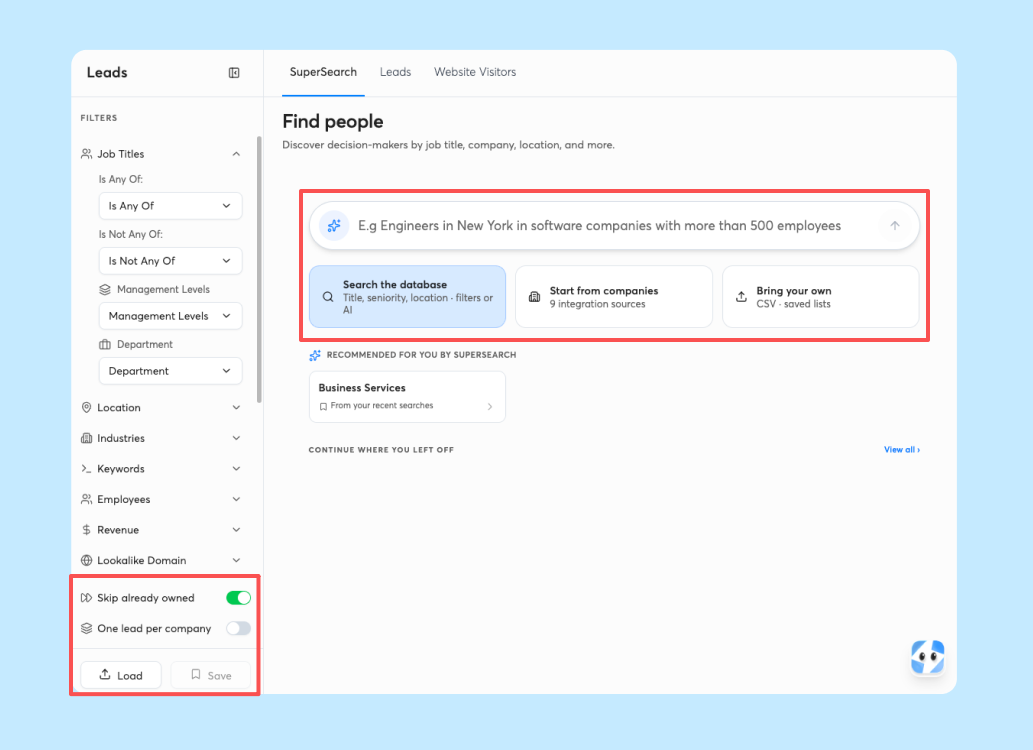
AI automates the research process. Instead of researching every prospect by hand, the SDR gets a pre-call brief that is quick to review, covering firmographics, recent news, hiring signals, and tech stack changes.
Instantly's Lead Finder includes a signals filter that surfaces buyer-intent data across four categories: social activity, buying intent, growth signals, and company activity. The filter matches signals against the 450M+ contact database.
Live call coaching for SDR performance
Live call coaching is where AI prompts help reps stay on script and handle objections in real time. Unlike autonomous dialing, the human rep still owns the conversation.
Live coaching works best for complex sales cycles and high-value meetings. For high-volume, low-complexity outreach, autonomous agents make more sense. The risk is prompt dependence. Mitigate by making live guidance optional and coaching reps to internalize playbooks over time.
Why start with CRM data entry
CRM data entry is the highest-ROI first use case for AI and the least glamorous, which is why most teams skip it. It should come first because it delivers immediate time savings, builds trust in AI output, and creates the audit-ready data that makes meetings-set reporting trustworthy.
Less manual entry means reps spend less time logging calls at the end of the day, and a shared disposition list keeps every rep's call outcomes consistent. The post-call section below covers how dispositions, follow-up tasks, and HubSpot logging work in practice.

AI cold call coaching: using pre-call research to prepare accounts
Pre-call research delivers the most meetings-set lift per rep hour. Manual research doesn't scale. An SDR can research only a limited number of accounts deeply per day before quality drops. AI changes the math.
Automating prospect data synthesis
AI agents pull firmographics, intent signals, and recent news into a pre-call brief covering company size, industry, tech stack, hiring signals, funding events, and leadership changes. Instantly's Lead Finder gives you access to 450M+ B2B leads with waterfall enrichment across seven data providers, and the signals filter surfaces live buying intent. The output is a one-page brief the SDR reviews in 30 seconds before dialing, including suggested talk tracks based on detected signals. For a look at how teams apply the same research and list-building workflows, see AI sales agent use cases for lead generation agencies.
Mapping intent to outreach scripts
AI maps buyer intent signals to specific talk tracks. If the signals filter detects a hiring spike in sales roles, the AI suggests a talk track about scaling outbound without adding headcount.
This is where sequence governance comes in. Sequence governance is the process of standardizing and controlling outbound sequences across a team. AI suggests which sequence variant to use based on the account's intent signals. Instantly's AI Sequence Writer generates a full multi-step email sequence from your business details and customer profile, and the AI Spintax Writer auto-generates Spintax variants so each lead gets a slightly different version. Reps drafting copy from scratch can also start from proven cold email templates to shorten the review cycle.
Real-time guidance for SDR scripts
Live AI prompts help SDRs stay on script without sounding robotic. The AI listens to the call and surfaces the next-best question or objection response:
Prospect: "We already have a vendor for this."
AI prompt: "Acknowledge the vendor, then ask: 'What would need to change for you to consider a switch?' Focus on the gap, not the replacement."
Each prompt gives the rep one next question or response to try, so a pause after an objection doesn't stall the call. The rep decides whether to use it and adapts the wording to the conversation.
Impact on connect-to-meeting rate
Connect-to-meeting rate is the percentage of connected calls that result in a scheduled meeting. Pre-call research improves this metric by giving the rep a reason to call that resonates. The math is concrete: a rep who connects with 100 prospects in a month at a 5% connect-to-meeting rate books 5 meetings, and lifting that rate to 8% adds 3 more meetings from the same 100 connects. Standardizing research across the team makes that lift repeatable because every rep works from the same brief quality rather than individual prep habits.
The key is an actionable brief. A good brief answers three questions. Why this account? Why now? What should the rep say first? If the AI brief answers those, the rep can open the call with confidence.
SDR AI assistant: live objection handling and next-best-action prompts
Live objection handling is where AI assistants earn their keep, but only if reps can access playbooks instantly.
Guidance for handling live objections
The assistant listens for objection keywords (price, timing, competition, authority) and surfaces a response framework:
Prospect: "This sounds expensive."
AI prompt: "Acknowledge the concern, then reframe: 'I hear that. Most teams find the cost-per-meeting is lower than hiring another SDR. Can I show you the math?'"
The prompt gives the rep a starting point to adapt to their own style.
Instant access to objection playbooks
Build the playbook with multiple response options per objection so reps have more than one way to answer. When every rep uses the same playbook, you can track which responses lead to booked meetings and refine over time. For lead replies, Instantly's AI Reply Agent offers Human-in-the-Loop and Autopilot modes, so reps can review AI-drafted responses before they send and keep objection handling consistent across your team.
Syncing AI agents with rep calendars
AI assistants can suggest next-best actions after each call based on the call notes. If the prospect agrees to a follow-up, the rep can use that suggestion to schedule it and send a confirmation email. Instantly's CRM handles tasks and opportunity tracking in one place, and the Instantly CRM article describes calls, SMS, tasks, and email in a single inbox. For calendar events, check which calendar integrations your plan supports before you build the workflow.
Metrics for measuring assistant ROI
The metrics that matter:
- Connect-to-meeting rate: Percentage of connected calls that result in a scheduled meeting.
- Objection-to-meeting conversion: Percentage of calls where an objection was raised and the meeting was still booked.
- Time saved per rep: Hours per week saved on research, CRM entry, and follow-up tasks.
One simple way to estimate ROI is to compare the gain against the cost: (Additional meetings booked × Average deal size × Close rate) - (Tool cost + Rep time cost). Other ROI formulas exist, such as net gain divided by cost of investment, so pick one and apply it consistently. Use ranges, not guarantees, and track connect-to-meeting rate for reps who use the assistant consistently against your baseline.
Automating CRM data entry and post-call tasks
This section covers the post-call workflow in detail: standardized dispositions, follow-up tasks, email drafts, and audit-ready data. For why this use case comes first, see the overview above.
Standardizing SDR call disposition logs
When a rep logs a call outcome, the AI suggests the correct disposition based on the call notes. When every rep uses the same dispositions, you can trust the reporting. Instantly's Unibox NLP auto-classifies incoming replies into custom labels using sentiment and context detection. Custom labels require the Hypergrowth or Light Speed plan, so confirm your plan before you rely on them.
Syncing CRM tasks via AI agents
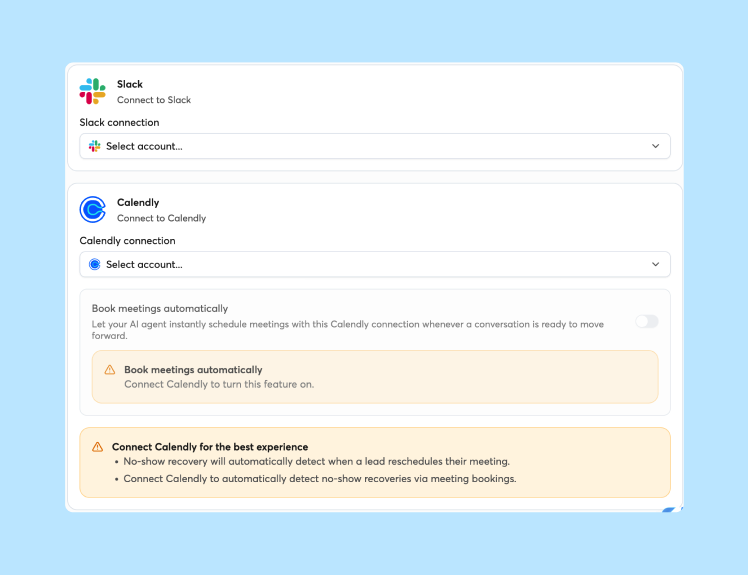
Instantly's Automations builder is a visual, node-based workflow builder with conditional branching and delay nodes. It includes a generic AI step that runs an LLM prompt to classify, score, or route leads. Chained with a third-party action such as HubSpot's Create task, it can produce follow-up tasks, but that is a custom multi-step build, not an out-of-the-box feature. Instantly's native HubSpot connection handles lead import and Lead Finder export. To log activity in HubSpot, build a workflow in the Automations builder that pairs an Instantly trigger, such as Lead Replies, with a HubSpot action, such as create or update contact, note, or task. When a rep logs a call outcome, an Automations workflow can pass it to HubSpot once it is set up. Reps review any tasks the workflow creates each morning so follow-ups stay on schedule.
Standardizing SDR outbound email drafts
After a reply or call, the AI suggests follow-up email drafts based on the account's intent signals and the rep's past successful emails. The rep reviews, edits, and sends. Sequence variants come from the AI Sequence Writer and AI Spintax Writer covered in the sequence governance section above, which keeps messaging consistent with personalization at scale.
Audit-ready sales data hygiene
The goal is that when a rep logs a call, AI helps standardize the disposition and sync it to CRM, which is critical for compliance and CFO scrutiny. Instantly's CRM includes reporting features such as sales goal tracking. The CRM is included on the Hypergrowth and Light Speed plans, not on Growth, so confirm your plan first. Instantly's Account Analytics view lets you monitor the sending health of each connected inbox. The "Combined Score" metric (weighted open + reply rate) gives you a single number to track sending account performance.
Rollout sequence that protects ramp and avoids adoption dip
Roll out AI in phases to protect ramp and avoid the shiny-tool adoption dip (the pattern where a team adopts a new tool, activity spikes for two weeks, then crashes back to baseline when the novelty wears off). This guide uses one workable sequence: CRM data entry first, pre-call prep second, and live call guidance third. Sources differ on ordering, so start with the area where your team loses the most meetings if that differs.
Phase 1: automating CRM data entry
This phase puts the post-call CRM workflows above into practice in small, reviewable steps.
- Week 1-2: One option is to pilot AI-assisted disposition logging with a small group of reps, with each rep reviewing and approving every log before it is saved.
- Week 3-4: If the pilot goes well, consider testing AI-suggested follow-up tasks, such as tasks from a custom Automations workflow that chains an AI step with a HubSpot Create task action. Reps review each task every morning and edit or delete it as needed.
- Week 5-6: Once those hold, consider testing AI-suggested follow-up email drafts, such as drafts from Instantly's AI Sequence Writer, with reps reviewing, editing, and sending each one. Adjust the pace to your team's ramp. Success metric: Time saved per rep per day and disposition log accuracy.
Phase 2: pre-call prep for top performers
Start with top performers because they can validate the output and champion adoption.
- Week 1: One option is to start with AI pre-call briefs for a small group of top performers (two to three reps) who review each brief and share feedback.
- Week 2-3: Refine the brief template based on feedback. Add custom fields for your ICP.
- Week 4: If the template holds up, consider widening access to more of the team, with top performers helping train the rest. Adjust the pace to your team's ramp. Success metric: Connect-to-meeting rate lift for reps using briefs consistently.
Phase 3: integrating AI for SDR call guidance
Live call guidance comes last because it requires the most trust and the most training.
- Week 1: One option is to start with live guidance for a small group of top performers and keep it optional.
- Week 2-4: Collect feedback on prompt quality. Refine the playbook.
- Week 5-8: If prompt quality is solid, consider expanding to the full team as an optional tool, and track adoption and outcomes. Adjust the pace to your team's ramp. Success metric: Objection-to-meeting conversion lift for reps using guidance.
Auditing AI output for accuracy
AI output is not perfect, so you need a process for auditing accuracy and preventing misclassification.
Troubleshooting runbook:
- Misclassified dispositions: Review a random sample of dispositions per rep per week. If accuracy drops, retrain the AI or adjust disposition options.
- Incorrect pre-call briefs: Top performers flag errors. If error rate rises, refine the brief template or adjust the signals filter.
- Unhelpful live prompts: Reps flag unhelpful prompts. If many are flagged, revise the playbook or disable guidance for that objection type.
Instantly's Unibox NLP allows you to refine accuracy per label by editing descriptions and providing misclassification feedback.
Measuring ROI: tying AI use cases to meetings-set lift
Measure ROI through cohort testing and true cost-per-meeting, not vendor dashboards alone. Vendor dashboards show activity metrics, but you need meetings-set metrics that reconcile with CRM.
Auditing SDR output before rollout
Baseline current SDR output before AI rollout so you have a "before" picture to compare against.
Example baseline audit checklist (adapt the metrics to your team):
- Meetings set per rep per month (recent months, such as the last 3)
- Connect-to-meeting rate (same period)
- SQL conversion rate (same period)
- Average delay between a call or meeting and its CRM entry, plus rep estimates of weekly pre-call research time (rough internal estimates are fine for sizing time savings)
- Cost per meeting (tool cost + rep time + data cost, divided by meetings set)
Collect this data over a long enough period to show a stable baseline before rolling out AI.
Isolating AI impact via cohort testing
Run a cohort test with one group using AI and one without, keeping ICP and sequence constant.
- Select cohorts: Split your SDR team into two groups of equal size and skill level.
- Enable AI for test cohort: Test cohort gets AI tools. Control cohort continues with current process.
- Run the test: Track meetings set, connect-to-meeting rate, and SQL conversion for both cohorts until each group has enough meetings to make the comparison meaningful.
- Compare results: Calculate lift in meetings set per rep for the AI cohort vs. control. Change one variable at a time. If you enable CRM automation, pre-call briefs, and live guidance all at once, you won't know which drove the lift.
Calculating true cost per meeting
One simple way to estimate cost per meeting: (Tool cost + Rep time cost + Data cost) / Meetings set. Rep time cost should include the pro-rated SDR salary or compensation. For a fuller view, add management overhead and enablement. Other sources divide total sales development spend by meetings booked, so pick one definition and apply it consistently.
Worked example (use ranges, not specific dollar amounts):
- Tool cost: $X per month
- Rep time cost: Y hours per week × hourly rate × 4 weeks
- Data cost: $Z per month
- Meetings set: N per month
Cost per meeting = ($X + (Y × rate × 4) + $Z) / N
The formula for a human SDR includes fully loaded salary, benefits, tools, and a share of management time. For an AI-augmented SDR, one approach is to add the AI tool cost and account for the time saved on research and CRM entry. Another is to compare two figures: total SDR team cost (salaries, tech, and management) divided by qualified meetings booked, and AI agent subscription cost divided by projected meetings.
Try Instantly free and test the AI Reply Agent and CRM automation against your meetings-set baseline. The 14-day free trial starts with no credit card required, and Instantly pricing stays flat with unlimited email accounts on every plan. The AI Reply Agent handles lead replies in under 5 minutes, and Instantly CRM automation standardizes the post-call data that makes meetings-set reporting trustworthy.
FAQs: AI sales agents for SDR teams
Will AI for SDR calls replace human reps?
No. AI augments reps by handling research, CRM entry, and prompt generation. Human reps still own live conversations and relationship building.
How do you prevent reps from becoming dependent on AI prompts?
Use AI for pre-call prep and post-call CRM work first. Keep live call guidance optional and coach reps to internalize playbooks over time. Track prompt usage and flag reps who rely on prompts for every objection.
What's the typical ramp time for AI sales agents?
Ramp time depends on your team size, tool stack, and how quickly reps adopt each use case, so plan the rollout in phases and set the pace from your own baseline. As a reference point, the phase breakdowns above run about 4-6 weeks for CRM data entry, 4 weeks for pre-call prep, and 8 weeks for live call guidance. Treat those as starting points, not fixed schedules. One workable order is CRM automation first, pre-call prep second, and live call guidance last. Adjust the order to start where your team loses the most meetings. A phased approach protects ramp and avoids the shiny-tool adoption dip.
How do you measure which use case drives the most meetings?
Run cohort tests with one variable changed at a time. Compare meetings set per rep between the AI-enabled cohort and the control cohort. Track connect-to-meeting rate, objection-to-meeting conversion, and SQL quality.
Can AI agents integrate with your existing CRM and call stack?
Instantly offers a native HubSpot integration for lead import and Lead Finder export. Activity sync, such as logging replies or campaign events to HubSpot, requires building a workflow in the Automations builder, pairing an Instantly trigger with a HubSpot action. The Automations builder supports multiple third-party platforms as triggers and actions.
Key terms glossary
Meetings set: A scheduled meeting between a prospect and an AE or SDR, the primary metric for SDR team performance.
SQL (Sales Qualified Lead): A lead that has been qualified by an SDR and accepted by an AE as worth pursuing.
Connect-to-meeting rate: The percentage of connected calls that result in a scheduled meeting.
Sequence governance: The process of standardizing and controlling outbound sequences across a team.
Throughput: The volume of outreach activity per rep or per account over a given period.
Ramp plan: A schedule for gradually increasing sending or calling volume, typically used to protect deliverability. In sales, "ramp" can also mean the time it takes a new rep to reach full productivity, so this guide uses "ramp plan" for the volume schedule and "rep ramp" for onboarding.
Unified inbox: A single view that aggregates replies from multiple sending accounts or channels. Instantly's Unibox is an example.
Read next
- AI sales agent vs manual prospect research: time, cost, and accuracy compared: Compares AI sales agents with manual research on time, cost, and accuracy, so you can decide where each fits on your SDR team.
- How AI sales agents work: architecture, models, and workflows: Explains the architecture, models, and workflows behind AI sales agents, so you know what to test before rollout.
- AI sales agent reply rate benchmarks 2026: what's average vs. top quartile: Shows how average reply rates compare with top-quartile results, so you can set realistic meetings-set targets.


