.svg)
%20(1).svg)


Updated October 27, 2026
TL;DR: The AI SDR best practices behind top-quartile performance are disciplined systems, not autopilot. Use 4-7 step sequences with Step 1 carrying your best copy because 58% of replies come from Step 1. Keep emails under 80 words. Send consistently (daily, not bursts) for a 15-20% reply lift. A/B test weekly with at least 1,000 sends per variant. Launch Monday, expect peak replies Wednesday. Cap live sends at 30 per inbox per day. These practices move reply rates from the 3.43% average toward 5.5%+.
The average AI SDR reply rate is 3.43%. Top-quartile senders hit 5.5% or higher. The difference is not the AI. It is the system around it. This AI SDR best practices playbook gives you the benchmarks, sequence structures, and testing cadence that separate average from top-quartile results, backed by Instantly.ai's 2026 benchmark report, which analyzed cold email data from thousands of workspaces in 2025.
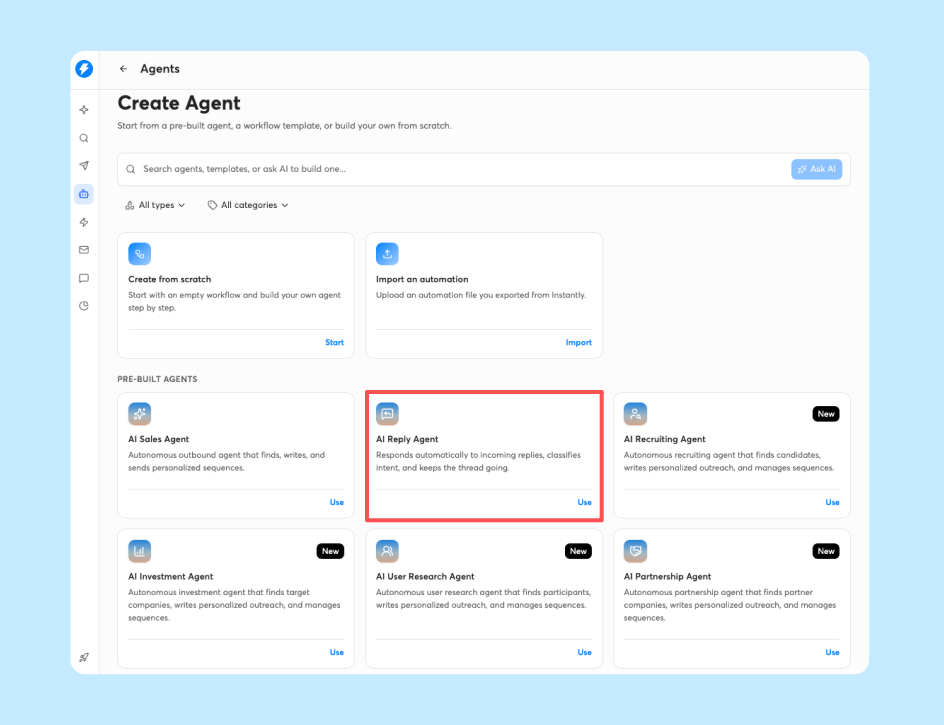
How elite marketers drive AI SDR results
Elite growth marketers treat AI SDRs as amplification systems, not autopilots. They build repeatable workflows around deliverability, sequence design, and testing cadence. The AI handles volume and triage. The human sets strategy, reviews copy, and interprets results. This playbook covers each lever top performers use, with every recommendation mapped to a benchmark from Instantly's 2026 Cold Email Benchmark Report.
Quantitative benchmarks for AI SDRs
Here are the control baselines you need before optimizing anything:
| Metric | Average | Top quartile | Top 10% |
|---|---|---|---|
| Reply rate | 3.43% | 5.5%+ | 10.7%+ |
| Optimal sequence length | 4-7 steps | n/a | n/a |
| Best email length | Under 80 words | n/a | n/a |
| Consistency lift | +15-20% replies | n/a | n/a |
| Best launch day | Monday | n/a | n/a |
| Highest reply day | Wednesday | n/a | n/a |
These figures come from Instantly's 2026 benchmark report, which analyzed data from thousands of workspaces in 2025. Use 3.43% as your control. Below that? Fix list quality and deliverability first. At or above? Optimize toward 5.5%.
The 58/42 step split rule
Instantly's 2026 benchmark report found that 58% of all replies come from Step 1. Front-load your best offer, clearest value proposition, and strongest proof point there. Follow-ups should remind, not introduce. If Step 1 underperforms, no follow-up copy will save the campaign. Write Step 1 last, after drafting the full sequence and identifying your sharpest hook, and test its subject lines and openers more aggressively than any other step.
Why steady cadence boosts AI output
Consistent senders see +15-20% higher reply rates than inconsistent senders, according to Instantly's 2026 benchmark report. Consistency means daily sending at stable volume, not bursts followed by silence. A domain sending 30 emails every weekday builds sender reputation faster than one sending 150 on Monday and zero the rest of the week. Build a sending calendar: pick your daily cap (30 per inbox for live campaigns), set your send window, and stick to it for at least two weeks before judging results.
Scaling lead output with AI SDR workflows
Sequence design is the highest-leverage workflow decision you make. A well-structured sequence moves leads through a logical progression: introduce, remind, add value, ask. A poorly structured one repeats the same ask in every step or stops before it offers any value.
Why 4-7 steps maximize conversions
Here's a 5-step structure that works, based on the optimal 4-7 step range from Instantly's 2026 benchmark report:
| Step | Purpose | Timing | Example |
|---|---|---|---|
| 1 | Explain why you're reaching out + give a reason to respond | Day 1 | "Noticed you're hiring 3 SDRs. More reps won't help if replies sit for hours. AI reply triage handles them in under 5 minutes." |
| 2 | Reference your first email + add one new angle | Day 3 | "Circling back on the SDR hiring note. Here's a 2-minute walkthrough of the workflow, in case you'd rather watch than book a call." |
| 3 | Shift the framing with a different value point or proof element | Day 7 | "Here's a benchmark to check your numbers against: the average cold email reply rate is 3.43%, and top-quartile senders hit 5.5%+." |
| 4 | Make one low-effort ask with a clear next step | Day 10 | "Worth a 10-minute call this week?" |
| 5 | Send a short final message that assumes priorities have changed | Day 14 | "Closing the loop. If timing is off, next quarter works too." |
Each step should stand alone. A lead who opens Step 4 without reading Steps 1-3 should still understand the offer.
Step 1: improving cold email open rates
Step 1 carries 58% of your total reply potential. Nail the subject line and opening sentence.
Subject line best practices:
- Length: Under 50 characters (mobile preview cutoff)
- Specificity: Mention a trigger event, metric, or company name
- Relevance: Tie to their role or a recent company action
- Avoid: Clickbait, all caps, excessive punctuation
Examples: "Quick question about [Company]'s SDR ramp," "[FirstName], saw your Series B announcement," or "3 ideas to improve [Company]'s reply rate."
The opening sentence should reference something specific: a LinkedIn post, a funding round, a job posting, or a product launch. Generic openers like "Hope this email finds you well" get deleted.
Timing sends for peak engagement
Launch new sequences on Monday, when decision-makers return to a fresh inbox, and schedule Step 2 for Wednesday (highest reply day across the week), per Instantly's 2026 benchmark report. Send between 8 and 11 a.m. in the recipient's local timezone, and start by testing an 8:30-10:30 a.m. window. Export your own reply timestamps, bucket by day and hour, and adjust windows to match your audience's behavior.
When to end lead nurture flows
Stop at 7 steps. Instantly's 2026 benchmark report puts the optimal range at 4-7 steps, and it doesn't show that longer sequences help. Signals a lead is not converting:
- No opens after 3 steps
- No replies by the final step (a breakup email can still re-engage non-responders)
- Out-of-office auto-reply with a stated return date (Out-of-Office Resume pauses the lead and resumes sending on that date)
Use AI Blocklist Triggers to auto-remove leads based on unsubscribe status or reply-content keywords, keeping your list clean and protecting sender reputation.

How to optimize AI copy for better engagement
AI drafts are starting points, not final copy. The best AI SDR workflows include human review before anything sends. AI handles structure and speed. You add specificity, tone, and proof.
The under-80-word benchmark
Instantly's 2026 benchmark report found that emails under 80 words outperform longer messages because they respect attention span, load faster on mobile, and force clarity.
80-word example:
"Hi [FirstName], saw [Company] just posted 5 SDR roles. Guessing outbound pipeline is a Q4 priority. [Your real proof point: result + timeframe]. Worth a 10-min call to see if the same playbook fits your team? [Calendar link]"
A 200-word version would bury the ask under generic pleasantries, multiple product features, and vague meeting requests.
Pruning AI drafts for human tone
AI-generated copy often includes generic openings, jargon, and no specific proof. Here's a 3-step pruning process:
- Cut filler: Remove "Hope this finds you well," "Reaching out to connect," and "Thought you might be interested."
- Add one specific detail: Reference a trigger event, metric, or company action. "Saw your Series B announcement" beats "growing companies like yours."
- Ask one small question: Replace "Do you have 30 minutes for a demo?" with "Worth a 10-min call?"
Apply these three steps to every AI draft before it sends.
Using Spintax for A/B testing
Spintax lets you create per-lead email variations using {{RANDOM | option1 | option2}} syntax, essential for A/B testing at scale.
Example subject line:
{{RANDOM | Quick question about [Company]'s SDR ramp | 3 ideas to improve [Company]'s reply rate | [FirstName], saw your Series B announcement}}
Example CTA:
{{RANDOM | Worth a 10-min call? | Open to a quick chat? | Should I send over a 2-min video?}}
Instantly's AI Spintax Writer auto-generates variants from existing copy. Write one version, let the tool create 3-10 alternatives, and review each for tone and accuracy before activating.
Proven methods to standardize your sending footprint
Sender reputation is a score mailbox providers assign to your domain and IP based on engagement, bounce rates, and complaint rates. A stable sending pattern builds reputation. Erratic volume destroys it.
Decoding the 15-20% reply lift
Consistent senders see +15-20% higher reply rates than inconsistent senders, per Instantly's 2026 benchmark report. Set a daily cap (30 per inbox), choose a send window (8:30-10:30 a.m. local time), and maintain that schedule for at least two weeks before measuring results.
Single sender vs. rotating domains
Use a single sender for low volume (under 100 emails/day) on established domains (90+ days old, health score above 90%). Rotate domains for high volume (500+/day), new domains less than 90 days old, or when isolating campaign risk from your primary domain.
Instantly's Inbox Rotation spreads volume automatically across all accounts assigned to a campaign. Connect 10 inboxes and send 300 emails/day, and each inbox sends 30, protecting individual inbox reputation while scaling safely. For larger setups, Instantly's inbox rotation guide recommends treating inboxes like a portfolio: segment senders into pools by domain age, provider, and health score, and throttle volume when bounces or complaints spike.
Building sender reputation over time
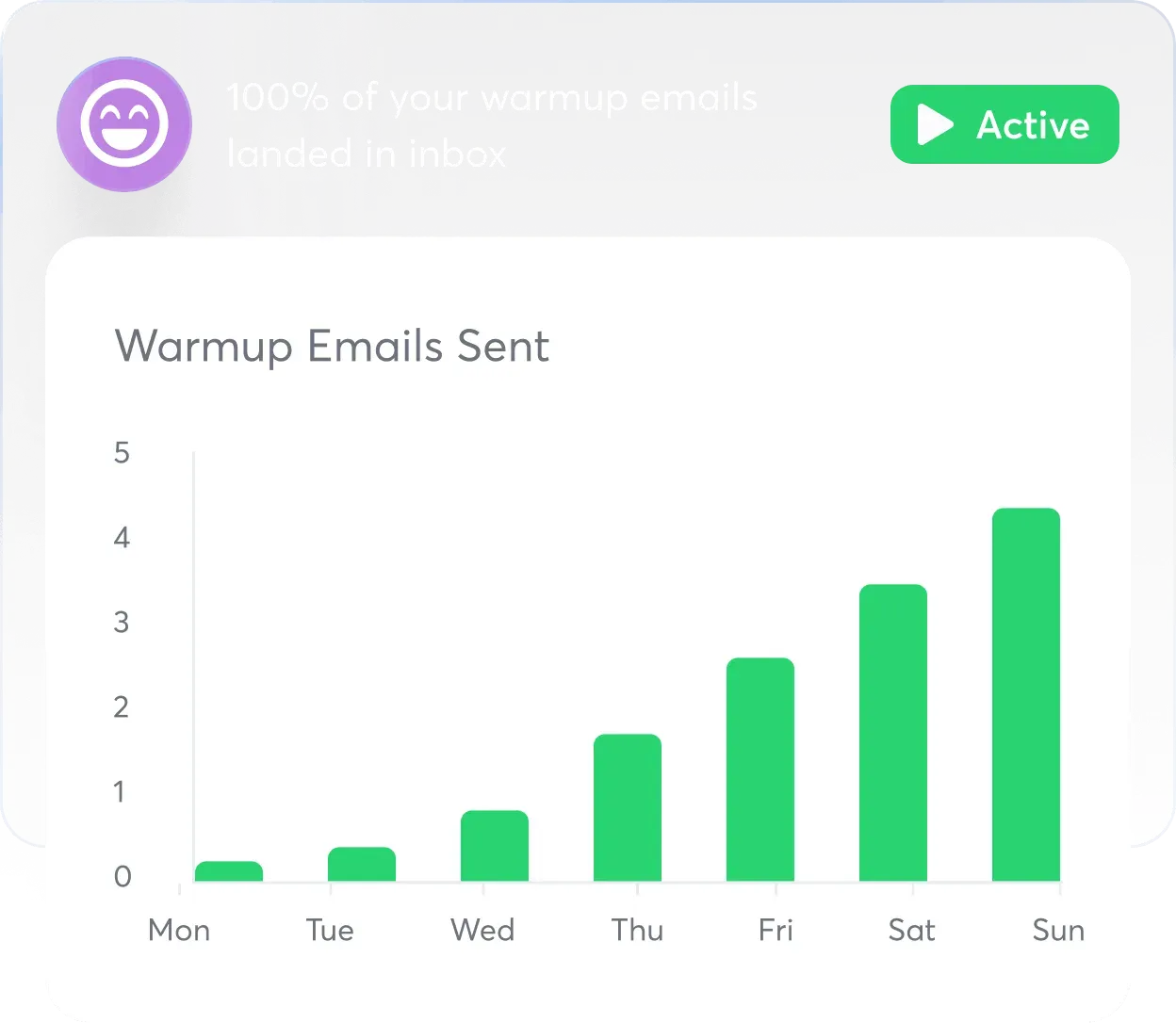
New inboxes start with zero reputation and need 4-6 weeks of warmup before full campaign volume, per Instantly's 2026 benchmark report: start at 5-10 emails/day in week 1, ramp to 15-20 in weeks 2-3, hit 30-50 in week 4, then move to live sends at 30/day once warmup is complete (between weeks 4 and 6).
Instantly automates this through a private network of 4.2M+ email addresses that open warmup emails, reply to them, and mark them as important, per Instantly's warmup process documentation.

Keep bounce rates below 2%. If bounces exceed 2%, pause sends, re-verify your list, and restart at a lower cap for three days. Instantly's BounceShield auto-skips known high-risk recipients based on real-time and historical bounce data.
How to structure high-impact AI SDR split tests
A/B testing is the control plane separating average from top-quartile performance. It is not an occasional activity. It is a weekly discipline.
Choosing your initial test variables
Start with subject lines and CTAs. They have the highest impact and are easiest to measure.
Test matrix example:
| Variable | Variant A | Variant B | Variant C |
|---|---|---|---|
| Subject line | "Quick question about [Company]'s SDR ramp" | "3 ideas to improve [Company]'s reply rate" | "[FirstName], saw your Series B announcement" |
| CTA | "Worth a 10-min call?" | "Open to a quick chat?" | n/a |
Test one variable at a time so you can attribute lift to a specific change.
Calculating minimum audience sizes
Run valid tests by sending at least 1,000 recipients per variant, per Instantly's A/B testing guide. Smaller samples amplify noise. If you lack 1,000 leads per variant, extend the test window or run a simple A/B instead of A/Z. Growth includes A/Z testing, but the full 26-variant capability is gated to Hypergrowth ($97/mo) and above.
Fine tuning AI SDR iteration cycles
Run weekly test cycles: launch Monday, review Wednesday for obvious winners or technical issues, iterate Thursday by pausing losing variants and scaling winners, then draft the next test. Instantly's A/Z testing is included in Growth, but the full 26-variant capability is gated to Hypergrowth ($97/mo) and above. On those plans, you can test up to 26 variants per step, which speeds up learning by testing multiple subject lines or body variants in one campaign. Stop a test when one variant has at least 1,000 sends and a clear winner. Let every test run for at least 7 days to capture a full week of reply patterns, and pause it if results plateau after that.
Refining AI SDR workflows for more meetings
Lead quality and reply triage are the final levers that turn replies into meetings. This is the last mile of AI SDR optimization.
Ensuring lead list accuracy
Bad data inflates bounce rates and destroys sender reputation. Data hygiene checklist:
- Verify emails: Check syntax, domain validity, and mailbox existence before sending.
- Dedupe lists: Remove duplicate contacts across campaigns.
- Enrich records: Add firmographic data (company size, industry, revenue) to improve personalization.
- Monitor bounces: Keep bounce rate below 2%.
Instantly's Lead Finder provides access to 450M+ B2B leads with waterfall enrichment across seven data providers, checking each in sequence until it finds a verified result. Instantly's lead verification classifies addresses as valid, invalid, or risky before sending. Lead Finder-sourced leads ship pre-verified. CSV imports require a separate verification step (0.25 credits per lead).
Automating AI reply triage workflows
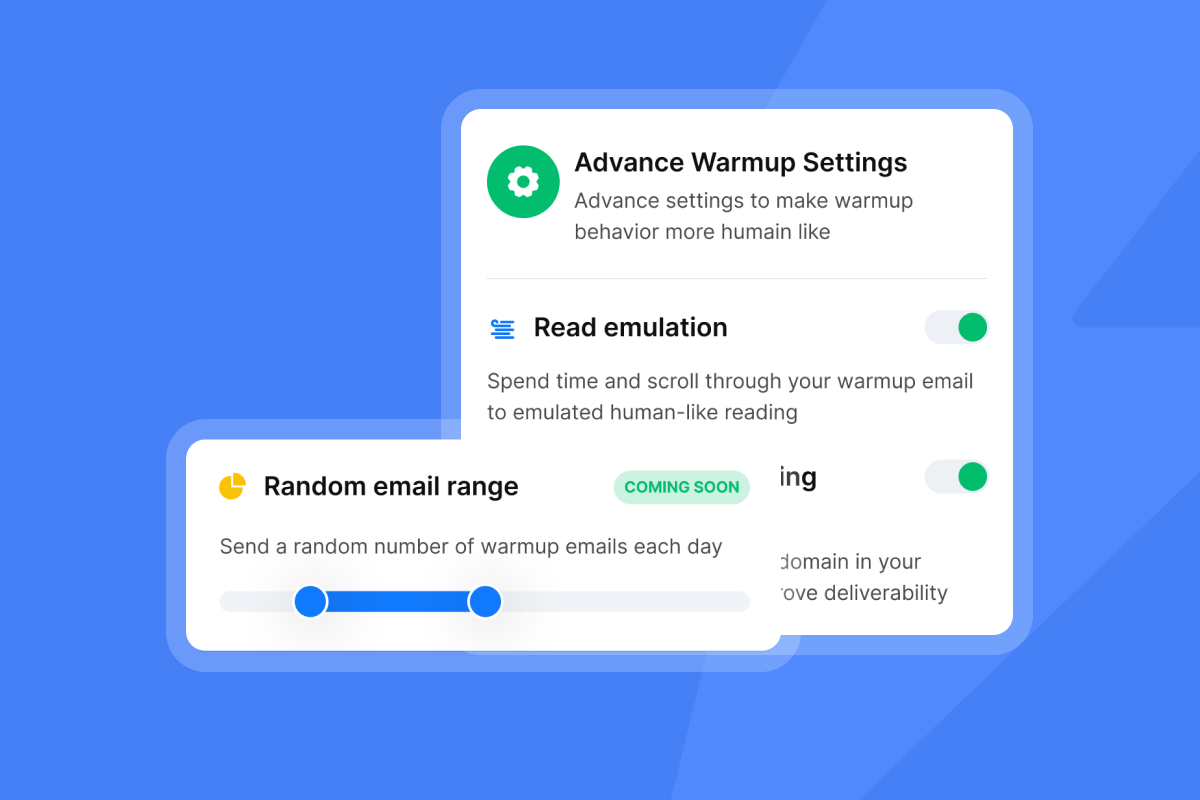
Manual reply triage kills response time. A lead who replies at 9:00 a.m. and doesn't hear back until 2:00 p.m. has already moved on. Instantly's AI Reply Agent auto-handles replies in under 5 minutes via two modes: Autopilot (sends AI-drafted replies instantly without human review) or Human-in-the-Loop (drafts replies for team review before sending).
The AI Reply Agent costs 5 credits per reply generated (sent or edited), billed through Instantly Credits. For a campaign generating 50 replies/day, that's 250 credits/day or 7,500 credits/month.
Instantly's Unibox NLP auto-classifies incoming replies using sentiment and context detection across 50+ languages, giving you a pre-sorted queue. Base reply labeling is included on all plans. Custom labels like "Interested," "Not Now," and "Out of Office" are available on Hypergrowth and Light Speed plans.
"I'm also a fan of their AI reply agent, which helps manage a high volume of responses by categorizing replies, understanding the conversation context, and preparing responses based on my instructions." - Riley T. on G2
Scaling campaigns without deliverability loss
Cap live campaign sends at 30 emails per inbox per day to protect sender reputation and avoid ISP throttling. To scale beyond 30/day, add more inboxes. Instantly includes unlimited email accounts on all plans, so you can connect 10 inboxes and send 300/day without hitting the per-inbox cap.
For high-volume senders (10,000+ emails/day), Instantly's SISR system (Server & IP Sharding and Rotation System) continuously monitors IP performance, rotates high-reputation IPs, and removes underperforming ones. SISR is available on the Light Speed plan at $358/month and reduces shared-infrastructure risk by assigning dedicated IP blocks.
Instantly's Deliverability AI Agent runs automatic checks every 24 hours on DNS health, blocklists, warmup scores, bounce rates, and campaign copy, surfacing what's affected, why it matters, and one-click fixes. Available on Hypergrowth plans and above.
Streamlining lead responses at scale
Instantly's Unibox centralizes all replies in one inbox, eliminating the need to check 10 different email accounts. Out-of-Office Resume detects out-of-office auto-replies via NLP, extracts the stated return date, pauses the lead, and auto-resumes sending on that date. Included on all plans at no extra cost. Instantly's AI Inbox Manager auto-schedules and sends an AI-drafted reply 5 minutes after a lead's first response, only when the AI is confident, handling common questions and objections without human delay. Use Automations to sync replies to HubSpot: when a lead replies and is classified as "Interested" by Unibox NLP, create a contact and task in HubSpot automatically.
Try Instantly free
Apply this playbook with built-in warmup, A/Z testing (included in Growth, with the full 26-variant capability gated to Hypergrowth at $97/mo and above), and AI reply triage. Try Instantly free for 14 days with 250 uploaded contacts and 1,000 emails. No credit card required.
FAQs: AI SDR best practices
What reply rate should you expect from your AI SDR?
Platform average is 3.43%, top quartile is 5.5%+, and top 10% is 10.7%+, per Instantly's 2026 benchmark report. If you're below average, fix list quality and deliverability first.
How many steps should an AI SDR sequence have?
4-7 steps. Below 4 is too few touchpoints. Instantly's 2026 benchmark report puts the optimal range at 4-7 steps, and longer sequences aren't shown to help.
How often should you run A/B tests on your sequences?
Weekly. Launch Monday, review Wednesday, iterate Thursday. Test one variable at a time with at least 1,000 sends per variant for statistical significance.
Does using a consistent sender really improve results?
Yes. Consistent senders see 15-20% higher reply rates than inconsistent senders, per Instantly's 2026 benchmark report. Consistency means daily sends at stable volume.
What's the ideal email length for AI SDR outreach?
Under 80 words. Shorter emails perform better on mobile and hold attention, per Instantly's 2026 benchmark report. Include one clear ask and one specific proof point.
Key terms glossary
AI SDR: An AI-powered sales development representative that automates prospecting, outreach, and reply handling.
Spintax: A templating syntax ({{RANDOM | option1 | option2}}) that creates per-lead email variations for A/B testing.
Sender reputation: A score mailbox providers assign to your sending domain and IP based on engagement, bounce rates, and complaint rates.
Warmup: The 4-6 week process of gradually increasing sending volume on a new inbox to build trust with mailbox providers.
Waterfall enrichment: A data enrichment method that checks multiple providers in sequence until a valid email is found.
Reply rate: The percentage of recipients who reply to your outreach. Platform average is 3.43%.
Inbox Rotation: A sending method that distributes volume automatically across multiple email accounts to protect individual inbox reputation.
A/Z testing: Testing up to 26 variants of a single variable (subject line, CTA, body copy) in one campaign step. Growth includes A/Z testing, but the full 26-variant capability is gated to Hypergrowth ($97/mo) and above.
Read next
- Best AI SDR for lead generation: a data-driven comparison for growth marketers: Compares leading AI SDRs on the metrics growth marketers track, so you can choose a platform based on data.
- AI SDRs for meeting booking: the agency operator's reliability & rate playbook: Covers the reliability and reply-rate benchmarks agency operators need to book meetings consistently with an AI SDR.
- AI sales agent vs AI SDR: what's the difference? (2026 category guide for sales leaders): Explains how an AI sales agent differs from an AI SDR, so sales leaders can pick the category that fits their team.


