


Updated November 9, 2026
TL;DR: You can shorten sales development representative (SDR) and account executive (AE) ramp time from months toward four weeks by using AI agents as governance tools, not just content generators. Start week one with Copilot to suggest target personas and the Automations builder to sync activity to HubSpot and reduce CRM data entry. Use week two for AI-driven rehearsal drills. Transition to live outreach in week three using Human-in-the-Loop reply triage. Finish week four with AI-driven metric validation. This system helps new reps follow your playbooks from day one, which can protect domain health and keep your pipeline moving.
Traditional onboarding can slow new reps down. New sales reps often face a long list of administrative tasks before they even get to selling, which can stretch their ramp time to three to six months. Instantly's ramp time guide cites a 3.2-month average ramp for B2B SDRs without AI assistance (Bridge Group, 2024).
If you are a sales leader who needs new SDRs and AEs booking meetings faster, this guide is for you. You don't need to put your new hires through months of shadowing and manual data entry. Instead, you can use AI sales agents for new rep onboarding to shorten that timeline toward four weeks. By pairing autonomous AI execution with strict human guardrails, you can help your SDRs and AEs reach quota faster while protecting your sender reputation.
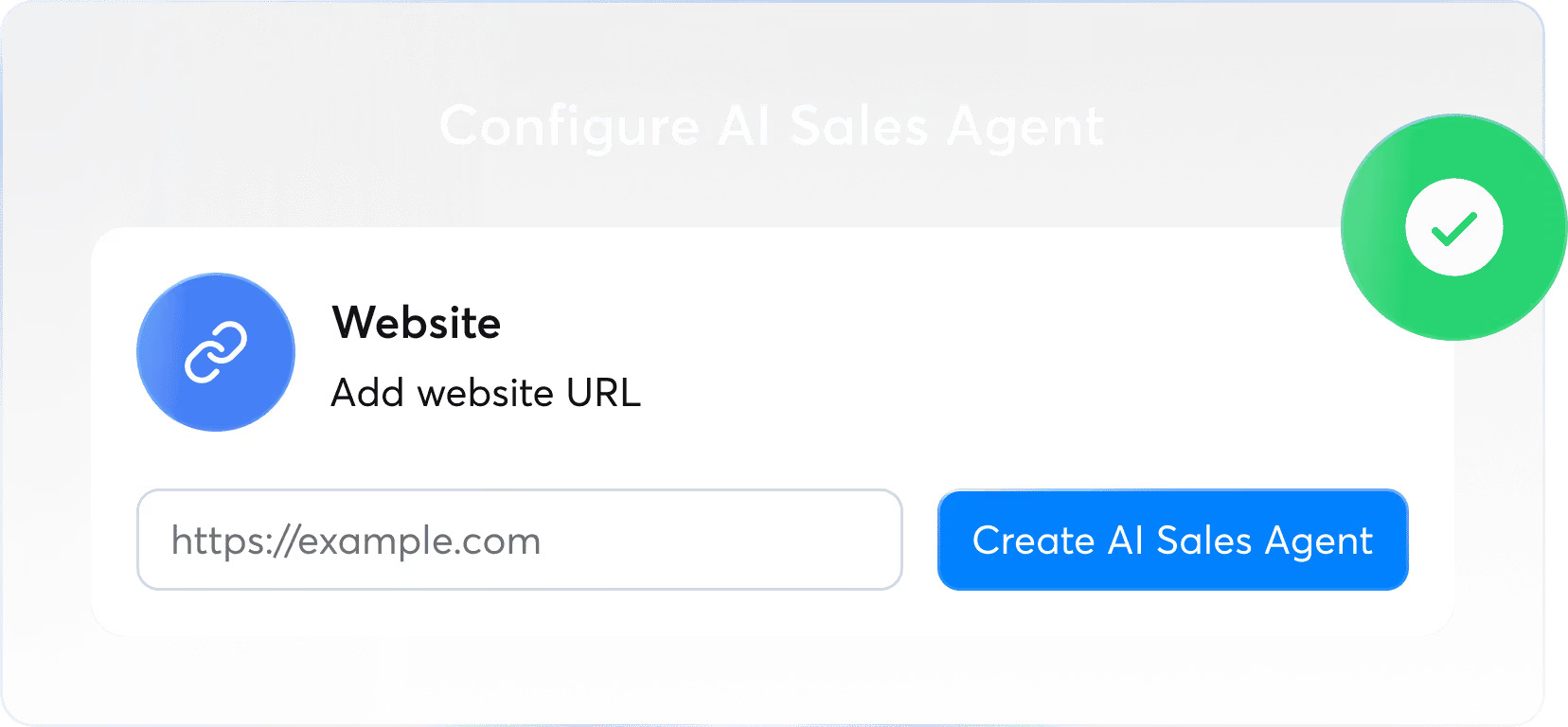
How AI agents slash onboarding bottlenecks
Many onboarding delays happen because new reps are drowning in administrative busywork. They can spend their first month learning your CRM, writing weak cold emails, and manually hunting for leads.
AI onboarding for SDRs can reduce these bottlenecks by handling the repetitive execution. Instead of forcing a new hire to figure out who to email and what to say, an AI agent can do the repetitive groundwork. The manager steps in mainly to review the output. This can shift the new rep's focus from administrative survival to talking to prospects.
AI-driven practice and automation can free reps to spend their first weeks in live conversations instead of admin work. That can mean your reps start booking meetings in weeks, not quarters.
Treat the schedule below as a starting template rather than a fixed prescription. Adapt the tasks, oversight steps, and targets to your team's playbooks and tooling.
| Week | AI Agent Tasks | Human Oversight Tasks | Success Metrics |
|---|---|---|---|
| Week 1 | Copilot can suggest target audiences from your business info and ICP, Instantly.ai's AI Spam Words Checker can flag risky language, the Automations builder can sync sent emails and replies to HubSpot | Manager can review the AI's suggested personas before approving them, read AI-drafted sequences before launch, and spot-check how Instantly data maps to HubSpot contact fields | Manager approves the target persona, manual CRM entries trend toward zero once Automations are set up, bounce rate stays under 2% |
| Week 2 | An AI simulator can run objection practice drills, transcription from your own call recording tools can help highlight coaching moments | Manager can review AI call summaries and coach specific moments, such as shallow discovery questions | Rep completes regular drill sessions, manager notes improved listening in call reviews |
| Week 3 | Instantly's AI Sales Agent can source leads and draft sequences based on your week one persona rules, AI Reply Agent can sort replies by intent in the Unibox | Rep can review and activate pre-approved campaigns, approves reply drafts (Human-in-the-Loop) | Rep sends up to 30 emails per inbox daily, reply rate trends toward 3% or higher, off-brand sends trend toward zero |
| Week 4 | AI dashboards can flag reply rate anomalies, A/Z testing data can show which email variants earn the most replies (Growth includes A/Z testing, full 26-variant testing requires Hypergrowth at $107 monthly) | Manager can run a targeted coaching session on flagged gaps, such as slow follow-up on positive replies, rep can adjust the AI's rules using A/Z testing results | Rep aims to keep bounce rate under 2% and reply rate above 3%, and works toward booking first meetings |
Accelerating onboarding with AI agents
A common mistake sales leaders make is treating AI as a rep replacement. AI is better used as a pacing tool. It can enforce standardization. When you give a new hire an AI agent, you aren't just giving them a robot to write emails. You are giving them a strict, pre-approved framework. They are less likely to go rogue because the AI operates within the guardrails you set up.
Scaling lead engagement with AI agents
Once the frameworks are set, AI agents can help a single new rep handle more outreach than a manual process allows. An AI agent can source leads, enrich the data, and sync it to your CRM while the rep focuses on handling live replies. This is one way to scale lead engagement without overloading your new hires. They can spend their early weeks having conversations instead of formatting CSV files.
Where human oversight remains vital
AI is not perfect. It can misclassify a reply or write an off-brand sentence if you leave it completely unchecked. Human oversight matters most while a rep is still learning your playbooks. Managers should review AI-drafted sequences, approve target personas, and audit reply classifications daily. You use the AI to draft the work, but a human should pull the trigger in the early days.
Week one: accelerating rep ramp with AI agents
Week one is about knowledge transfer and system setup. Traditionally, this often involves lengthy shadowing. With AI, it involves configuring the agent to act as an extension of your best sales playbooks.
Day 1: defining target personas with AI
Don't make your new rep guess who your buyers are. On day one, have them configure an AI assistant to help define your Ideal Customer Profile (ICP).
The rep opens Instantly's Copilot, enters your business info, ICP, and messaging guidance rules, and the AI suggests specific target audiences based on your value proposition.
The manager's job here is to review the AI's output. Does the generated persona actually match your buyer? Once approved, this persona can serve as the guardrail for the rep's outreach.
Scaling rep responses with AI agents
New reps can hesitate when they receive their first objection, and may wait to ask a manager before responding.
You can scale their responses by setting up an AI Reply Agent. Instead of staring at a blank screen, the AI reads the prospect's reply and can draft a contextually relevant response, often within minutes. The new rep reviews the draft, learns from the AI's objection handling, and hits send. It can turn every reply into a real-time training session.
Optimizing AI messaging for onboarding
New reps can send emails that trigger spam filters. Pushy sales language and inflated promises in their copy can hurt your domain health.
To prevent this, managers should set up pre-approved messaging templates. You can use Instantly's campaign setup and sequence templates to create and save sequences for new reps to start from. Pair this with the AI Spam Words Checker, which can flag risky language before the email ever leaves the outbox. The new rep can learn what good copy looks like by writing within clear, pre-approved boundaries.
Automating CRM data sync and handoff
Manual data entry can cost new reps hours of their day. It can also lead to messy CRM data that frustrates RevOps teams.
During week one, you should automate the data sync. Instantly's HubSpot setup has two parts. The native HubSpot integration handles the basic connection. You can import HubSpot lists into Instantly and export leads to HubSpot. Instantly's Automations builder handles activity sync, so sent, opened, replied, bounced, and clicked events can create or update HubSpot contacts, tasks, and notes. Once you set up the automation, the rep doesn't have to copy-paste a conversation into HubSpot, which helps keep your reporting accurate from day one.

Week two: accelerating rep readiness through AI rehearsals
Week two is about practice. Before a rep talks to a real prospect, they can practice against an AI. This can help protect your real leads from rookie mistakes.
Build confidence with AI drill sessions
Traditional manager-led role-playing sessions can consume manager time and slow onboarding velocity. AI drill sessions can reduce that friction. New reps can run through mock cold calls and email exchanges with an AI simulator. The AI throws common objections at them, and the rep has to respond in real-time. Reps can repeat these drills as many times as they need to feel ready to handle live prospects.
Streamlining sales call feedback loops
When a new rep finally gets on a call, they can forget much of what happened. AI can shorten the feedback loop. By integrating your call recording tools with your AI systems, the AI can transcribe the call and highlight where the rep lost control of the conversation. The manager can start with the AI's summary instead of the full recording. They can then coach the specific moment the rep missed a buying signal.
Refining discovery with AI simulations
Discovery calls are hard to master. AI simulations allow reps to practice their discovery frameworks repeatedly. The simulator can play a buyer role, such as a marketing VP or a founder, and respond the way that buyer would. If the rep asks a surface-level question, the AI gives a surface-level answer. The rep can learn to dig deeper and ask better qualifying questions in a safe, simulated environment.
Refining pitch flow with AI feedback
Pitching too early is a common rookie mistake. AI feedback tools can analyze a rep's pitch flow during practice sessions and score them against your sales methodology. If the AI flags a pattern, like skipping discovery questions or rushing into the pitch, the manager can correct the behavior before the rep gets in front of a high-value prospect.
Week three: live outreach with AI guardrails
Week three marks the transition to live outreach. The rep starts live outreach, but with guardrails and manager review still in place.
Deploying AI-driven sales sequences
Instead of building sequences from scratch, the new rep deploys the pre-approved, AI-generated campaigns. If you use Instantly's AI Sales Agent, the agent can source leads and write sequences based on the persona rules you set in week one.
The rep simply reviews the campaign and activates it. To protect sender reputation, cap each rep at 30 emails per inbox per day.
Automating inbox reply triage
When live replies start rolling in, a new rep's inbox can become chaotic. Automate the triage process.
The AI Reply Agent works inside the Unibox and can automatically categorize replies by intent. It can separate the "not interested," the "out of office," and the "ready to book a meeting." This helps the new rep skip the noise and focus entirely on the positive replies that require immediate action.
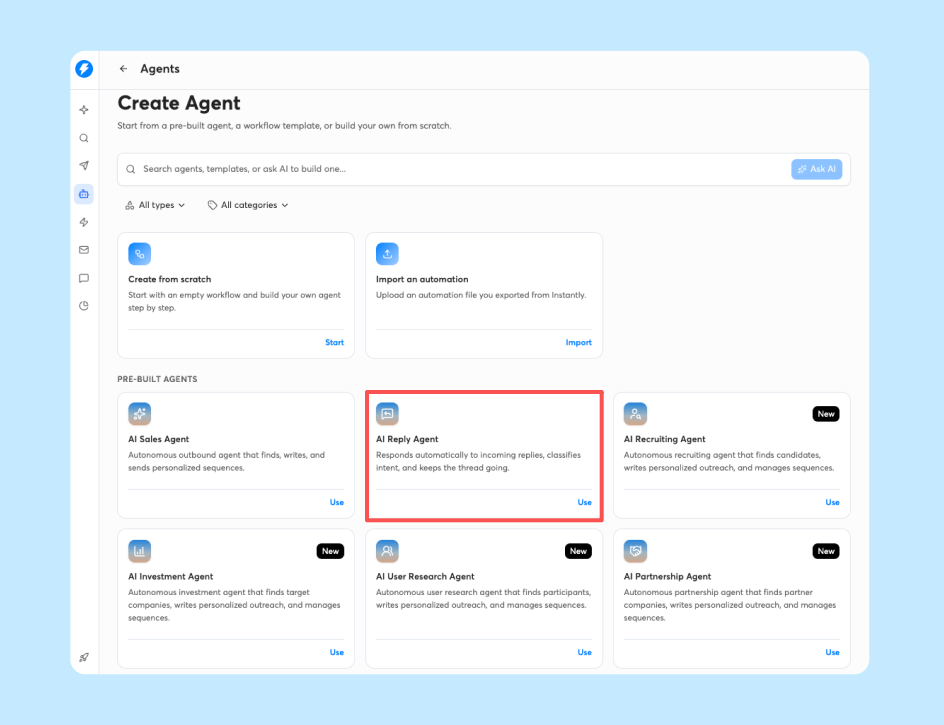
Guiding reps with AI reply drafts
When a new rep faces a complex question from a prospect, they shouldn't have to guess. AI reply drafts can act as an on-demand coach. If a prospect asks about pricing or integrations, the AI can draft an approved response. The rep reads it, makes a minor tweak, and sends it. This can narrow the gap between a week-three rep and an experienced rep, helping keep messaging on-brand even when the rep lacks product depth.
Measuring daily AI agent adoption
You need to know if your new reps are actually using the tools you gave them. Track their daily AI agent adoption rate.
Are they using the Copilot to research accounts? Are they approving the AI's reply drafts, or are they trying to write everything manually? If adoption is low, the rep may be overwhelmed or may not trust the AI. Use this metric to trigger a one-on-one check-in.
Week four: data-driven coaching with AI insights
By week four, the focus shifts from teaching tool mechanics to using AI data to coach rep performance.
Validating rep metrics via AI dashboards
Don't wait until the end of the month to look at their numbers. Use AI dashboards to validate their metrics daily.
According to Instantly's 2026 benchmark report, the platform average reply rate is 3.43%. If your new rep is sitting at 1%, the AI can flag the anomaly. The manager can step in early to fix their targeting or copy, rather than letting a problem run for weeks.
Using AI to identify coaching gaps
Opens and clicks are only part of the picture. Dashboard data on replies, response times, and campaign activity can help a manager spot patterns by rep. For example, a manager might notice that a specific rep sends high volumes but is slow to follow up on positive replies. That is a coaching gap the manager can act on. The manager can then run a targeted training session on follow-up speed, rather than wasting time on generic sales training.
Fine-tuning AI Sales Agent sequences
As the rep gets better, they should take more ownership of the AI. In week four, have them analyze the AI Sales Agent's performance. Which email variant is getting the most replies? Which subject line is failing? The rep uses the platform's A/Z testing data to fine-tune the AI's rules, helping improve the system they will keep using. A/Z testing comes with Growth, and the full 26-variant capability starts at Hypergrowth ($107 monthly).
Setting your ramp approval threshold
You should have a clear, data-driven threshold for when a rep is officially "ramped." You can set that threshold as a manual review step. For example, you could graduate a rep once they maintain a bounce rate under 2%, a reply rate above 3%, and book their first three meetings. Check these numbers in your dashboard during your weekly review, and decide together with the rep when it is time to sign off.
Standardizing workflows for automated sales onboarding
The goal of this four-week program is not just to ramp one rep. It is to build a repeatable system. Automated sales onboarding means the next rep you hire can go through a consistent process, with the same guardrails.
Defining AI agent roles for new hires
To keep your system clean, you should clearly define what the AI does and what the human does.
| AI Agent Role | What It Automates | Human Oversight Required |
|---|---|---|
| AI Sales Agent | Lead sourcing, initial sequence drafting | Manager approves ICP and final email copy |
| AI Reply Agent | Inbox triage, drafting responses | Rep approves drafts (Human-in-the-Loop) |
| Copilot | Persona research, campaign auditing | RevOps reviews target audience rules |
| Deliverability AI Agent (available on Hypergrowth and above Outreach plans, not billed through Instantly Credits) | DNS health, blocklists, warmup scores, and bounce rate monitoring | Admin reviews health alerts and applies one-click fixes, like pausing campaigns or replacing risky accounts |
Protecting budget predictability with flat-fee pricing
One hidden onboarding cost is per-seat licensing. Under a per-seat model, every new rep you add can increase your software spend, which can penalize growth. Instantly uses flat-fee Outreach plans starting at $47 monthly for Growth, $107 monthly for Hypergrowth (includes CRM access), and $358 monthly for Light Speed. Unlimited email accounts ship with every plan, which can keep your Outreach subscription flat as you add inboxes for new reps.
AI agents (Copilot, AI Sales Agent, AI Reply Agent) and Lead Finder run on a separate Instantly Credits subscription starting at $9 monthly for 150 credits. Each AI Sales Agent lead or AI Reply Agent reply costs 5 credits. Lead Finder costs less, at about 1.5 credits per lead on average (1 credit for an own-database match, 2 credits for a waterfall-partner match). Copilot's UI actions (sequences, campaigns, analytics, audits, advice) no longer consume credits. Only lead enrichment it triggers draws from the credit pool. A new rep's monthly credit usage depends on how many leads and replies the AI generates. Track credit burn in your admin dashboard to help avoid surprises. Instantly offers a 14-day free trial with no credit card required. Each subscription type is canceled separately, so check the cancellation terms for both Outreach and Instantly Credits before you commit.
Sales leader's audit checklist
Before you hand an AI agent to a new rep, run through this checklist to protect your team, your data, and your budget.
| What to Look For | Why It Matters | Red Flags |
|---|---|---|
| Data lineage: Where does the AI source its leads? | Protects brand from compliance violations and low-quality contact data that kills reply rates | Vendor refuses to disclose data sources, mixes scraped and verified contacts |
| Auditability: Can you see every AI decision and override it? | RevOps and legal need full visibility into who was contacted and what was said | No export trail, AI decisions are black-box, no admin-level reporting |
| Human-in-the-Loop QA: Can reps approve or reject AI output before it ships? | Prevents off-brand messaging and AI hallucinations from reaching prospects | AI sends emails automatically with no approval step, no draft review workflow |
| Pricing transparency: Flat fee or per-seat? How are AI credits billed? | Protects budget predictability as team scales, avoids per-seat traps | Annual lock-ins only, unclear credit consumption rates, hidden overage fees |
| Deliverability integration: Does the AI monitor domain health and enforce sending caps? | Safeguards sender reputation during rapid rep scaling and turnover | AI ignores bounce rates, no warmup automation, sending volume uncapped |
Upskilling managers on AI sales agents
Your managers can't coach what they don't understand. You should upskill your sales managers on how to audit AI workflows. They need to know how to check the AI's classification accuracy, how to read the deliverability reports, and how to adjust the AI's guidance rules. The manager's job can shift from writing copy for reps to auditing the AI's output.
Measuring time to initial SQL
The ultimate metric for this entire process is time to initial SQL (Sales Qualified Lead). How fast can a new hire, armed with AI agents, put a qualified meeting on an AE's calendar? Compare the time to initial SQL for your AI-assisted reps with the average from your team's past hires. If the new reps consistently beat that baseline, your AI-assisted process may be speeding up ramp. Track this metric consistently to help show the ROI of your onboarding program.
Refining playbooks using rep feedback
Your new reps are the ones using the AI every day. They can find the edge cases. Maybe the AI struggles with a specific objection in your industry. Create a feedback loop where reps can flag bad AI responses. Use that feedback to update your central playbooks and retrain the AI. This can help your onboarding process improve with every new hire.
Ready to shorten your ramp time? Start your free Instantly trial and use this workflow to onboard your next sales hire. To size the stack for your team first, review the flat-fee Outreach plans and Instantly Credits options.
FAQs: AI sales agents for new rep onboarding
How do you onboard reps with AI agents?
You onboard reps by pairing AI execution with human oversight. Use AI to define personas and draft sequences in week one, run AI rehearsal drills in week two, launch live outreach with Human-in-the-Loop guardrails in week three, and graduate to data-driven coaching in week four.
Can AI replace manager coaching during onboarding?
No, AI cannot replace manager coaching. AI can handle repetitive tasks like drafting emails and triaging inboxes, which can free up the manager to focus on high-level strategy and behavioral coaching.
What CRM integrations are required?
Instantly's HubSpot integration has two parts. The basic native connection handles lead import and export. The Automations builder handles activity sync and two-way workflows. HubSpot contact, deal, or task changes can trigger Instantly actions, and Instantly events such as sent, opened, replied, bounced, or clicked can trigger HubSpot contact, task, or note creation. Once you configure it, this setup reduces manual data entry.
How long does AI-assisted onboarding take?
Traditional onboarding often takes three to six months. AI-assisted onboarding can compress this to about four weeks by helping automate lead sourcing, enforce pre-approved messaging, and triage replies.
What if a new rep struggles with AI tools?
If a rep struggles, you can keep them on a shorter leash. Have them start from the saved sequence templates you created, and require manager approval before any new campaign launches. They can rely on the AI's output and pre-approved copy until they learn the basics of your sales process.
Key terms glossary
AI sales agent: A software agent that sources leads, drafts emails, and manages initial prospect outreach within guardrails set by sales leadership.
Ramp time: The total number of days or weeks it takes for a new sales hire to reach full productivity and consistently hit their quota.
Reply classification: The process where AI reads an inbound email and automatically categorizes it by intent (e.g., interested, not interested, out of office).
Time-to-first-meeting: A critical onboarding metric that tracks how long it takes a new rep to book their first qualified sales meeting.
Human-in-the-Loop: A review workflow where the AI drafts emails and replies, but a person approves every send before it reaches a prospect.
Ideal Customer Profile (ICP): The definition of your best-fit buyer, covering role, company size, and industry. It acts as the guardrail for every campaign a new rep launches.
Bounce rate: The percentage of sent emails that fail to deliver. A rate above 2% can signal a list hygiene problem.
Sender reputation: The trust score mailbox providers assign to your domain and inboxes, which helps decide whether outreach lands in the primary inbox or in spam.
A/Z testing: Running multiple email variants against each other to find the copy that earns the most replies, so new reps improve sequences with data instead of guesswork.
Read next
- AI SDR best practices for maximum lead generation output: A practical guide to the AI SDR habits that help your team generate more leads while protecting deliverability.
- AI sales agent vs AI SDR: what's the difference? (2026 category guide for sales leaders): A clear breakdown of how AI sales agents and AI SDRs differ in function, use case, and ROI so you can choose the right tool for your team.
- AI sales agent reply rate benchmarks 2026: what's average vs. top quartile: A look at how average and top-quartile reply rates compare so you can set realistic targets for your reps.


