.svg)
%20(1).svg)


Updated October 9, 2026
TL;DR: AI lead research tools and outreach tools are two separate jobs. Agencies that treat them that way protect margins and client sender reputation. Instantly.ai's 2026 benchmark report found the platform average reply rate is 3.43%, while top-quartile senders reach 5.5% or higher. The gap starts before the first email is sent. The research layer covers contact discovery, enrichment, intent signals, and verification. The outreach layer handles sequencing and sending. Blending them creates tool sprawl and bad data.
The gap often starts before the first email is sent, in how AI prospecting tools for lead research handle data quality before anything is ever uploaded to a sequence.
How Light House Capital Group Generated $500K in Contracted Fees in 30 Days
See how Light House Capital Group used Instantly to generate $500K in contracted fees within 30 days through a scalable outbound outreach strategy.
How AI research tools upgrade your prospecting
Two disciplines drive agency outbound: identifying the right contacts and sending to them at scale. Here's how to keep them distinct.
Stop blending prospecting and outreach
Lead research answers: who to contact, whether the email address is verified, and why the timing is right. Outreach answers: how to send at scale and manage replies. Combining both jobs in one tool often limits your research options to what the sending platform natively supports. That constraint pushes unverified contacts into campaigns and spikes bounces. When a campaign underperforms, pinpointing whether the issue sits in data quality or send configuration takes longer when both live in the same tool.
Keeping research and outreach separate in your stack and your team's workflow is the foundation of any reliable outbound research operation.
Scaling lead data without tool sprawl
Agencies often juggle multiple tools for data sourcing, enrichment, verification, warmup, and sending. Each integration adds a billing relationship and a training burden.
A centralized research hub combines database access, enrichment, and verification in one credit pool, then exports directly to your outreach tool. Instantly's Lead Finder is built on this model: 450M+ B2B leads, waterfall enrichment across 7 providers, and lead verification at 0.25 credits per lead, all inside the same workspace as your sending campaigns.
"The other benefit is it's ability to connect multiple inboxes which is more cost effective than other tools i've used which usually cost per seat." - Harsh on G2
The four pillars of lead research
Use these four pillars to evaluate any AI lead research tool:
- Data coverage: How many verified contacts, how fresh, and how precise are the filters?
- Enrichment depth: How many providers does the tool check, and does it use waterfall sequencing to increase match rates?
- Verification quality: Does it classify addresses as valid, invalid, or risky before campaign upload?
- Pricing model: Does the pricing protect margins as you add inboxes and clients, or scale against you?
Scaling outbound lists with AI discovery
AI discovery covers three distinct workflows: pulling contacts from databases, enriching incomplete records, and managing data across a unified team dashboard.
Scaling outreach via lead databases
AI lead databases index millions of B2B contacts with filters for job title, company size, industry, technology, and intent. For agencies, two requirements matter beyond database size: direct export to your outreach platform without a CSV step, and data fresh enough to hold bounces below 2%.
Lead Finder's 450M+ B2B leads database integrates directly into Instantly campaigns, so a verified lead can move from search to sequence inside the same workspace, removing the most common source of data degradation between export and import.
AI tools for rapid lead enrichment
Enrichment appends missing data to a contact record: job title, direct email, company size, or phone number. Single-source enrichment checks one database and stops there, producing a low match rate and a list full of gaps.
Waterfall enrichment consistently produces lower bounce rates than single-source enrichment because each result is checked across multiple providers before being written to the record, reducing the number of unverified addresses that make it into a campaign.
B2B Lead Finder runs waterfall enrichment through BetterContact, ContactOut, Findymail, IcyPeas, LeadMagic, Prospeo, and Wiza, as documented in the waterfall enrichment help article. Credit cost is 1 credit if Instantly's database returns the match, 2 to 4 credits if the waterfall reaches a partner provider, and 0 credits if no match is found across all providers.
Unified dashboards for agency teams
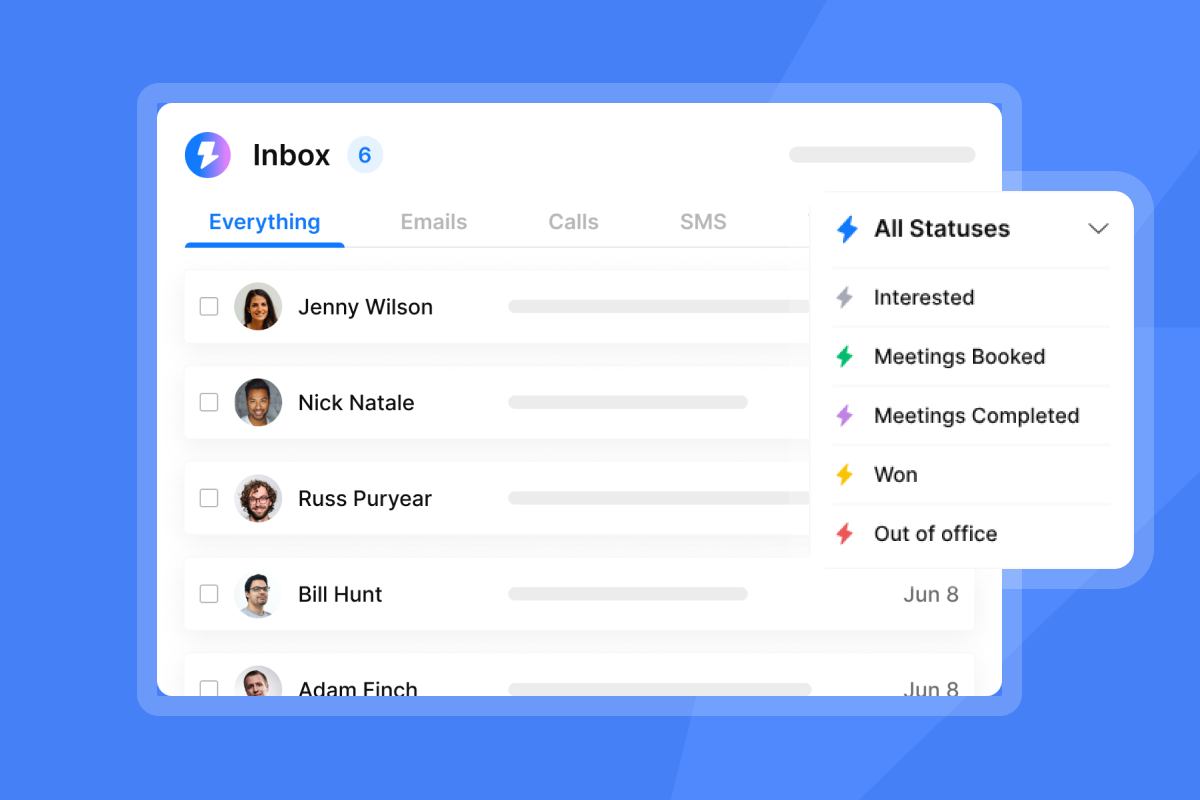
Managing 10 to 150+ sending inboxes across multiple clients requires a single view of replies, campaign status, and account health. Context switching between separate tools costs hours every week and creates reporting errors. Instantly's Unibox gives agencies a unified reply inbox across all client accounts, with Unibox NLP classification across 50+ languages so replies route correctly without manual sorting.

Verifying enrichment results and protecting margins
Enriching a contact record is only half the job. The other half is verifying the result and choosing a pricing model that keeps margins intact.
How waterfall enrichment reduces bounces
Waterfall enrichment cross-checks results across providers and only writes an address when at least one provider verifies it, and skipping verification spikes bounces and damages sender reputation for every future send on that domain.
Verification on delivery, not just on discovery, is the key distinction between high-quality waterfall services and ones that inflate their numbers. Lead Finder's waterfall checks 7 providers one after the other, stopping when a verified result is found, so unresolved records cost 0 credits, which means you only pay when you get a usable result.
Flat-fee vs. credit-based pricing models
Pricing model is the most underrated factor in agency tool selection. The wrong structure cuts your margin as you scale.
| Tool | Pricing model | Entry price | Scaling cost |
|---|---|---|---|
| Instantly Outreach | Flat-fee | $47/mo (Growth) | Unlimited accounts, fixed cost |
| Instantly Credits | Credit-based | $9/mo (Nano) | Per lookup and enrichment |
| Apollo | Per-seat + credits | $65/seat/mo | Multiplies with every team member |
| Clay | Credit-based | $185/mo | Per action and data credit |
Apollo's per-seat model means a 10-person team on Basic costs $650/month, not $65, while Instantly's flat-fee Outreach Growth plan covers unlimited email accounts regardless of inbox count. Clay at $185/month includes a native sequencer, but it caps at four steps per sequence, so teams running longer cadences still need a dedicated outreach tool.
Instantly Credits is a separate subscription from Outreach, starting at $9/month. It powers Lead Finder, Copilot, AI Sales Agent, and AI Reply Agent from a single credit pool. You pay for research lookups and AI actions, not seats.
Refining lists: filtering for high-intent accounts
Two filters separate high-fit accounts from the rest: the tools a company already runs and the business activity that signals they are ready to buy.
Identifying tech stacks and hiring signals
Technology stack data tells you which tools a prospect uses and signals fit: a company running a competing tool may be open to switching, while a company with no tool in your category is a greenfield opportunity. Lead Finder supports BYOK integrations for enrichment, letting teams connect their existing provider accounts where supported.
Hiring signals are among the strongest leading indicators of buying intent. A company posting for a Sales Operations Manager is likely building or expanding a revenue tech stack. Lead Finder's Signals filter processes approximately 5.8 million new signals per week across four categories: social activity, buying intent (Reddit-sourced pain points, competitor mentions, churn risk), growth signals (funding, expansion, new tech adoption), and company activity (leadership changes, pricing changes, Glassdoor reviews). Timing outreach right after a trigger event increases the relevance of your opening email, which is why AI prospecting tools that automate lead research increasingly combine intent signals with contact discovery in one workflow.
Prioritizing leads with AI scoring
AI scoring ranks leads by fit and intent so your team focuses manual effort on the top tier rather than working through an unranked list where every contact looks equally worth calling. Lead Finder's engagement scoring costs 1 credit per row and outputs a ranked score you can filter before uploading to a campaign.
How to prevent bounces and protect inbox health
Bounce prevention runs across three layers: verification before sending, internal thresholds during campaigns, and a preflight checklist before any ramp.
How verification stops inbox blacklisting
Email verification checks whether an address is deliverable before you send to it. The five core classifications are: valid (confirmed deliverable), invalid (will hard-bounce), risky (deliverable but flagged for spam traps or abuse history), catch-all (the domain accepts all mail, making deliverability unconfirmable), and unknown (the result could not be determined). High bounce rates cause ISPs to route email to spam or block the sending domain entirely.
Leads sourced in Lead Finder ship pre-verified. CSV and CRM imports do not, so you need to run a separate verification step at 0.25 credits per lead, as described in the lead verification help article. The catch-all email verification guide explains how to handle the catch-all category, where a domain accepts all mail, making it impossible to confirm deliverability in advance. The campaign bounce troubleshooting guide covers bounce types and fixes for the most common authentication failures.
Setting agency bounce rate thresholds
Industry standards and deliverability research consistently point to the same thresholds:
| Bounce rate | Status | Action |
|---|---|---|
| Below 2% | Healthy | Continue sending |
| 2 to 5% | Warning | Verify list, pause new sends |
| Above 5% | Critical | Pause campaign, clean list |
Instantly's high bounce auto-pause triggers at 5% after a minimum of 200 sends. For new client domains, set a stricter internal threshold to give yourself a buffer before the automated pause activates, keeping well under the 2% ceiling.
Essential checks before ramping sends
Run this checklist before scaling any client campaign:
- Verify the list: Run all CSV or CRM imports through verification at 0.25 credits per lead.
- Check DNS records: Confirm SPF, DKIM, and DMARC are configured and propagated.
- Confirm warmup status: Accounts need at least 2 weeks of warmup before campaign eligibility (3 weeks for AirMail accounts), with a health score above 90%. Warming for 4 to 6 weeks before full-volume sending reduces spam placement risk further, but 2 weeks is the documented minimum.
- Set send caps: Instantly's recommended volume is 30 campaign emails plus 10 warmup emails per account per day, which keeps daily activity within safe ISP thresholds.
- Run a pilot: Send to a small segment from the first domain before scaling to full volume.
Top AI lead research tools for agency scaling
Three architectures cover most agency use cases. The right choice depends on team size, technical depth, and how many clients you manage simultaneously.
Choosing your AI lead research architecture
The right architecture depends on your team's technical depth and the number of clients you manage.
| Dimension | All-in-One Hub (Lead Finder) | Modular (Clay + tools) | Suite (Apollo) |
|---|---|---|---|
| Data coverage | 450M+ B2B leads | Varies by provider stack | 240M+ contacts |
| Enrichment depth | Waterfall across 7 providers | Customizable, any API | Single provider, per-seat credits |
| Verification | Built-in, 0.25 credits/lead | Requires separate tool | Separate step required |
| Pricing model | Flat-fee outreach + credits pool | Credit-based, $185/mo+ | Per-seat, $65/seat/mo+ |
| Best for | Agencies scaling with fixed margins | Technical teams needing full control | SMB to mid-market teams wanting an all-in-one multichannel tool |
Apollo's 240M+ contact database supports broader multichannel plays (calls, LinkedIn, email), while Lead Finder's larger 450M+ B2B lead count, enriched via waterfall across 7 providers, consistently produces higher email match rates than single-source enrichment because each record is cross-checked across providers before being confirmed.
Apollo carries deeper multichannel data and CRM integrations, and Instantly connects to the same CRM workflows via a native HubSpot integration and Pipedrive support through Automations, so every client you add costs sending capacity rather than seats.
Clay gives technical teams maximum control over enrichment logic, but each additional tool adds a billing relationship and a point of failure. Combining a flat-fee outreach plan with a credit-based research hub that runs waterfall enrichment and built-in verification gives agencies a predictable cost structure as client count and inbox count grow.
Unit economics of AI prospecting stacks
On the Instantly Credits Growth plan ($47/month, 1,500 to 2,000 credits), a lead found directly in the Instantly database costs 1 credit. A lead requiring waterfall enrichment costs 2 to 4 credits. Verification of an imported lead costs 0.25 credits per address.
On Apollo at $65 per seat monthly, a 3-person team costs $195/month, and credits are billed separately on top of seat fees. For agencies adding clients regularly, the flat-fee model is structurally more predictable. There are no per-seat multipliers as client count grows.
Safeguarding sender reputation in AI workflows
Reputation risk shows up at four points: list quality, send pacing, compliance gaps, and the manual handoff steps between research and outreach tools.
Preventing bounces with list hygiene
List hygiene means keeping your contact list verified at every stage: on import, after bounces, and before re-use. Verify on import, remove hard bounces, and blocklist risky domains. Instantly's BounceShield automatically skips known high-risk recipients based on real-time and historical bounce data and is enabled by default on all plans.
Segmenting leads for safer ramps
A brand-new client domain needs a slower ramp than a domain with six months of warm history. Segment by client, domain age, and lead source before assigning to campaigns. Instantly's Inbox Rotation automatically distributes sends across all accounts assigned to a campaign so no single inbox carries a disproportionate load.
Ensuring legal prospecting compliance
For automated lead research for agencies, the compliance basics are: include a working unsubscribe mechanism in every email, honor opt-outs within 10 business days under CAN-SPAM, and avoid sending to addresses where you have no legitimate interest basis under GDPR. Instantly's AI Blocklist Triggers automatically blocklist leads based on unsubscribe status on all plans; reply keyword and account status triggers require Hypergrowth or above. The List-Unsubscribe header adds one-click unsubscribe support for compliant email clients.
Automating lead transfers to outreach
The manual CSV workflow (export from research tool, reformat, re-import to sending tool) is the most common source of data corruption in agency stacks because a field maps incorrectly, a verification step gets skipped, or a stale export sits for weeks before upload.
Instantly's Automations builder replaces that step with a visual trigger-action workflow that adds leads directly to campaigns when they meet your research criteria. The HubSpot integration in Automations supports bidirectional sync: HubSpot contact changes can trigger Instantly actions, and Instantly replies can trigger HubSpot contact or note creation. The Pipedrive integration in Automations follows the same pattern.
This hub-and-spoke model, with the research hub feeding multiple client outreach workflows, is what agencies mean when they describe Instantly as a management layer.
For the full breakdown of what is available at each tier, the email outreach plans comparison details which automation and deliverability controls are available at Hypergrowth and above.
Ready to apply this framework? Try Instantly free and test Lead Finder waterfall enrichment and verification on one client campaign. No credit card required.
FAQs: AI prospecting tools for lead research
What is the difference between lead research and outreach tools?
Lead research tools handle contact discovery, enrichment, intent signals, and verification, while outreach tools handle sequencing, sending, and reply management. Blending them creates bad data and deliverability risk.
How much does AI lead research cost for agencies?
Instantly Credits start at $9/month for 150 credits and scale to $47/month for 1,500 to 2,000 credits on Growth, while Apollo charges $65 per seat monthly and Clay starts at $185/month. Flat-fee outreach at $47/month covers unlimited accounts regardless of credit consumption.
Can bad data hurt my client's sender reputation?
Yes, hard bounces above 2% flag your sending domain with ISPs and route future emails to spam or trigger blocks. Instantly's high bounce auto-pause triggers at 5% after 200 sends to protect client domains automatically.
Should I use one tool or stack multiple research platforms?
For most agencies, a hub model with one credit pool covering database, waterfall enrichment, and verification is faster to operate and cheaper to scale than a three-tool modular stack. Modular stacks make sense for technical teams that need custom waterfall logic or provider-specific data APIs.
How do I verify emails without slowing down campaigns?
Leads sourced in Lead Finder ship pre-verified, but CSV or CRM imports require verification at 0.25 credits per lead before upload. For high-value time-sensitive campaigns, verify before each send batch.
Key terms glossary
Waterfall enrichment: A sequenced lookup that checks multiple data providers in order and stops when a verified result is confirmed, producing higher match rates and lower bounce risk than single-source enrichment. For example, checking Instantly's database first, then BetterContact, then ContactOut until a valid email is found.
Sender reputation: A score ISPs assign to your sending domain and IP based on bounce rates, spam complaints, and engagement, which determines whether your emails reach the primary inbox.
Bounce rate: The percentage of sent emails that fail to deliver. Hard bounces are permanent failures from invalid addresses. Keep the combined rate below 2%.
List hygiene: The ongoing process of verifying, deduplicating, and removing invalid or risky contacts from your lead list before and during campaigns.
Intent signals: Data points indicating that a prospect is actively researching a problem your offer solves, such as competitor mentions, job postings, funding events, or new technology adoption.
Flat-fee pricing: A fixed monthly cost that does not increase with the number of users, inboxes, or send volume within plan limits, which protects agency margins as client count grows.
Credit-based pricing: A pay-per-action model where each lookup, enrichment, verification, or AI action consumes credits from a pool. Requires monitoring to forecast monthly costs accurately.
Unified inbox (Unibox): A single view of replies across all client accounts and campaigns, so teams can manage responses without switching between individual inboxes.
Read next
- AI lead generation vs AI prospecting: what's the difference?: Learn how contact discovery and outreach serve different jobs in your stack and why mixing them hurts campaign performance.
- Best AI sales prospecting tools for B2B teams in 2026: A tool-by-tool breakdown of the top AI prospecting platforms, covering data coverage, enrichment depth, and pricing models.
- AI prospecting vs traditional sales prospecting: what's the difference?: See how AI-assisted research compares to manual prospecting across speed, accuracy, and cost per verified contact.


